dsh-tidewatch
Run the following command in DeepSeek Harness:
dsh plugin install proDreams/dsh-tidewatch
Paste the following prompt into your AI chat to install this plugin:
Run dsh plugin install proDreams/dsh-tidewatch in your terminal to install the plugin; the full source is available at https://github.com/proDreams/dsh-tidewatch , then restart dsh web to see the tide badge docked beside the composer.
About this plugin
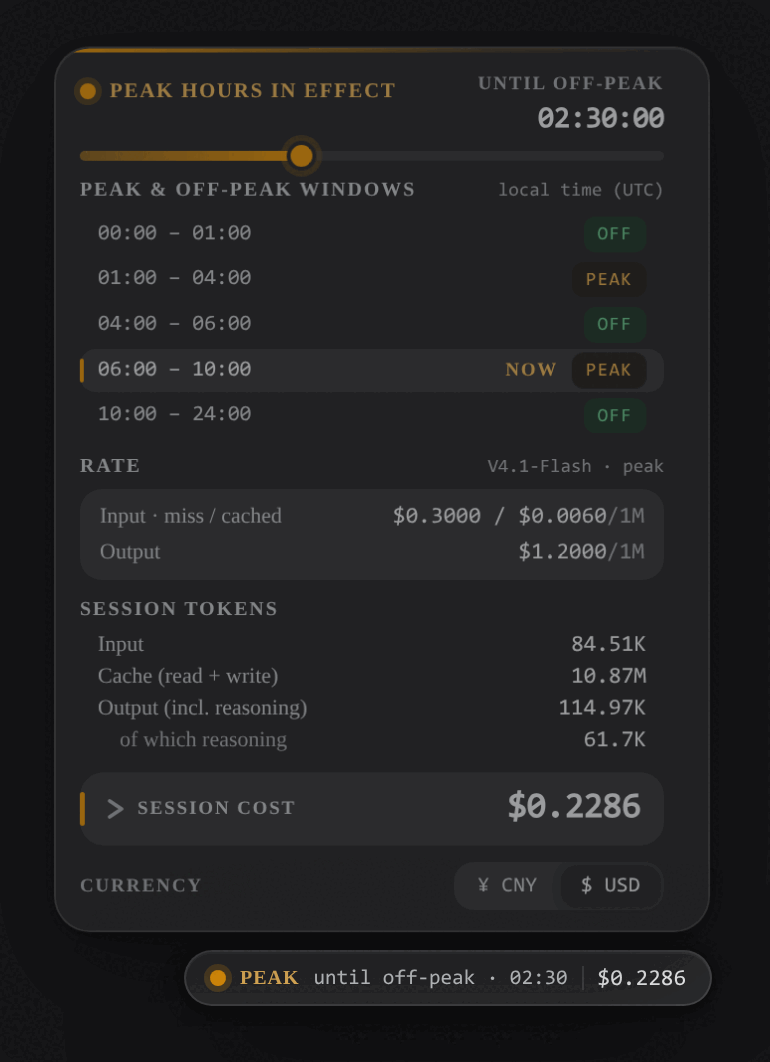
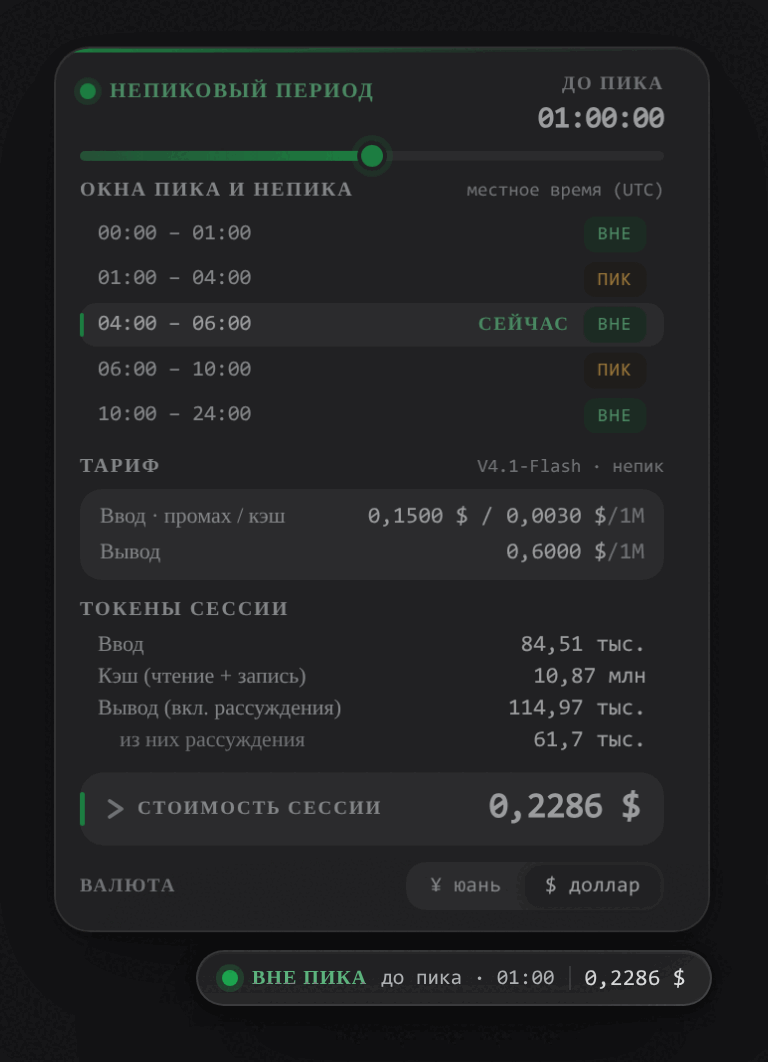
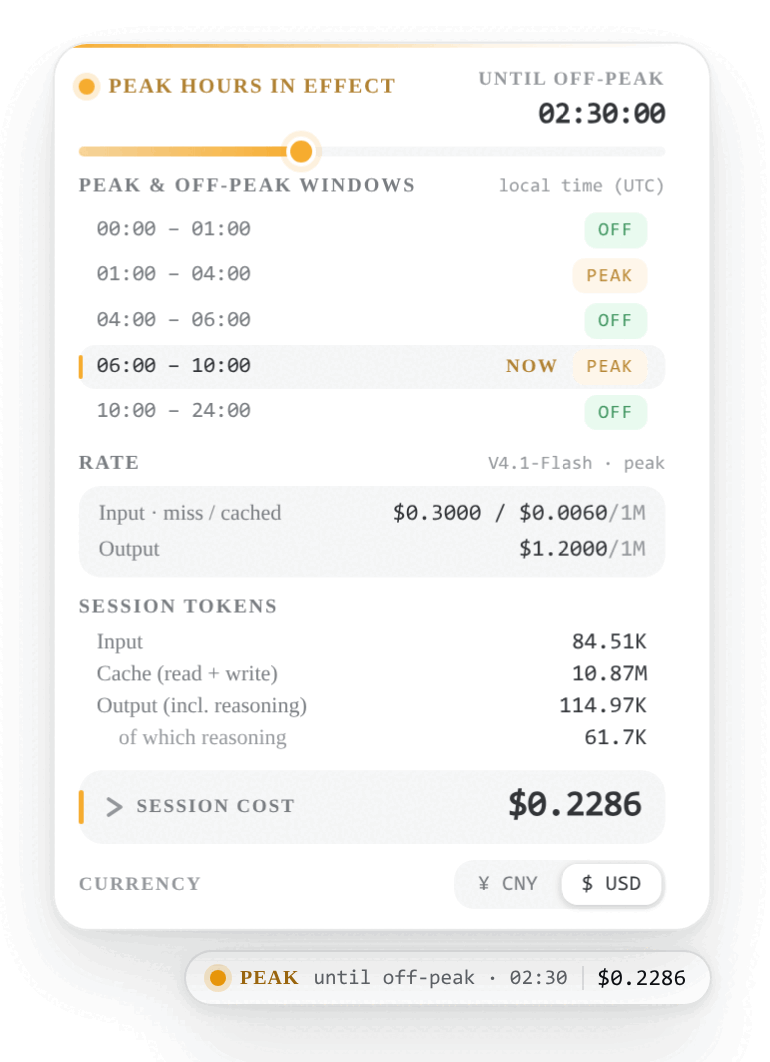
Since DeepSeek introduced UTC-based peak/off-peak pricing in August 2026, layered with an all-day weekend off-peak rule and multiple repricing events, it has become hard to tell at a glance which tier is active, how long it lasts, and what a session is actually costing. dsh-tidewatch distills all of that into a small tide-gauge card that docks beside the composer: the current phase with a live countdown, the official windows mapped onto your local calendar (weekends collapse into a single all-day row), the per-million-token rates for the tier you are in, and a per-model token and cost breakdown for the session. Three historical price eras are built in, including the separate V4 Pro rates, so every call is billed against its own event timestamp and costs never drift across a phase switch. No API key, no network calls; the price tables ship inside the plugin.
The card speaks English, Simplified Chinese, and Russian, following the DeepSeek Harness language setting and switching instantly. Currency toggles between CNY (fixed 6.67 rate matching the official CNY price list) and USD with one click, and the choice is remembered. It reads --dsw-* theme variables for light and dark modes, uses tabular numerals in a monospace stack so figures line up like an instrument panel, and every interactive element is a real, focusable, ARIA-annotated button.
It is aimed at engineers who use DeepSeek Harness for day-to-day development and want to keep a finger on API spend, especially those outside UTC who need the peak/off-peak windows rendered on their own calendar day.
Screenshots
Use Cases
- Check the active peak or off-peak phase and its countdown at a glance to avoid heavy API calls during peak hours
- Read the official UTC windows rendered on your local calendar to pick the best window for batch requests
- Expand the session cost panel to audit per-model token usage and spend before hitting a budget cap
Best For
- Engineers making high-frequency DeepSeek API calls who need real-time cost visibility
- Users in non-UTC time zones who need peak and off-peak windows on their local calendar
- Developers who want a trilingual EN ZH RU interface with zero extra network dependencies
Related Plugins
A service-oriented sidebar framework for DSH, offering a full workbench with file explorer, embedded browser, real terminal, Git panel, and extensible plugin services.

A beautiful, practical Claude Code-style TUI plugin with pixel whale top bar, flowing glow title, real-time status line, streaming thought expansion, time rewind, context progress bar and TPS gauge — zero core changes.

The plugin market for DeepSeek Harness: browse/search/one-click install community plugins and themes, with updates, backup/restore, hot disable, diagnostics, and AI fix.

A persistent whale widget on the DSH web UI that shows DeepSeek balance, today's usage, and per-turn cost, with drag-and-snap and sound effects.