dsh-mcp-live-status
Run the following command in DeepSeek Harness:
dsh plugin install felix-lj-ct/dsh-mcp-live-status
Paste the following prompt into your AI chat to install this plugin:
Run dsh plugin install felix-lj-ct/dsh-mcp-live-status in your DeepSeek Harness terminal to install this plugin; the source repository is https://github.com/felix-lj-ct/dsh-mcp-live-status .
About this plugin
DSH's settings page can confirm that an MCP plugin is mounted, but it cannot answer the more critical question: did the server actually complete a handshake? Because mcp-client defaults to failOnStartupError: false, a server whose transport never connected still reports ACTIVE in every UI surface. You typically discover it is dead only when the agent attempts to invoke one of its tools mid-task.
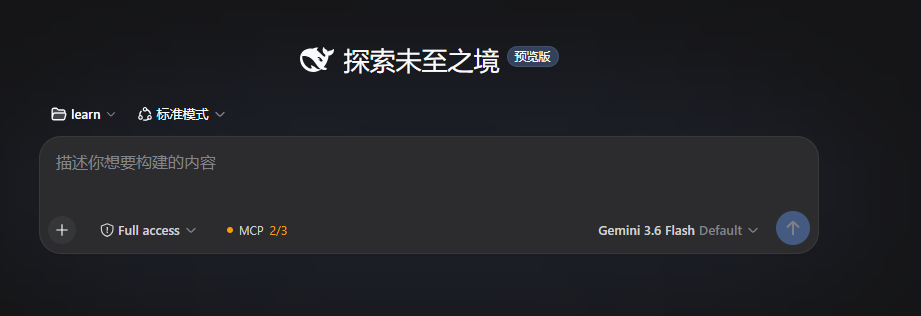
dsh-mcp-live-status embeds a real-time status pill in the conversation composer's tool row. It cross-references the Loader's configured plugin tree against the tool registry's actual mcp____ registrations to surface five distinct states: connected, mounted-but-not-connected, starting, mount-failed, and disabled. Clicking the pill opens a read-only panel listing each server's transport type, tool count, and failure reason. The plugin is entirely zero-config and read-only—it never starts, stops, or reloads a server—and includes a heuristic redaction layer so that URI credentials and secret-named arguments are stripped before any data reaches the browser.
Best suited for users running one or more MCP servers under DSH's web profile, particularly those who have been burned by silent connection failures and want to see the full picture before hitting send.
Screenshots
Use Cases
- Verify all MCP servers are truly connected before sending a prompt
- Diagnose false-healthy servers that show ACTIVE but never completed a handshake
- Glance at per-server transport and tool count right in the composer tool row
Best For
- DSH users with one or more MCP servers configured
- Developers frustrated by silent MCP connection failures
- Teams needing real-time MCP visibility without leaving the composer
Related Plugins
A service-oriented sidebar framework for DSH, offering a full workbench with file explorer, embedded browser, real terminal, Git panel, and extensible plugin services.

A beautiful, practical Claude Code-style TUI plugin with pixel whale top bar, flowing glow title, real-time status line, streaming thought expansion, time rewind, context progress bar and TPS gauge — zero core changes.

The plugin market for DeepSeek Harness: browse/search/one-click install community plugins and themes, with updates, backup/restore, hot disable, diagnostics, and AI fix.

A persistent whale widget on the DSH web UI that shows DeepSeek balance, today's usage, and per-turn cost, with drag-and-snap and sound effects.