dsh-schematic
Run the following command in DeepSeek Harness:
dsh plugin install Mason-1011/dsh-schematic
Paste the following prompt into your AI chat to install this plugin:
Run dsh plugin install Mason-1011/dsh-schematic in your DeepSeek Harness web profile to install; source is available at https://github.com/Mason-1011/dsh-schematic
About this plugin
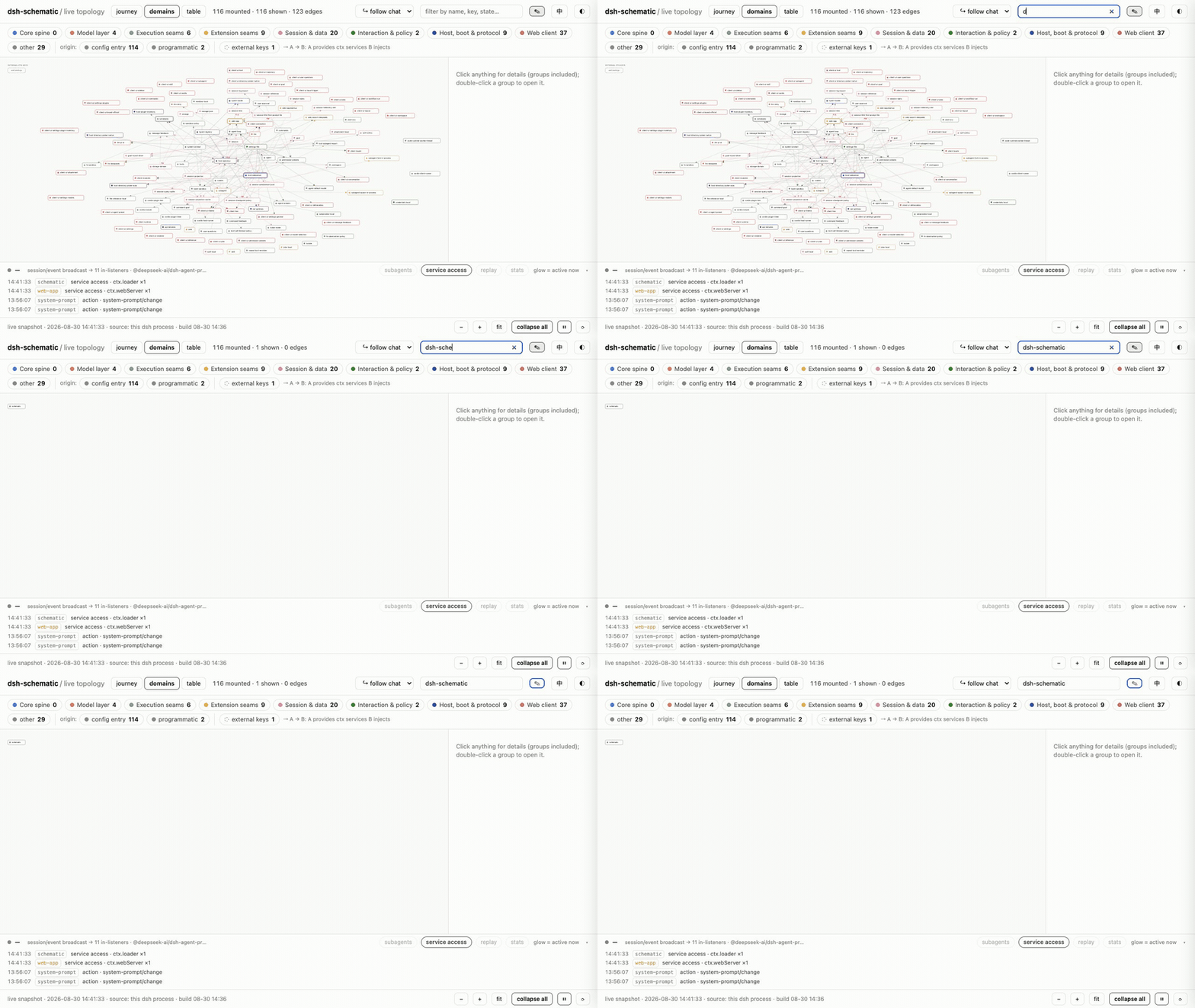
In DeepSeek Harness, an entire agent product is composed from plugins: the model adapter, the tool registry, and the agent loop all hang off Cordis context services and typed events. That wiring lives only inside the running process, and understanding who provides what, which events flow where, and how long each stage takes has meant grepping source or sprinkling logs. dsh-schematic draws that hidden wiring into an interactive topology graph and lets you edit it on the graph itself.
Open /schematic and you get three views (journey, domain mesh, table) that mirror the mounted plugin tree in real time. Every tool call and model reply is attributed to its owning plugin, the graph lights up as work flows, and a timeline records who did what and for how long. The v0.3.0 composition workbench turns the view from read-only to editable: toggle plugins, revise configs, swap a seam provider across local, sandbox, or remote scopes. All changes preview as ghost nodes plus a line-level YAML diff, pass a dry-run composition check, land in a versioned managed block, and hot-reload with one-click rollback.
Built for developers and operators who compose multi-plugin agent products on DeepSeek Harness and want to inspect the wiring without a debugger and adjust orchestration safely without taking the service down.
Screenshots
Use Cases
- Trace service providers and consumers across a multi-plugin agent product
- Swap a seam provider at runtime without restarting the harness
- Replay session timelines to attribute tool calls and model streaming
Best For
- Developers composing agent products on DeepSeek Harness
- Ops engineers debugging plugin wiring and event flows
- Architects adjusting orchestration safely without downtime
Related Plugins
A service-oriented sidebar framework for DSH, offering a full workbench with file explorer, embedded browser, real terminal, Git panel, and extensible plugin services.

A beautiful, practical Claude Code-style TUI plugin with pixel whale top bar, flowing glow title, real-time status line, streaming thought expansion, time rewind, context progress bar and TPS gauge — zero core changes.

The plugin market for DeepSeek Harness: browse/search/one-click install community plugins and themes, with updates, backup/restore, hot disable, diagnostics, and AI fix.

A persistent whale widget on the DSH web UI that shows DeepSeek balance, today's usage, and per-turn cost, with drag-and-snap and sound effects.