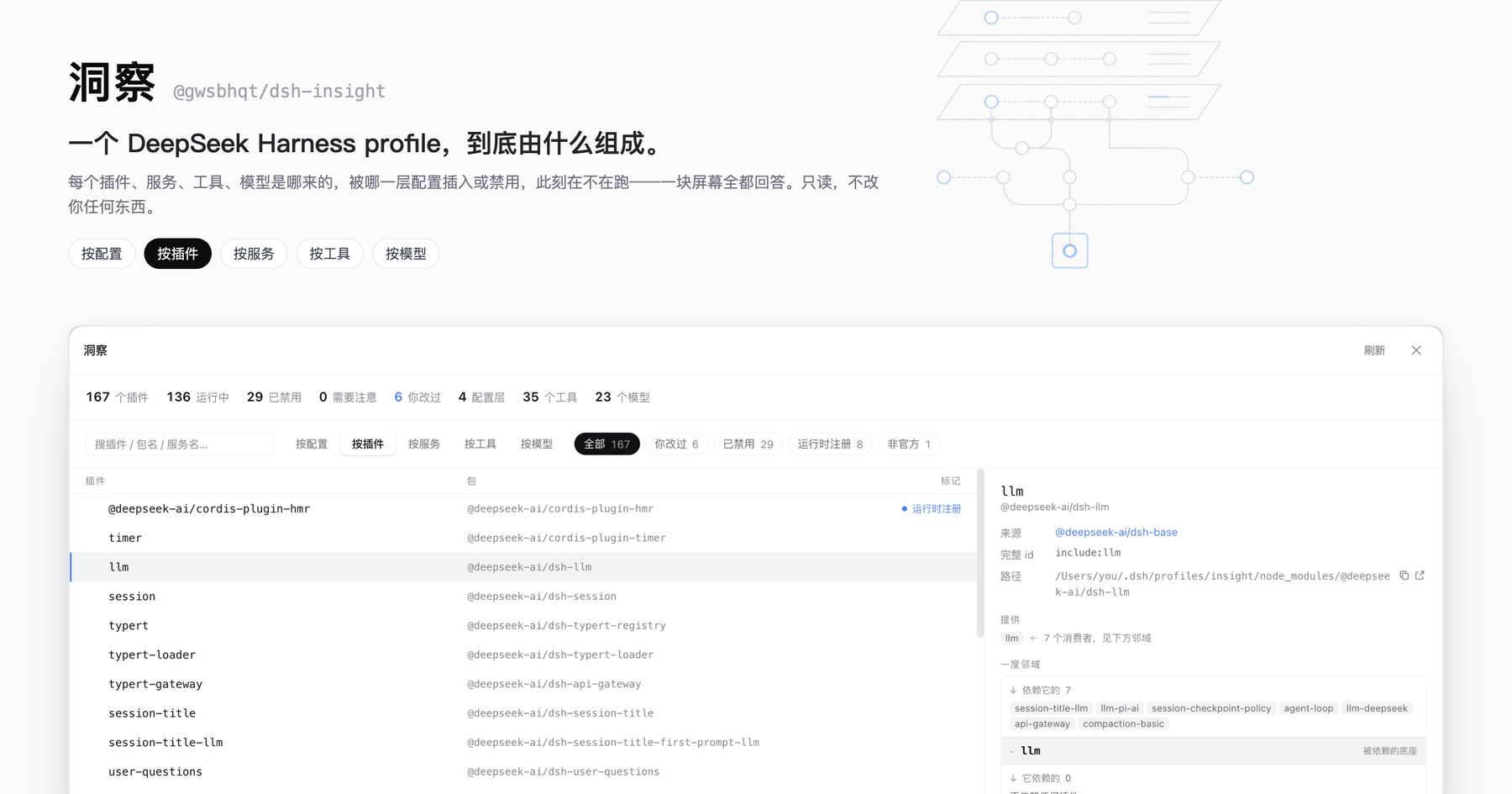
dsh-insight
Run the following command in DeepSeek Harness:
dsh plugin install gwsbhqt/dsh-insight
Paste the following prompt into your AI chat to install this plugin:
Run dsh plugin install gwsbhqt/dsh-insight in your DeepSeek Harness to install; the source is available at https://github.com/gwsbhqt/dsh-insight .
About this plugin
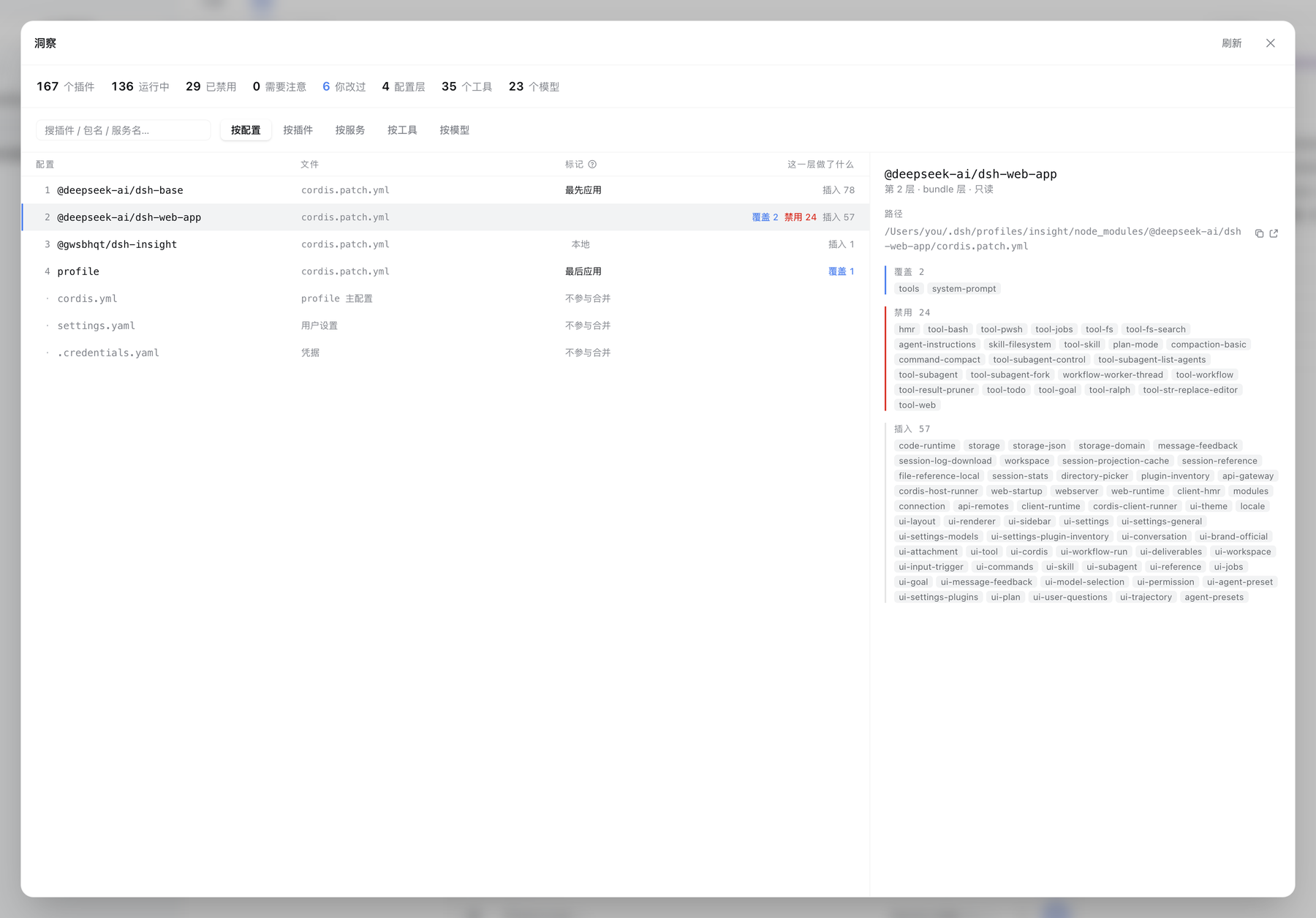
A running DeepSeek Harness profile is assembled from layers you never see side by side: each bundle's cordis.patch.yml, your profile-level patch, settings.yaml, .credentials.yaml, and environment variables. Which pieces actually survive is decided by patch semantics (insert, update, disable, keyed by id) and by what the cordis loader managed to start. No single file gives you the full picture, so questions like why a plugin is not running or where a model came from become a hunt across four files and a runtime you cannot inspect.
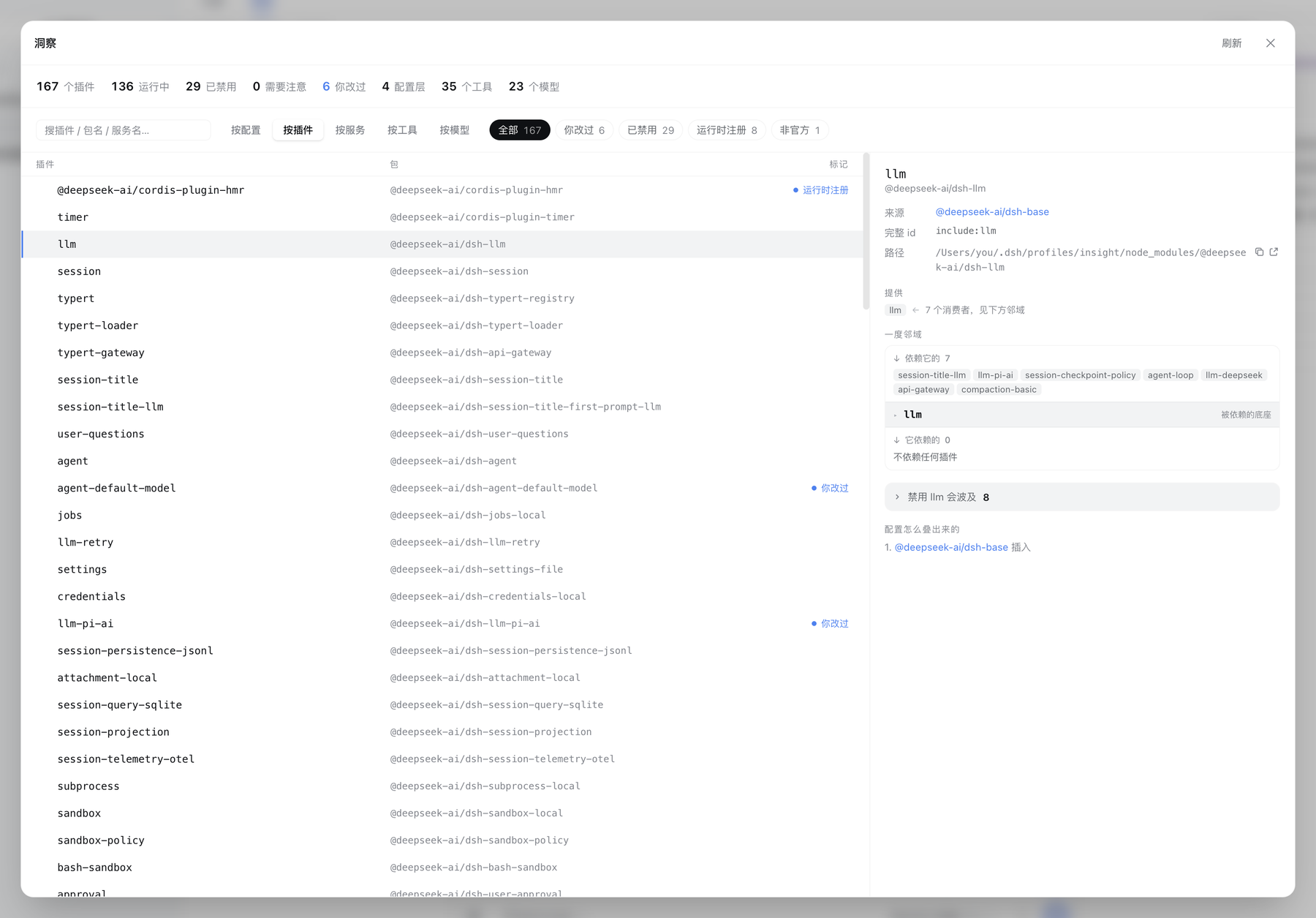
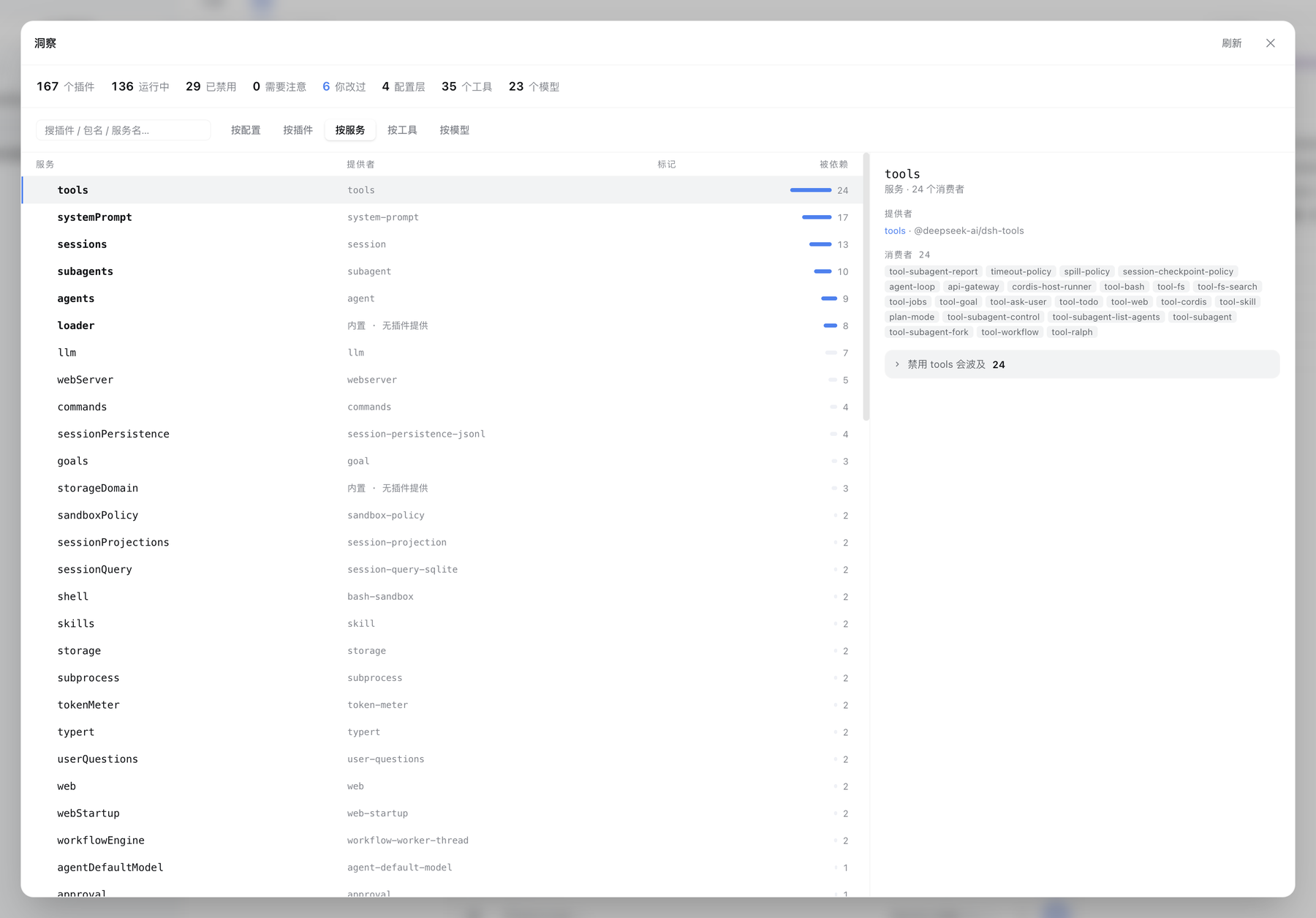
The insight panel lays out that derivation along six axes. By config shows every layer in application order and what each did to the tree. By plugin gives a complete dossier: origin layer, full entry id, package and path, services provided and consumed, transitive blast radius, and effective settings stacked against defaults. By service maps the real edges between plugins. By tool lists every callable name with its registrant and sibling count. By model traces each row to its provider route, activation method, and exact settings path. By preset reveals the agent-plane composition mounted at session start, live session counts, and origin classification. Every axis labels whether data was observed at runtime or inferred from build output, and ambiguous short ids are left unattributed rather than guessed.
It is built for operators and power users who layer plugins from multiple sources, run cross-provider model routes, author custom presets, and need a single pass to see who depends on whom, who overrode whom, and what breaks if something is turned off. The panel is read-only by design; its sole write path is a double-confirm disable or enable action fenced to the profile patch file, rejects ambiguous ids outright, and never reads credential bodies.
Screenshots
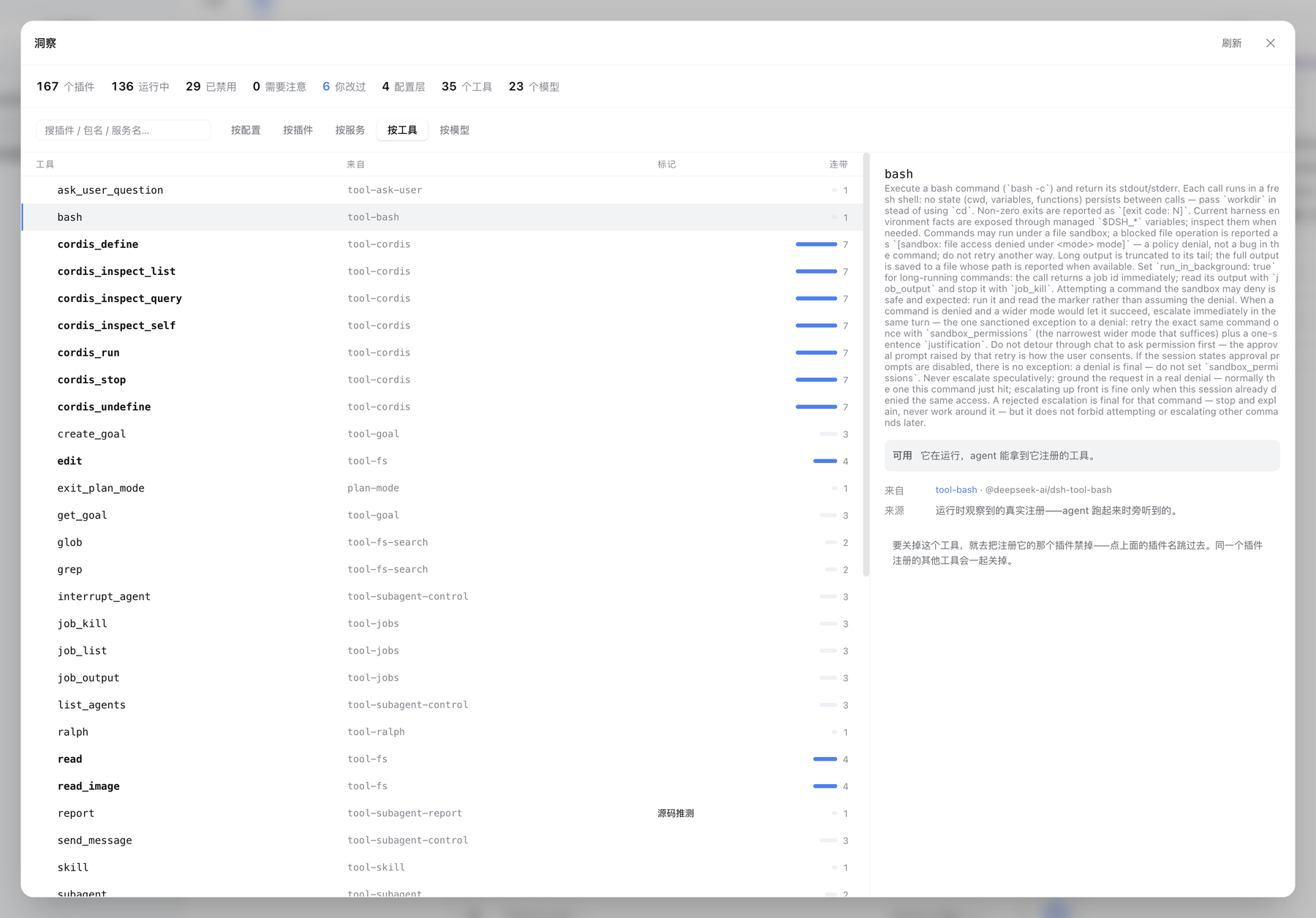
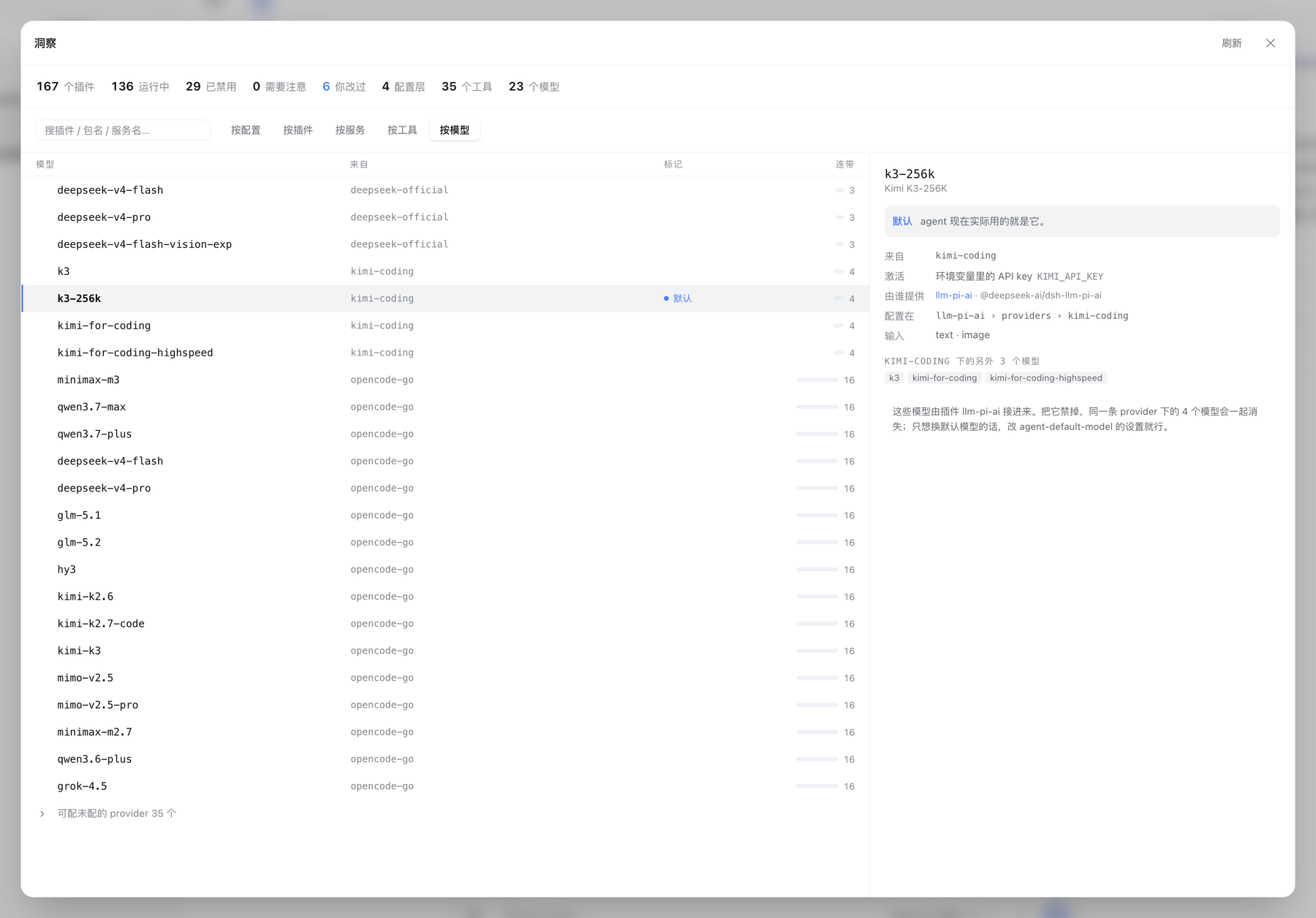
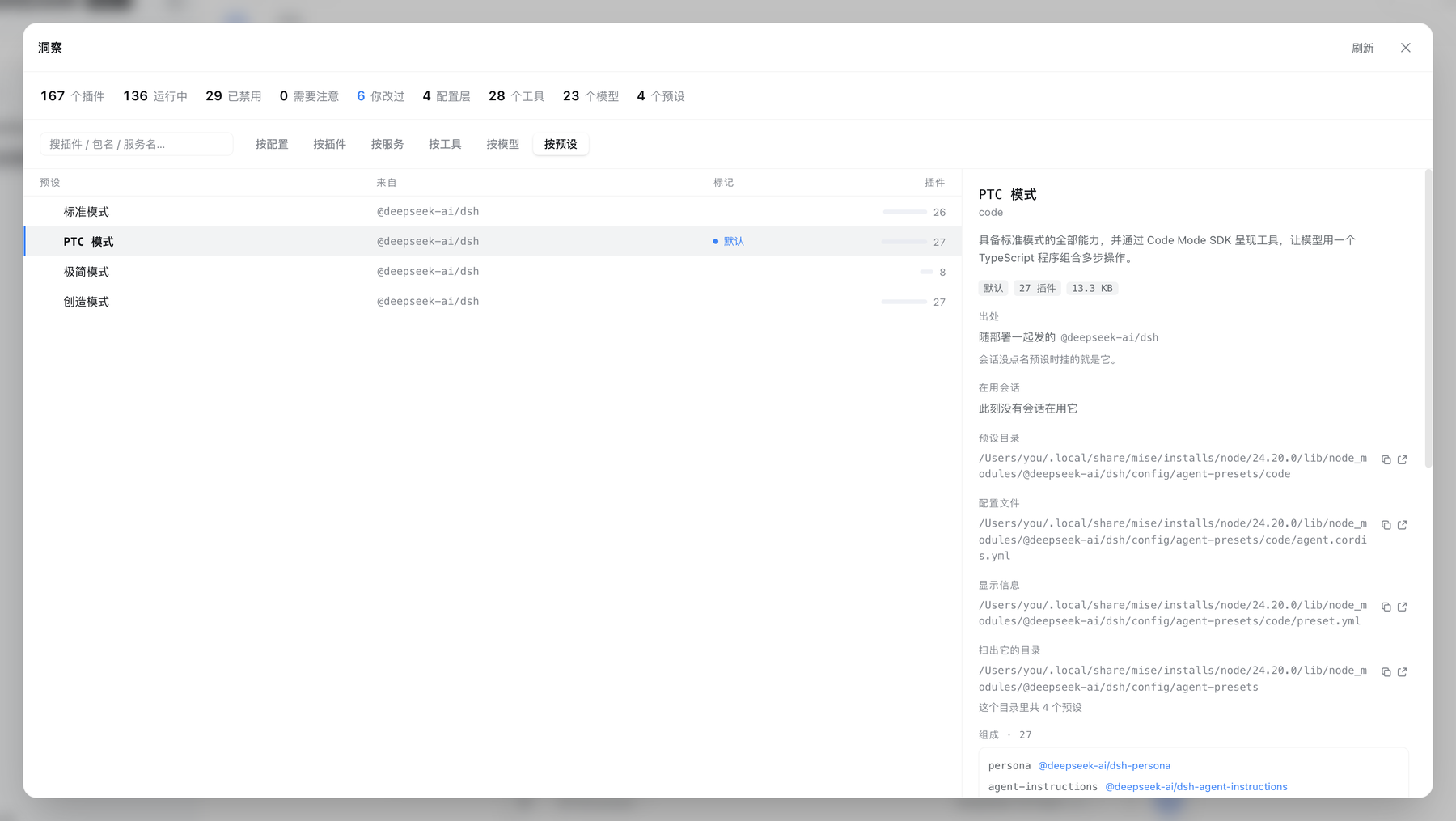
Use Cases
- Diagnose why a plugin is not loading and which layer disabled it
- Audit the final effective result after multi-layer patch stacking
- Assess transitive dependencies and blast radius before disabling a plugin
Best For
- Operators layering plugins from multiple sources
- Power users authoring custom presets
- Teams needing a traceable config audit trail
Related Plugins
A service-oriented sidebar framework for DSH, offering a full workbench with file explorer, embedded browser, real terminal, Git panel, and extensible plugin services.

A beautiful, practical Claude Code-style TUI plugin with pixel whale top bar, flowing glow title, real-time status line, streaming thought expansion, time rewind, context progress bar and TPS gauge — zero core changes.

The plugin market for DeepSeek Harness: browse/search/one-click install community plugins and themes, with updates, backup/restore, hot disable, diagnostics, and AI fix.

A persistent whale widget on the DSH web UI that shows DeepSeek balance, today's usage, and per-turn cost, with drag-and-snap and sound effects.