dsh-plugin-manager
Run the following command in DeepSeek Harness:
dsh plugin install webkong/dsh-plugin-manager
Paste the following prompt into your AI chat to install this plugin:
In DeepSeek Harness, run the command `dsh plugin install webkong/dsh-plugin-manager` to install this plugin. Full source repository: https://github.com/webkong/dsh-plugin-manager
About this plugin
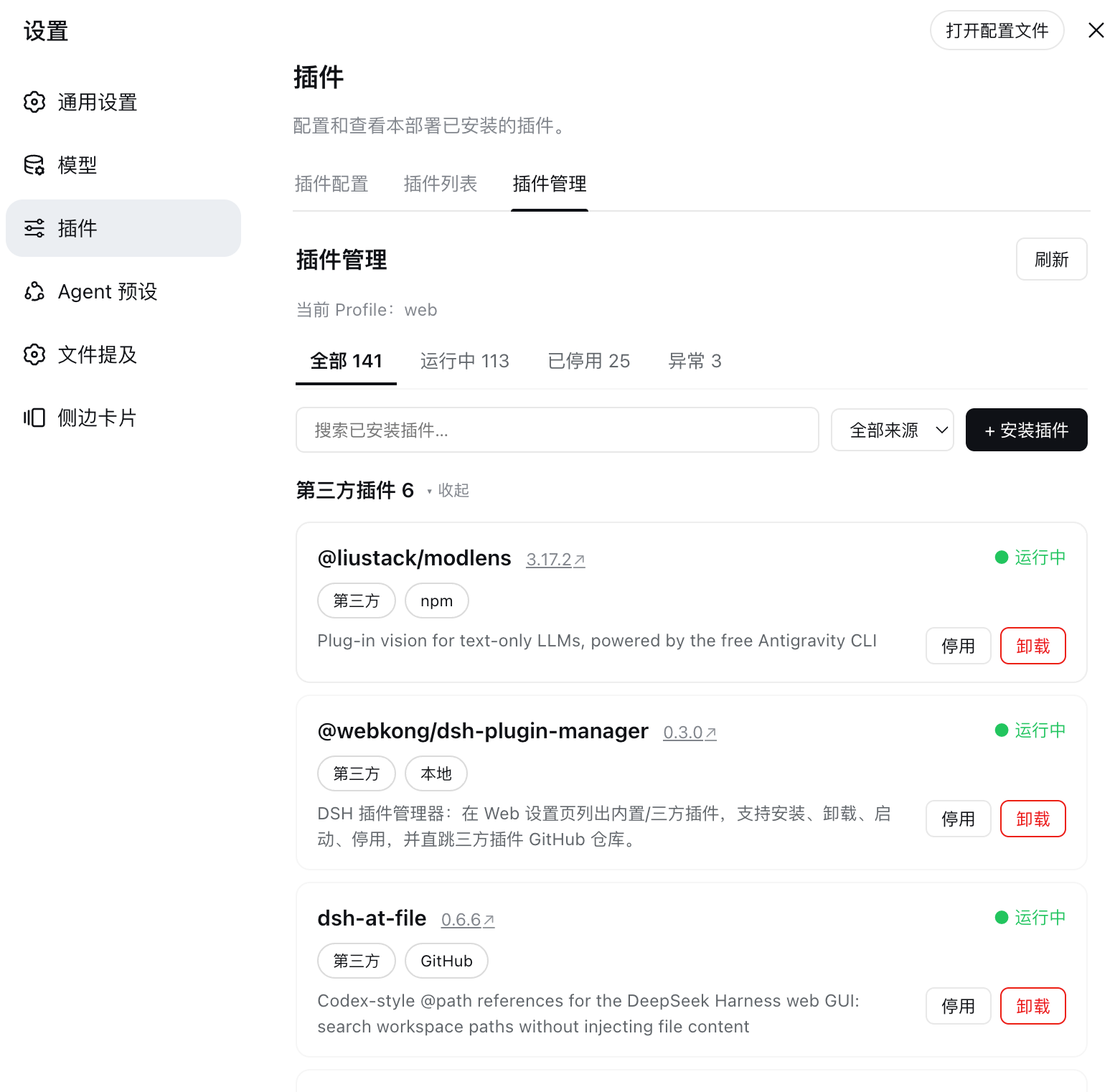
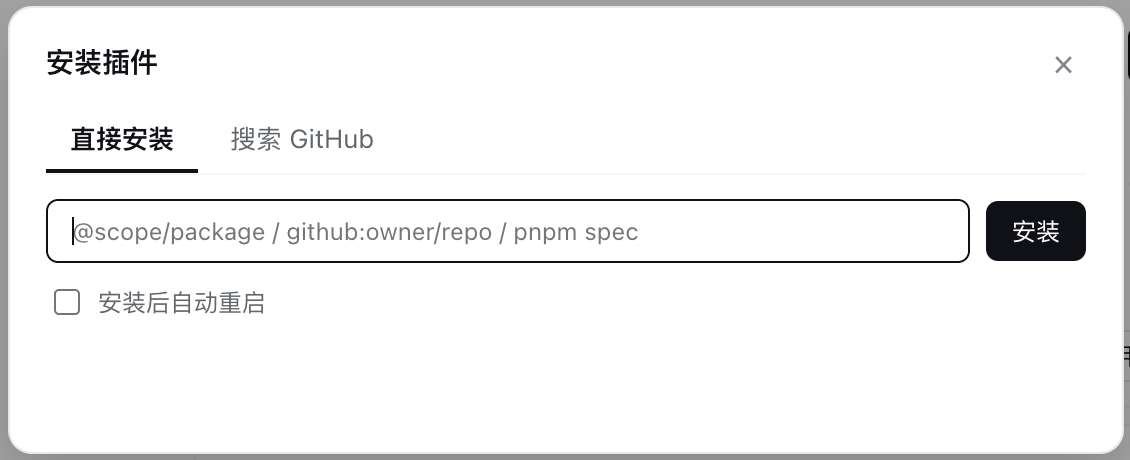
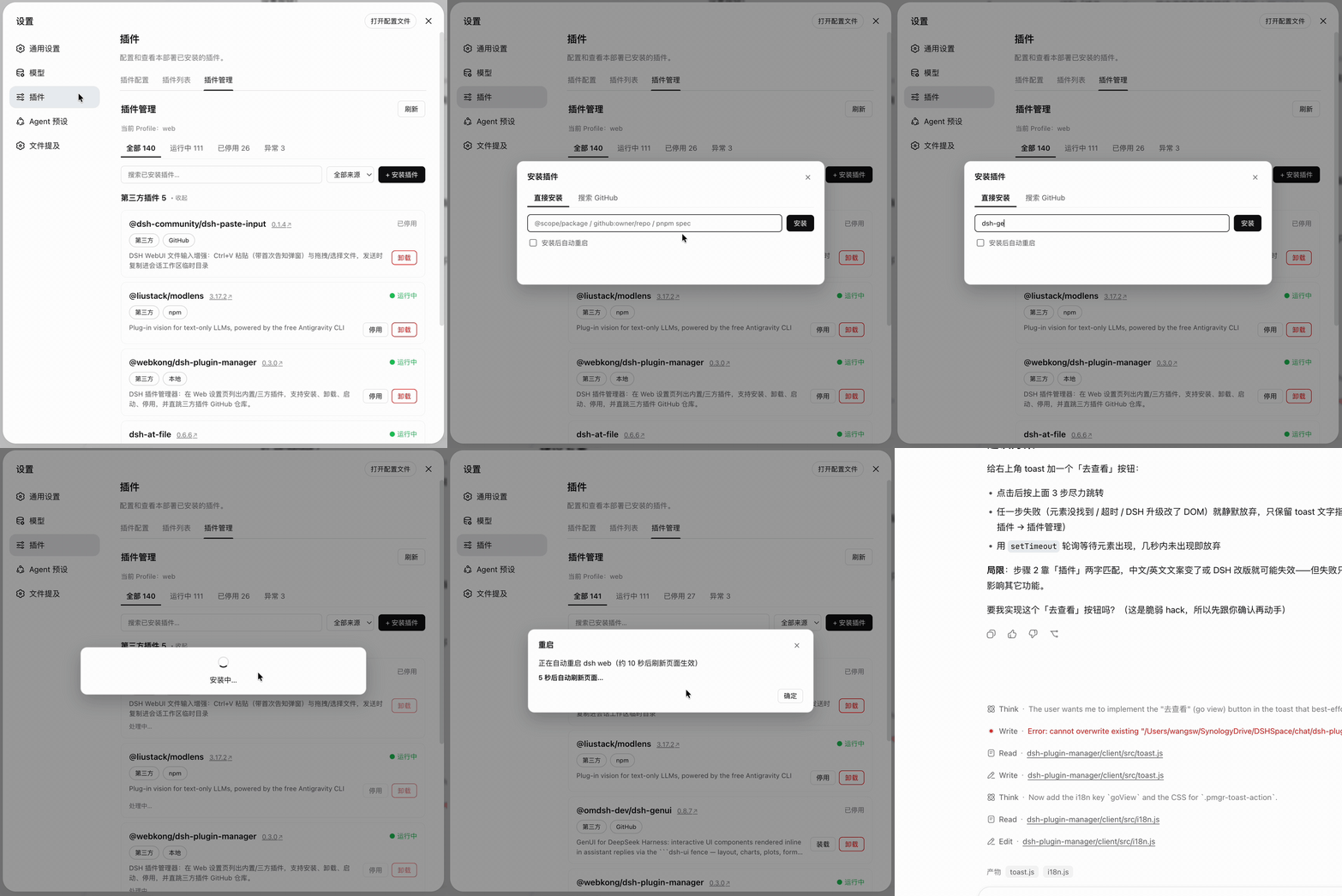
Designed for DeepSeek Harness users, this plugin manager eliminates the cumbersome past of manually searching GitHub, typing commands, and editing configuration files. It integrates the installation, uninstallation, and enabling/disabling of plugins into a single intuitive graphical interface, making the complex ecosystem management as easy as ordering takeout from an app.
Its core strengths lie in intelligence and automation. It intelligently recognizes multiple installation sources such as npm packages and GitHub repos, offering smart 'bare name' detection. Users can get a global overview of all built-in and third-party plugins' statuses (running, disabled, failed) and execute enable/disable or clean uninstall with one click. It deeply integrates with GitHub for market searches and direct repository access, and can automatically fetch tokens from environment variables to avoid rate limits. Features like auto-restart and page refresh after installation further streamline the workflow.
This plugin is suitable for all DeepSeek Harness users, especially developers and power users who frequently manage or test plugins. Whether you're cleaning up unused plugins or quickly testing new tools, it provides a clear, efficient, and hassle-free solution, truly achieving a 'one-stop' experience for plugin management.
Screenshots
Use Cases
- Manage DSH plugins in one place with easy install, uninstall, and enable/disable.
- Monitor plugin running status in real-time via a graphical interface to quickly troubleshoot.
- Automatically install plugins from npm or GitHub sources without manual operations.
Best For
- Daily users of DeepSeek Harness seeking simple plugin management.
- Developers who frequently test and switch between plugins for development.
- System administrators responsible for maintaining plugin ecosystem stability.
Related Plugins
A service-oriented sidebar framework for DSH, offering a full workbench with file explorer, embedded browser, real terminal, Git panel, and extensible plugin services.

A beautiful, practical Claude Code-style TUI plugin with pixel whale top bar, flowing glow title, real-time status line, streaming thought expansion, time rewind, context progress bar and TPS gauge — zero core changes.

The plugin market for DeepSeek Harness: browse/search/one-click install community plugins and themes, with updates, backup/restore, hot disable, diagnostics, and AI fix.

A persistent whale widget on the DSH web UI that shows DeepSeek balance, today's usage, and per-turn cost, with drag-and-snap and sound effects.