dsh-git
Run the following command in DeepSeek Harness:
dsh plugin install taontech/dsh-git
Paste the following prompt into your AI chat to install this plugin:
Run dsh plugin install taontech/dsh-git in your DeepSeek Harness terminal to install this plugin (source: https://github.com/taontech/dsh-git).
About this plugin
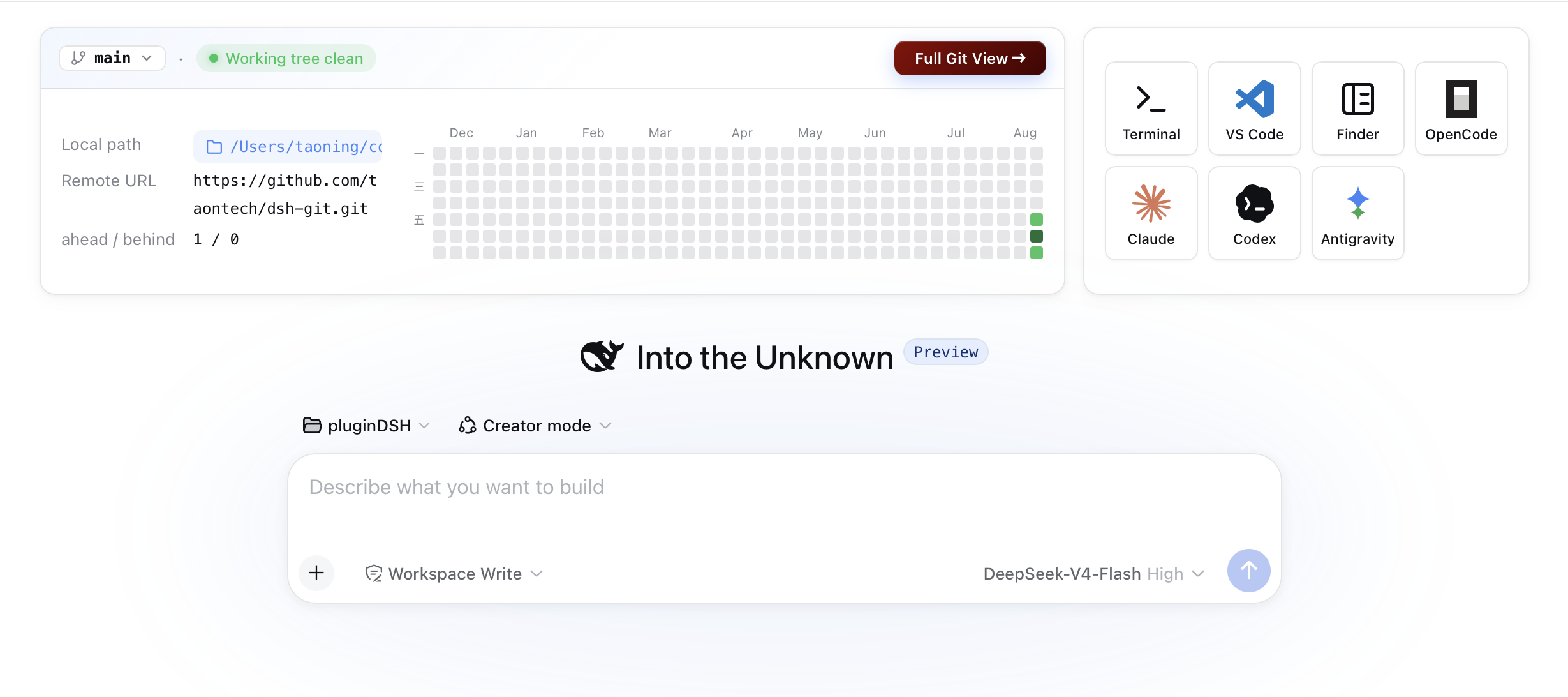
DSH's chat window has never had a native Git panel—checking status, reviewing commits, or switching branches all require leaving for a terminal. dsh-git adds a dedicated Git tab right after chat and Trajectory, surfacing repo overview, file changes, commit history, branch graph, and contribution calendar in one glance, with common operations built into the same view.
The feature set spans the full read-to-write pipeline: porcelain status parsing, git log history, a --graph ASCII branch diagram, a one-year daily commit heatmap, and actions for staging, unstaging, committing, pushing, pulling, and checking out branches. Non-repo directories degrade to a file listing with a one-click git init button. On macOS, a quick-open bar lets you launch the repo in Terminal or iTerm, or spin up an interactive agent such as OpenCode, Claude, or Codex.
Under the hood, every git invocation is delegated to gmc's runGit; the plugin itself handles only parsing, composition, and rendering to stay lightweight. It suits developers who work with Git heavily inside DSH—especially macOS users who want to finish commit and push flows without leaving the chat window, or who like a branch and activity snapshot on the blank-session hero card.
Screenshots
Use Cases
- Check repo status and commit code without leaving the DSH chat
- Switch branches, push, or pull directly from the conversation view
- Glance at branch info and commit heat-map on the blank-session hero card
Best For
- Developers who interact with Git frequently inside DSH
- Users who prefer to finish commit and push flows within the chat window
- macOS developers who want one-click terminal launch or agent startup
Related Plugins
A service-oriented sidebar framework for DSH, offering a full workbench with file explorer, embedded browser, real terminal, Git panel, and extensible plugin services.

A beautiful, practical Claude Code-style TUI plugin with pixel whale top bar, flowing glow title, real-time status line, streaming thought expansion, time rewind, context progress bar and TPS gauge — zero core changes.

The plugin market for DeepSeek Harness: browse/search/one-click install community plugins and themes, with updates, backup/restore, hot disable, diagnostics, and AI fix.

A persistent whale widget on the DSH web UI that shows DeepSeek balance, today's usage, and per-turn cost, with drag-and-snap and sound effects.