dsh-browser-fs
Run the following command in DeepSeek Harness:
dsh plugin install whitefirer/dsh-browser-fs
Paste the following prompt into your AI chat to install this plugin:
In DeepSeek Harness, install the plugin with the command "dsh plugin install whitefirer/dsh-browser-fs", source code available at https://github.com/whitefirer/dsh-browser-fs.
About this plugin
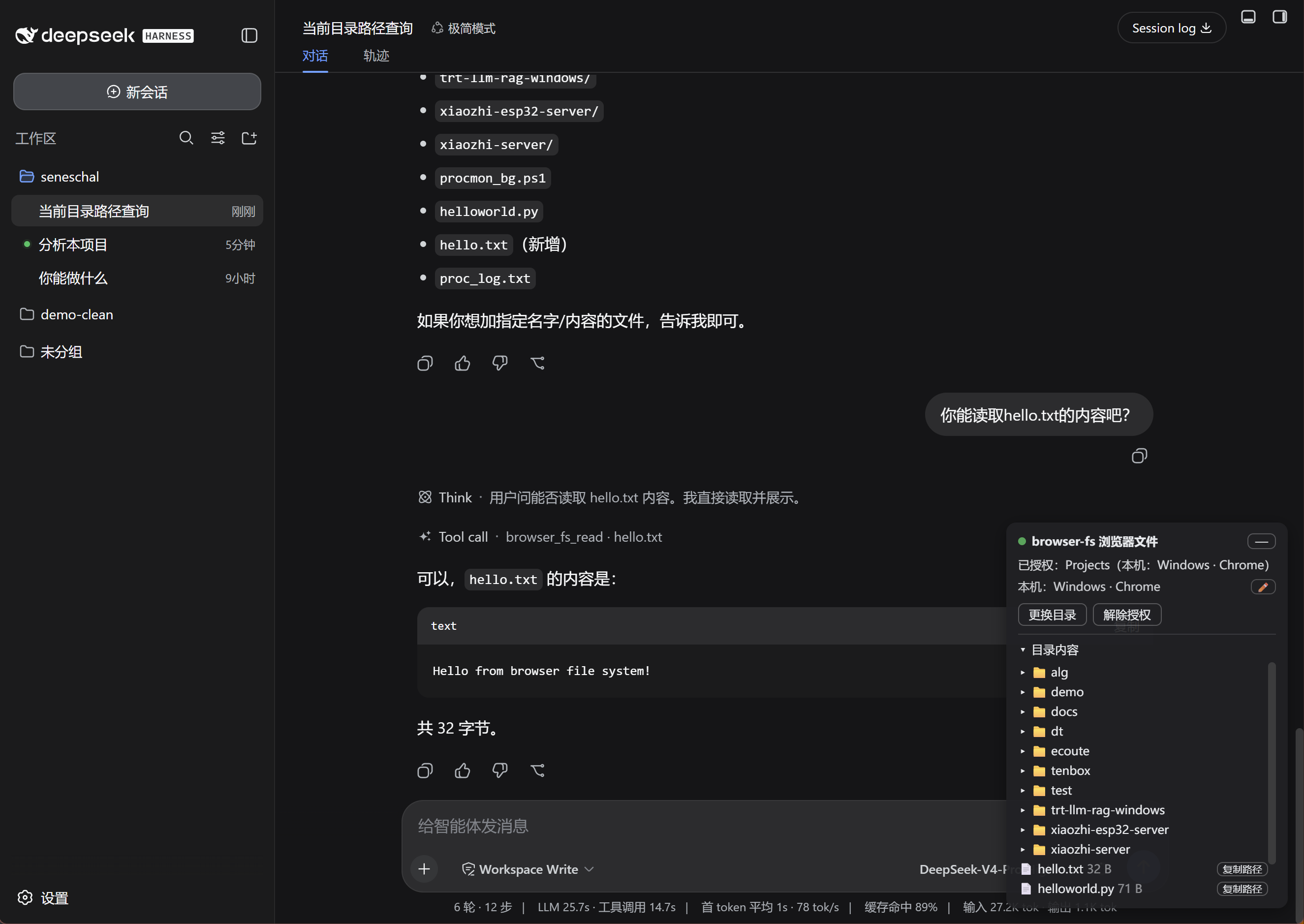
When using DeepSeek Harness for remote development, you might encounter a awkward gap: the agent's built-in file system tools can only access the host machine, not the files on your local machine. This means that when you operate remotely via a browser, your code, documents, or other resources feel isolated between two worlds. The dsh-browser-fs plugin is designed precisely for this, using the browser's native File System Access API to let you authorize a local directory, and then securely extending file operation capabilities to the agent through a WebSocket channel. At its core, it provides list, read, and write tools, enabling the agent to read and write files on your browser's machine as if they were local, regardless of where the remote deployment server is. This plugin is especially suited for developers, researchers, or any DeepSeek Harness users who frequently need to access local resources in remote workflows, bridging the divide between the browser and local system to make remote work smoother and more efficient.
Screenshots
Use Cases
- Allow the agent to read local code files during remote development.
- Browse and edit local documents directly through the browser interface.
- Authorize different directories on multiple devices for cross-machine file operations.
Best For
- Developers who need remote access to local files.
- Researchers using DeepSeek Harness for workflow automation.
- Tech enthusiasts looking to enhance browser-local system integration.
Related Plugins
A service-oriented sidebar framework for DSH, offering a full workbench with file explorer, embedded browser, real terminal, Git panel, and extensible plugin services.

A beautiful, practical Claude Code-style TUI plugin with pixel whale top bar, flowing glow title, real-time status line, streaming thought expansion, time rewind, context progress bar and TPS gauge — zero core changes.

The plugin market for DeepSeek Harness: browse/search/one-click install community plugins and themes, with updates, backup/restore, hot disable, diagnostics, and AI fix.

A persistent whale widget on the DSH web UI that shows DeepSeek balance, today's usage, and per-turn cost, with drag-and-snap and sound effects.