dsh-completion-sound
Run the following command in DeepSeek Harness:
dsh plugin install jensentsts/dsh-completion-sound
Paste the following prompt into your AI chat to install this plugin:
Run dsh plugin install jensentsts/dsh-completion-sound in DeepSeek Harness to install this plugin; source code at https://github.com/jensentsts/dsh-completion-sound
About this plugin
Running a ten-minute agent task is one thing; running a two-hour one while you are at lunch is another. The default DSH completion cue is a faint single beep that sounds the same whether the turn took four seconds or three hours, and nothing appears on the desktop to catch your eye. dsh-completion-sound splits that moment into two clearly distinct signals.
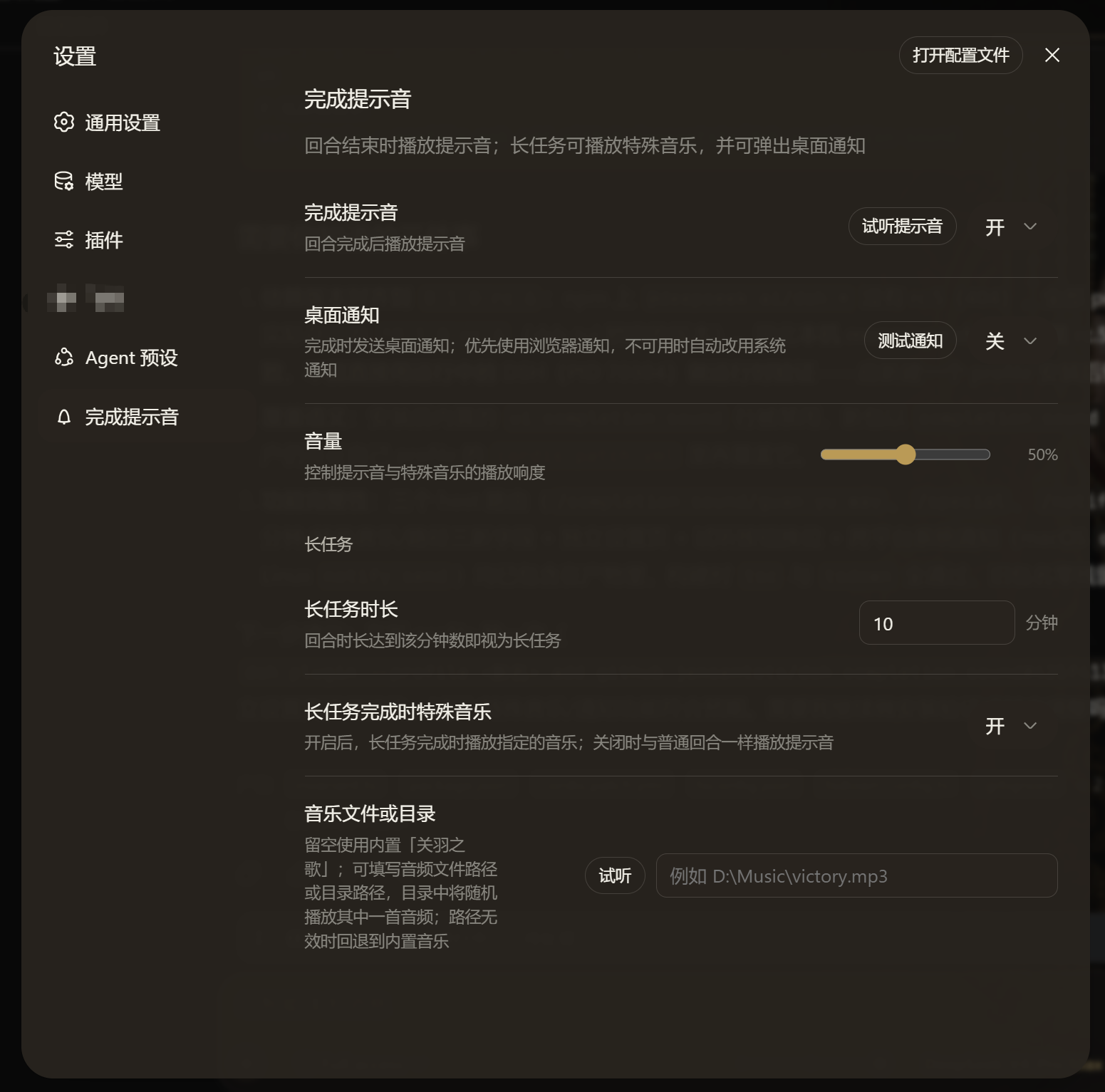
For every ordinary turn it synthesises a short two-tone chime (E5 into A5) with WebAudio, crisp and low-key. When a task exceeds the configurable threshold (default 10 minutes, adjustable from 1 minute up to 7 days), a special music track plays together with a full-screen modal that stops on any click. The bundled default is the roughly 13.5 MB Guan Yu Song, but the settings field accepts a single audio file path or a directory path; in directory mode a random track is picked on each play. Optional desktop notifications are delivered through the browser Notification API first, with an automatic fallback to osascript on macOS or notify-send on Linux. Every knob, from volume to music path, lives under a dedicated Settings > Completion sound page, so nothing hides behind an advanced menu.
It is built for people who fire off long agent runs, walk away, and want an unambiguous audible, visual, and system-level confirmation that the work is done.
Screenshots
Use Cases
- Step away from a two-hour batch run and confirm completion via a system notification
- Distinguish quick turns from long builds with a crisp chime versus special music
- Point to a playlist folder and let it pick a random track when long work finishes
- Tweak volume, threshold, and music path from a dedicated settings page without hunting through menus
Best For
- Users who run long agent tasks and want multi-signal completion confirmation
- DSH players who prefer custom music or a playlist over the default beep
- Power users who need a desktop nudge even when away from the screen
Related Plugins
A service-oriented sidebar framework for DSH, offering a full workbench with file explorer, embedded browser, real terminal, Git panel, and extensible plugin services.

A beautiful, practical Claude Code-style TUI plugin with pixel whale top bar, flowing glow title, real-time status line, streaming thought expansion, time rewind, context progress bar and TPS gauge — zero core changes.

The plugin market for DeepSeek Harness: browse/search/one-click install community plugins and themes, with updates, backup/restore, hot disable, diagnostics, and AI fix.

A persistent whale widget on the DSH web UI that shows DeepSeek balance, today's usage, and per-turn cost, with drag-and-snap and sound effects.