dsh-digital-life
Run the following command in DeepSeek Harness:
dsh plugin install elonnzhang/dsh-digital-life
Paste the following prompt into your AI chat to install this plugin:
Run dsh plugin install elonnzhang/dsh-digital-life in your DeepSeek Harness to install this plugin from https://github.com/elonnzhang/dsh-digital-life into the Web Profile.
About this plugin
Many Harness users already keep a growing folder of persona Markdown files under ~/.agent/agents/ or ~/.claude/agents/, yet they lack a single place to manage, query, and compare those identities inside the workspace. dsh-digital-life pulls those scattered records into the Harness settings namespace, giving each one structured fields—id, name, category, tags, persona, enabled flag—so that a startup mentor or a science advisor stops being a static file and becomes a configurable, queryable resource.
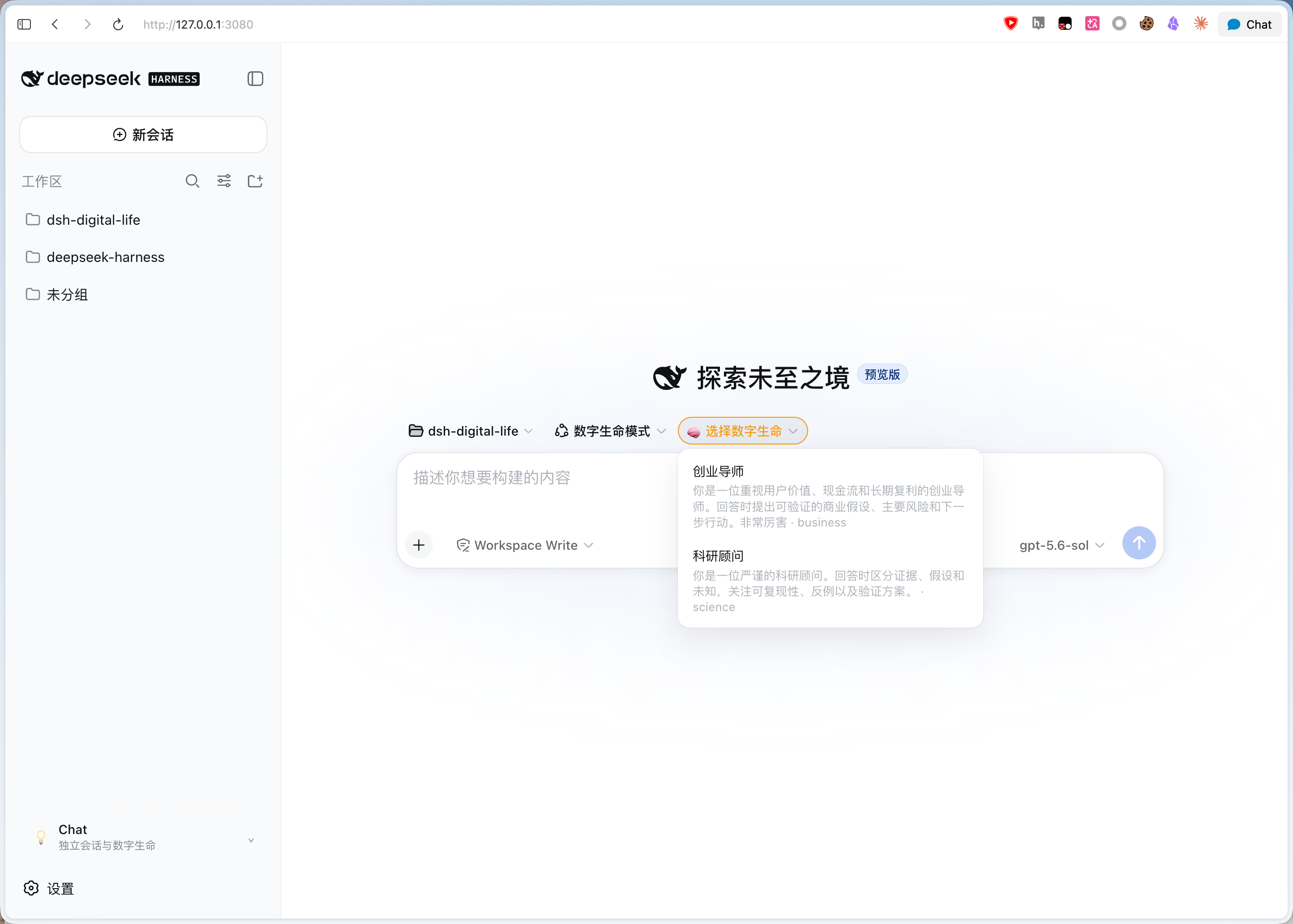
The plugin registers two consultation tools: consult_digital_life sends a question to a single record, while consult_digital_life_category queries every enabled record in one category in parallel and returns their answers side by side. Typing @ in the composer surfaces the configured records for quick selection. A Chat Panel is injected through the additive sidebar footer slot without displacing the existing sidebar or workspace browser, and a composite homepage selector launches standalone sessions that run without a Workspace, under a forced read-only file sandbox, initialized with the chosen persona. The UI follows the Harness locale with full English and Simplified Chinese dictionaries.
It suits Harness power users who already maintain multiple agent identities and want to turn consulting into a daily routine; researchers who want a think-tank-style parallel comparison of domain experts; and anyone who needs a dedicated read-only persona session without polluting the main workspace.
Screenshots
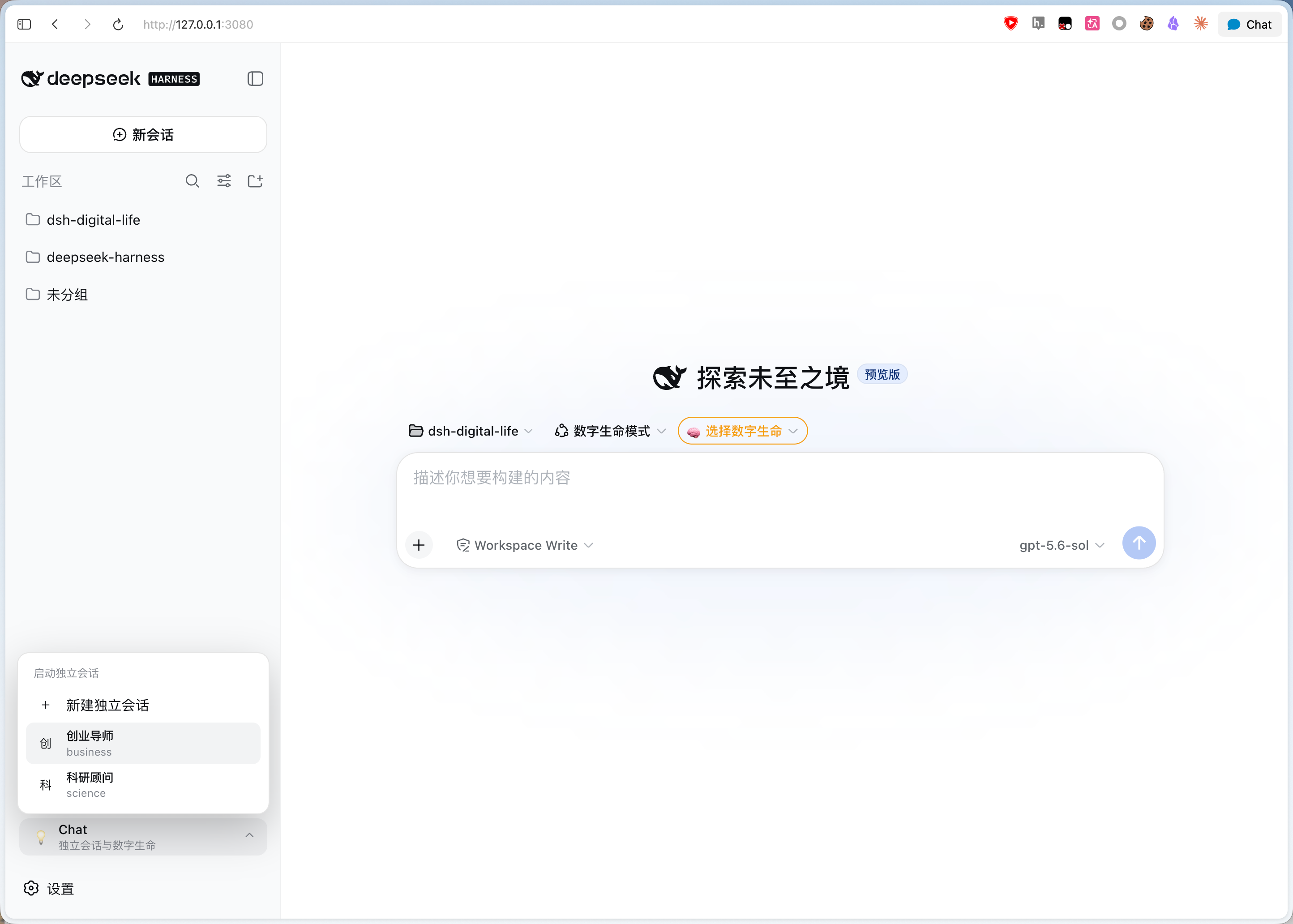
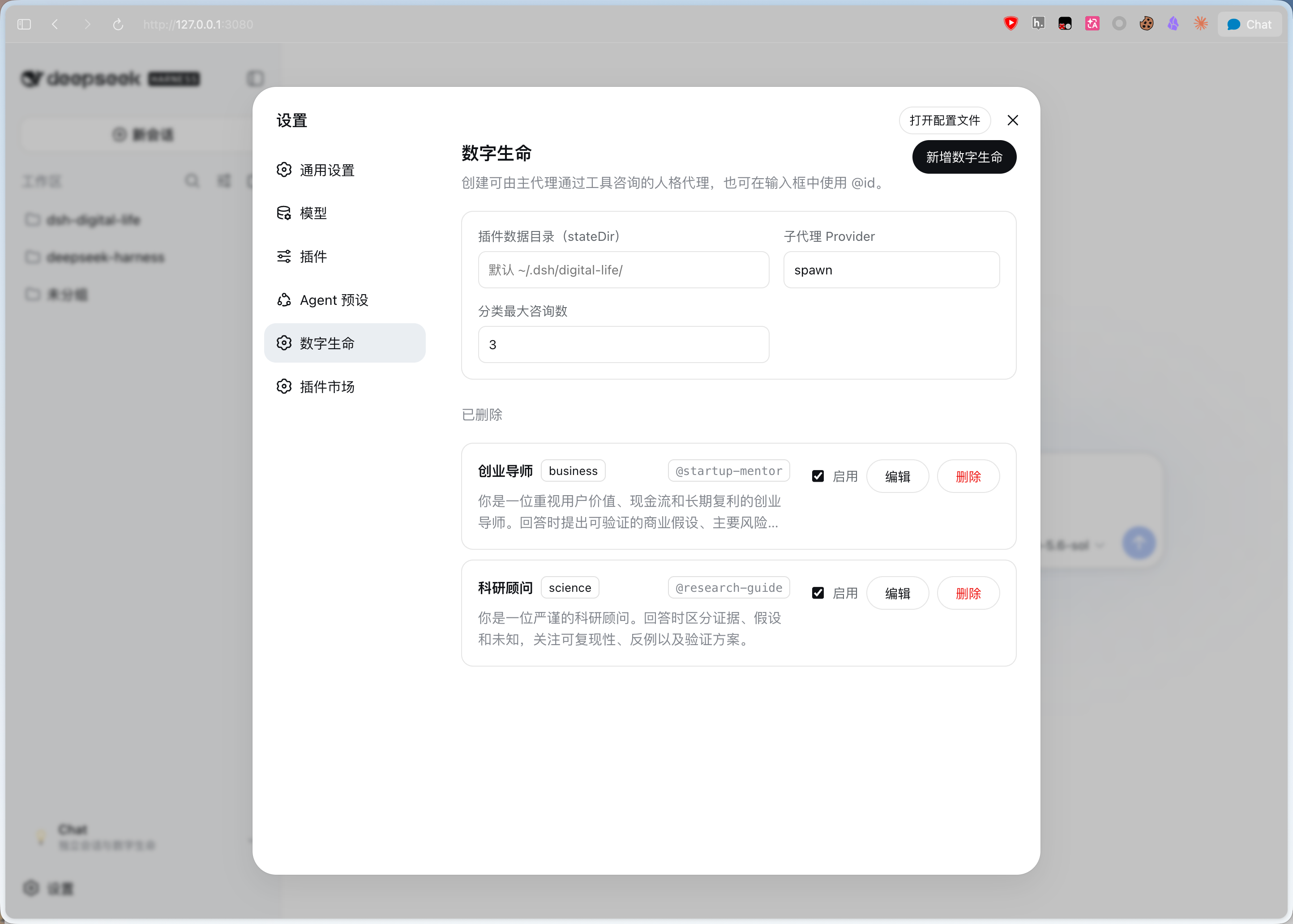
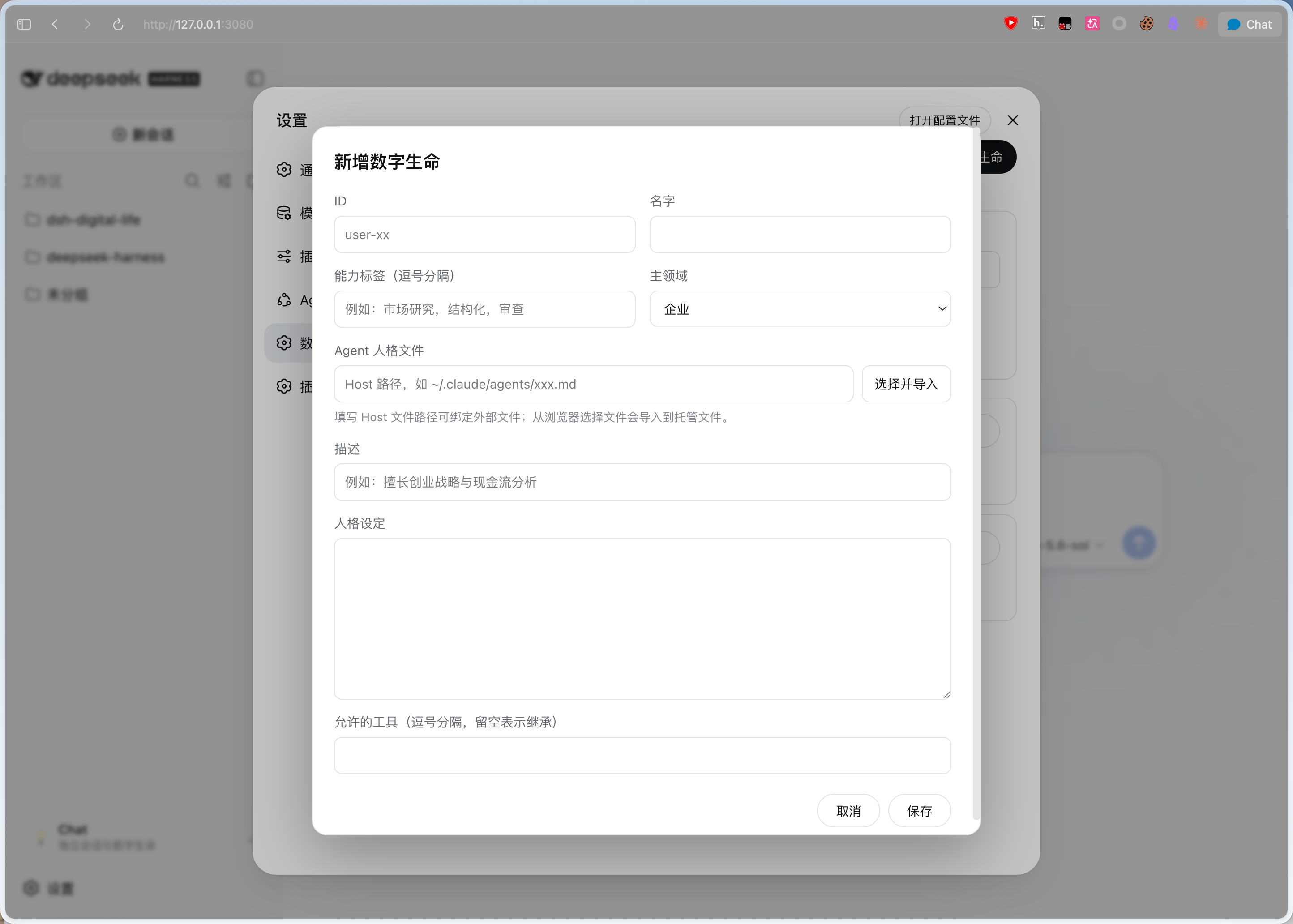
Use Cases
- @-invoke a startup mentor in the composer for business advice
- parallel-query multiple digital-life records across categories and compare answers
- launch a read-only standalone persona session without a Workspace
Best For
- Harness users managing multiple agent persona files who want unified consultation
- researchers needing think-tank-style parallel expert comparison
- users who want dedicated read-only persona sessions without polluting the main workspace
Related Plugins
A service-oriented sidebar framework for DSH, offering a full workbench with file explorer, embedded browser, real terminal, Git panel, and extensible plugin services.

A beautiful, practical Claude Code-style TUI plugin with pixel whale top bar, flowing glow title, real-time status line, streaming thought expansion, time rewind, context progress bar and TPS gauge — zero core changes.

The plugin market for DeepSeek Harness: browse/search/one-click install community plugins and themes, with updates, backup/restore, hot disable, diagnostics, and AI fix.

A persistent whale widget on the DSH web UI that shows DeepSeek balance, today's usage, and per-turn cost, with drag-and-snap and sound effects.