dsh-session-nav
Run the following command in DeepSeek Harness:
dsh plugin install kiligzzz/dsh-session-nav
Paste the following prompt into your AI chat to install this plugin:
In DeepSeek Harness, you can install the plugin from the GitHub repository https://github.com/kiligzzz/dsh-session-nav using the command: dsh plugin install kiligzzz/dsh-session-nav.
About this plugin
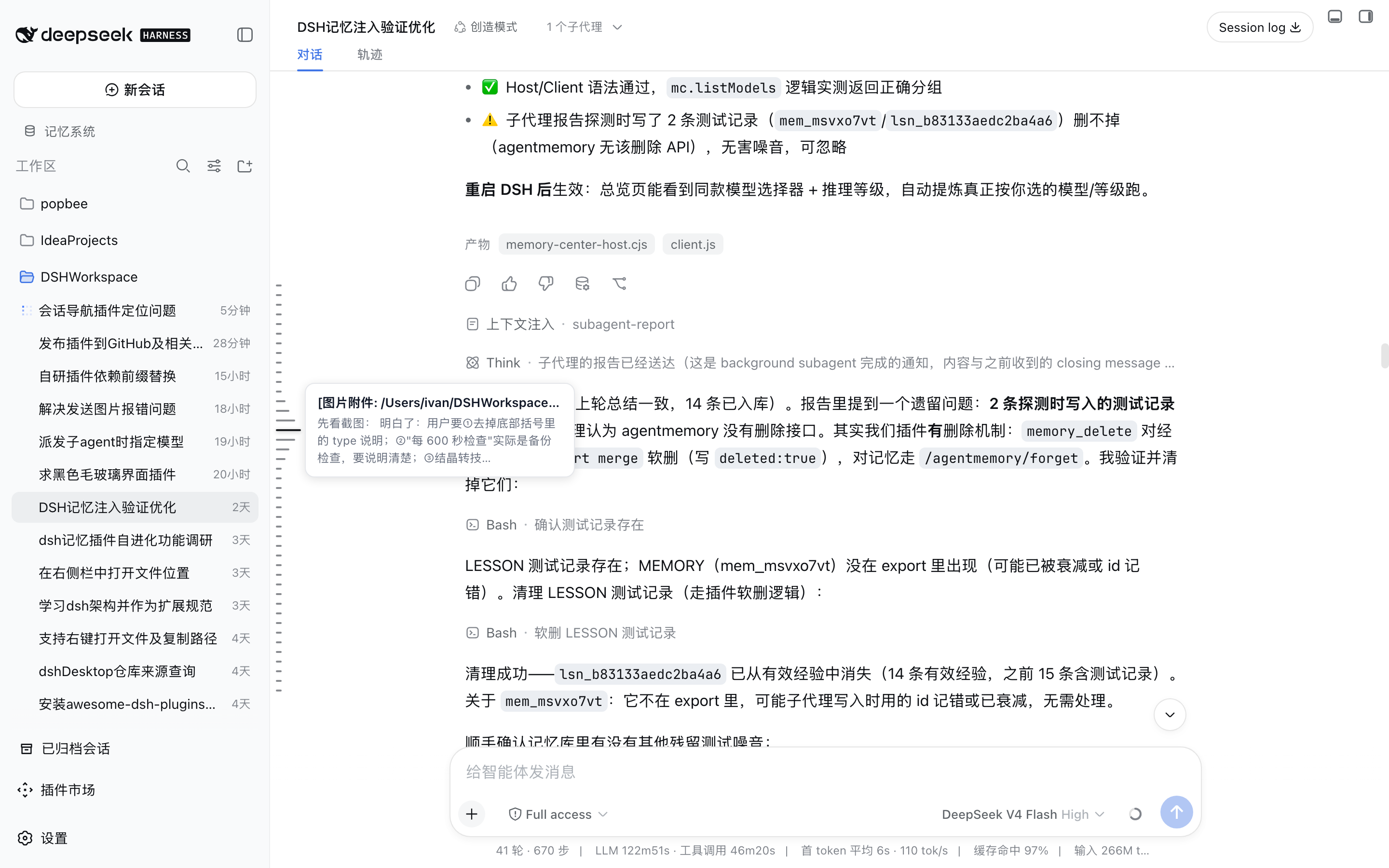
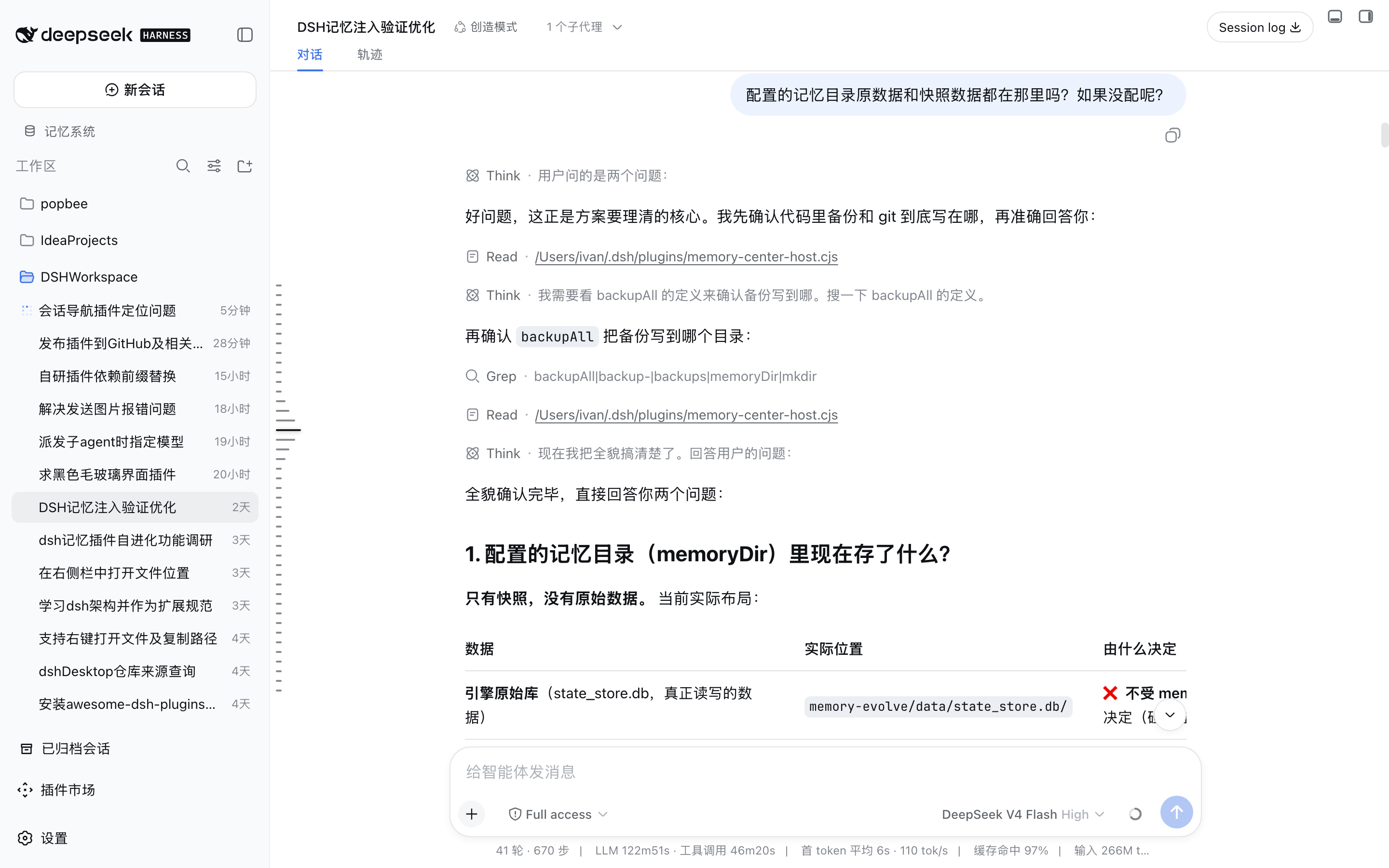
When using DeepSeek Harness Web GUI for multi-turn conversations, especially in lengthy sessions spanning dozens or even hundreds of rounds, users often struggle to quickly locate and review historical messages. Traditional scrolling is inefficient and lacks intuitive navigation. The dsh-session-nav plugin addresses this by providing a piano-key style navigation bar, where each user message is visualized as a key, offering an at-a-glance overview of the entire session structure. Hovering reveals a preview of that conversation turn, and clicking enables smooth jumps, significantly enhancing navigation efficiency. Built on the official DSH dual-side plugin mechanism, it operates without modifying the core code, supports full history data, and can display all user questions even in long sessions while intelligently syncing with real-time scroll positions. This plugin is ideal for all DeepSeek Harness users—especially developers, researchers, or everyday users who frequently handle long dialogues and need efficient history traversal—helping them focus more on the conversation content itself rather than cumbersome navigation tasks.
Screenshots
Use Cases
- Quickly locate and jump to specific user messages in long sessions
- Hover to preview user messages and model responses for conversation turns without scrolling
- Efficiently traverse multi-turn conversation history to enhance dialogue management and analysis
Best For
- Developers who frequently handle long dialogues with DeepSeek Harness
- Researchers needing to review or analyze multi-turn conversations
- All DSH users looking to enhance their session navigation experience
Related Plugins
A service-oriented sidebar framework for DSH, offering a full workbench with file explorer, embedded browser, real terminal, Git panel, and extensible plugin services.

A beautiful, practical Claude Code-style TUI plugin with pixel whale top bar, flowing glow title, real-time status line, streaming thought expansion, time rewind, context progress bar and TPS gauge — zero core changes.

The plugin market for DeepSeek Harness: browse/search/one-click install community plugins and themes, with updates, backup/restore, hot disable, diagnostics, and AI fix.

A persistent whale widget on the DSH web UI that shows DeepSeek balance, today's usage, and per-turn cost, with drag-and-snap and sound effects.