dsh-image-viewer
Run the following command in DeepSeek Harness:
dsh plugin install WSL043/dsh-image-viewer
Paste the following prompt into your AI chat to install this plugin:
Run dsh plugin install WSL043/dsh-image-viewer in DeepSeek Harness to install; the full source code is available at https://github.com/WSL043/dsh-image-viewer
About this plugin
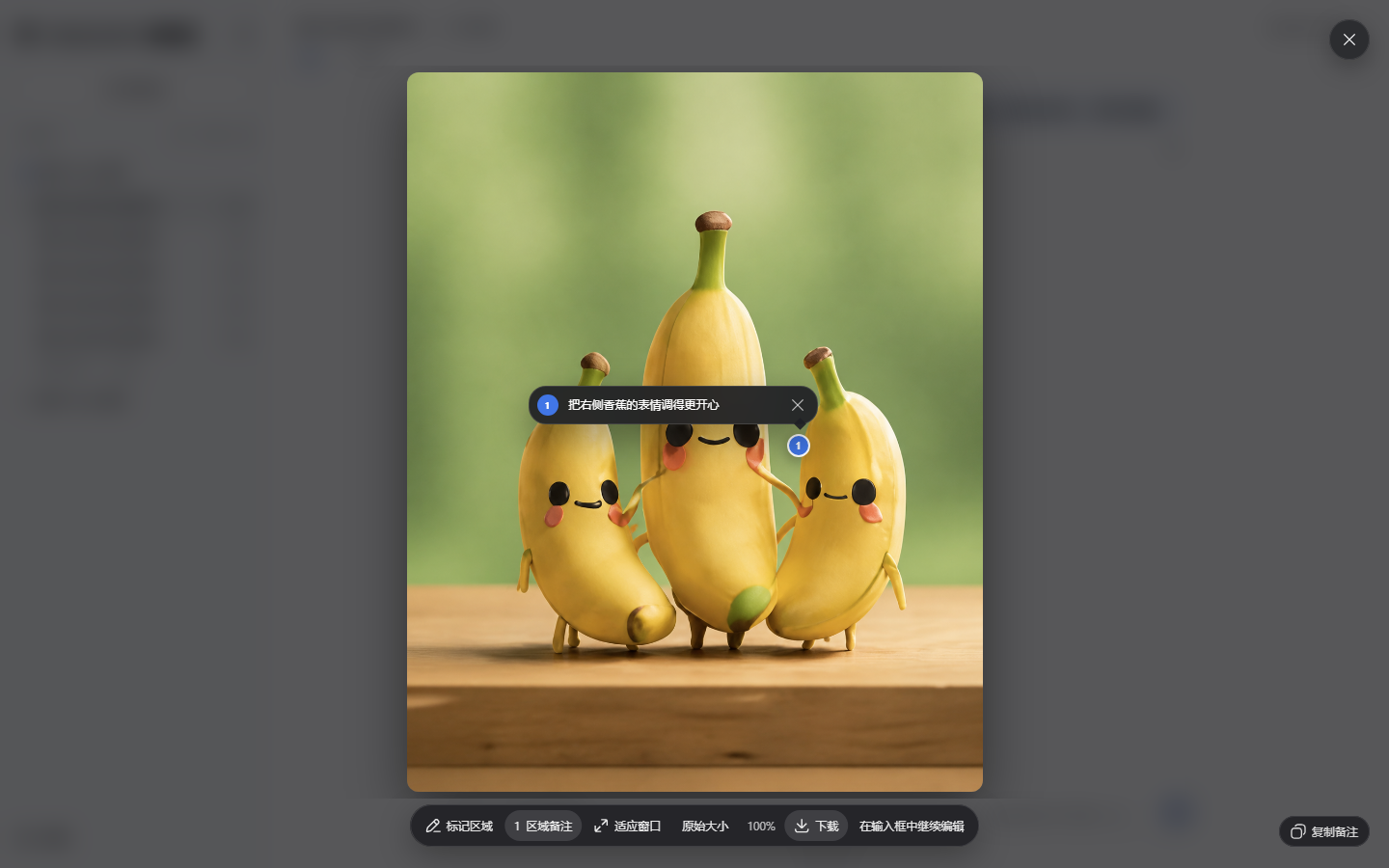
When DSH renders images inside a conversation, you often want to zoom into fine details, annotate a specific region, or flip through several pictures. The built-in lightbox is functional but minimal. dsh-image-viewer closes that gap by layering richer zoom, annotation, download, and multi-image browsing on top of images DSH has already rendered — without touching sessions, attachments, or model pipelines.
The interaction set covers everyday image review: mouse-centered wheel zoom, drag-to-pan, two-finger pinch on touch devices, and double-tap to restore native size. One-click toggles for fit-to-window and original size, direct download of the source image, and arrow-key navigation across multiple images round out the feature list. The annotation workflow is especially smooth — a single click marks a region, the note appears beside the image index with an auto-focused input, Enter saves and collapses the panel, and Shift+Enter inserts a line break. All visuals inherit DSH design tokens, so light mode, dark mode, responsive layout, and reduced-motion preferences carry over automatically.
It is ideal for developers and designers who regularly inspect or annotate AI-generated images within DSH. Image-generation plugins can also consume the optional nativeImageViewer client service as a shared viewer and attach their own follow-up actions on demand. The plugin is fully optional, independently uninstallable, never uploads images, never calls a model, and never reads vendor credentials — a clean, minimal privacy boundary.
Screenshots
Use Cases
- Zoom into fine details of AI-generated images to inspect texture and composition
- Click a region to add a quick annotation note and save it for later revision
- Arrow through multiple generated images for side-by-side comparison with keyboard navigation
Best For
- Developers who regularly inspect and annotate AI-generated images within DSH
- Designers and PMs who need to mark image regions with inline notes
- Image-generation plugin authors looking for a shared, composable viewer component
Related Plugins
A service-oriented sidebar framework for DSH, offering a full workbench with file explorer, embedded browser, real terminal, Git panel, and extensible plugin services.

A beautiful, practical Claude Code-style TUI plugin with pixel whale top bar, flowing glow title, real-time status line, streaming thought expansion, time rewind, context progress bar and TPS gauge — zero core changes.

The plugin market for DeepSeek Harness: browse/search/one-click install community plugins and themes, with updates, backup/restore, hot disable, diagnostics, and AI fix.

A persistent whale widget on the DSH web UI that shows DeepSeek balance, today's usage, and per-turn cost, with drag-and-snap and sound effects.