
dsh-start-and-exit
Run the following command in DeepSeek Harness:
dsh plugin install KeS1Ke/dsh-start-and-exit
Paste the following prompt into your AI chat to install this plugin:
Run dsh plugin install KeS1Ke/dsh-start-and-exit inside DeepSeek Harness to install; source repository at https://github.com/KeS1Ke/dsh-start-and-exit
About this plugin
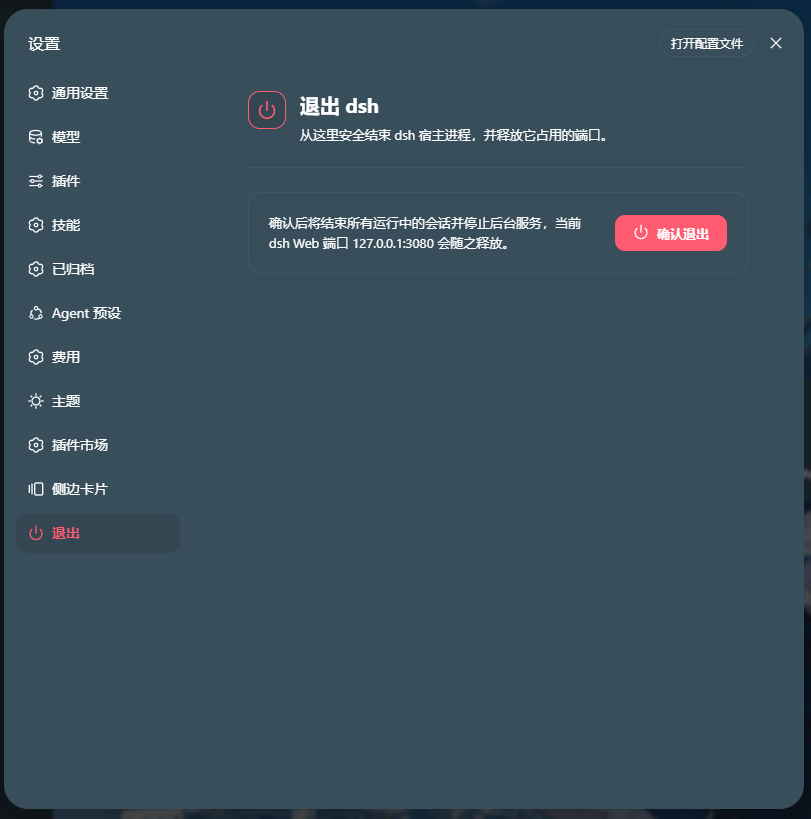
Starting or stopping a DeepSeek Harness web session used to mean hunting through terminal windows, manually killing processes, or re-launching from an external script. dsh-start-and-exit brings Start, Exit, and Restart right into the bottom of the dsh settings panel, so lifecycle management lives where you already are.\n\nEvery destructive action is guarded by a confirmation dialog with Esc-to-cancel and duplicate-call protection, backed by a parameterless typed Remote method on the host side. The optional Windows foreground launcher keeps the terminal visible until 127.0.0.1 serves a successful response, then minimizes it via SW_MINIMIZE; it refuses to bind to any non-loopback listener, keeping the entire surface local.\n\nIf you work with the dsh web interface on Windows and do not want to rely on Task Manager or scattered PowerShell windows to close a session, this plugin offers the lowest-friction way to start, stop, and restart cleanly.
Screenshots
Use Cases
- Start or stop a dsh web session directly from the settings panel without hunting through terminal windows.
- Confirmation dialogs guard every exit and restart action, with Esc-to-cancel, to prevent accidental service interruption.
- Launch dsh in a visible PowerShell terminal that minimizes automatically once the local WebUI responds on 127.0.0.1.
Best For
- Daily users of the dsh web interface on Windows.
- Developers who want to consolidate session lifecycle management inside the UI and reduce reliance on external terminals.
- Security-sensitive users who require loopback-only binding and no exposed network ports.
Related Plugins
A service-oriented sidebar framework for DSH, offering a full workbench with file explorer, embedded browser, real terminal, Git panel, and extensible plugin services.

A beautiful, practical Claude Code-style TUI plugin with pixel whale top bar, flowing glow title, real-time status line, streaming thought expansion, time rewind, context progress bar and TPS gauge — zero core changes.

The plugin market for DeepSeek Harness: browse/search/one-click install community plugins and themes, with updates, backup/restore, hot disable, diagnostics, and AI fix.

A persistent whale widget on the DSH web UI that shows DeepSeek balance, today's usage, and per-turn cost, with drag-and-snap and sound effects.