dsh-workspace
Run the following command in DeepSeek Harness:
dsh plugin install AstralFoundry/dsh-workspace
Paste the following prompt into your AI chat to install this plugin:
Run dsh plugin install AstralFoundry/dsh-workspace in your terminal and restart dsh web after installation; full source at https://github.com/AstralFoundry/dsh-workspace
About this plugin
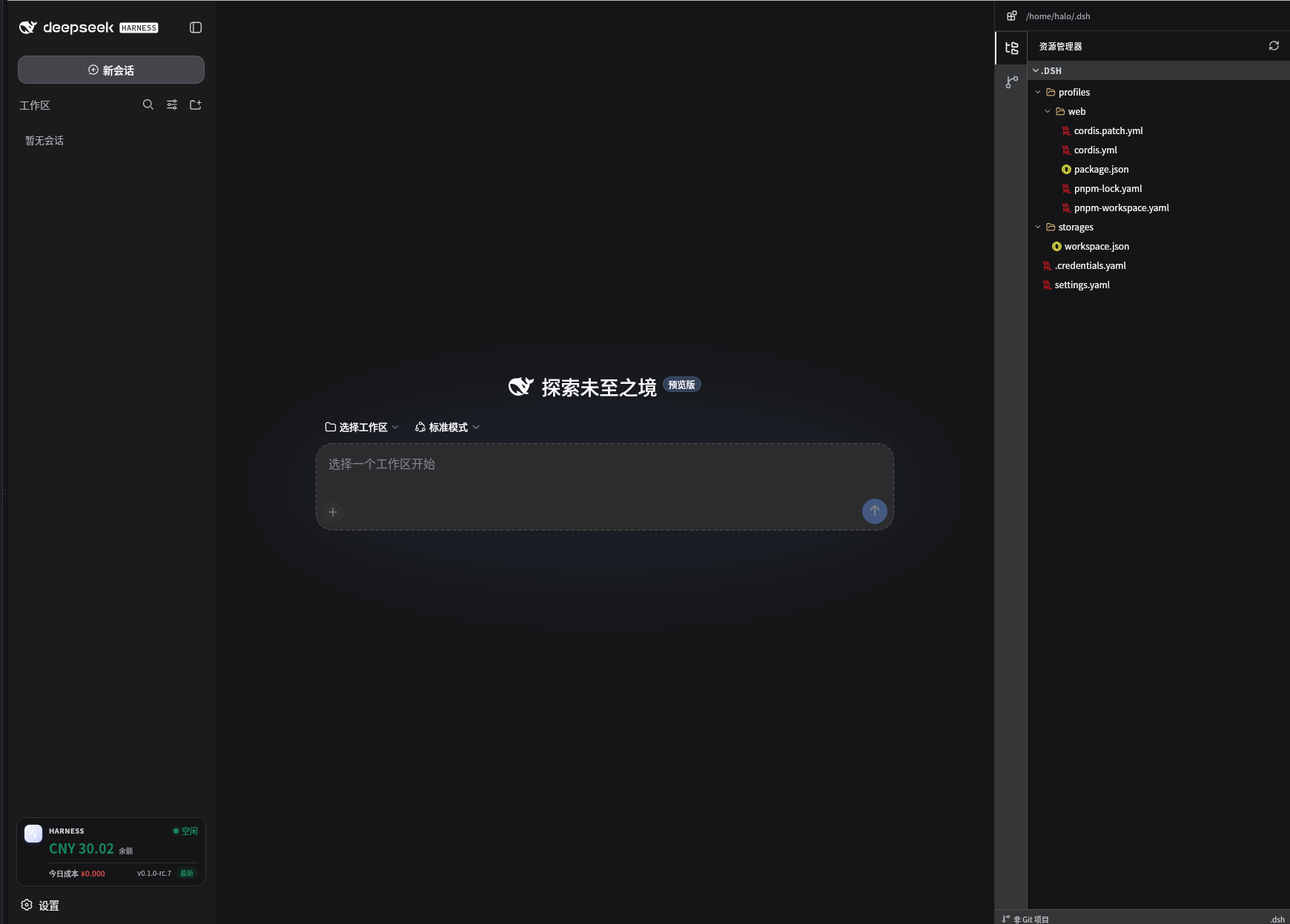
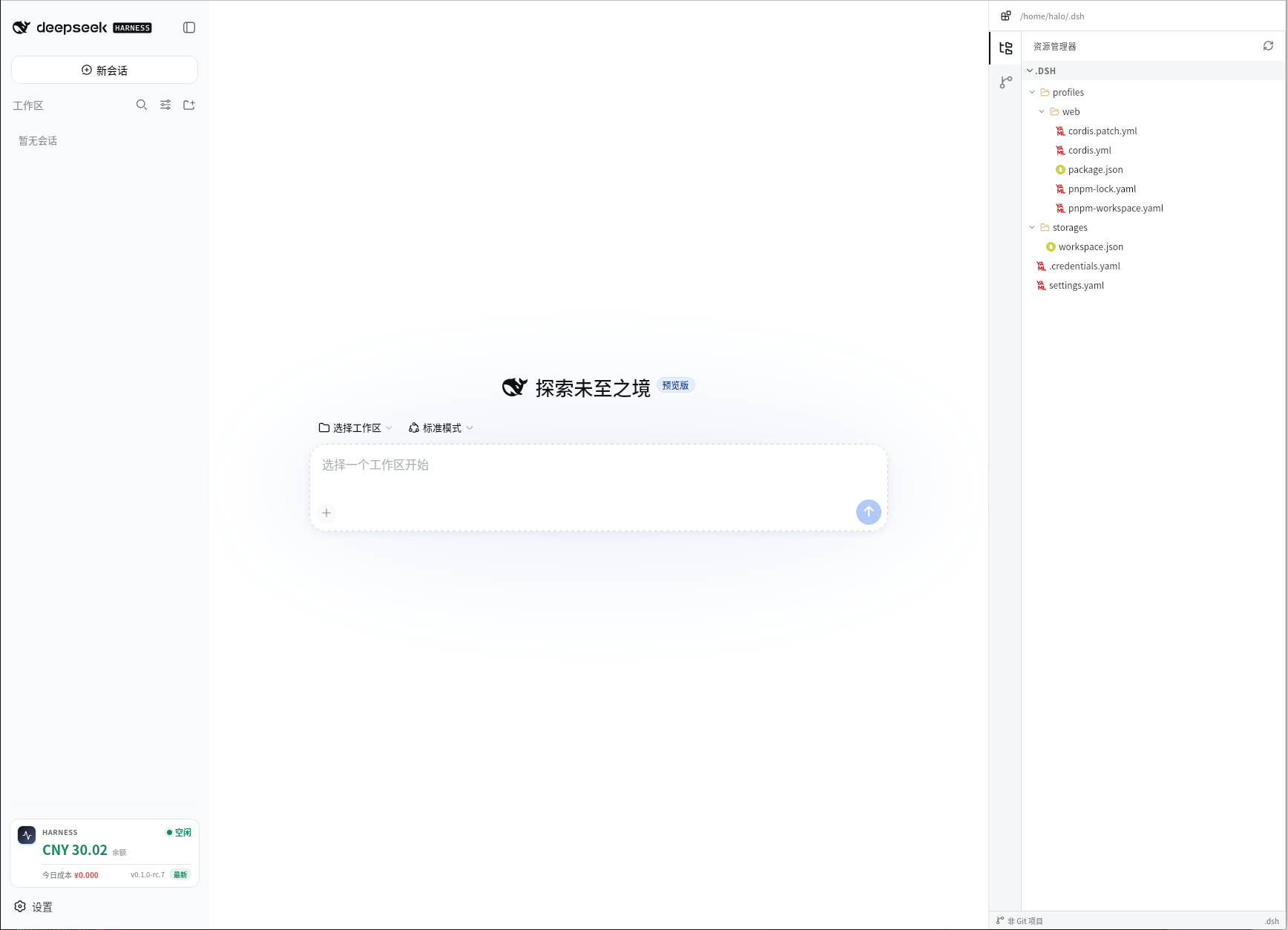
When working in DeepSeek Harness, balance, cost, project files, and Git status tend to be scattered across different tabs and terminal windows. dsh-workspace gathers all of that into a single sidebar: real-time balance and today's cost (reading the official platform bill first, falling back to a local token estimate when the API is unavailable), idle/peak indicators, and a prominent red alert when your balance drops to 10 CNY or below, so you can keep coding while staying aware of spending at a glance.
Expanding the right side reveals a full project workspace panel: a file tree with type-aware icons, Git working-tree changes with per-file diffs, a colored branch graph showing authors, dates, branches, and tags, source-control actions like stage, discard, commit, pull, and push, plus a built-in terminal. The panel is resizable and collapsible while retaining its state. All file reads and Git operations are strictly confined to the current session's project root, endpoints listen on loopback only by default, and API keys are resolved through Harness credentials—never exposed to the browser.
The sidebar also displays your installed Harness version and highlights it in red when a new release is available. One click on Update installs the latest version via npm and restarts the process automatically; the page recovers on its own with no manual steps. Everything works out of the box with zero configuration.
It is ideal for developers who code daily with DeepSeek, want to monitor API costs continuously, and prefer a single surface for file browsing, Git workflows, and quick shell commands—especially those who favor a sidebar-based workflow over juggling multiple windows.
Screenshots
Use Cases
- Glance at your remaining balance, today's cost, and peak/idle status while coding, without switching to a separate tab
- Browse the file tree, stage and commit changes, switch branches, and run quick shell commands all from the sidebar
- Upgrade Harness with a single click—the process restarts automatically and the page recovers on its own
Best For
- Developers coding daily with DeepSeek who need to keep an eye on API spending in real time
- Users who prefer a single-window sidebar workflow and want fewer context switches between terminal and browser
- Engineers who work with Git constantly and prefer committing, pulling, and pushing without leaving their editor environment
Related Plugins
A service-oriented sidebar framework for DSH, offering a full workbench with file explorer, embedded browser, real terminal, Git panel, and extensible plugin services.

A beautiful, practical Claude Code-style TUI plugin with pixel whale top bar, flowing glow title, real-time status line, streaming thought expansion, time rewind, context progress bar and TPS gauge — zero core changes.

The plugin market for DeepSeek Harness: browse/search/one-click install community plugins and themes, with updates, backup/restore, hot disable, diagnostics, and AI fix.

A persistent whale widget on the DSH web UI that shows DeepSeek balance, today's usage, and per-turn cost, with drag-and-snap and sound effects.