dsh-sakura-theme
Run the following command in DeepSeek Harness:
dsh plugin install a1303845406/dsh-sakura-theme
Paste the following prompt into your AI chat to install this plugin:
Run dsh plugin install a1303845406/dsh-sakura-theme in the DeepSeek Harness terminal to install; the source repository is at https://github.com/a1303845406/dsh-sakura-theme
About this plugin
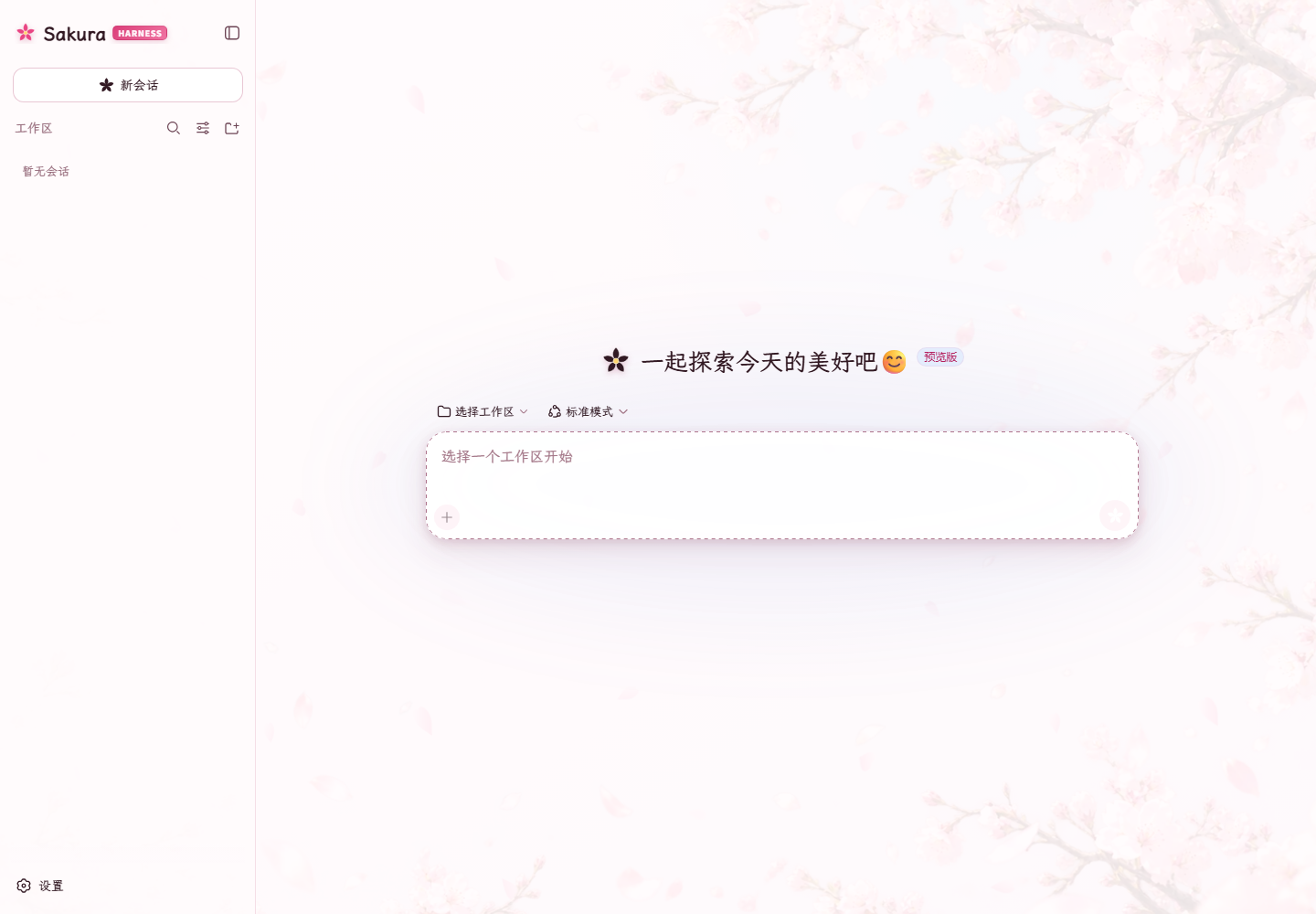
DeepSeek Harness is clean and professional, but staring at the same neutral grey palette day after day can leave a workspace feeling a little flat. Sakura Harness Theme addresses exactly that: without altering a single line of functional behavior, it repaints the entire interface in a sakura-inspired color system, adding warmth and visual personality to daily use.
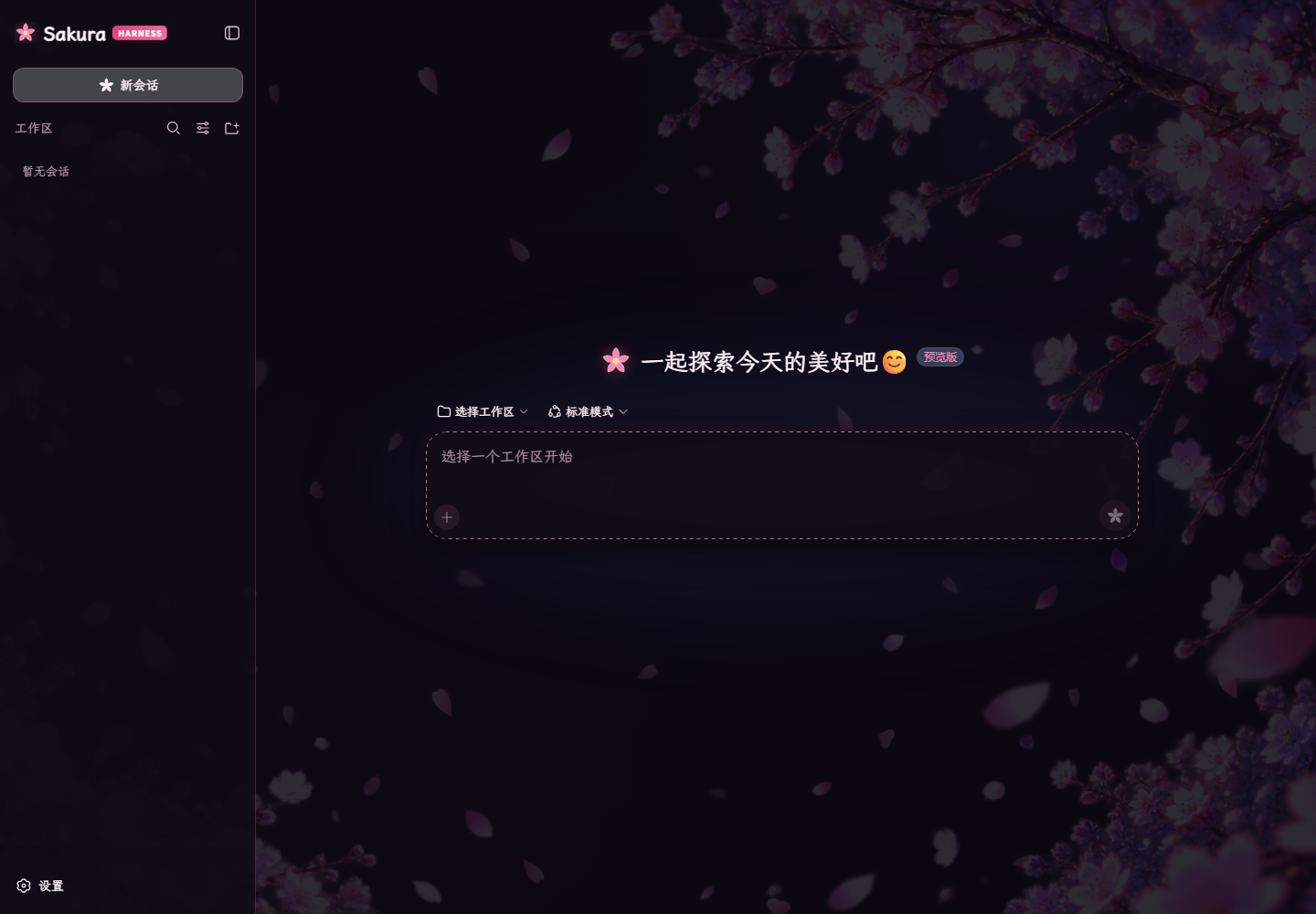
A single install delivers two complete themes at once: the light Sunny Sakura mode and the dark Night Sakura mode, both of which automatically follow Harness Light / Dark / System preferences. Rather than simply swapping a background image, it rebuilds the visual language across the sidebar, input area, menus, code blocks, scrollbars, and dialogs through a unified token system. An original sakura wordmark, a cherry-blossom send icon, and a bloom-plus new-chat button give the workspace clear brand identity. The plugin embeds the LXGW WenKai GB Screen font for warm, readable Chinese text while keeping monospace fonts for code. Three-tier semantic shadows, translucent active surfaces, slowly drifting vector petal layers, and full prefers-reduced-motion support keep both light and dark modes crisp and respectful. Success, warning, and danger states remain green, amber, and red so they never blend into the theme pink. Uninstalling removes every token override and style rule, restoring the host appearance exactly as before.
Built for everyday Harness users who work through long Chinese conversations and want a distinctive, breathing workspace without sacrificing functionality or readability. After installing and a full restart, simply pick Light, Dark, or System in the appearance settings to switch between Sunny Sakura and Night Sakura at will.
Screenshots
Use Cases
- Wanting a warmer, more distinctive workspace for daily long Chinese conversations in Harness
- Switching between light Sunny Sakura and dark Night Sakura that follows the system pref
- Applying a unified sakura visual style to a personal or team Harness workspace
Best For
- Daily Harness users working through long Chinese conversations
- Users who want visual personality without compromising functionality
- Developers who value both light and dark modes with fully reversible installation
Related Plugins

whale-girl is a desktop pet in the DSH Web GUI (bottom-right for instant companionship) — draggable, feedable, playable; completed tasks, sessions and companionship time accrue into seniority levels, titles, and memories.

Renders your local Wallpaper Engine wallpapers as the DSH web background, supporting video, web, and scene wallpapers with a liquid-glass effect and rich customization.

A WebGPU ocean skin for DeepSeek Harness with five-wave Gerstner waves, translucent theme, day/night cycle, and quick controls, installable as plugin or extension.

A Galgame-style conversation view and visual scene editor for DSH web sessions, with a real-time editing mode.