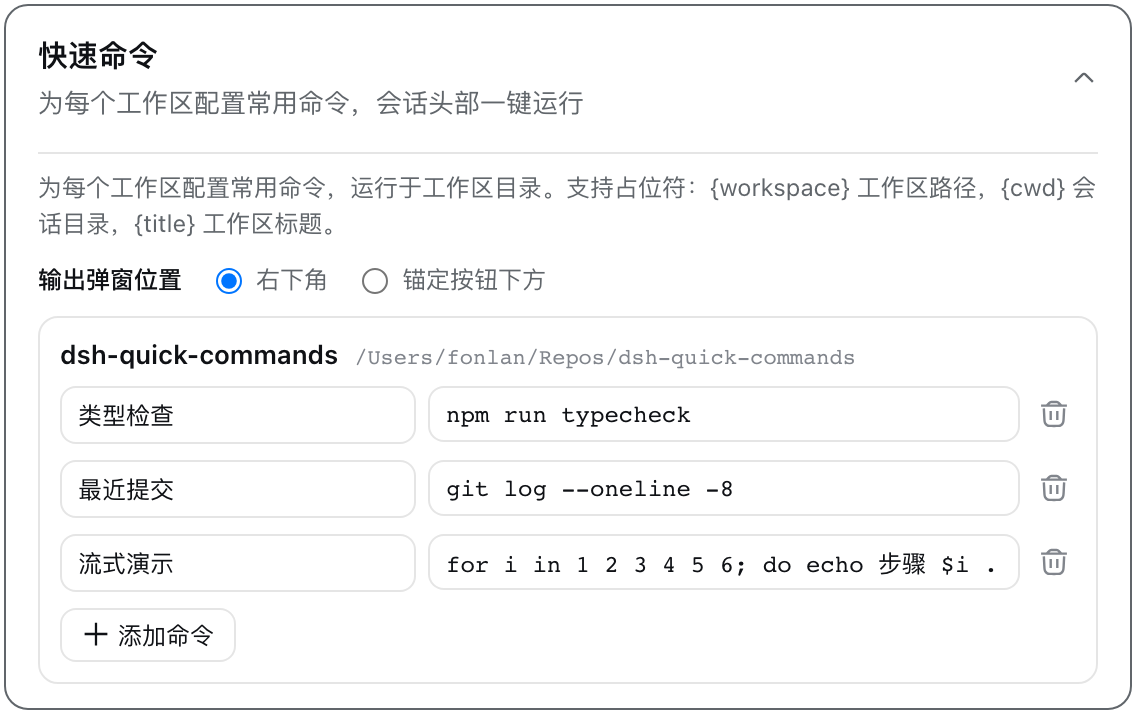
dsh-quick-commands
Run the following command in DeepSeek Harness:
dsh plugin install fonlan/dsh-quick-commands
Paste the following prompt into your AI chat to install this plugin:
In an environment where DeepSeek Harness (DSH) is already installed, run dsh plugin install fonlan/dsh-quick-commands to add the plugin; the source is hosted at https://github.com/fonlan/dsh-quick-commands and it becomes active after restarting dsh web.
About this plugin
Running the same build, test, or deploy scripts over and over in DSH Web means retyping or digging through chat history every single time. dsh-quick-commands turns those repetitive shell commands into named quick-commands per workspace, so a single click on the session header icon fires the command and streams the output right into a floating panel.
The plugin offers a settings card that lists every DSH workspace and lets you add, rename, or delete commands with instant autosave. When you click a command it runs in the workspace directory, streaming stdout and stderr at roughly 200 ms intervals into a resizable, tabbed popup that auto-follows scrolling. Commands in the same workspace run serially, and killing the process terminates the entire process tree. For remote workspaces managed by the dsh-ssh plugin, commands are executed on the remote host over SSH, with a blue SSH badge in the menu and popup, and placeholders like {workspace} and {cwd} resolving to remote paths.
It is built for developers, ops engineers, and full-stack engineers who juggle multiple local and remote DSH workspaces and want their most-used scripts one click away. Commands are user-configured and user-triggered, with no model calls or sandbox restrictions, so only wire up commands you fully trust.
Screenshots
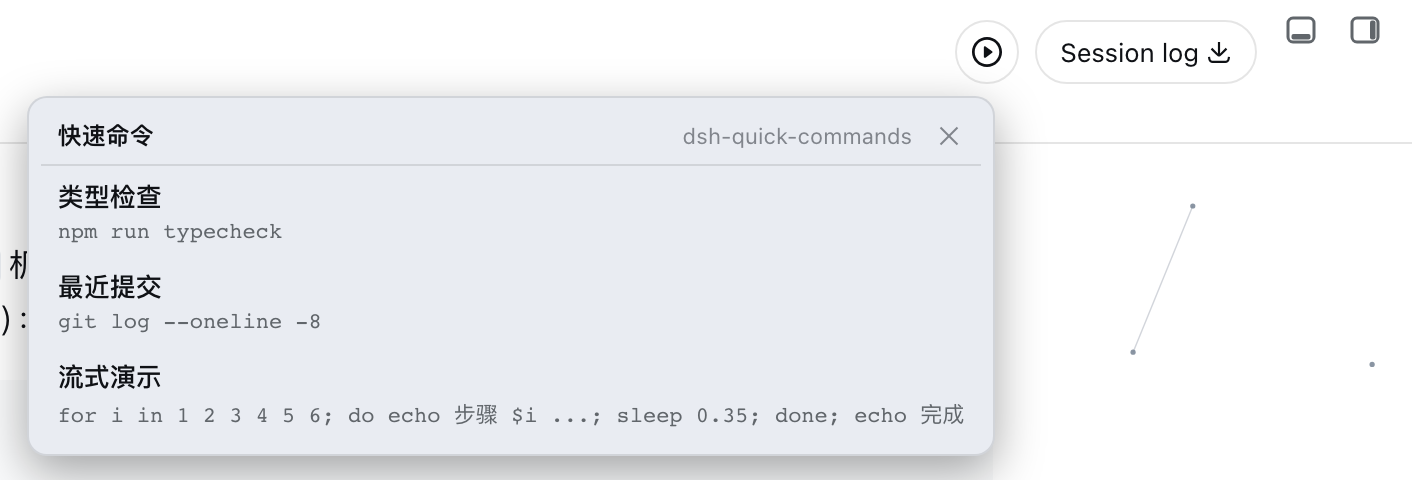
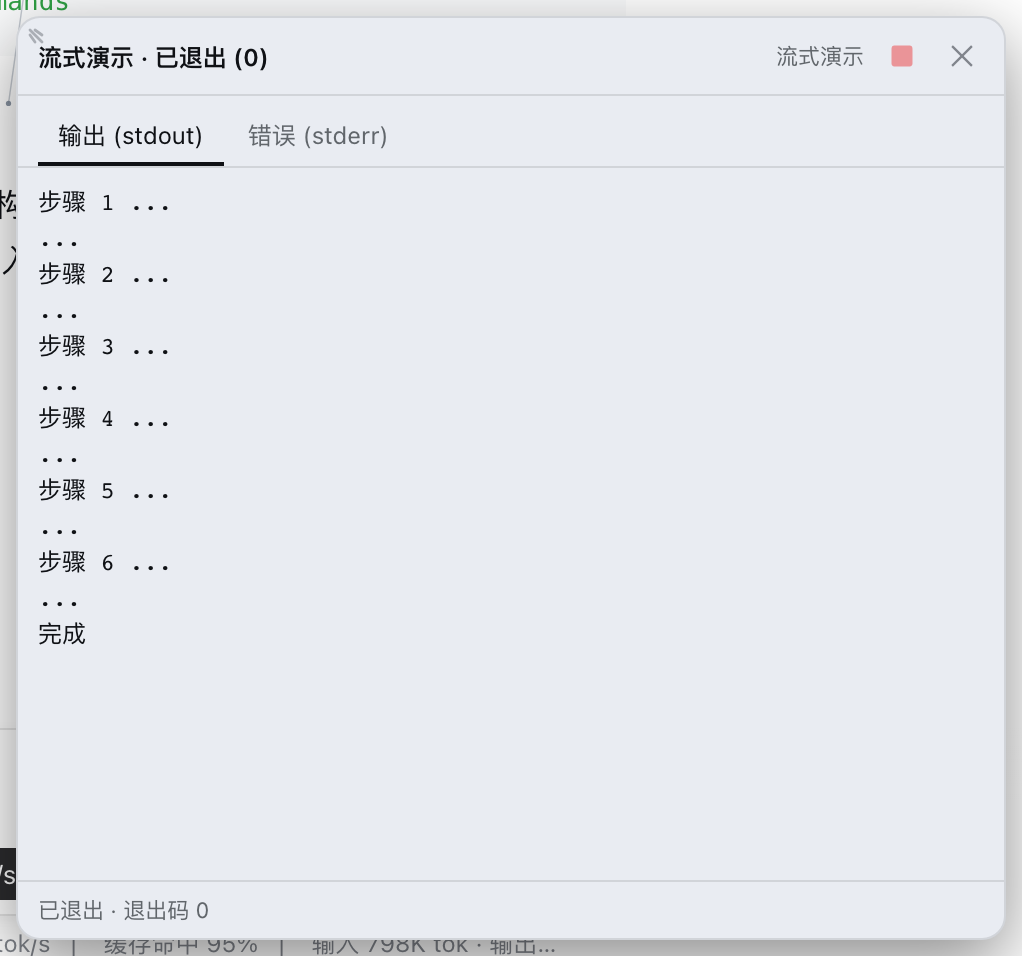
Use Cases
- Pin build and test scripts per workspace and fire them from the session header
- Run deploy scripts directly on remote SSH workspaces without manual login
- Execute commands serially and inspect live stdout/stderr in a resizable floating panel
Best For
- Dev and ops engineers who run the same shell scripts on repeat
- DSH users juggling multiple local and remote workspaces
- Full-stack developers who want one-click access to their go-to commands
Related Plugins
A service-oriented sidebar framework for DSH, offering a full workbench with file explorer, embedded browser, real terminal, Git panel, and extensible plugin services.

A beautiful, practical Claude Code-style TUI plugin with pixel whale top bar, flowing glow title, real-time status line, streaming thought expansion, time rewind, context progress bar and TPS gauge — zero core changes.

The plugin market for DeepSeek Harness: browse/search/one-click install community plugins and themes, with updates, backup/restore, hot disable, diagnostics, and AI fix.

A persistent whale widget on the DSH web UI that shows DeepSeek balance, today's usage, and per-turn cost, with drag-and-snap and sound effects.