
dsh-asr-voice
Run the following command in DeepSeek Harness:
dsh plugin install bitterSmilezzz/dsh-asr-voice
Paste the following prompt into your AI chat to install this plugin:
Run dsh plugin install bitterSmilezzz/dsh-asr-voice in DeepSeek Harness to install the voice-input plugin from https://github.com/bitterSmilezzz/dsh-asr-voice — no extra build steps required.
About this plugin
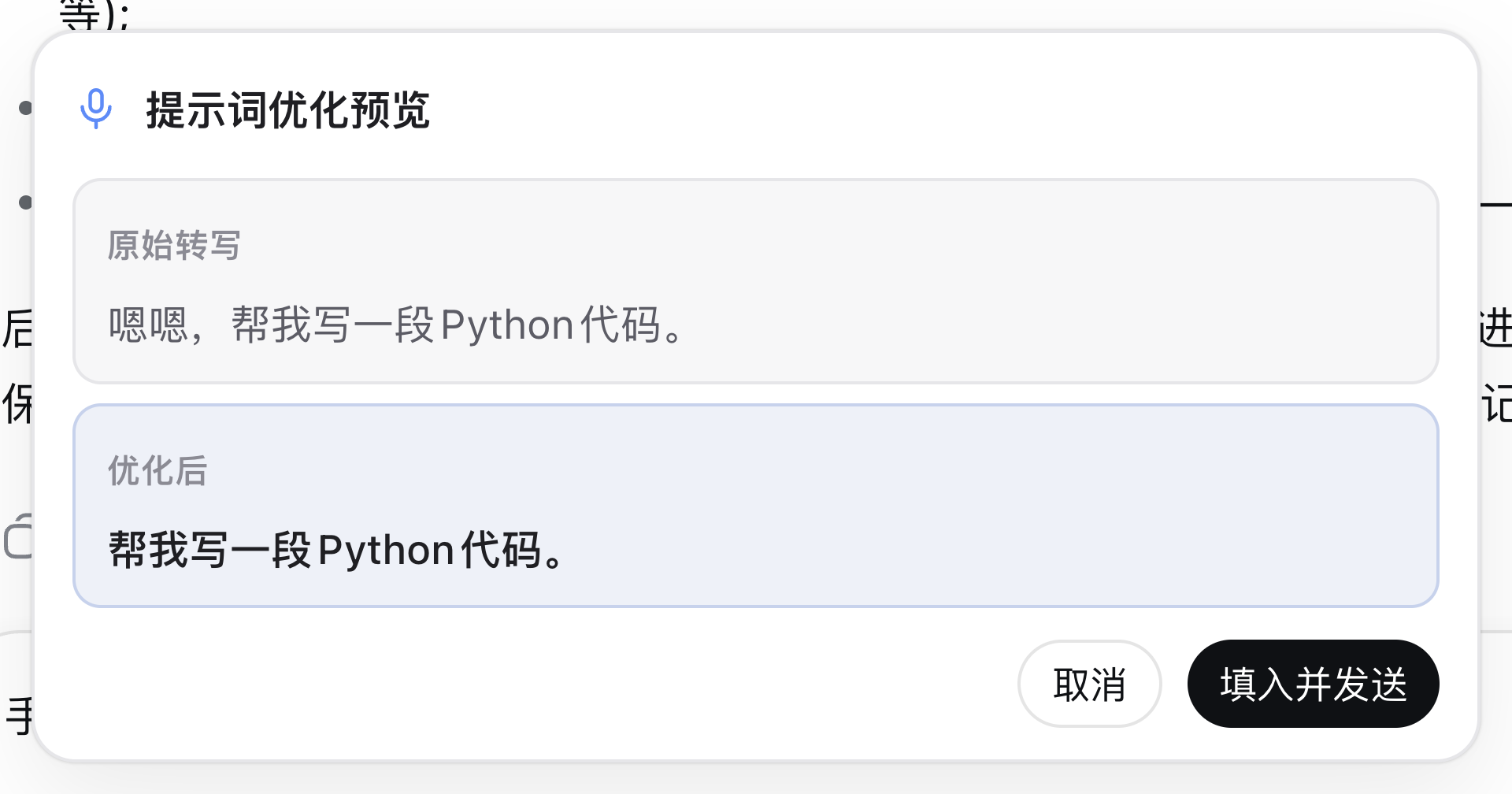
You speak a sentence into the mic and get back a garbled, run-on mess that still needs a minute of editing before it makes sense as a prompt. dsh-asr-voice, a DeepSeek Harness client-side plugin, closes that gap: transcribed speech is cleaned into a ready-to-send draft in about a second, and an LLM polishes it in the background, swapping in the refined version only when it is done so your manual edits are never overwritten.
The recognition engine is hybrid. Browser Web Speech API takes priority (free, no key needed on Chrome and Edge), and if it is unavailable or blocked the plugin falls back to cloud ASR with multiple providers that can coexist – OpenAI, Groq, SiliconFlow, Xiaomi MiMo, and Alibaba Qwen-ASR. The settings page is a three-step wizard: pick the engine, click a provider, check the key status. Users who already have the same provider configured as an LLM credential in DSH typically never type a key at all. The realtime voice-chat mode turns the interaction into a conversation: live captions appear as you speak, a short pause fires the agent turn, the reply is read back sentence by sentence, and the mic hands itself back for the next utterance. Half-duplex gating prevents echo during playback, and three independent affordances – button, hotkey, or the inline dismiss – let you interrupt at any moment.
If you think faster out loud than you can type, juggle several ASR or LLM providers, or simply want a voice-input experience close to Codex without being locked into a single vendor, dsh-asr-voice is a lightweight option with zero third-party runtime dependencies. It can run alone or sit alongside other DSH plugins. On the privacy side, API keys live exclusively in the DSH credential store; the browser only ever shows a configured or not-configured badge, and audio is transcoded locally before being proxied through a private JSON endpoint.
Screenshots

Use Cases
- Speak into the mic and get a clean, send-ready prompt automatically transcribed and LLM-polished in the background
- Enable realtime voice chat to converse hands-free with the agent, with live captions, pause-triggered turns, and sentence-by-sentence readback
- Switch among OpenAI, Groq, SiliconFlow, MiMo, Qwen-ASR and more, reusing existing LLM credentials with zero extra key entry
Best For
- Users who think faster out loud than they can type and want speech-to-prompt without manual cleanup
- Developers juggling multiple ASR or LLM vendors who refuse single-vendor lock-in
- DeepSeek Harness users seeking a Codex-level voice-input flow with strong credential privacy by default
Related Plugins
A service-oriented sidebar framework for DSH, offering a full workbench with file explorer, embedded browser, real terminal, Git panel, and extensible plugin services.

A beautiful, practical Claude Code-style TUI plugin with pixel whale top bar, flowing glow title, real-time status line, streaming thought expansion, time rewind, context progress bar and TPS gauge — zero core changes.

The plugin market for DeepSeek Harness: browse/search/one-click install community plugins and themes, with updates, backup/restore, hot disable, diagnostics, and AI fix.

A persistent whale widget on the DSH web UI that shows DeepSeek balance, today's usage, and per-turn cost, with drag-and-snap and sound effects.