
deepseek-harness-novel-studio
Run the following command in DeepSeek Harness:
dsh plugin install qinpeizhan77/deepseek-harness-novel-studio
Paste the following prompt into your AI chat to install this plugin:
Run dsh plugin install qinpeizhan77/deepseek-harness-novel-studio in the DeepSeek Harness terminal to install the plugin; the source repository is at https://github.com/qinpeizhan77/deepseek-harness-novel-studio .
About this plugin
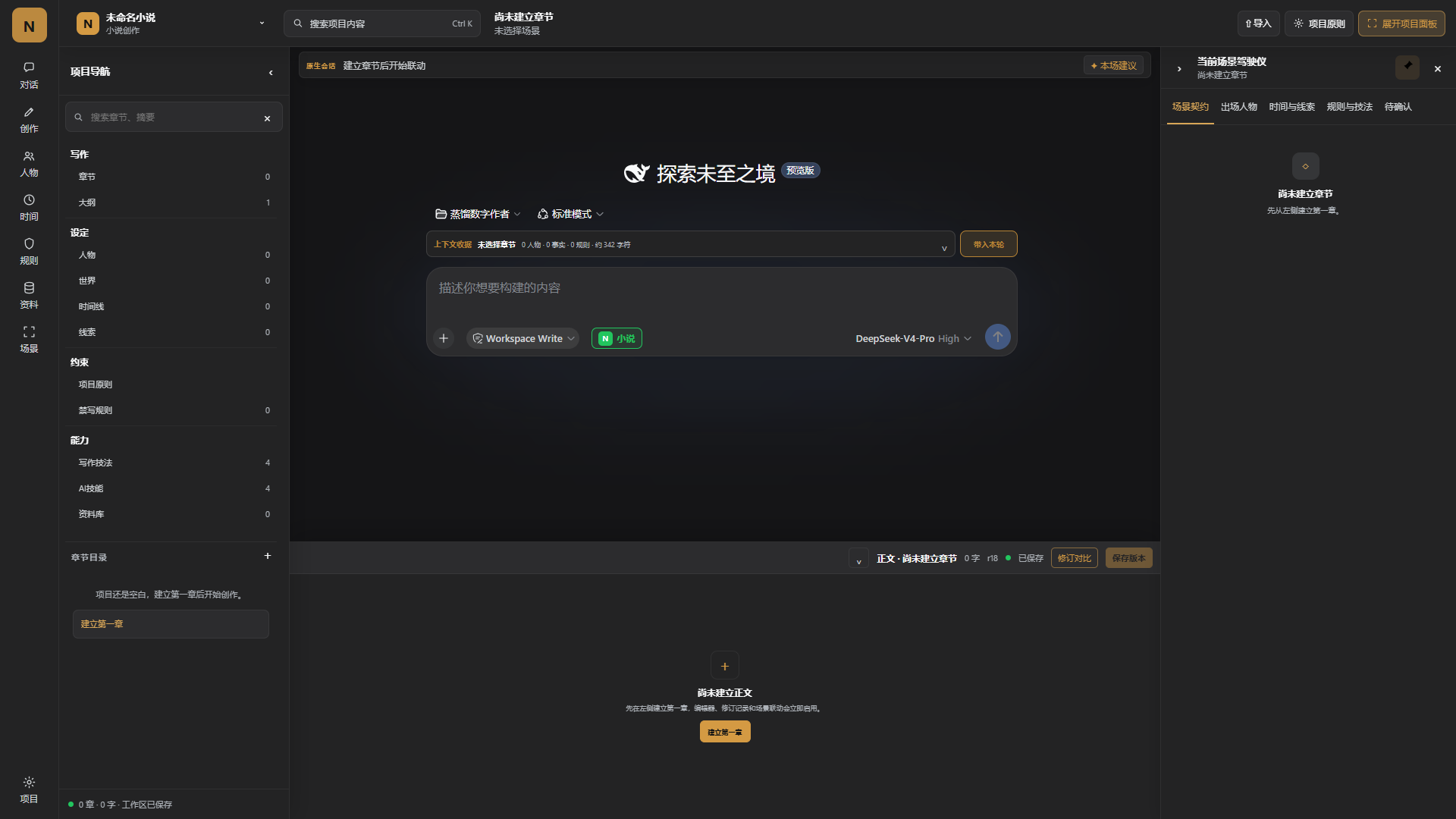
Writing a long novel is ultimately a battle of memory: characters blur into each other, planted foreshadowing quietly slips away, and a character killed off in chapter twelve somehow reappears in chapter forty. Novel Studio turns raw AI conversation into a structured writing workbench, freeing outlines, character sheets, world-building notes, timelines, and hard writing rules out of scattered chat logs and into queryable, editable project data.
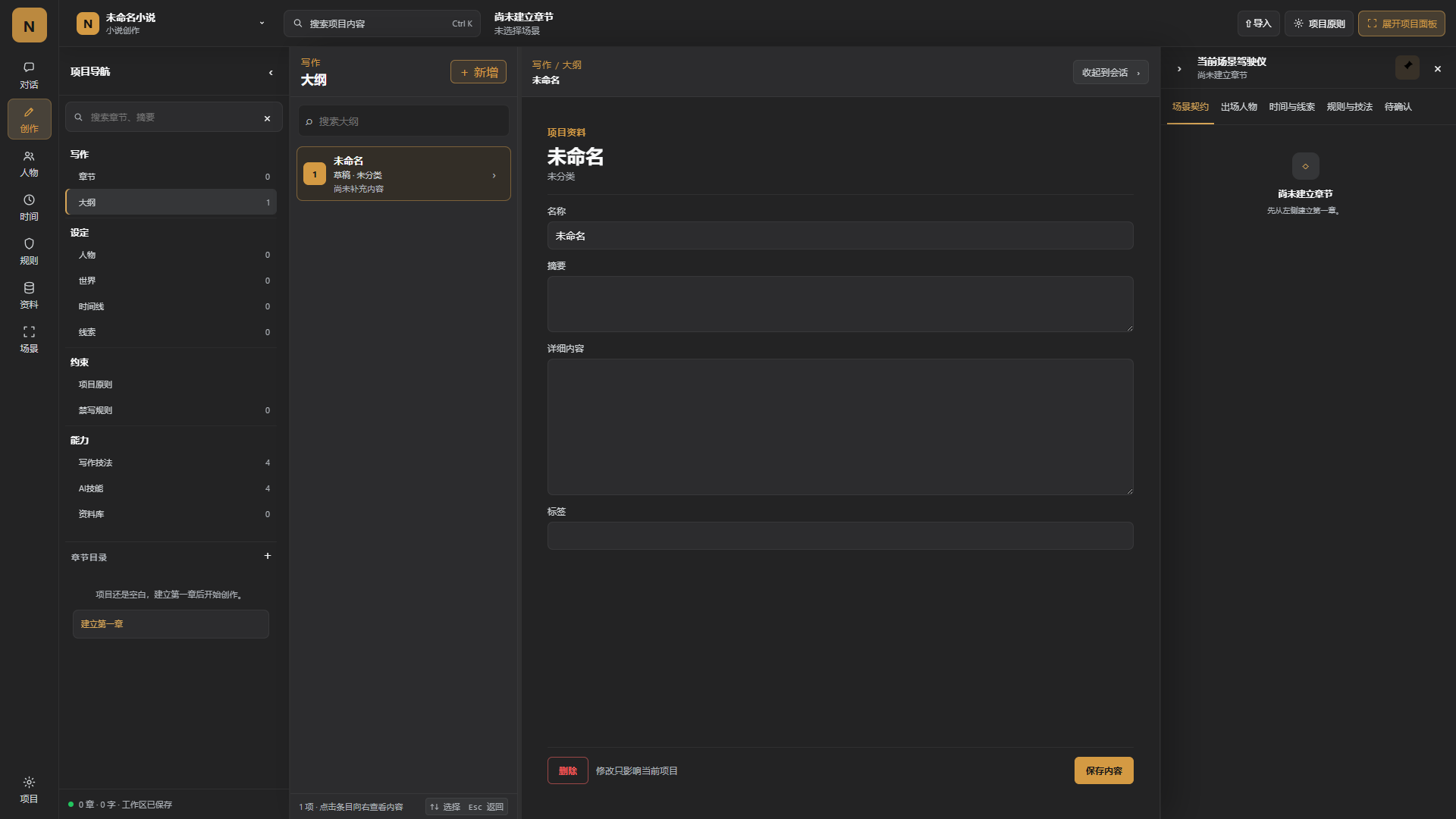
The workbench covers chapter drafts and scene contracts, character cards with relationship trees and appearance tracking, a world-building reference library, foreshadowing trackers and key-event timelines, banned-word and banned-structure rules with automated consistency checks, dialogue and pacing tools, and a technique library. Every AI turn automatically loads the active project rules and setting; generated text and any change to project data require explicit author confirmation before being committed. Data is stored locally first, and the import pipeline previews TXT, Markdown, JSON, DOCX, and EPUB files before bringing them in. Five built-in specialist skills—project workflow, premise tournament, scene stress-test, state review, and engine stress-test—can be toggled independently per workspace.
It is built for authors working on mid-length or full-length novels who treat AI as a creative partner but need firm, enforceable control over character consistency and plot logic. Start from a blank project or import existing drafts, let the workbench sit quietly in the sidebar while you write, and pull it into the foreground the moment you need to verify the big picture without breaking your flow.
Screenshots
Use Cases
- Track character relationships, foreshadowing, and key timelines so long-form settings never drift
- Apply banned-word rules and consistency checks to every AI turn to catch plot holes early
- Edit outlines, chapter drafts, and world-building notes in one workspace without page-hopping
Best For
- Authors drafting mid-length or full-length novels that demand ongoing consistency
- Writers who use AI as a creative partner but want firm control over plot logic
- Series-novel authors managing complex character webs and layered world-settings
Related Plugins
A service-oriented sidebar framework for DSH, offering a full workbench with file explorer, embedded browser, real terminal, Git panel, and extensible plugin services.

A beautiful, practical Claude Code-style TUI plugin with pixel whale top bar, flowing glow title, real-time status line, streaming thought expansion, time rewind, context progress bar and TPS gauge — zero core changes.

The plugin market for DeepSeek Harness: browse/search/one-click install community plugins and themes, with updates, backup/restore, hot disable, diagnostics, and AI fix.

A persistent whale widget on the DSH web UI that shows DeepSeek balance, today's usage, and per-turn cost, with drag-and-snap and sound effects.