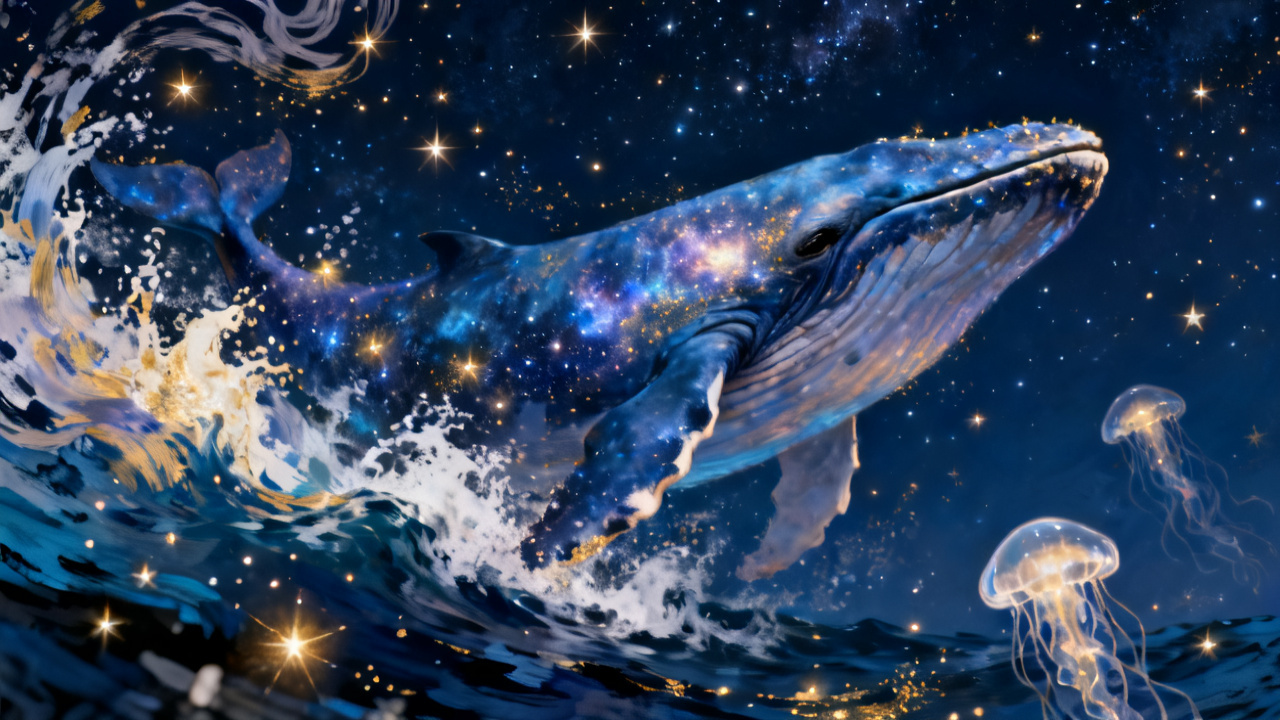
dsh-jimeng
Run the following command in DeepSeek Harness:
dsh plugin install Quqing-future/dsh-jimeng
Paste the following prompt into your AI chat to install this plugin:
Run dsh plugin install Quqing-future/dsh-jimeng in DeepSeek Harness to install it; the source is available at https://github.com/Quqing-future/dsh-jimeng.
About this plugin
DeepSeek Harness is a text-first conversation tool, which means generating images always meant leaving the chat. dsh-jimeng bridges that gap by plugging Volcengine Ark's Jimeng (Seedream) model directly into your conversation—type "draw a whale" and the AI calls the model, saves the image locally, registers it as a chat attachment, and renders it inline. No extra tabs, no manual file handling.
The plugin exposes two workflows. As an AI tool, it auto-invokes generate_image (text-to-image) or image_to_image (image-to-image; reference images accept local paths, URLs, or data URLs). As a settings panel under "Jimeng Image", you hand-write the prompt, pick a model from a built-in Seedream dropdown (or auto-detect available models), adjust size, toggle watermark, and hit generate. Because it speaks the OpenAI-compatible /images/generations API, it also works with SiliconFlow, custom relays, or any other endpoint—just swap the baseUrl and model name. API keys stay server-side; the browser only sees a masked value.
It is built for anyone who lives in DeepSeek Harness for daily creative work—concept sketches, product mockups, quick visual ideas—and for developers who want to consolidate multiple image-generation backends behind one conversational UI. All you need is a Volcengine Ark API key (or any compatible endpoint) and the plugin is ready to go.
Screenshots
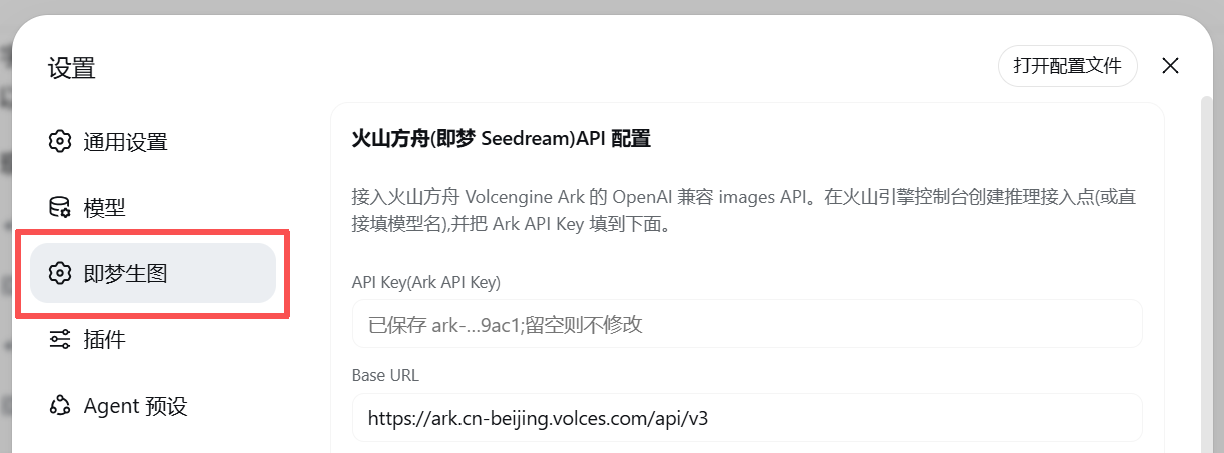
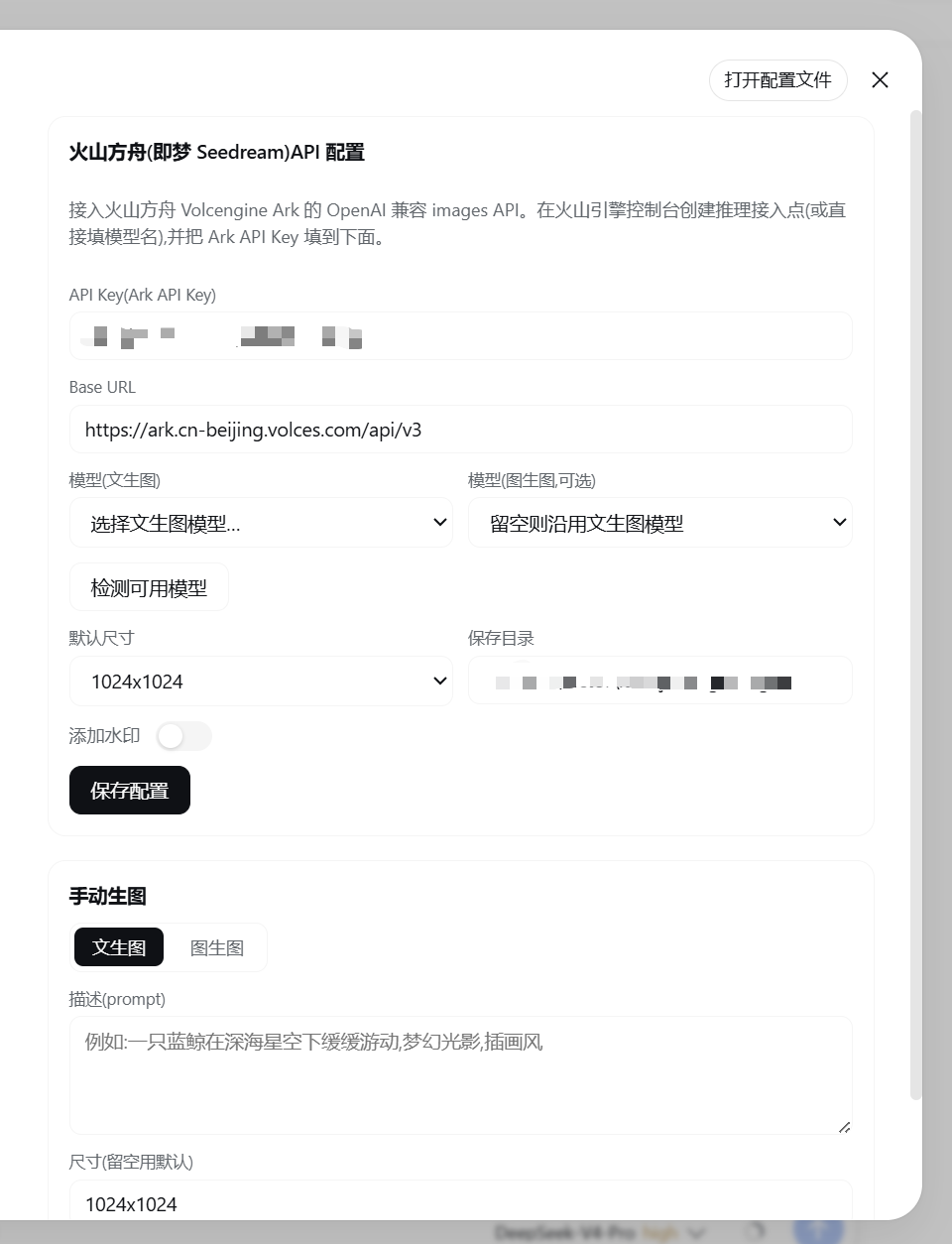
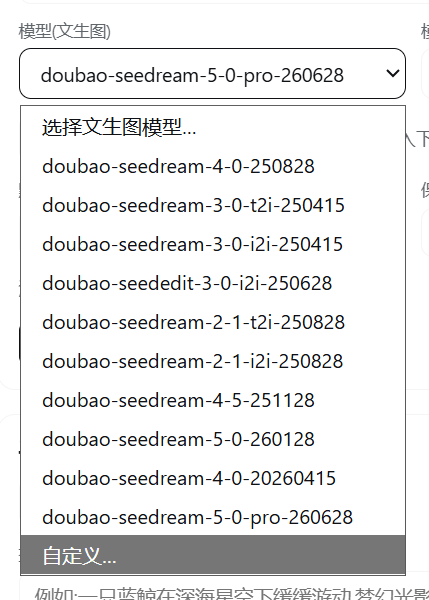
Use Cases
- Generate Seedream images inline right inside a DeepSeek Harness chat
- Iterate on product mockups or concept sketches with image-to-image refinement
- Consolidate Volcengine Ark, SiliconFlow, and other providers into one conversational entry point
Best For
- Developers who rely on DSH daily and want on-demand image output
- Design or product folks who need quick concept art and visual references
- Technical users who want to manage multiple image-generation endpoints without context switching
Related Plugins
A service-oriented sidebar framework for DSH, offering a full workbench with file explorer, embedded browser, real terminal, Git panel, and extensible plugin services.

A beautiful, practical Claude Code-style TUI plugin with pixel whale top bar, flowing glow title, real-time status line, streaming thought expansion, time rewind, context progress bar and TPS gauge — zero core changes.

The plugin market for DeepSeek Harness: browse/search/one-click install community plugins and themes, with updates, backup/restore, hot disable, diagnostics, and AI fix.

A persistent whale widget on the DSH web UI that shows DeepSeek balance, today's usage, and per-turn cost, with drag-and-snap and sound effects.