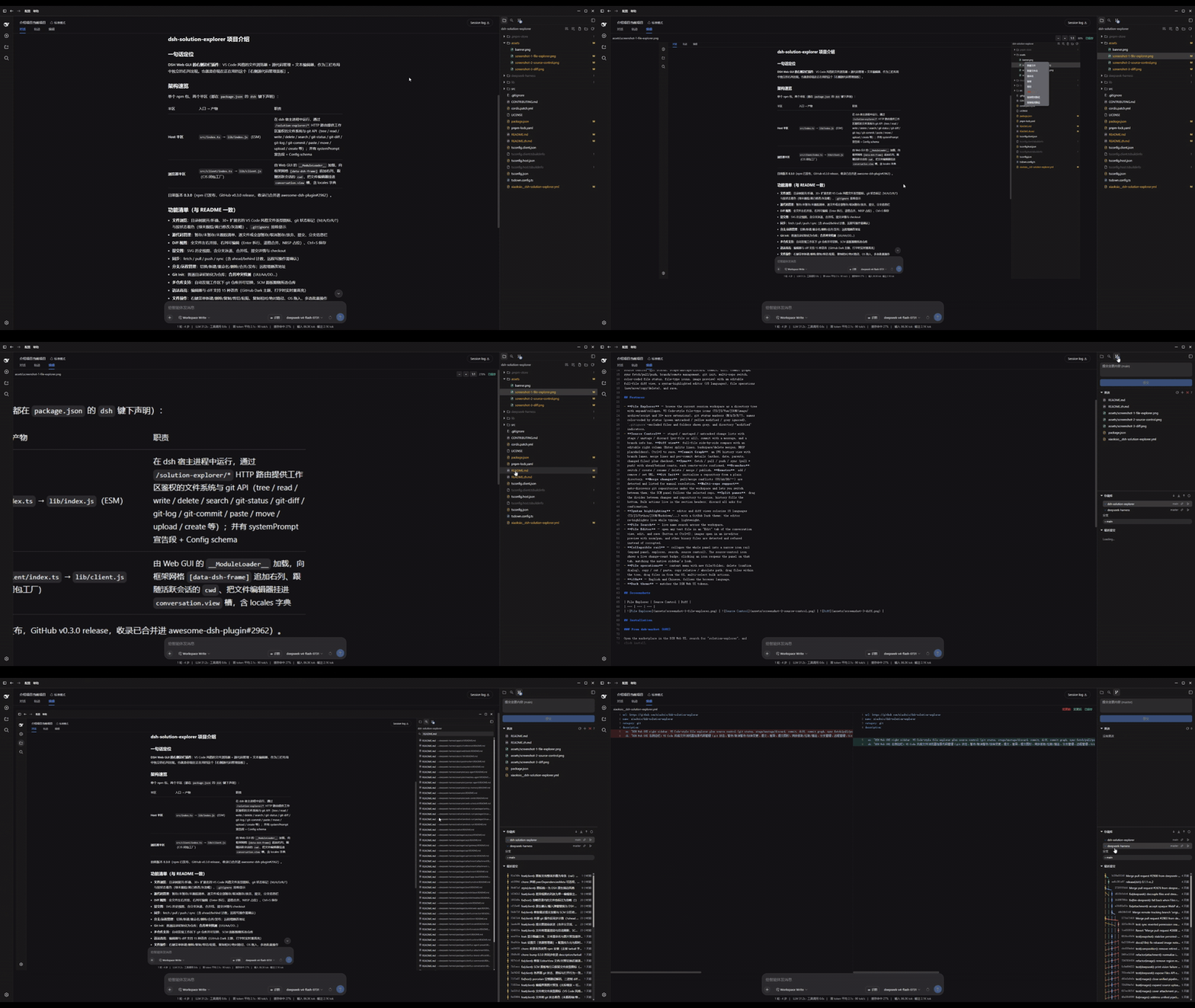
dsh-solution-explorer
Run the following command in DeepSeek Harness:
dsh plugin install xiaoksio/dsh-solution-explorer
Paste the following prompt into your AI chat to install this plugin:
To install this plugin in DeepSeek Harness, run the command `dsh plugin install xiaoksio/dsh-solution-explorer` or download it from the GitHub repository at https://github.com/xiaoksio/dsh-solution-explorer.
About this plugin
When using DeepSeek Harness (DSH) for development or analysis, we often need to efficiently manage code files and version history outside the chat interface. The DSH Solution Explorer plugin is designed to solve this by seamlessly integrating a full-featured "solution explorer" into the right sidebar of the DSH Web GUI. It addresses the pain point of frequently switching tools and manually managing files within an AI-assisted workflow, allowing users to complete the entire suite of code operations—from browsing and editing to committing and merging—within a unified interface.
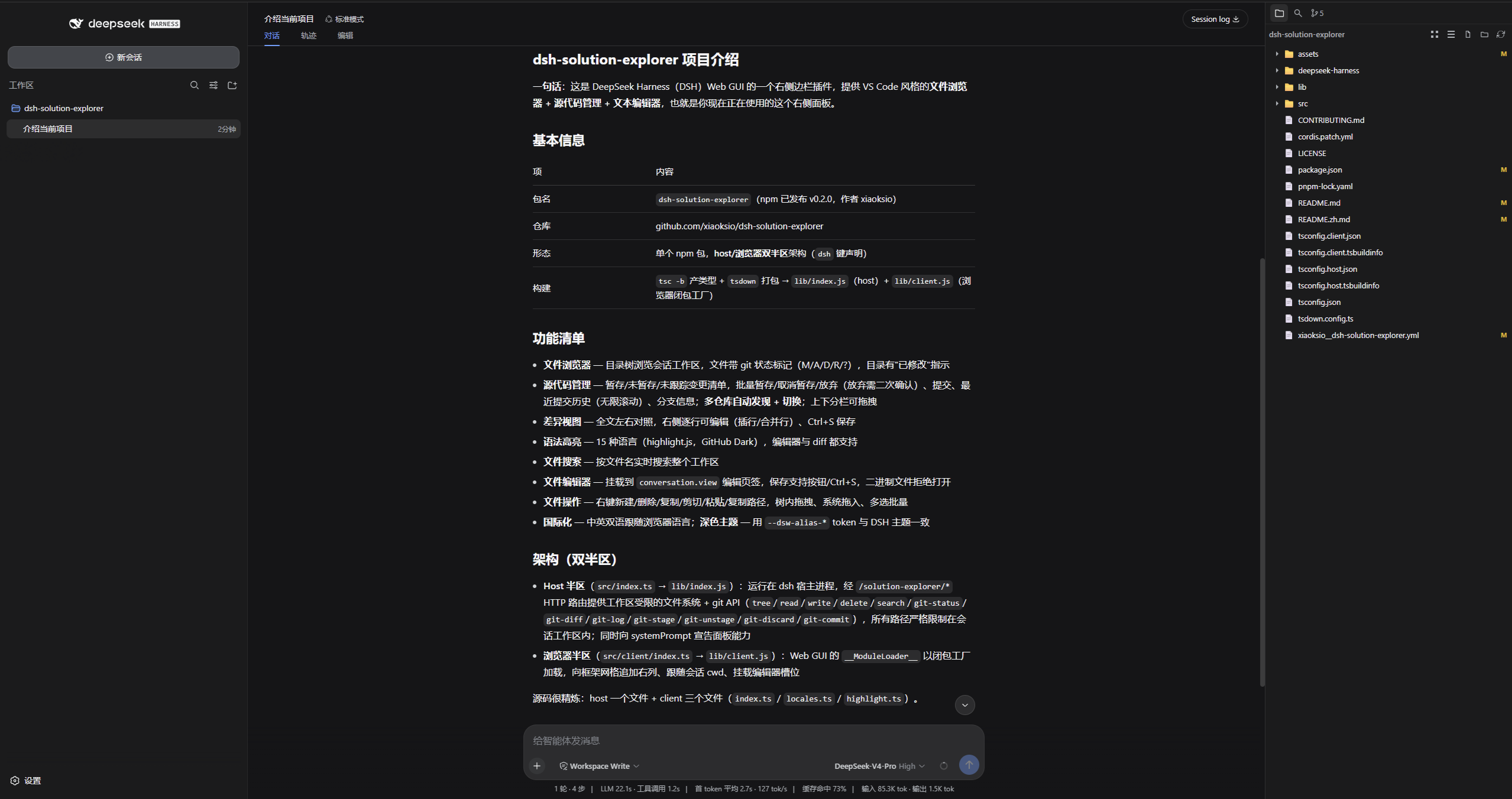
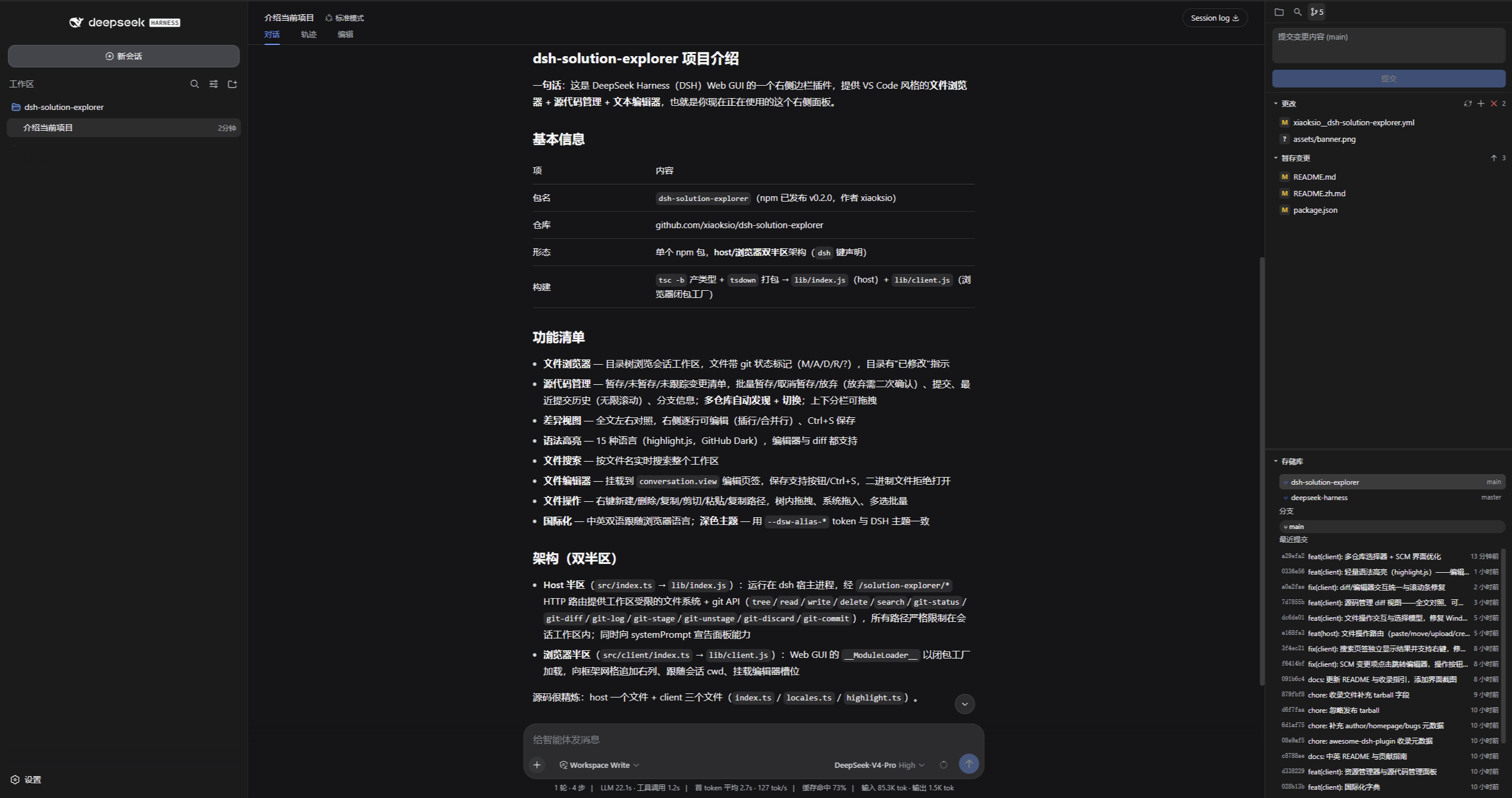
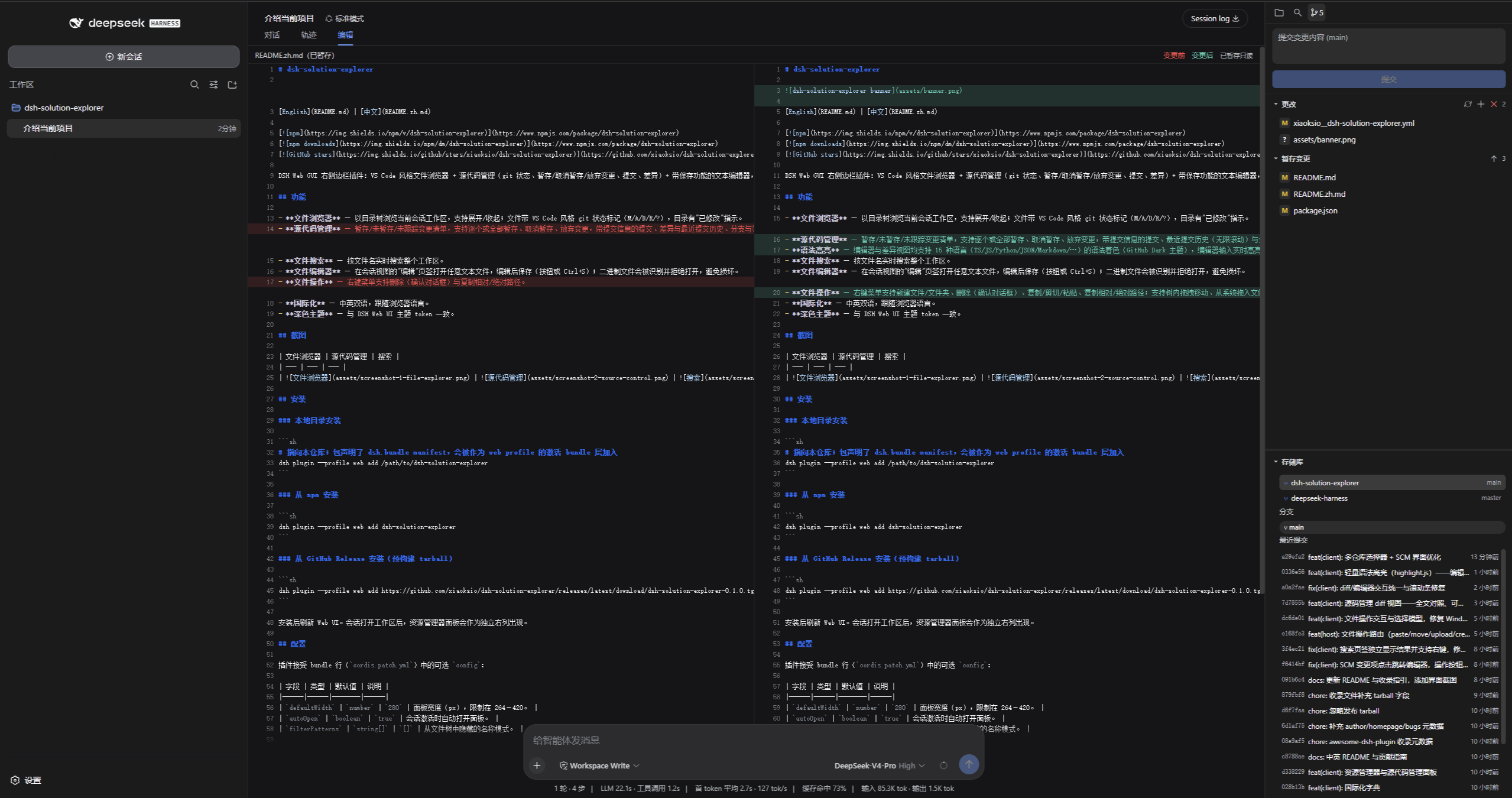
The plugin's core capabilities extend far beyond a basic file tree display. It delivers an interactive experience comparable to VS Code: a directory tree color-coded by file type, a syntax-highlighting live editor, a diff view, and a comprehensive Git source control panel—including commits, branch operations, syncing, and conflict resolution. Powerful file search, a multi-tab terminal, and flexible drag-and-drop operations further enhance productivity. By intelligently auto-discovering Git repositories within the workspace, it ensures accurate project context switching.
DSH Solution Explorer is particularly suited for users who heavily rely on DSH for complex project development, data analysis, or technical writing. Whether you're a programmer needing fine-grained control over code versions, or a researcher who needs to directly edit configuration files and scripts during a conversation, it offers significant convenience. It consolidates scattered file operations and version control steps next to the AI dialogue, ensuring your workflow remains uninterrupted and focused on the core tasks of innovation and implementation.
Screenshots
Use Cases
- Edit code with live syntax highlighting directly in AI conversations.
- Manage Git repositories graphically for commits and branches.
- Quickly browse and search project files in the sidebar.
Best For
- Programmers and developers using DSH for project development.
- Researchers who need to manage code and files in conversations.
- Technical writers seeking to boost efficiency with AI assistance.
Related Plugins
A service-oriented sidebar framework for DSH, offering a full workbench with file explorer, embedded browser, real terminal, Git panel, and extensible plugin services.

A beautiful, practical Claude Code-style TUI plugin with pixel whale top bar, flowing glow title, real-time status line, streaming thought expansion, time rewind, context progress bar and TPS gauge — zero core changes.

The plugin market for DeepSeek Harness: browse/search/one-click install community plugins and themes, with updates, backup/restore, hot disable, diagnostics, and AI fix.

A persistent whale widget on the DSH web UI that shows DeepSeek balance, today's usage, and per-turn cost, with drag-and-snap and sound effects.