dsh-pwsh-style
Run the following command in DeepSeek Harness:
dsh plugin install me9rez/dsh-pwsh-style
Paste the following prompt into your AI chat to install this plugin:
Install the plugin in the DeepSeek Harness terminal by running dsh plugin install me9rez/dsh-pwsh-style; the source code lives at https://github.com/me9rez/dsh-pwsh-style, and after installation restart dsh web and hard-refresh your browser to activate it.
About this plugin
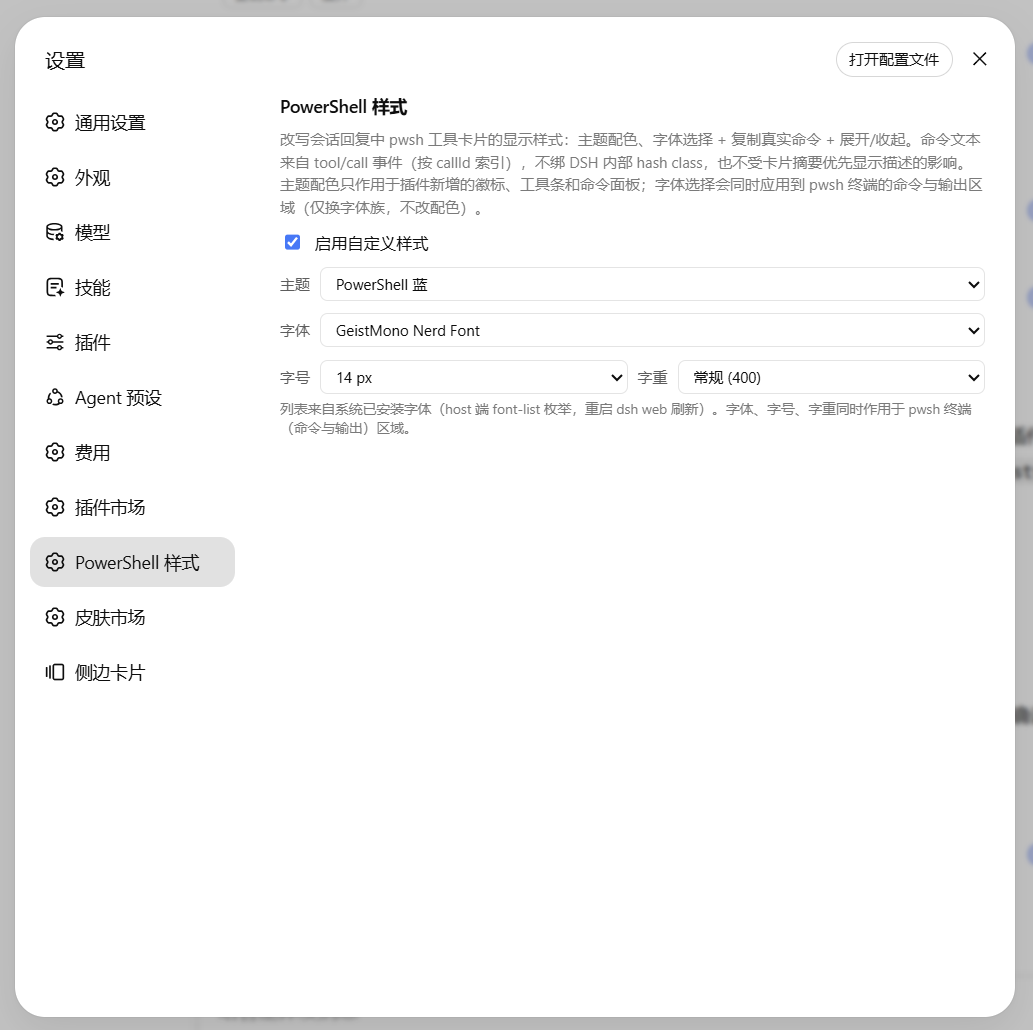
PowerShell tool cards in DSH have long sat in a bare-bones state: long commands get swallowed by ellipses, there is no one-click copy affordance, the color scheme is locked to the native terminal, and font choices cannot follow personal preference. For developers who run pwsh scripts frequently inside a conversation, these small frictions add up over time.
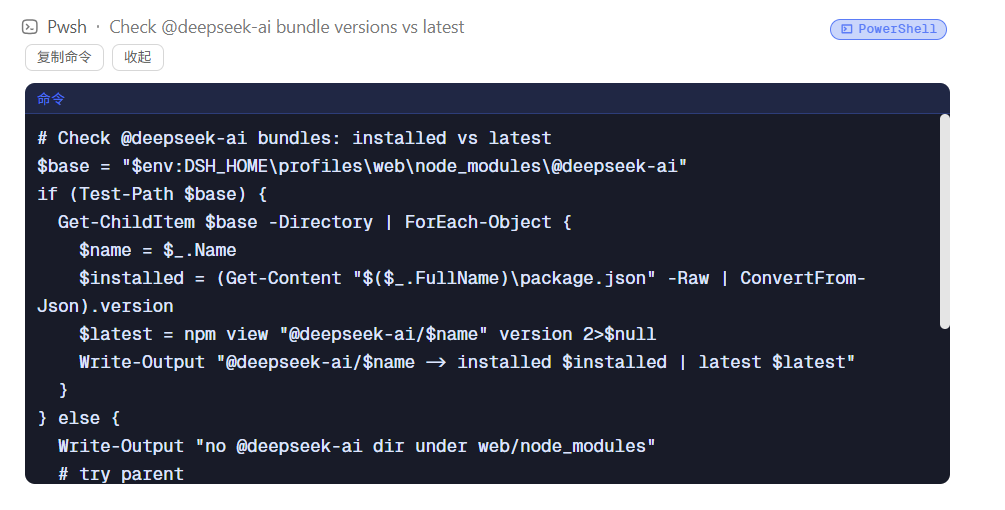
dsh-pwsh-style adds a non-invasive layer of visual polish and interaction on top of those cards. Eight preset themes apply only to plugin-owned elements and never override DSH native colors. A dropdown lets you pick any system-installed font, with adjustable size (11 to 16 px) and weight (300 to 700), so the command panel stays both legible and pleasant. The card title row automatically receives a PowerShell badge; a copy button reads arguments.command precisely from the tool/call event so the clipboard never picks up descriptions or output; an expand-collapse toggle reveals the full command and the working directory. Every hook is anchored on stable data-* attributes with zero hash-class dependency, so DSH upgrades will not break anything.
Best suited for developers who call PowerShell heavily inside DSH sessions: authoring automation scripts, managing IIS or AD, running CI snippets. It turns raw tool output into a readable panel, saving a few manual copy-paste cycles and window switches per session.
Screenshots
Use Cases
- Running pwsh scripts frequently in DSH and wanting clearer, fully visible command display
- Copying long PowerShell commands to clipboard in one click without picking up descriptions or output
- Matching plugin-owned card styling with a preferred font and color theme for a consistent workspace
Best For
- Automation and ops developers who invoke PowerShell heavily inside DSH conversations
- Full-stack engineers who care about visual consistency and readability in terminal tooling
- Engineering teams whose IIS, AD, or CI pipelines call pwsh
Related Plugins

whale-girl is a desktop pet in the DSH Web GUI (bottom-right for instant companionship) — draggable, feedable, playable; completed tasks, sessions and companionship time accrue into seniority levels, titles, and memories.

Renders your local Wallpaper Engine wallpapers as the DSH web background, supporting video, web, and scene wallpapers with a liquid-glass effect and rich customization.

A WebGPU ocean skin for DeepSeek Harness with five-wave Gerstner waves, translucent theme, day/night cycle, and quick controls, installable as plugin or extension.

A Galgame-style conversation view and visual scene editor for DSH web sessions, with a real-time editing mode.