a2ui-render-in-dsh
Run the following command in DeepSeek Harness:
dsh plugin install baihui-ai/a2ui-render-in-dsh
Paste the following prompt into your AI chat to install this plugin:
To install this plugin in DeepSeek Harness, run the command dsh plugin install baihui-ai/a2ui-render-in-dsh, with the source code available at https://github.com/baihui-ai/a2ui-render-in-dsh.
About this plugin
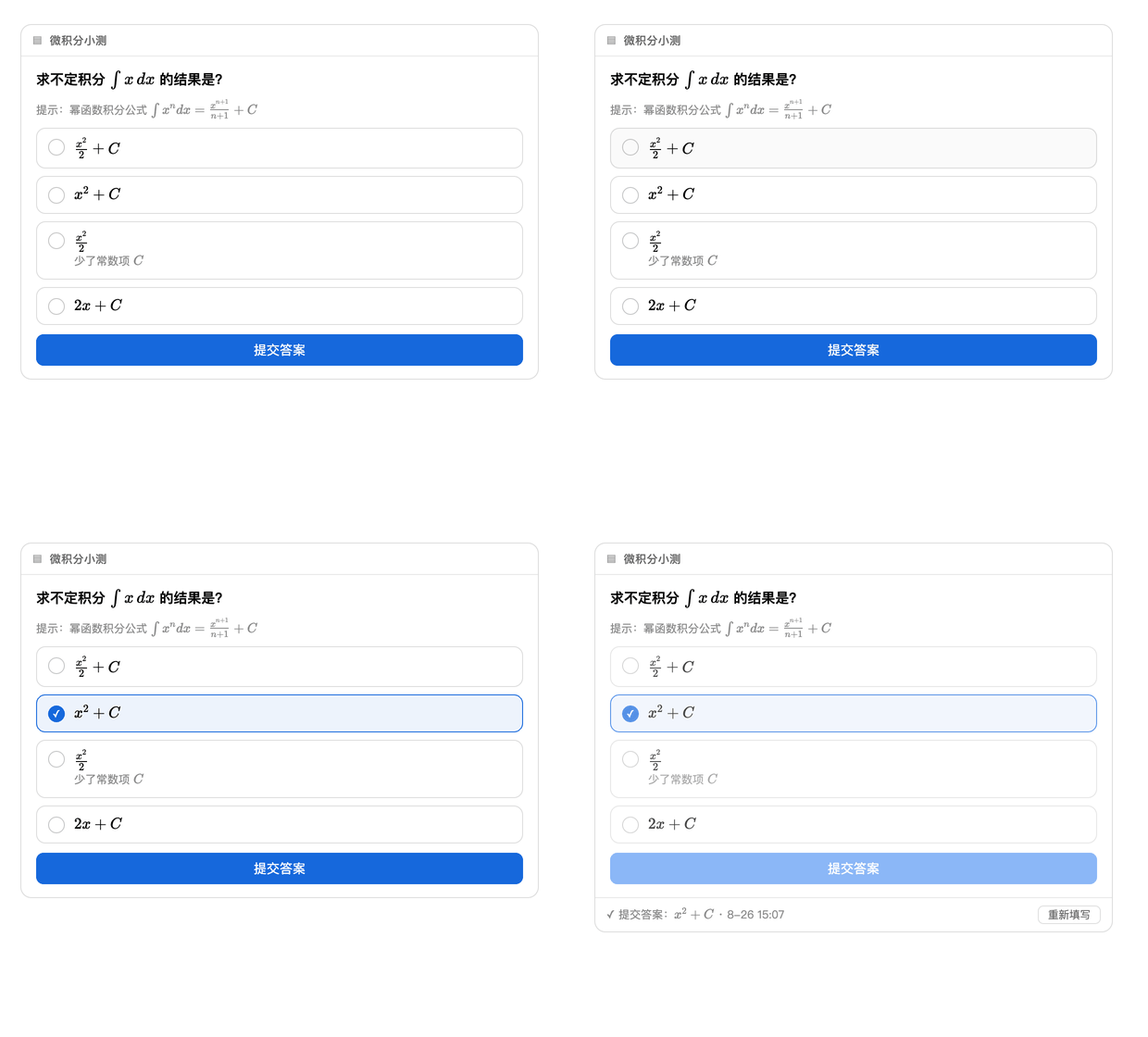
In modern chat agent interfaces, text-only messages often struggle to convey complex data visualizations or interactive forms, forcing users to switch tools or compromise on expressiveness. The a2ui-render-in-dsh plugin addresses this by enabling adaptive rendering of interactive UI cards within the dsh web UI, allowing agents to proactively present charts, forms, animations, and other structured content based on conversational context. This enhances communication efficiency and user experience. Its core capabilities include support for ECharts charts, Mermaid diagrams, algorithm animations, and more, with user interactions returning as plain text messages for seamless integration without complex backend setups. Additionally, the plugin features streaming rendering and in-place updates to ensure responsive and persistent cards.
This plugin is ideal for developers building intelligent agent applications, such as educational tutoring, data analysis tools, or task management platforms, where dynamic information display and user input collection are essential. It also benefits everyday users seeking to enrich visual expression in conversations, like creating product comparison forms, interactive tutorials, or real-time data dashboards. By seamlessly embedding complex UI elements into chat flows, a2ui-render-in-dsh makes agent interactions more engaging and practical.
Screenshots
Use Cases
- Display data visualization and analysis dashboards.
- Collect user input via interactive forms and multi-step wizards.
- Demonstrate mathematical formulas and flowcharts in educational settings.
Best For
- Programmers developing intelligent agent applications.
- Business users seeking enhanced conversational visualization.
- Professionals in data analysis and educational tool design.
Related Plugins
A service-oriented sidebar framework for DSH, offering a full workbench with file explorer, embedded browser, real terminal, Git panel, and extensible plugin services.

A beautiful, practical Claude Code-style TUI plugin with pixel whale top bar, flowing glow title, real-time status line, streaming thought expansion, time rewind, context progress bar and TPS gauge — zero core changes.

The plugin market for DeepSeek Harness: browse/search/one-click install community plugins and themes, with updates, backup/restore, hot disable, diagnostics, and AI fix.

A persistent whale widget on the DSH web UI that shows DeepSeek balance, today's usage, and per-turn cost, with drag-and-snap and sound effects.