dsh-pets
Run the following command in DeepSeek Harness:
dsh plugin install hellosz/dsh-pets
Paste the following prompt into your AI chat to install this plugin:
In DeepSeek Harness, install the plugin with the command `dsh plugin install hellosz/dsh-pets`, and the full source code is available at https://github.com/hellosz/dsh-pets.
About this plugin
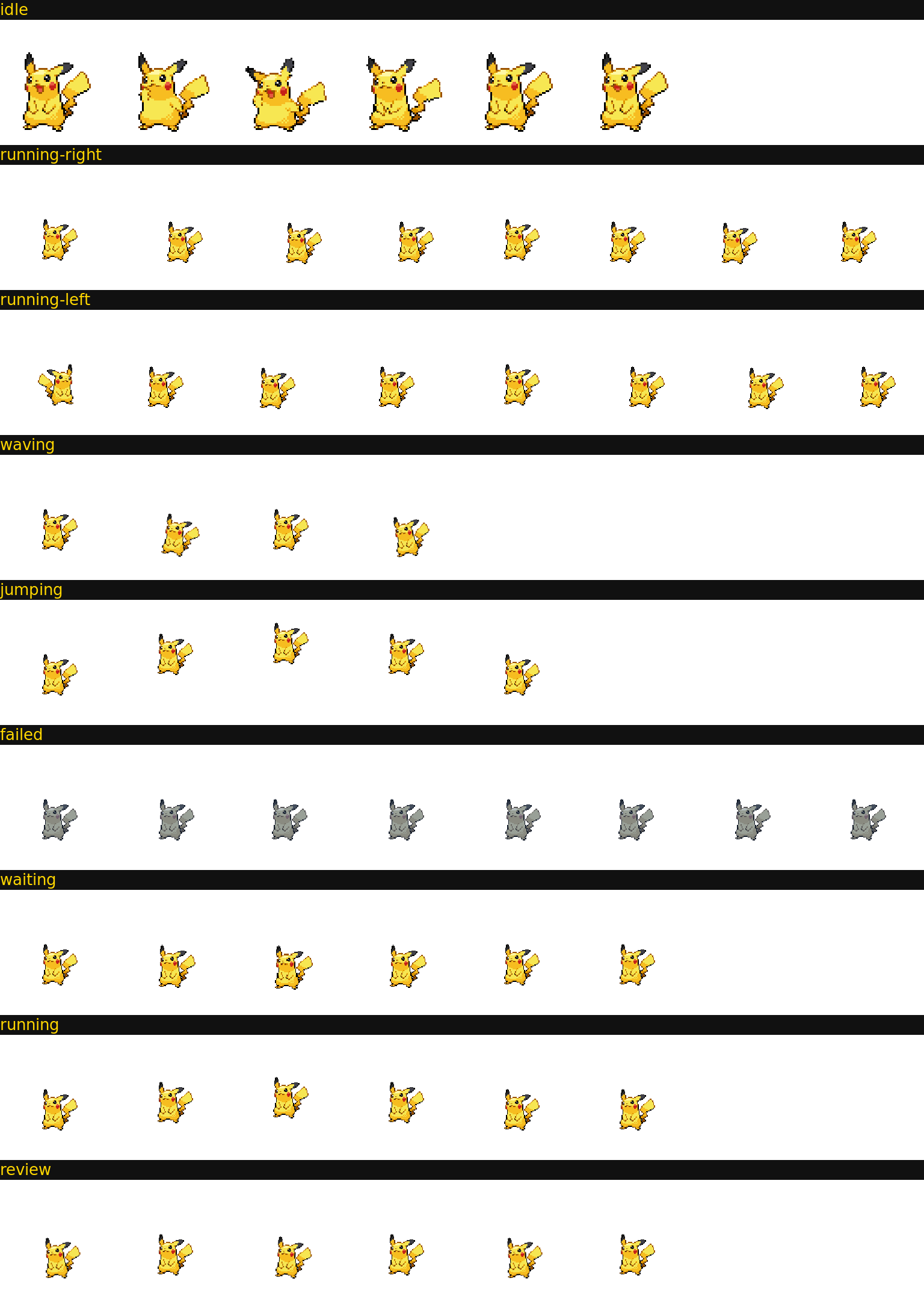
When AI coding agents run long tasks, users often struggle to intuitively track real-time status, as traditional progress bars lack engaging feedback. The DSH Pet Companion plugin elegantly solves this by pairing pet animations with agent states: the pet runs when the agent is thinking, stops to stare when waiting for confirmation, and shows distinct animations for completion or errors, making status instantly understandable.
The plugin's core strengths lie in its rich animation system and user-friendly design. It features 10 classic pets like Pikachu and Charmander, each with unique personalities and catchphrases, supporting 9 animation states (idle, running, waiting, etc.) that cover all agent workflow phases. The floating pet interface allows dragging, clicking to pop menus, and one-click hiding for seamless integration. It's also petdex-compatible for future community pet imports, highly extensible, and non-intrusive by only监听 DSH events without disrupting existing processes.
DSH Pet Companion is ideal for DeepSeek Harness users, AI coding enthusiasts, and anyone seeking a more intuitive and fun way to monitor agent progress. If you frequently handle time-consuming tasks and want to add enjoyment to your coding workflow while boosting efficiency, this plugin is a perfect choice, using pet companionship to infuse technical work with emotional interaction.
Screenshots
Use Cases
- Show agent status intuitively with pet animations during long AI tasks, like thinking or waiting.
- Add fun and emotional interaction to coding sessions through pet behavior to reduce waiting anxiety.
- Monitor agent progress without frequently switching interfaces to check logs or progress bars.
Best For
- Developers using DeepSeek Harness for AI coding.
- Programmers who frequently handle time-consuming tasks and need status feedback.
- Tech enthusiasts who enjoy personalized tools and gamified experiences.
Related Plugins
A service-oriented sidebar framework for DSH, offering a full workbench with file explorer, embedded browser, real terminal, Git panel, and extensible plugin services.

A beautiful, practical Claude Code-style TUI plugin with pixel whale top bar, flowing glow title, real-time status line, streaming thought expansion, time rewind, context progress bar and TPS gauge — zero core changes.

The plugin market for DeepSeek Harness: browse/search/one-click install community plugins and themes, with updates, backup/restore, hot disable, diagnostics, and AI fix.

A persistent whale widget on the DSH web UI that shows DeepSeek balance, today's usage, and per-turn cost, with drag-and-snap and sound effects.