dsh-plugin-session-rollback
Run the following command in DeepSeek Harness:
dsh plugin install antlordGit/dsh-plugin-session-rollback
Paste the following prompt into your AI chat to install this plugin:
Run dsh plugin install antlordGit/dsh-plugin-session-rollback in the DSH terminal to install this plugin; the source repository is available at https://github.com/antlordGit/dsh-plugin-session-rollback . Restart DSH Web after installation to activate the plugin.
About this plugin
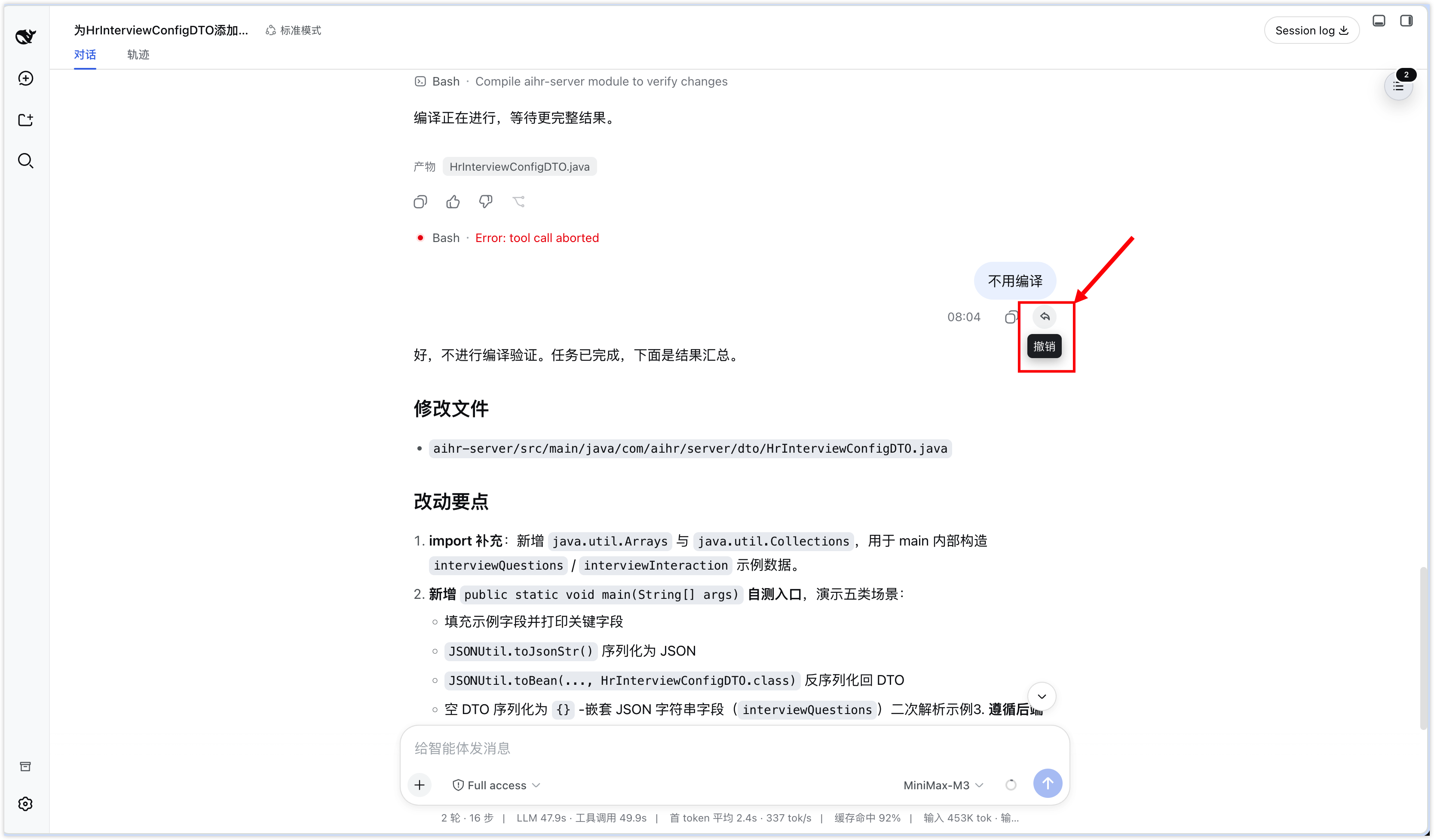
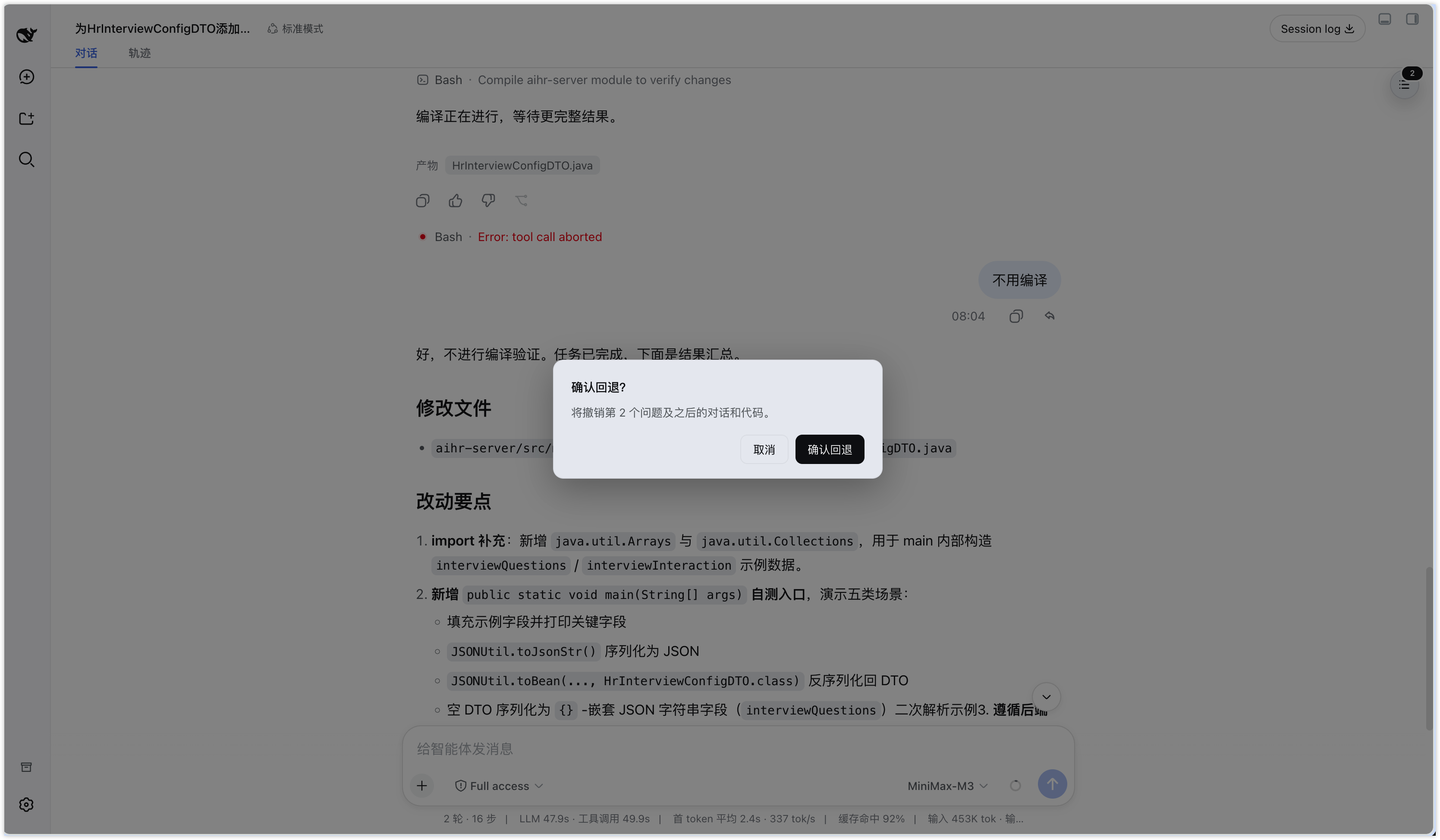
In a typical DSH coding conversation, a single misguided instruction can alter files you do not want changed, and rolling back usually means manual file surgery or starting over. dsh-plugin-session-rollback saves an automatic workspace checkpoint before every real user message, then adds an Undo button next to the copy icon on each message. Clicking it removes that question and every subsequent exchange while restoring the workspace code to the exact state before the question was submitted, all within the same session ID.
Key capabilities include event-sequence-matched checkpoint lookups with no cross-turn substitution, an automatic safety backup before every restore that can be undone with /rollback-undo, SHA-256 content-addressed deduplication so identical files are stored only once, and full light and dark theme support. Original session events remain in DSH's append-only audit log; the rollback only hides them from the active Surface without deleting them.
It is built for DSH developers who iterate through many rounds of code edits and want a reliable safety net to step back to any earlier question without disturbing the work completed before it.
Screenshots
Use Cases
- Stepping back to a specific question after several rounds of code edits
- Reversing a misguided instruction together with all subsequent chat and file changes
- Restoring the most recent backup with /rollback-undo after a second thought
Best For
- Developers who iterate code across many DSH conversation turns
- Engineers who want a safe rollback for both chat history and file changes without creating new sessions
- Users who need session-level undo while preserving the append-only audit log
Related Plugins
A service-oriented sidebar framework for DSH, offering a full workbench with file explorer, embedded browser, real terminal, Git panel, and extensible plugin services.

A beautiful, practical Claude Code-style TUI plugin with pixel whale top bar, flowing glow title, real-time status line, streaming thought expansion, time rewind, context progress bar and TPS gauge — zero core changes.

The plugin market for DeepSeek Harness: browse/search/one-click install community plugins and themes, with updates, backup/restore, hot disable, diagnostics, and AI fix.

A persistent whale widget on the DSH web UI that shows DeepSeek balance, today's usage, and per-turn cost, with drag-and-snap and sound effects.