dsh-notify
Run the following command in DeepSeek Harness:
dsh plugin install hmlyx/dsh-notify
Paste the following prompt into your AI chat to install this plugin:
Run dsh plugin install hmlyx/dsh-notify in the DeepSeek Harness terminal to install this plugin. The source repository is https://github.com/hmlyx/dsh-notify .
About this plugin
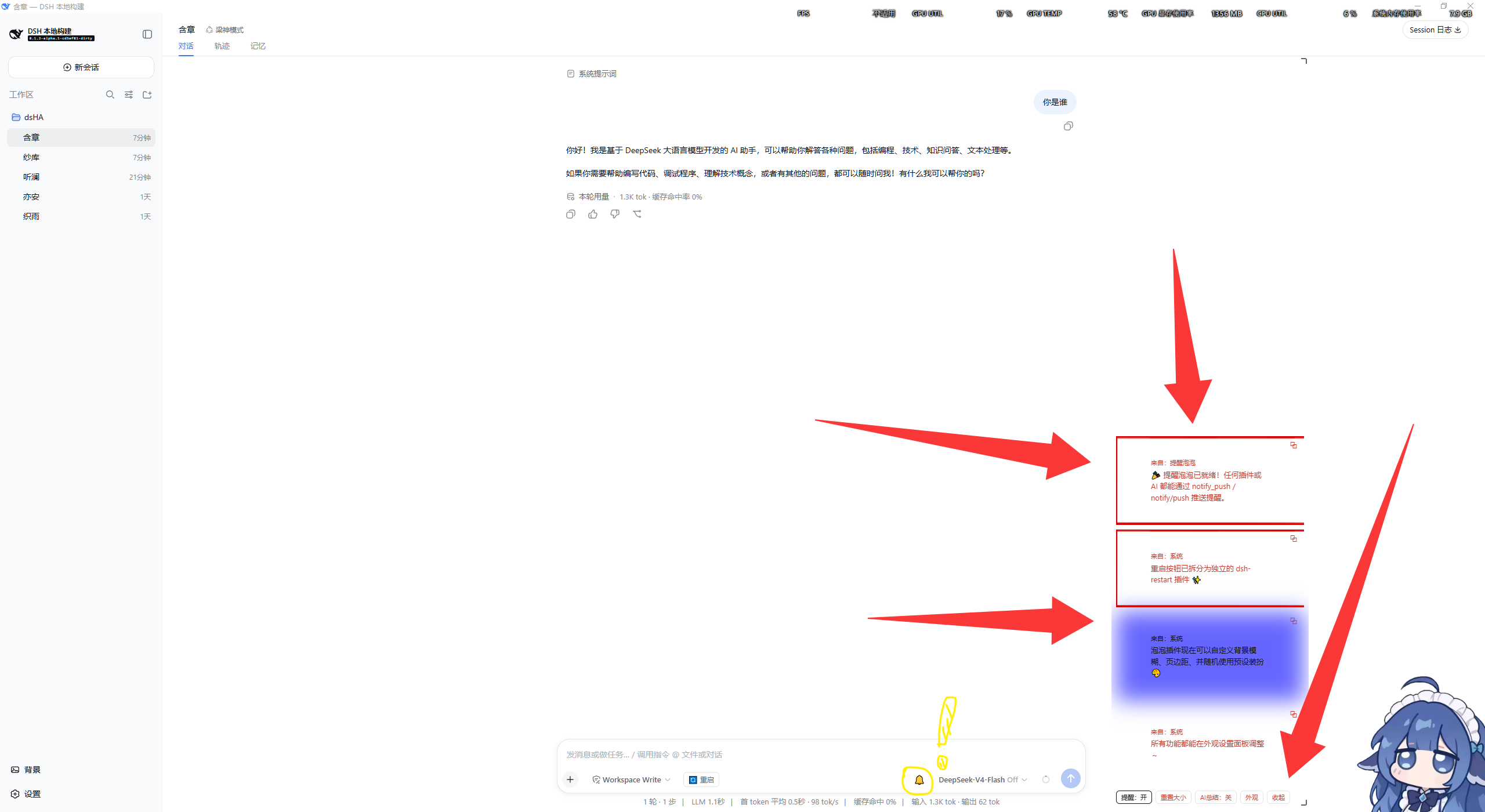
When juggling multiple AI plugins or automation tasks, the worst moment is a task finishing while you are still staring at an empty screen, forced to ask "where is my result?". dsh-notify adds a persistent reminder panel on the right side of the chat input. Any plugin or AI can push key conclusions, to-dos, and clickable links straight to your eyes, eliminating the need to scroll through chat history.
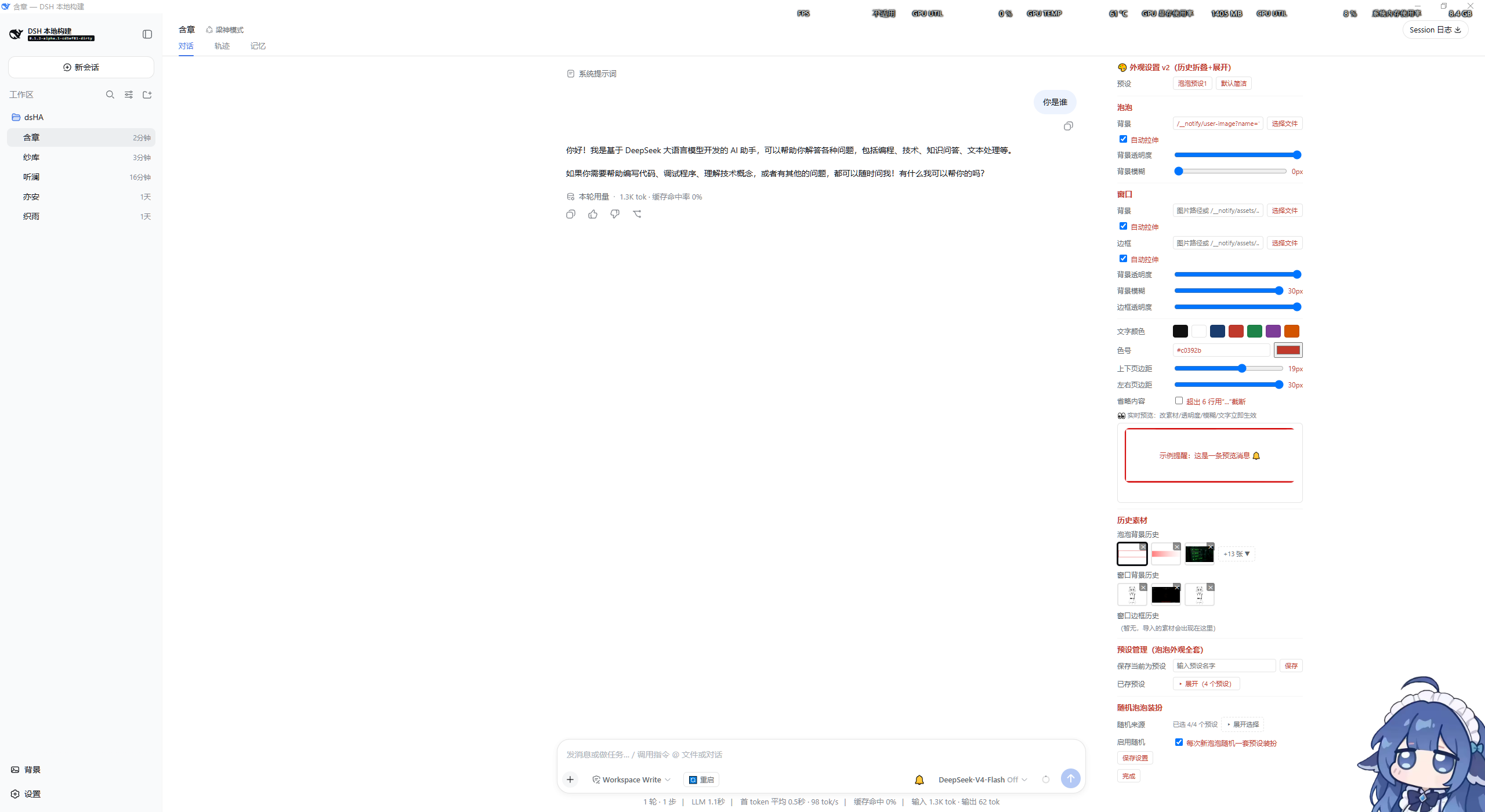
Core features cover the essentials: messages stack as chat-style bubbles from bottom to top with the newest always at the bottom; double-click to expand or collapse details; drag the bottom-right corner to resize, or pull the top-right corner to dock the panel to the top of the screen. Enable "AI Summary" and each push is distilled into concise key points before delivery, keeping things readable. A built-in one-click restart button relaunches both the server and the desktop window. Appearance is fully customizable—background color, opacity, glass-blur, text color, padding—with live preview, preset management, and random themes. Everything takes effect immediately and survives restarts.
Ideal for users running multi-agent pipelines, automated reports, or scheduled reminders. As long as the host is a standard dsh web profile, the plugin works out of the box; missing interfaces degrade gracefully, so no special environment setup is required.
Screenshots
Use Cases
- Auto-push task results to the reminder panel after multi-agent jobs finish
- Scheduled to-do and important info reminders without scrolling chat logs
- Real-time pop-up alerts when a plugin needs user attention
- AI summarizes key points before pushing to avoid text flooding
Best For
- Users running multi-agent AI pipelines
- Developers who prefer visual alerts over scrolling chat logs
- Power users who enjoy customizable UI and themes
Related Plugins
A service-oriented sidebar framework for DSH, offering a full workbench with file explorer, embedded browser, real terminal, Git panel, and extensible plugin services.

A beautiful, practical Claude Code-style TUI plugin with pixel whale top bar, flowing glow title, real-time status line, streaming thought expansion, time rewind, context progress bar and TPS gauge — zero core changes.

The plugin market for DeepSeek Harness: browse/search/one-click install community plugins and themes, with updates, backup/restore, hot disable, diagnostics, and AI fix.

A persistent whale widget on the DSH web UI that shows DeepSeek balance, today's usage, and per-turn cost, with drag-and-snap and sound effects.