dsh-phosphor
Run the following command in DeepSeek Harness:
dsh plugin install yaotongsb/dsh-phosphor
Paste the following prompt into your AI chat to install this plugin:
Run dsh plugin install yaotongsb/dsh-phosphor within DeepSeek Harness to install; source repository: https://github.com/yaotongsb/dsh-phosphor
About this plugin
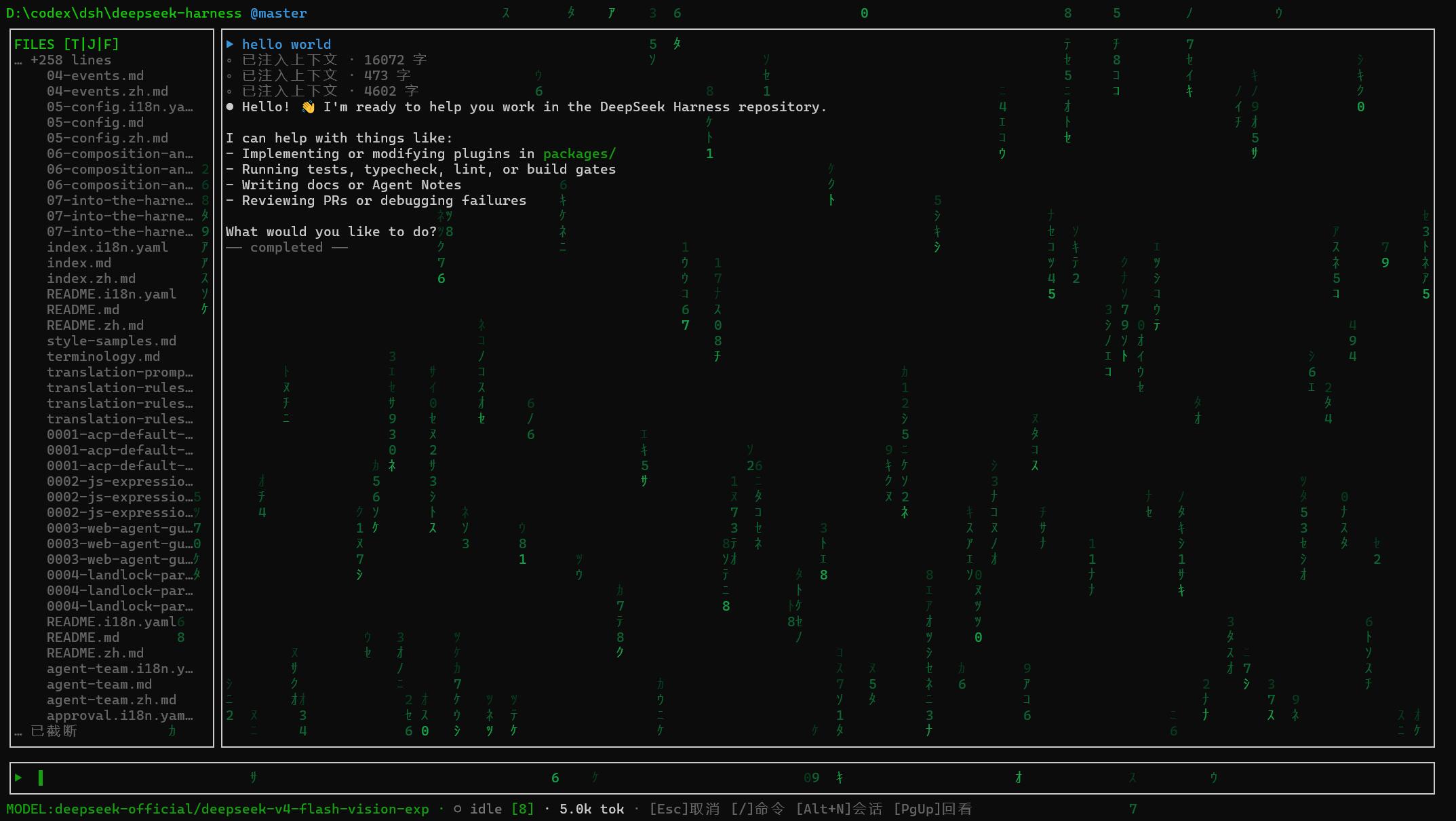
DeepSeek Harness is powerful, yet its purely command-line interface can feel cramped once you juggle multiple sessions, switch models, or reference files on the fly. dsh-phosphor builds a full-screen TUI frontend with React + Ink, lifting the entire interaction into an immersive terminal canvas so that Harness' visual and operational depth is no longer limited to plain inline prompts.
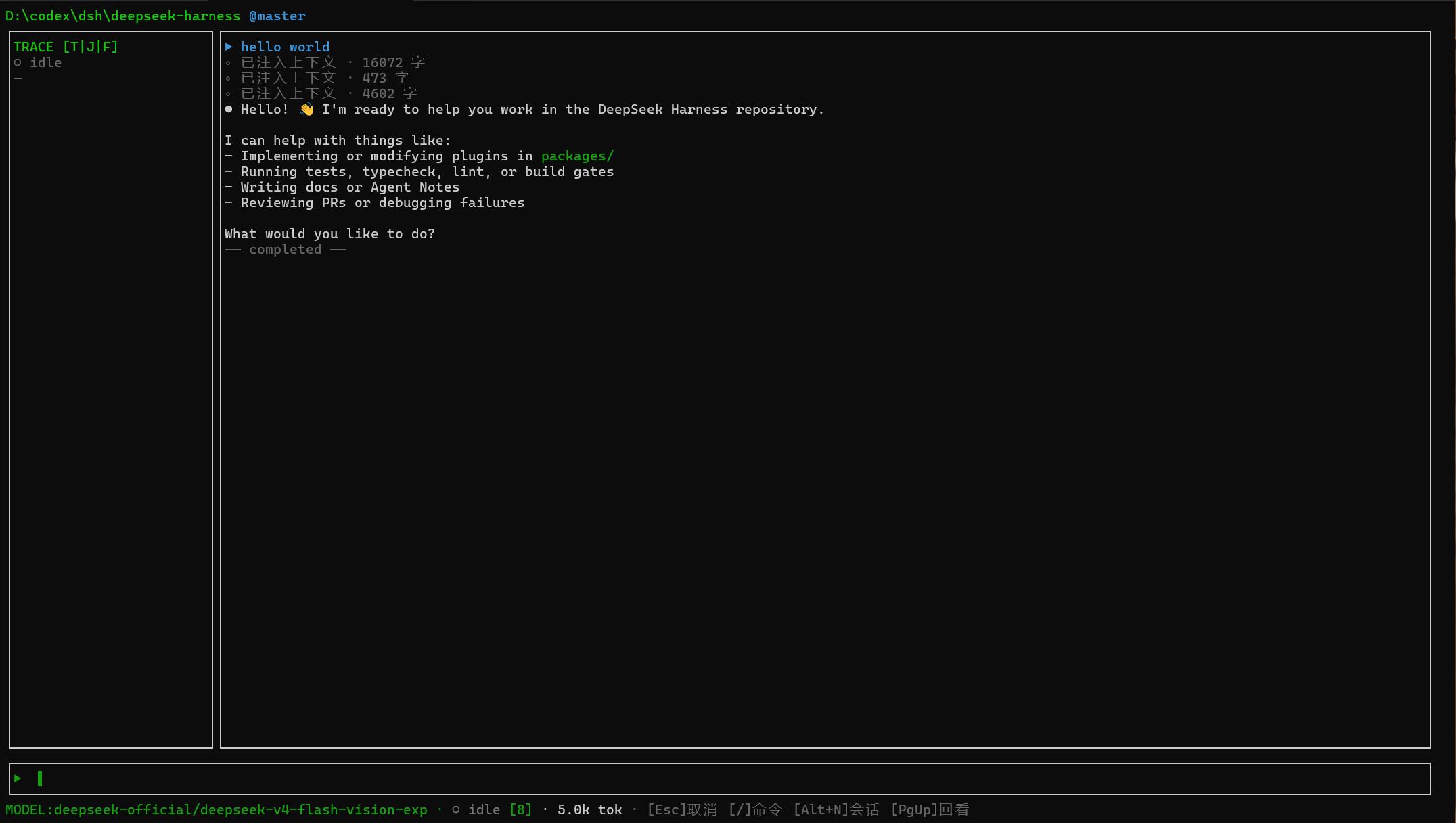
The core experience it delivers includes a Matrix digital-rain background with optional CRT scanlines and fully configurable visual layers; three side-panel modes (TRACE, JOBS, FILES) toggled via Alt+T / J / F; session resume, archive, and Alt+1..9 quick-jump; a model picker with Shift+Tab to cycle reasoning effort; image attachment and @-prefixed fuzzy file completion; a full-screen Plan-mode review overlay; and a comprehensive key-binding scheme spanning global, editor, empty-buffer, and overlay contexts. Every visual parameter, from rain frame rate to panel width to theme (matrix or terminal), can be persisted through a config file and toggled live from the in-app settings panel.
This plugin is best suited for DeepSeek Harness users who prefer a terminal-centric workflow, have a soft spot for the Matrix aesthetic, and routinely manage several concurrent sessions. It is currently distributed as source-only, pinned to the dsh v0.1.1-rc.2 baseline, and tested most thoroughly on Windows Terminal; if that is your daily environment, dsh-phosphor can push Harness' terminal experience to a remarkably polished tier.
Screenshots
Use Cases
- Manage concurrent DeepSeek sessions in the terminal with quick-jump shortcuts
- Enhance the terminal with Matrix digital rain and CRT scanline visuals
- Switch models and reasoning effort on the fly via an interactive picker
Best For
- DeepSeek Harness users who prefer a terminal-centric workflow
- Developers with a taste for the Matrix aesthetic
- Users seeking an immersive dialogue experience in Windows Terminal
Related Plugins
A service-oriented sidebar framework for DSH, offering a full workbench with file explorer, embedded browser, real terminal, Git panel, and extensible plugin services.

A beautiful, practical Claude Code-style TUI plugin with pixel whale top bar, flowing glow title, real-time status line, streaming thought expansion, time rewind, context progress bar and TPS gauge — zero core changes.

The plugin market for DeepSeek Harness: browse/search/one-click install community plugins and themes, with updates, backup/restore, hot disable, diagnostics, and AI fix.

A persistent whale widget on the DSH web UI that shows DeepSeek balance, today's usage, and per-turn cost, with drag-and-snap and sound effects.