dsh-fixed-new-session-model
Run the following command in DeepSeek Harness:
dsh plugin install chenyangcun/dsh-fixed-new-session-model
Paste the following prompt into your AI chat to install this plugin:
Run dsh plugin install chenyangcun/dsh-fixed-new-session-model to install; source is available at https://github.com/chenyangcun/dsh-fixed-new-session-model
About this plugin
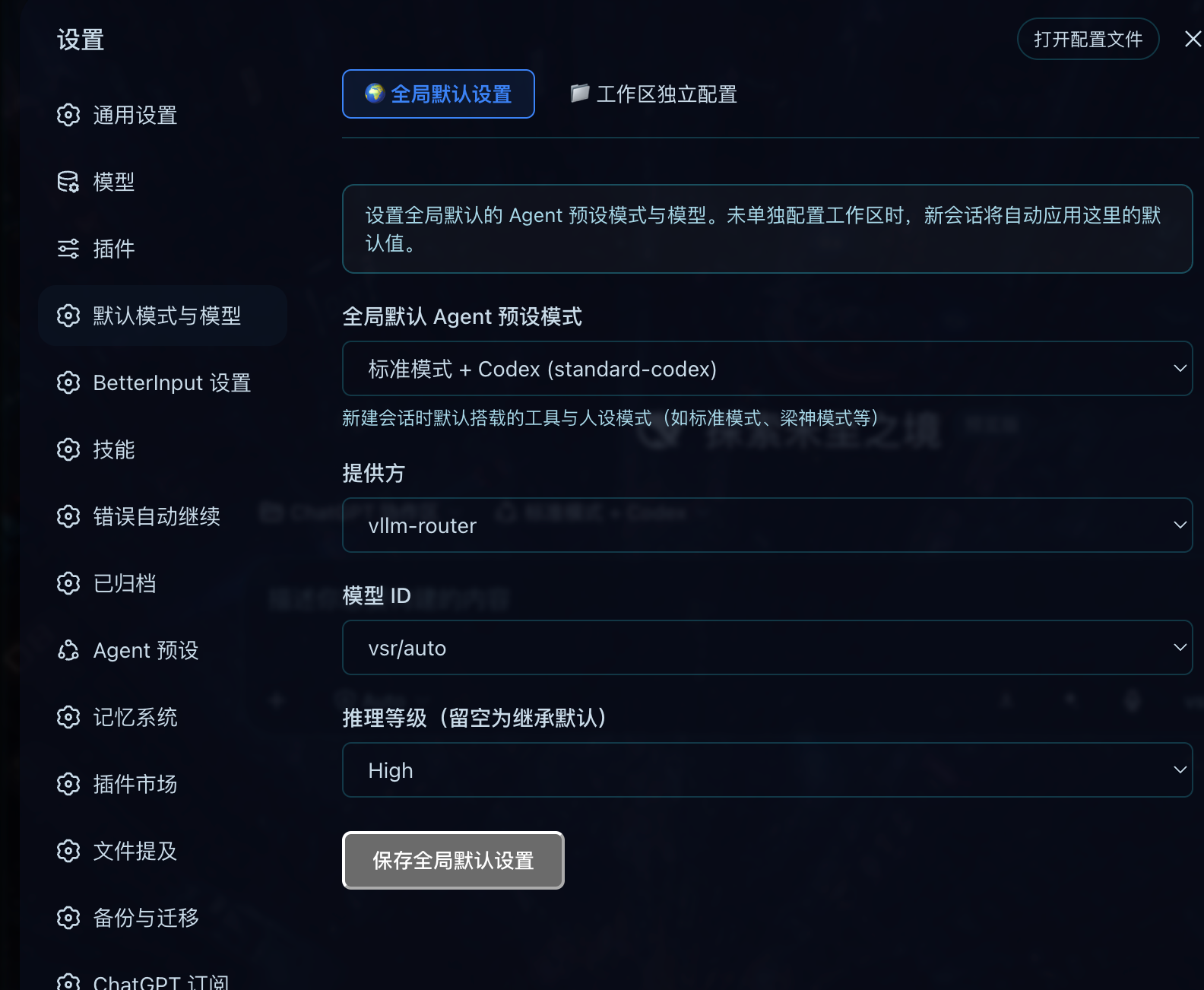
Juggling multiple workspaces in DeepSeek Harness often means re-picking an Agent preset and model on every new session, with in-conversation switches quietly overriding whatever you intended. dsh-fixed-new-session-model pins those defaults as persistent configuration so that a single pass in Settings → Default Mode & Model is all you ever need to set up consistent, predictable sessions.
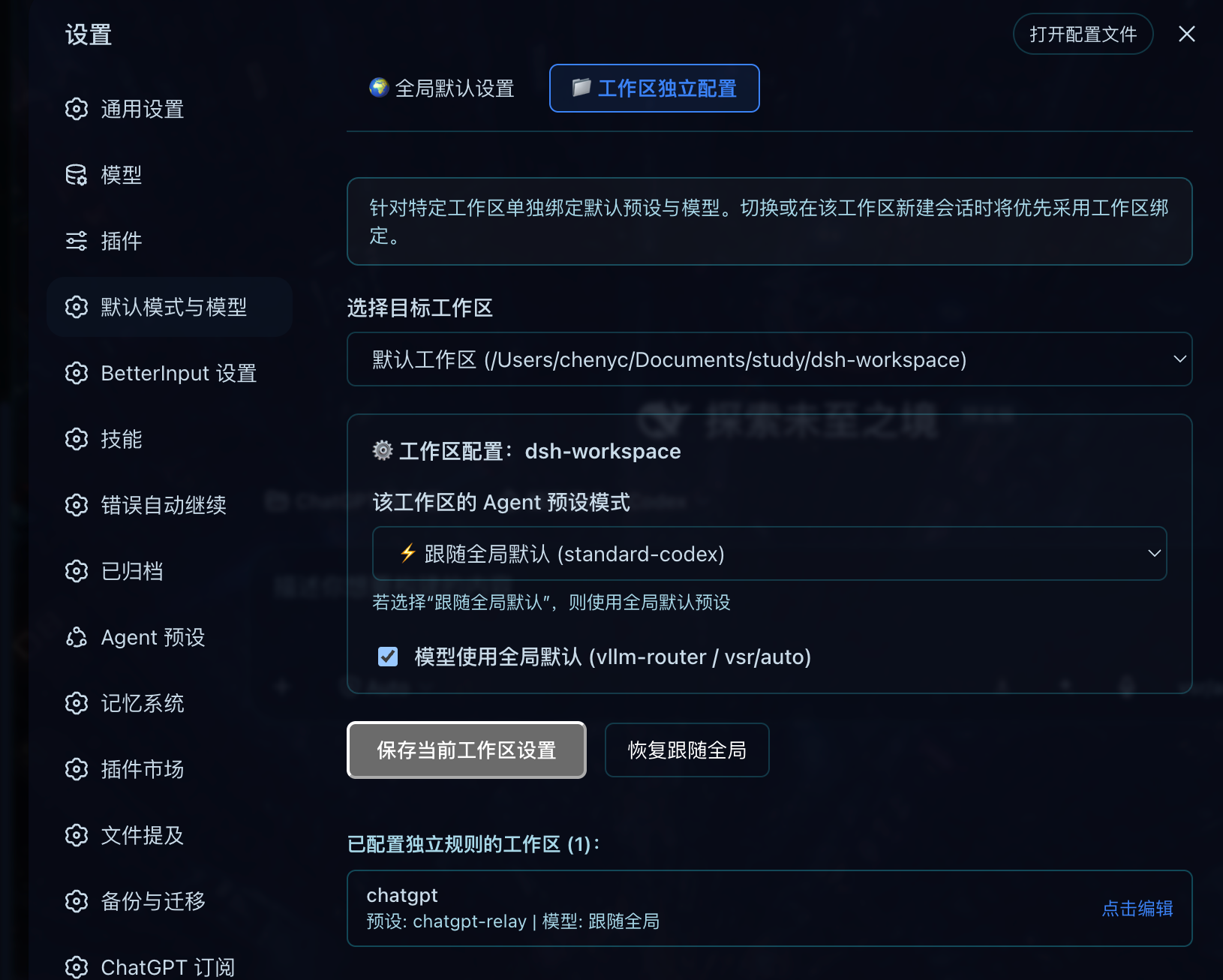
The plugin builds on a three-tier inheritance model: a global default layer defines the Agent preset, provider, model ID, and reasoning level; a workspace layer can override either field independently—for example, locking one project to standard-codex while its model still follows the global choice; and a blank-session layer auto-applies the matching rules when a session is created or recycled, while already-active conversations are left untouched. Everything rides on DSH’s native settings system with no extra database or credential files, and the built-in settings page lets you edit, inspect, or revert workspace rules in one click.
If you maintain several workspaces, have a stable preference for specific Agent presets or models, or are tired of inconsistent outputs caused by drifting model selections, this plugin makes defaults predictable and per-project differences reusable—so you can spend less time configuring and more time producing.
Screenshots
Use Cases
- Pinning different Agent presets and models per project across multiple workspaces
- Enforcing a uniform model version to prevent output drift from in-session switches
- Auto-inheriting preset and model on new blank sessions without manual selection each time
Best For
- DSH users maintaining multiple workspaces with distinct configuration needs
- Developers with stable preset and model preferences who require consistent outputs
- Teams preferring native settings-page management without extra configuration tooling
Related Plugins
A service-oriented sidebar framework for DSH, offering a full workbench with file explorer, embedded browser, real terminal, Git panel, and extensible plugin services.

A beautiful, practical Claude Code-style TUI plugin with pixel whale top bar, flowing glow title, real-time status line, streaming thought expansion, time rewind, context progress bar and TPS gauge — zero core changes.

The plugin market for DeepSeek Harness: browse/search/one-click install community plugins and themes, with updates, backup/restore, hot disable, diagnostics, and AI fix.

A persistent whale widget on the DSH web UI that shows DeepSeek balance, today's usage, and per-turn cost, with drag-and-snap and sound effects.