dsh-command-palette
Run the following command in DeepSeek Harness:
dsh plugin install chenyangcun/dsh-command-palette
Paste the following prompt into your AI chat to install this plugin:
Run dsh plugin install chenyangcun/dsh-command-palette in your terminal to install this plugin; the source is available at https://github.com/chenyangcun/dsh-command-palette. Restart your DSH Web process after installation.
About this plugin
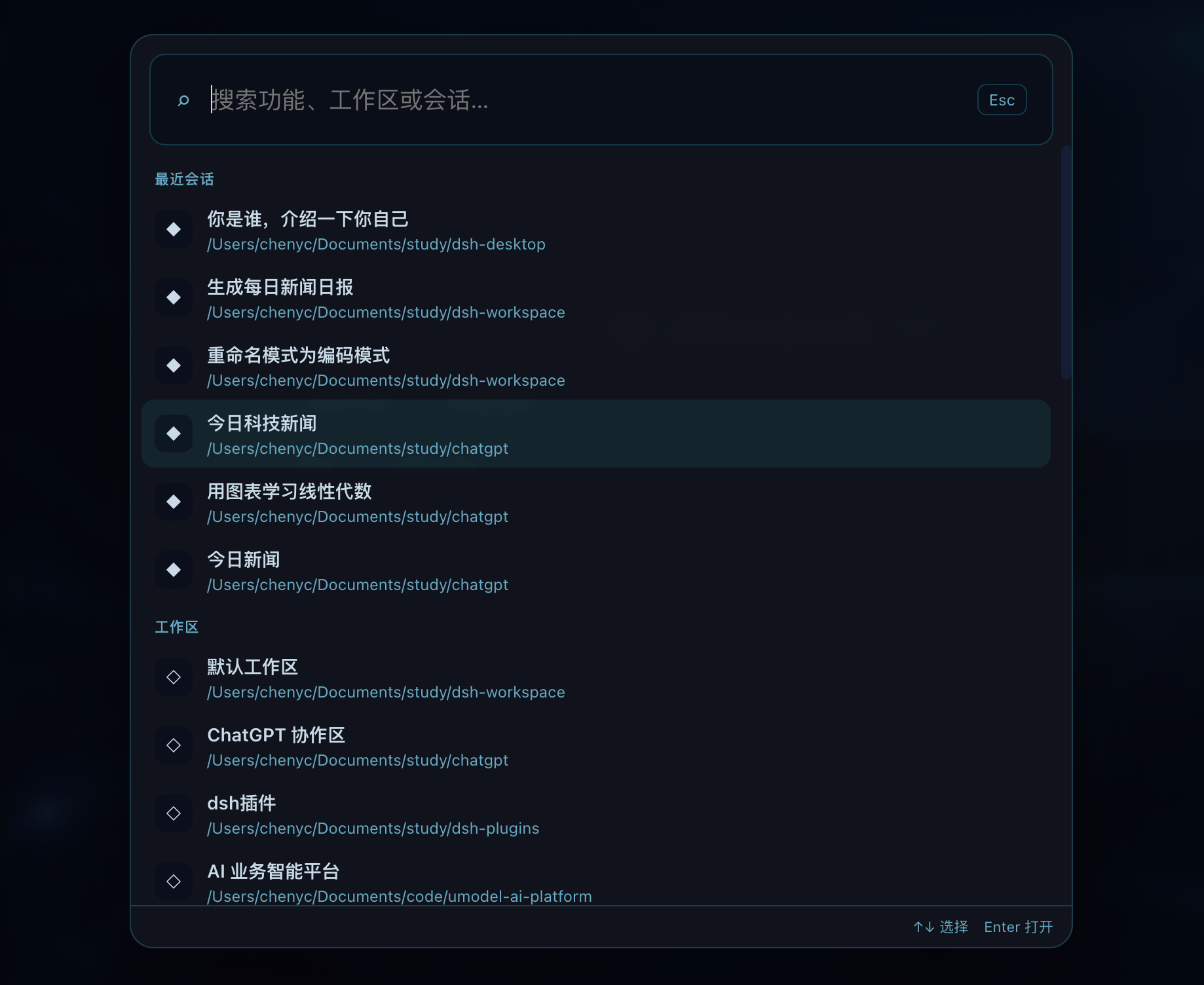
Switching between sessions, workspaces, and settings pages in DeepSeek Harness usually means clicking through nested menus and losing your momentum. dsh-command-palette collapses all of that into the keyboard: press Shift twice inside the current DSH window and a lightweight palette appears instantly. No system-wide hotkey is registered, so the trigger stays scoped to the focused window and never collides with other applications.
The palette covers the full daily loop. Search and open recent sessions by title, working directory, Agent preset, or session ID; launch a new session directly from a target workspace; auto-detect registered settings menus and jump straight to the right page. Save frequently used prompts as custom commands, choosing whether each run creates a fresh session or reuses a dedicated one, and bind new sessions to a specific workspace. For deeper integration, the plugin exposes a commandPalette service in the Client Context so other client plugins can register their own commands via registerProvider, turning the palette into a unified entry point across the DSH ecosystem.
This is built for DSH users who live on the keyboard: developers juggling multiple workspaces in parallel, engineers who tweak settings often, and team leads who want to standardize prompts across a project. Anyone who finds menu-clicking tedious will notice the speed difference immediately.
Screenshots
Use Cases
- Juggling multiple workspaces and needing to jump to a target and launch a session instantly
- Tweaking settings often without navigating through nested menus
- Standardizing team prompts via saved custom commands bound to a specific workspace
Best For
- Efficiency-focused DSH users who live on the keyboard
- Full-stack or frontend engineers juggling multiple workspaces in parallel
- Tech leads who want to standardize prompts across the team
Related Plugins
A service-oriented sidebar framework for DSH, offering a full workbench with file explorer, embedded browser, real terminal, Git panel, and extensible plugin services.

A beautiful, practical Claude Code-style TUI plugin with pixel whale top bar, flowing glow title, real-time status line, streaming thought expansion, time rewind, context progress bar and TPS gauge — zero core changes.

The plugin market for DeepSeek Harness: browse/search/one-click install community plugins and themes, with updates, backup/restore, hot disable, diagnostics, and AI fix.

A persistent whale widget on the DSH web UI that shows DeepSeek balance, today's usage, and per-turn cost, with drag-and-snap and sound effects.