dsh-vscode-bridge
Run the following command in DeepSeek Harness:
dsh plugin install yaodongH/dsh-vscode-bridge
Paste the following prompt into your AI chat to install this plugin:
Run dsh plugin install yaodongH/dsh-vscode-bridge in your DeepSeek Harness terminal to install; the source repository is at https://github.com/yaodongH/dsh-vscode-bridge .
About this plugin
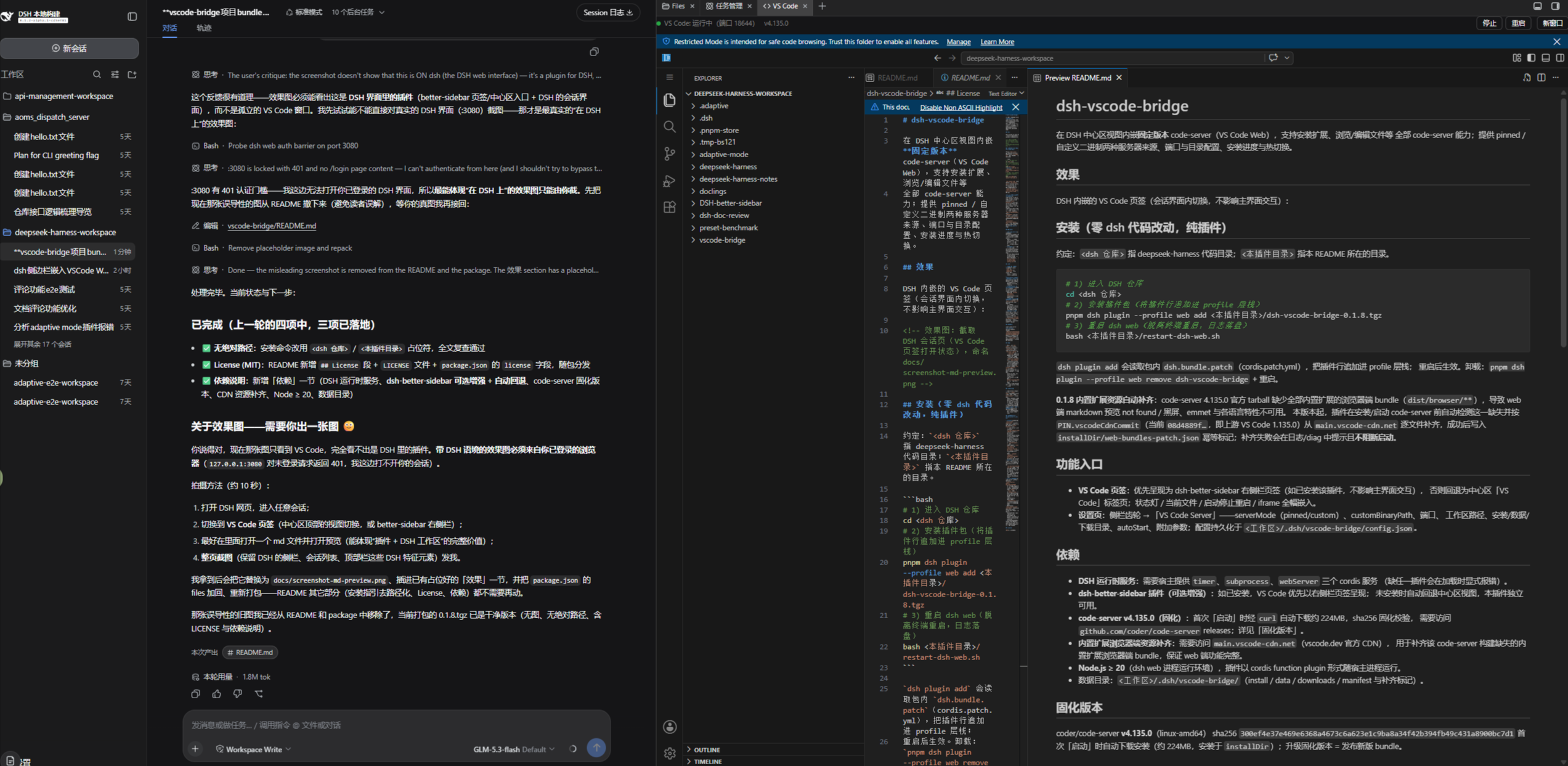
When working inside a DSH conversation, file browsing, code editing, and extension management typically force you out of the chat and into a separate VS Code window, breaking the AI collaboration flow in half. dsh-vscode-bridge embeds a pinned code-server build (VS Code Web 4.135.0) directly into the DSH page, so you can read, write, preview Markdown, and manage extensions without ever leaving the session.
The plugin supports both a pinned binary and a custom binary as server sources, with fine-grained settings for port, install and data directories, extra CLI flags, and auto-start, plus hot start, stop, and restart of the code-server process. The folder-follow feature keeps VS Code anchored to the workspace of the active session, and re-opening after a space switch lands you in the right directory. For the missing built-in-extension browser bundles in code-server 4.135.0, the plugin automatically fetches and patches them from the official CDN before first launch, so Markdown preview and language features work out of the box.
If your workflow is left hand chatting with the AI and right hand tweaking a few lines of code, this plugin was built for you.
Screenshots
Use Cases
- Open and edit files right inside a DSH conversation
- Install and manage VS Code extensions without switching windows
- Auto-locate to the new workspace after a space switch
Best For
- Developers who read and write code alongside AI chats
- DSH users wanting full VS Code Web features without extra deployment
- Power users who prefer a single-window chat-and-edit workflow
Related Plugins
A service-oriented sidebar framework for DSH, offering a full workbench with file explorer, embedded browser, real terminal, Git panel, and extensible plugin services.

A beautiful, practical Claude Code-style TUI plugin with pixel whale top bar, flowing glow title, real-time status line, streaming thought expansion, time rewind, context progress bar and TPS gauge — zero core changes.

The plugin market for DeepSeek Harness: browse/search/one-click install community plugins and themes, with updates, backup/restore, hot disable, diagnostics, and AI fix.

A persistent whale widget on the DSH web UI that shows DeepSeek balance, today's usage, and per-turn cost, with drag-and-snap and sound effects.