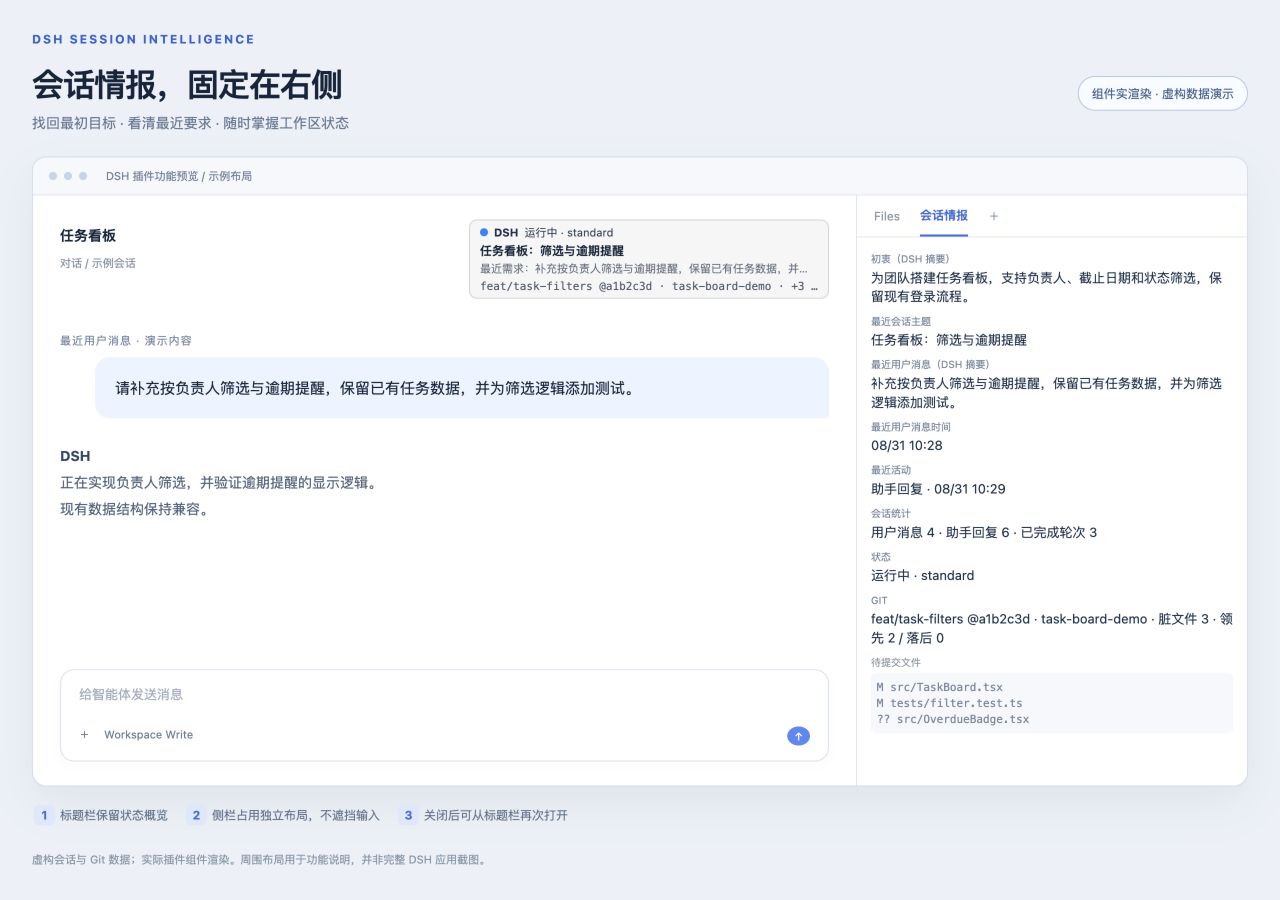
dsh-session-intelligence
Run the following command in DeepSeek Harness:
dsh plugin install leechengwei/dsh-session-intelligence
Paste the following prompt into your AI chat to install this plugin:
In DeepSeek Harness, open a terminal and run dsh plugin install leechengwei/dsh-session-intelligence to install the plugin; the source code is available at https://github.com/leechengwei/dsh-session-intelligence
About this plugin
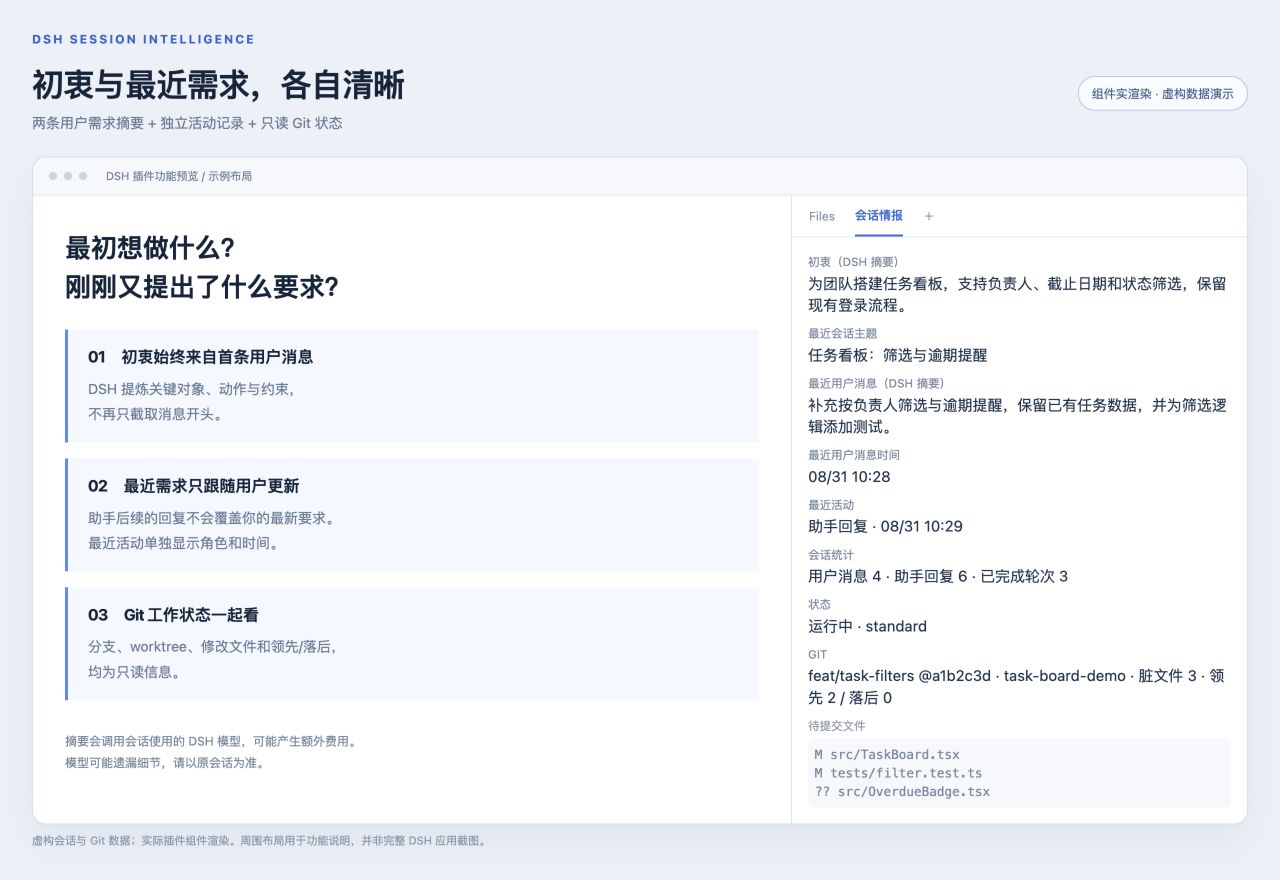
Anyone who runs multiple sessions in DSH Web knows the feeling: step away for twenty minutes, come back, and the first thought is "what was I even asking the model to do?" Scrolling through chat history is slow, and memory is unreliable. dsh-session-intelligence targets exactly this gap—it pins a compact information panel to the right workspace that uses model-generated summaries to restore the session's original intent and the most recent user request, making context tangible again.
Beyond the two summaries, the panel shows the latest session title, message counts and completed turns, runtime status (active/idle, live sub-agents, agent preset), and Git details such as branch, worktree, uncommitted file count, and ahead/behind numbers relative to the upstream ref. The panel refreshes roughly every 30 seconds, also reacting to window focus and session switches, and assistant replies never overwrite the user-side summary.
The plugin is designed for trusted local-user environments, depends on dsh-better-sidebar 0.14.x, and only supports loopback access—do not expose it to the public internet through a reverse proxy. Summaries are generated online by the most recently used model for that session; each text block sent to the provider may incur extra token costs, and there is no offline mode or automatic de-identification. It suits developers who open multiple DSH Web sessions and frequently step away, serving as an at-a-glance aid—always defer to the full conversation for ground truth.
Screenshots
Use Cases
- Return to a session after stepping away and instantly recover the original intent and the latest request
- Run multiple sessions in parallel and glance at the sidebar to see which are active, idle, or finished
- Check current branch, uncommitted files, and ahead/behind without switching to a terminal
Best For
- Developers who run multiple DSH Web sessions and step away frequently
- Engineers who need at-a-glance visibility into session progress and runtime state
- Independent developers who value context continuity and prefer trusted local environments
Related Plugins
A service-oriented sidebar framework for DSH, offering a full workbench with file explorer, embedded browser, real terminal, Git panel, and extensible plugin services.

A beautiful, practical Claude Code-style TUI plugin with pixel whale top bar, flowing glow title, real-time status line, streaming thought expansion, time rewind, context progress bar and TPS gauge — zero core changes.

The plugin market for DeepSeek Harness: browse/search/one-click install community plugins and themes, with updates, backup/restore, hot disable, diagnostics, and AI fix.

A persistent whale widget on the DSH web UI that shows DeepSeek balance, today's usage, and per-turn cost, with drag-and-snap and sound effects.