dsh-git-plugin
Run the following command in DeepSeek Harness:
dsh plugin install IT-coder-Yy/dsh-git-plugin
Paste the following prompt into your AI chat to install this plugin:
To install this plugin in DeepSeek Harness, visit the source repository at https://github.com/IT-coder-Yy/dsh-git-plugin and follow the installation instructions.
About this plugin
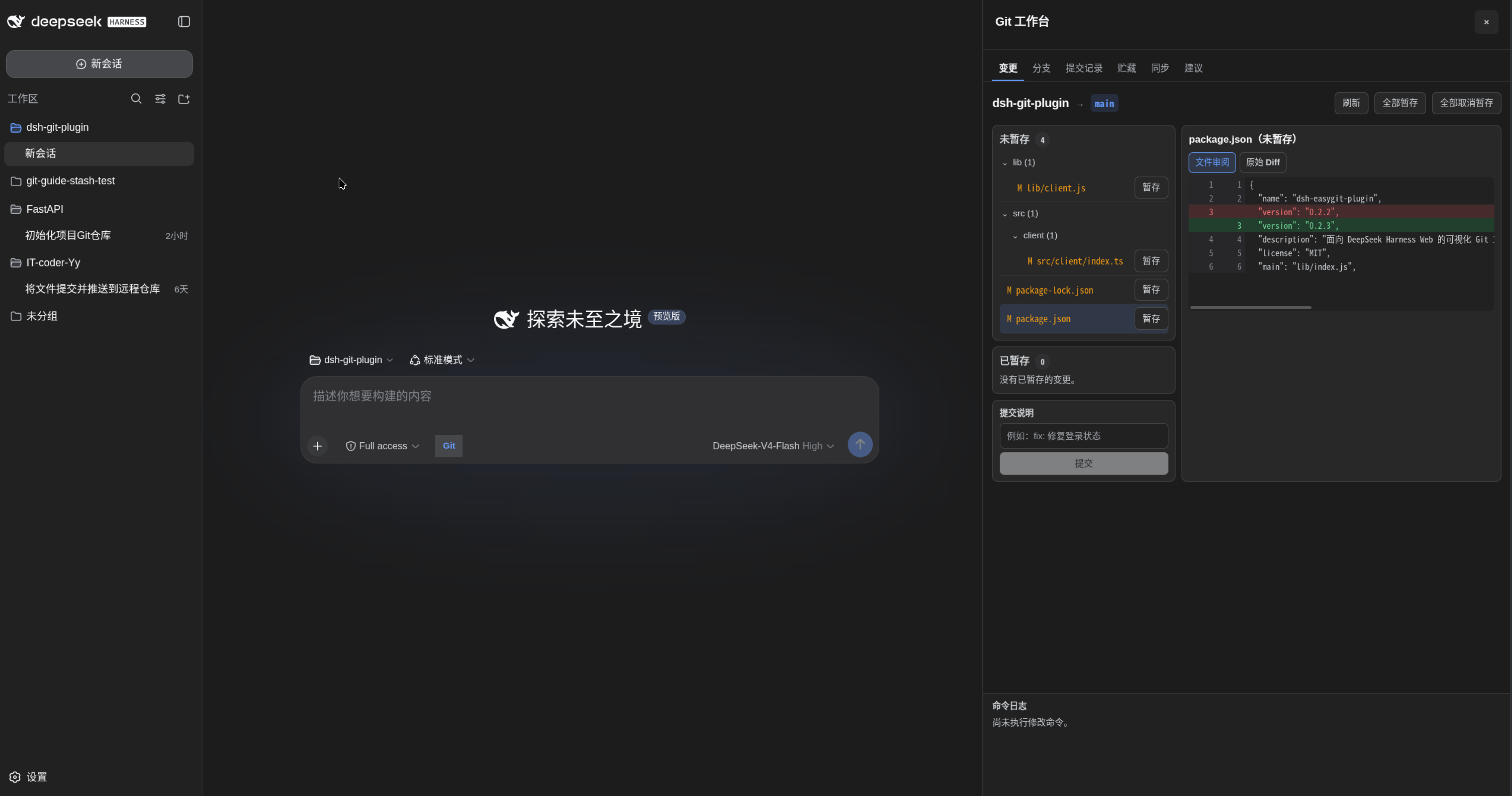
Git operations are a cornerstone of modern development, but traditional command-line interfaces can be cumbersome and error-prone, especially when integrating AI-assisted tools. The DSH Git Plugin offers an intuitive visual workbench for DeepSeek Harness Web users, transforming complex Git tasks into simple click-based actions, thereby boosting efficiency. It addresses common pain points in managing repository states and executing routine operations, while ensuring the safety and controllability of AI-generated workflows.
The plugin's core capabilities are comprehensive: from visualizing repository status and commit histories to one-click staging, committing, and branch management, it makes Git operations transparent and accessible. More powerfully, it supports natural-language workflows, converting user requests into clear Git command proposals for safe execution. Integrated features like remote syncing, rebase operations, and intelligent failure handling allow users to tackle even complex scenarios with ease. Built-in security measures, such as command validation and risk confirmations, further enhance reliability.
DSH Git Plugin is particularly suited for developers and teams who frequently use Git, especially those already within the DeepSeek Harness ecosystem exploring AI-enhanced tools. Whether for daily code management or automated workflow construction, it serves as a valuable assistant, streamlining processes and reducing manual errors, so developers can focus more on innovation rather than tool mechanics.
Screenshots
Use Cases
- Visually inspect repository status and commit history.
- Safely execute AI-generated Git command workflows.
- One-click manage branches, staging, and remote syncing.
Best For
- Developers using DeepSeek Harness.
- Teams requiring efficient Git management.
- Users seeking AI-enhanced tools.
Related Plugins
A service-oriented sidebar framework for DSH, offering a full workbench with file explorer, embedded browser, real terminal, Git panel, and extensible plugin services.

A beautiful, practical Claude Code-style TUI plugin with pixel whale top bar, flowing glow title, real-time status line, streaming thought expansion, time rewind, context progress bar and TPS gauge — zero core changes.

The plugin market for DeepSeek Harness: browse/search/one-click install community plugins and themes, with updates, backup/restore, hot disable, diagnostics, and AI fix.

A persistent whale widget on the DSH web UI that shows DeepSeek balance, today's usage, and per-turn cost, with drag-and-snap and sound effects.