dsh-plugin-runcat-inventory
Run the following command in DeepSeek Harness:
dsh plugin install runcat-tommy/dsh-plugin-runcat-inventory
Paste the following prompt into your AI chat to install this plugin:
Run dsh plugin install runcat-tommy/dsh-plugin-runcat-inventory in DeepSeek Harness to install this plugin; the source repository is at https://github.com/runcat-tommy/dsh-plugin-runcat-inventory
About this plugin
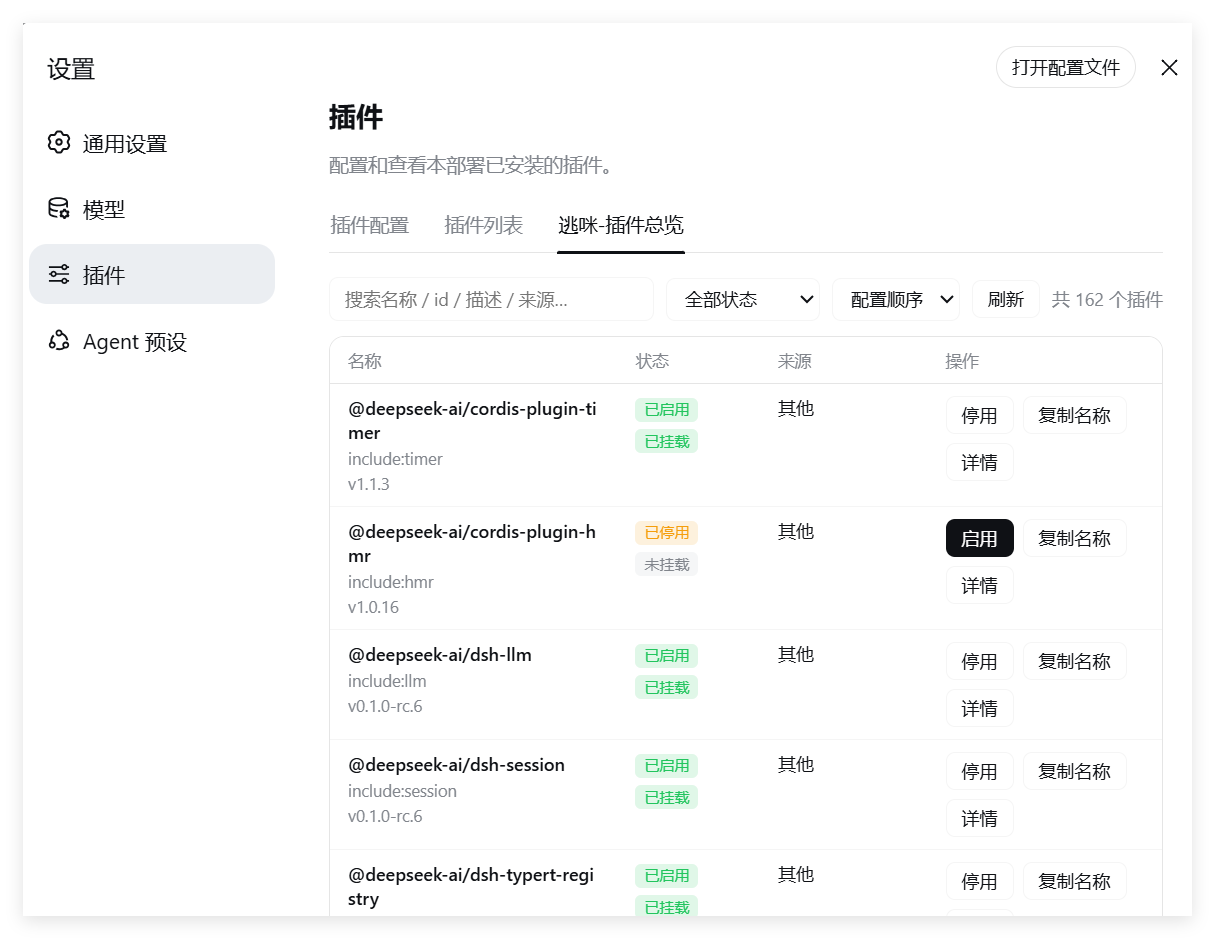
Once you have a dozen or so plugins running in DSH, the pain rarely comes from writing code—it comes from figuring out which one is broken, which one needs a bump, and what you actually changed in a config. dsh-plugin-runcat-inventory collapses all of that into a single panel under the Settings left-hand nav: a four-column table shows every plugin name, live status, source, and version, and a Details expander reveals the full description plus the raw config JSON with a one-click copy.
Enable and disable are hot-applied via HMR, so changes take effect without restarting the Web UI; uninstall comes with a double confirmation and the row goes grey afterward to stop accidental repeat clicks. The update reminder is the sleeper feature—the plugin scans the npm registry in small batches and surfaces a prominent card at the top of the panel (or an inline vX to vY highlight in the version column) whenever a newer release is available, with a single click to apply.
If you routinely juggle five or more plugins and want to toggle, inspect, and upgrade them without a full restart, this panel is effectively a task manager for your DSH extension stack.
Screenshots
Use Cases
- Toggle plugins instantly without restarting the Web UI
- Review every plugin status, version, and config JSON at a glance
- Catch npm version bumps and apply updates with a single click
Best For
- Developers maintaining a growing DSH plugin stack
- Ops teams who need plugin control without downtime
- Any DSH user who wants one unified view of plugin status and config
Related Plugins
A service-oriented sidebar framework for DSH, offering a full workbench with file explorer, embedded browser, real terminal, Git panel, and extensible plugin services.

A beautiful, practical Claude Code-style TUI plugin with pixel whale top bar, flowing glow title, real-time status line, streaming thought expansion, time rewind, context progress bar and TPS gauge — zero core changes.

The plugin market for DeepSeek Harness: browse/search/one-click install community plugins and themes, with updates, backup/restore, hot disable, diagnostics, and AI fix.

A persistent whale widget on the DSH web UI that shows DeepSeek balance, today's usage, and per-turn cost, with drag-and-snap and sound effects.