dsh-skill-hub
Run the following command in DeepSeek Harness:
dsh plugin install pn1024/dsh-skill-hub
Paste the following prompt into your AI chat to install this plugin:
Run dsh plugin install pn1024/dsh-skill-hub in DeepSeek Harness to install this plugin; source code is available at https://github.com/pn1024/dsh-skill-hub
About this plugin
Skills are how most users extend DeepSeek Harness, yet discovering, downloading, and installing one used to mean hopping between a handful of external sites, grabbing a zip by hand, and dropping the files into a local directory — a fragmented and error-prone loop. dsh-skill-hub collapses that workflow into the chat window itself by aggregating two data sources: SkillHub (Tencent Cloud mirror, fast in mainland China) and ClawHub (the official OpenClaw community registry), so search, install, uninstall, and preview all happen without leaving the conversation.
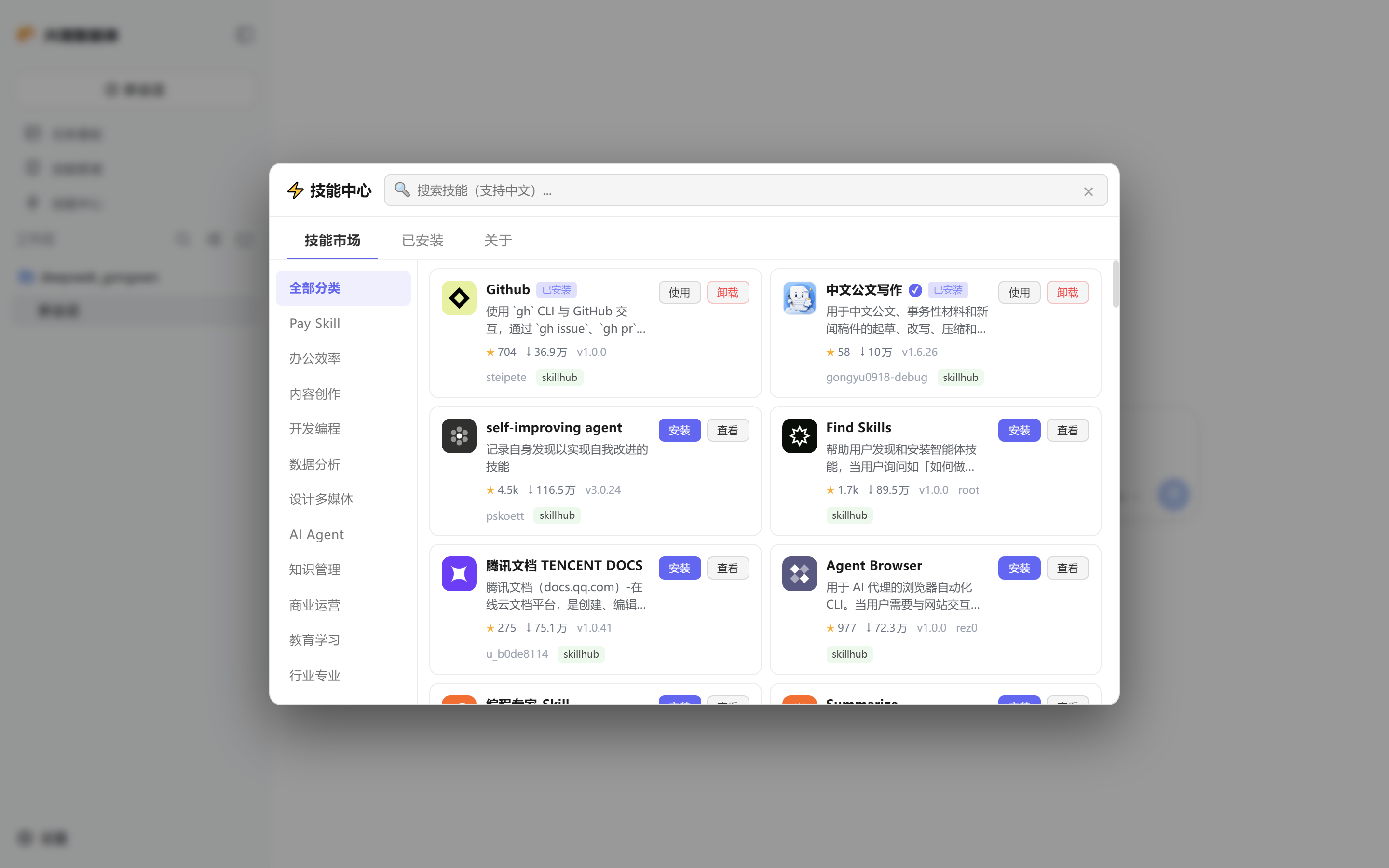
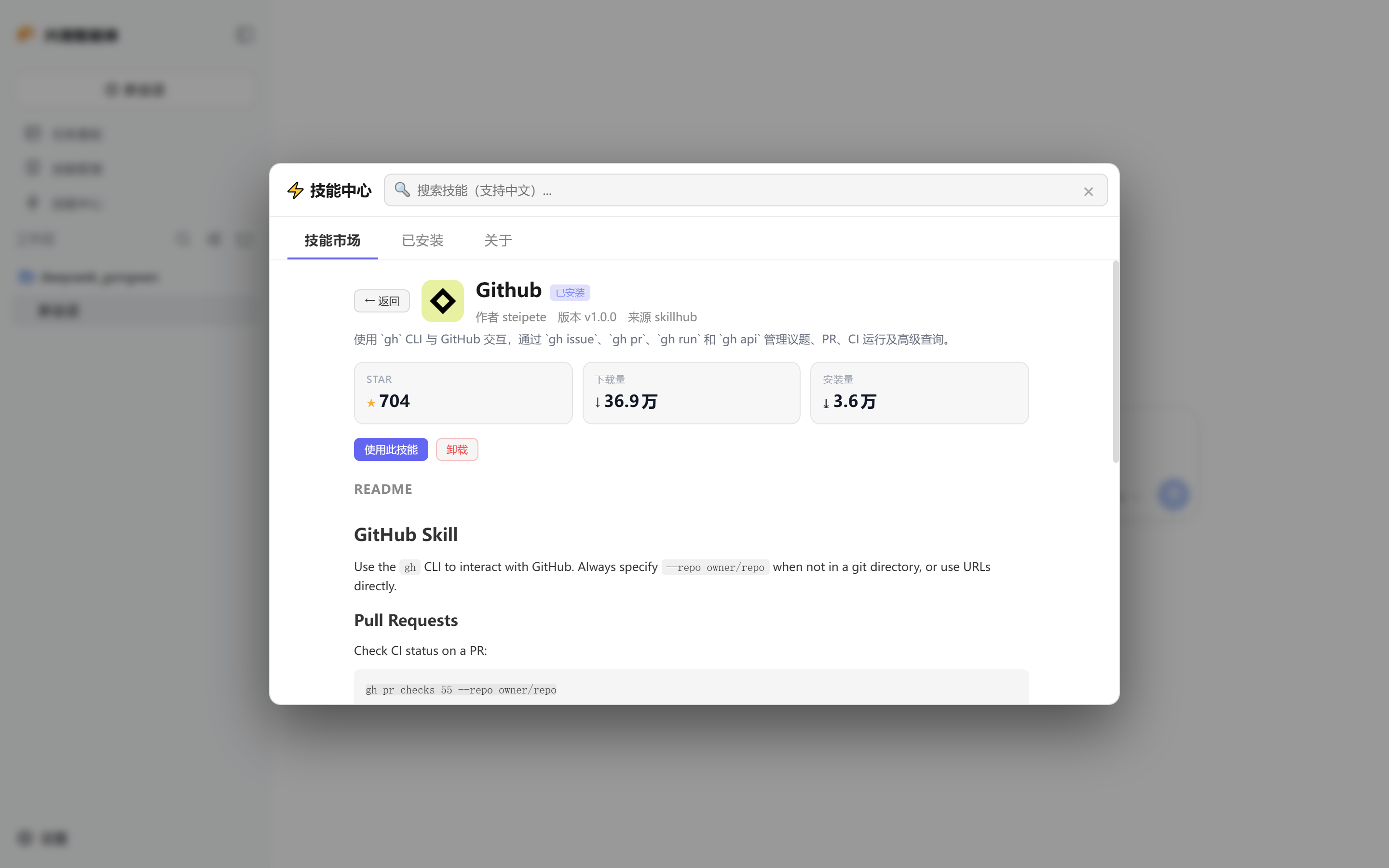
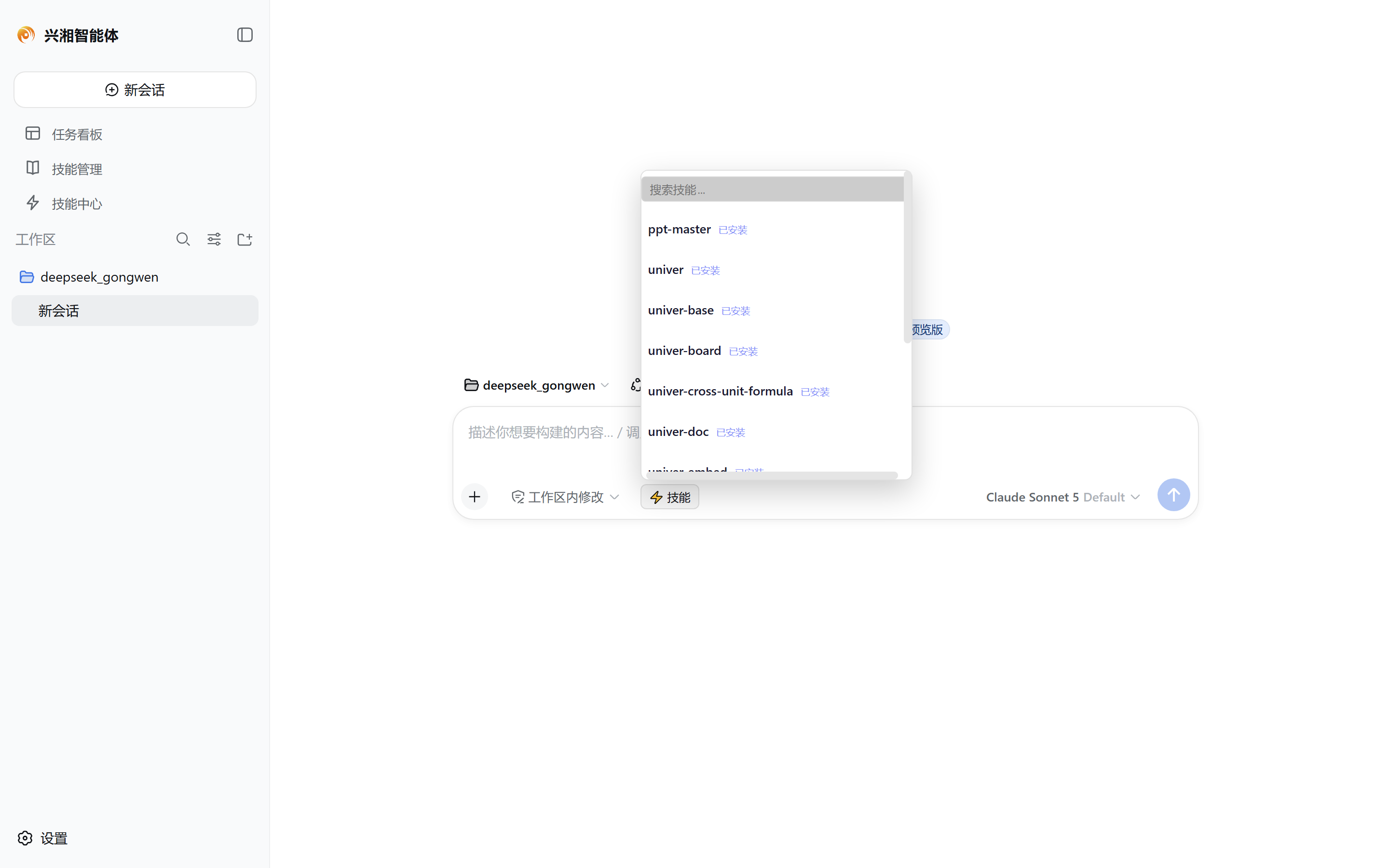
The plugin centres on three everyday scenarios. First, the skill marketplace panel supports Chinese and English search, shows star counts, download and install volumes on every card, and renders each skill README natively so there is no need to open a browser. Second, a compact picker lives in the chat input bar: select an installed skill and the slash command is filled in automatically. Third, the sidebar hub panel wires search, browsing, install, and uninstall into one closed loop, and the two sources fail over to each other so a single outage never breaks the experience.
It suits daily DSH power users who lean on skills heavily, teams that want a standardised way to discover and manage skills, and anyone in mainland China who values low-latency, Chinese-language search.
Screenshots
Use Cases
- Search and one-click install a skill without leaving the chat window
- Pick an installed skill via the chat-bar button to auto-fill its slash command
- Browse, preview, and manage all skills from the sidebar hub panel
Best For
- DSH power users who rely on skills heavily in daily work
- Teams that want a standardised workflow for skill discovery and management
- Users in mainland China who prefer Chinese search and low-latency access
Related Plugins
A service-oriented sidebar framework for DSH, offering a full workbench with file explorer, embedded browser, real terminal, Git panel, and extensible plugin services.

A beautiful, practical Claude Code-style TUI plugin with pixel whale top bar, flowing glow title, real-time status line, streaming thought expansion, time rewind, context progress bar and TPS gauge — zero core changes.

The plugin market for DeepSeek Harness: browse/search/one-click install community plugins and themes, with updates, backup/restore, hot disable, diagnostics, and AI fix.

A persistent whale widget on the DSH web UI that shows DeepSeek balance, today's usage, and per-turn cost, with drag-and-snap and sound effects.