dsh-shell-card-plus
Run the following command in DeepSeek Harness:
dsh plugin install antnesswcm/dsh-shell-card-plus
Paste the following prompt into your AI chat to install this plugin:
Run dsh plugin install antnesswcm/dsh-shell-card-plus in DeepSeek Harness to install this plugin; the full source is available at https://github.com/antnesswcm/dsh-shell-card-plus
About this plugin
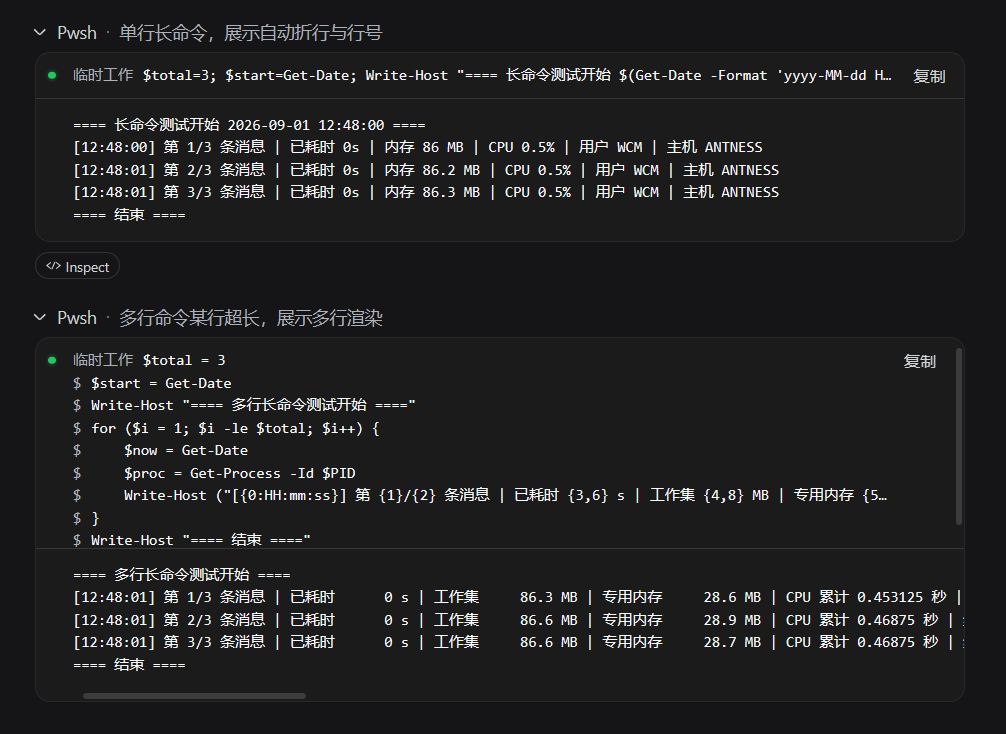
Two small but persistent annoyances plague the stock bash and pwsh command cards in DSH Web. First, long commands are hard-truncated when they exceed the card width — no wrapping, no horizontal scroll — so you can never see the full pipeline. Second, the card only offers a 'Copy Output' button; grabbing the command text itself means manually selecting it, which gets tedious when you are pasting a long shell one-liner into the chat or a ticket.
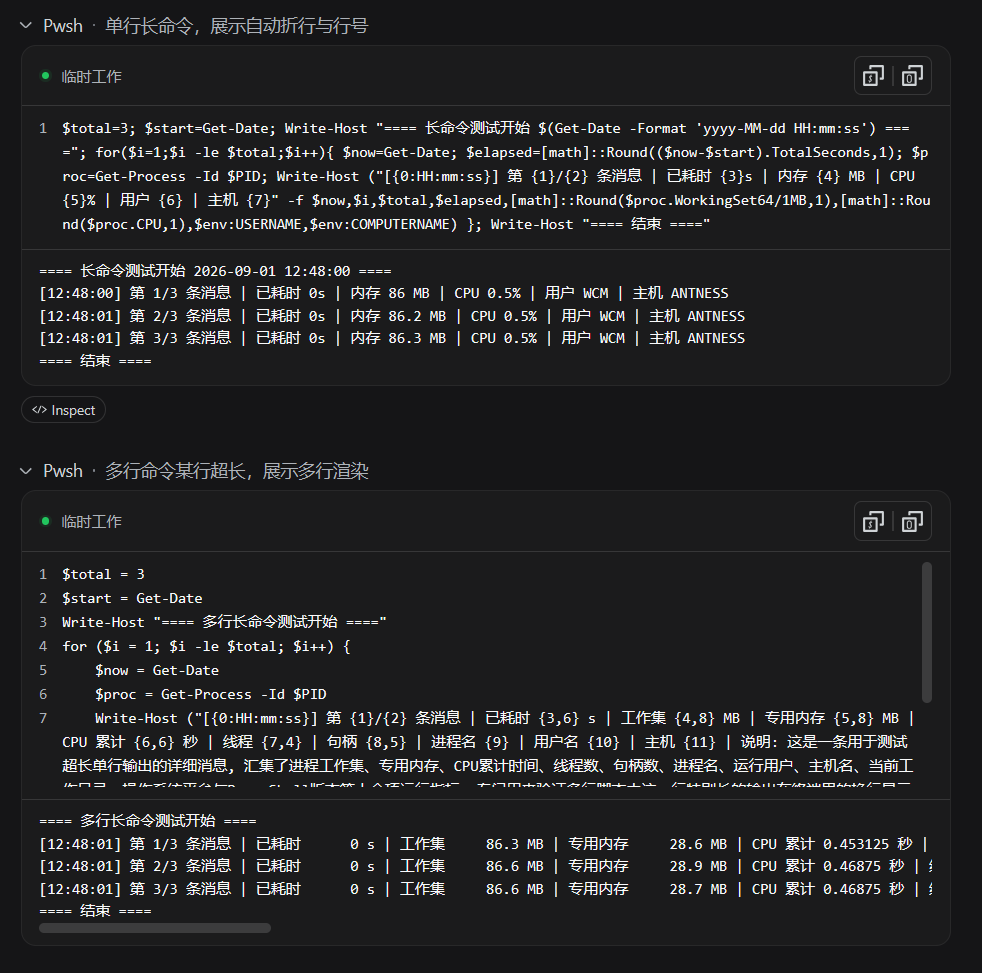
dsh-shell-card-plus keeps its scope tight. It registers through the official tool.call.toolview slot and replaces the rendering of the bash and pwsh tool rows. The command area now auto-wraps with line numbers so the entire invocation is visible at a glance. The header gains two independent buttons — Copy Command and Copy Output — each doing exactly what it says. Status display follows the official convention: a quiet status dot on success, a red exit code or signal name on failure. The output pane keeps its horizontal scroll, preserving the reading habits you already have.
It is aimed at developers who run long shell commands in DSH Web regularly and often need to copy the command text to another destination. The plugin is a pure presentation layer: it introduces no new events, makes no host changes, and leaves command execution logic untouched. Tools other than bash and pwsh — read, write, search, and the rest — are completely unaffected.
Screenshots
Use Cases
- Running long shell pipelines in DSH Web and needing the full command at a glance
- Copying command text into a ticket or chat without manual selection
- Identifying exit codes or signal names at a glance when a command fails
Best For
- Developers who run bash or pwsh commands frequently in DSH Web
- Engineers who need to copy command text to other destinations quickly
- Technical users who value readability and efficiency in command cards
Related Plugins
A service-oriented sidebar framework for DSH, offering a full workbench with file explorer, embedded browser, real terminal, Git panel, and extensible plugin services.

A beautiful, practical Claude Code-style TUI plugin with pixel whale top bar, flowing glow title, real-time status line, streaming thought expansion, time rewind, context progress bar and TPS gauge — zero core changes.

The plugin market for DeepSeek Harness: browse/search/one-click install community plugins and themes, with updates, backup/restore, hot disable, diagnostics, and AI fix.

A persistent whale widget on the DSH web UI that shows DeepSeek balance, today's usage, and per-turn cost, with drag-and-snap and sound effects.