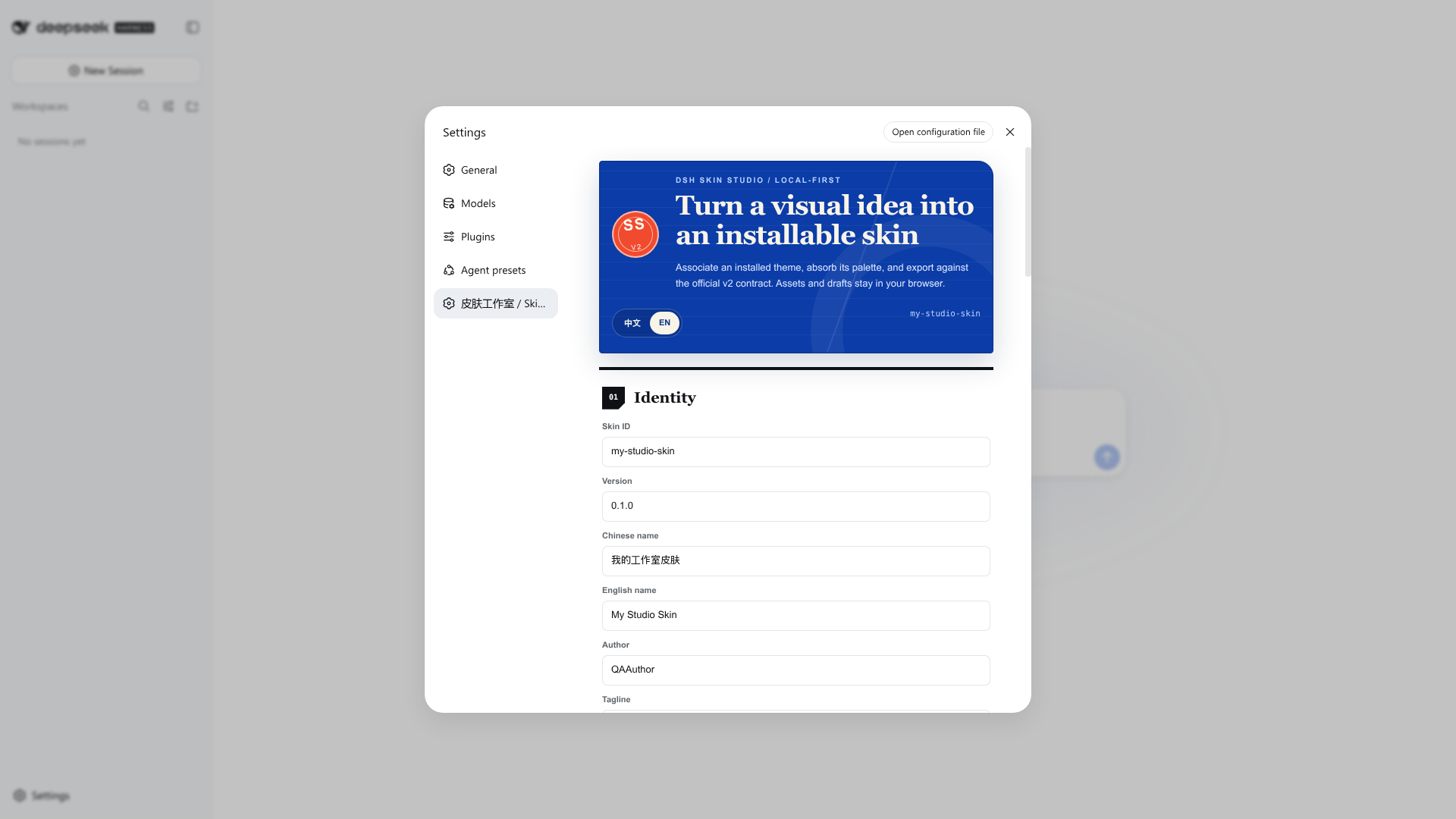
dsh-skin-studio
Run the following command in DeepSeek Harness:
dsh plugin install zhangguiping-xydt/dsh-skin-studio
Paste the following prompt into your AI chat to install this plugin:
Run dsh plugin install zhangguiping-xydt/dsh-skin-studio in your terminal to install this plugin; the source repository is available at https://github.com/zhangguiping-xydt/dsh-skin-studio . After installation, restart dsh web and open Settings to Skin Studio.
About this plugin
Personalizing DeepSeek Harness Web used to mean hand-writing skin.json and skin.css, reloading the page after every tweak, and hoping the contrast was readable. DSH Skin Studio turns that loop into a set of visual forms and sliders: you associate an installed theme from the Skin Center, absorb only its official design tokens, then adjust light and dark palettes, surface radius, density, panel opacity, and a reduced-motion profile inside a responsive live specimen. A built-in text-contrast audit flags any pairing that falls below accessible thresholds. Everything runs client-side with no backend, no model access, and no credential handling.
Project drafts persist in browser localStorage and can be exported as JSON for backup or migration. When you are ready to ship, one click produces a standard v2 ZIP containing skin.json, skin.css, bilingual documentation, generated previews, and an optional local background image (PNG, JPEG, or WebP, validated by both MIME type and magic bytes). All colors, numeric ranges, and export paths are fail-closed and clamped; the resulting archive carries no hooks.mjs, no @import, no protocol URLs, and no executable content of any kind.
This plugin is aimed at anyone who wants to restyle their DSH Web instance from an existing theme without writing configuration from scratch, or who needs a repeatable, auditable skin-production workflow. It deliberately stays in the visual layer: complex typography, structural patches, and runtime behavior remain with the source theme, keeping the responsibility boundary clean.
Screenshots
Use Cases
- Fine-tune light and dark palettes and surface radius on an existing DSH theme without writing CSS
- Audit text contrast to ensure accessible color pairings before publishing
- Export a standard v2 skin ZIP archive to share with teammates or keep as a backup
Best For
- Non-frontend developers who want to personalize DSH Web visually
- Users or teams with strict accessibility and contrast requirements
- Designers who need a repeatable, auditable skin-production and distribution workflow
Related Plugins

whale-girl is a desktop pet in the DSH Web GUI (bottom-right for instant companionship) — draggable, feedable, playable; completed tasks, sessions and companionship time accrue into seniority levels, titles, and memories.

Renders your local Wallpaper Engine wallpapers as the DSH web background, supporting video, web, and scene wallpapers with a liquid-glass effect and rich customization.

A WebGPU ocean skin for DeepSeek Harness with five-wave Gerstner waves, translucent theme, day/night cycle, and quick controls, installable as plugin or extension.

A Galgame-style conversation view and visual scene editor for DSH web sessions, with a real-time editing mode.