
dsh-web-mobile
Run the following command in DeepSeek Harness:
dsh plugin install ADXZXCD/dsh-web-mobile
Paste the following prompt into your AI chat to install this plugin:
Run dsh plugin install ADXZXCD/dsh-web-mobile in a terminal to install this plugin; the source repository is at https://github.com/ADXZXCD/dsh-web-mobile . Restart dsh web after installation to activate it.
About this plugin
DeepSeek Harness ships a Web UI built for desktop browsers. Open it on a phone in portrait mode and the layout falls apart: the sidebar eats half the viewport, full-screen modals are painful to tap, notch areas push the input field off-screen, and long session histories drain your data plan. dsh-web-mobile is a targeted adaptation layer that fixes exactly this without touching the host core, so DSH becomes genuinely usable on a phone in portrait.
The changes are concrete and focused. On narrow screens the sidebar collapses into an overlay drawer: swipe right from the left edge to open it, swipe right inside to close it, and tapping a session row dismisses it automatically to hand back full width to the conversation. Settings, file tree, and preview switch from full-screen modals to bottom sheets that a thumb can reach. The status bar respects notch safe areas in both light and dark themes, and double-tap zoom is handled. In the input area, the permission capsule, model name, and switcher menu no longer overlap on tight viewports. Large JSON payloads such as session history are transparently compressed with gzip or Brotli, which noticeably speeds up loading on mobile. Touchscreen tablets in the 768 to 1023 px range get a centered max-width layout, while desktop browsers with a mouse pointer see zero changes, so narrow windows or OS scaling will not accidentally trigger the mobile UI.
Who is this for? Anyone who checks DSH sessions, tweaks settings, or browses history on a phone will benefit immediately. Users of DSHA, the DeepSeek Harness Android launcher, have this plugin built in: install the APK and it just works. And if you only use DSH on desktop, installing it is harmless because the plugin is a complete no-op when a mouse pointer is detected, so it coexists quietly with no visual or behavioral difference.
Screenshots
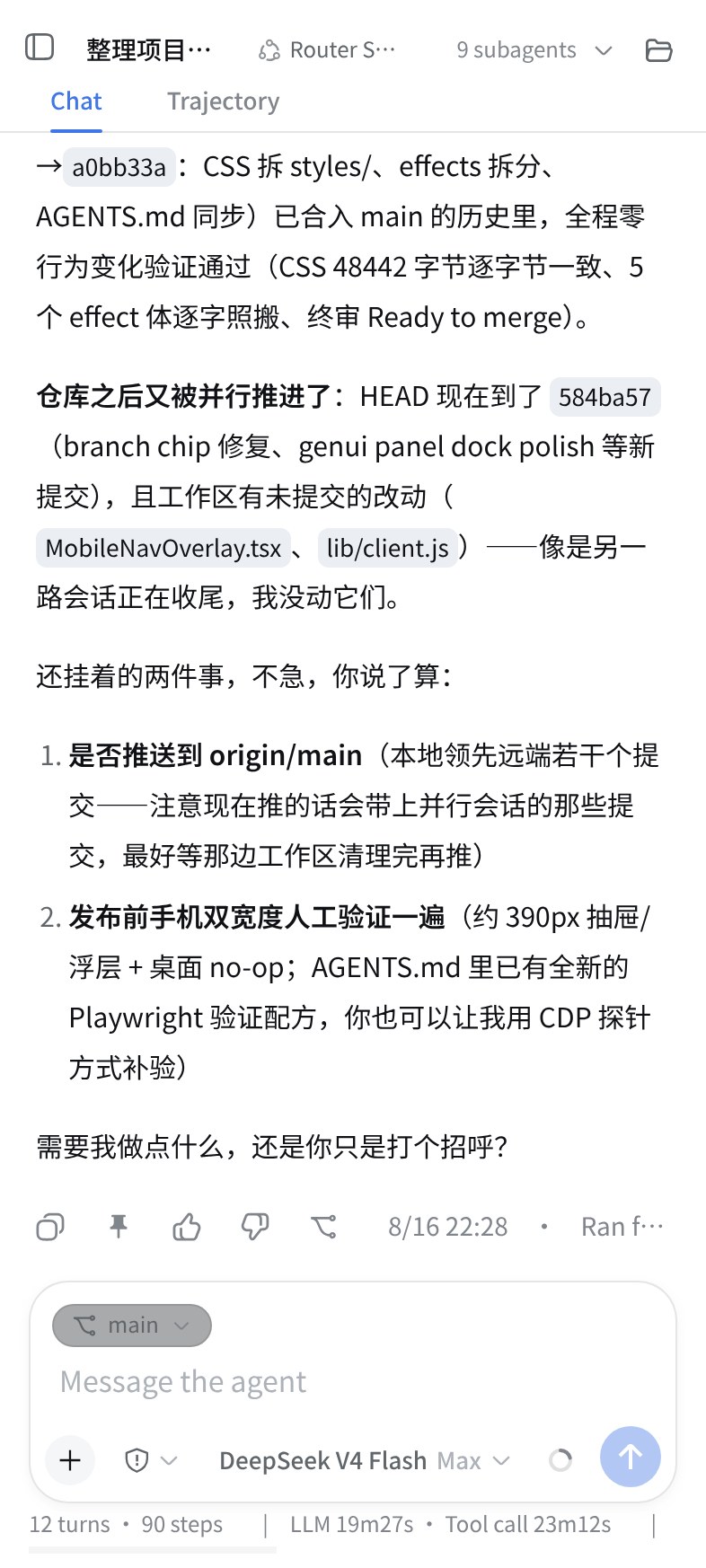
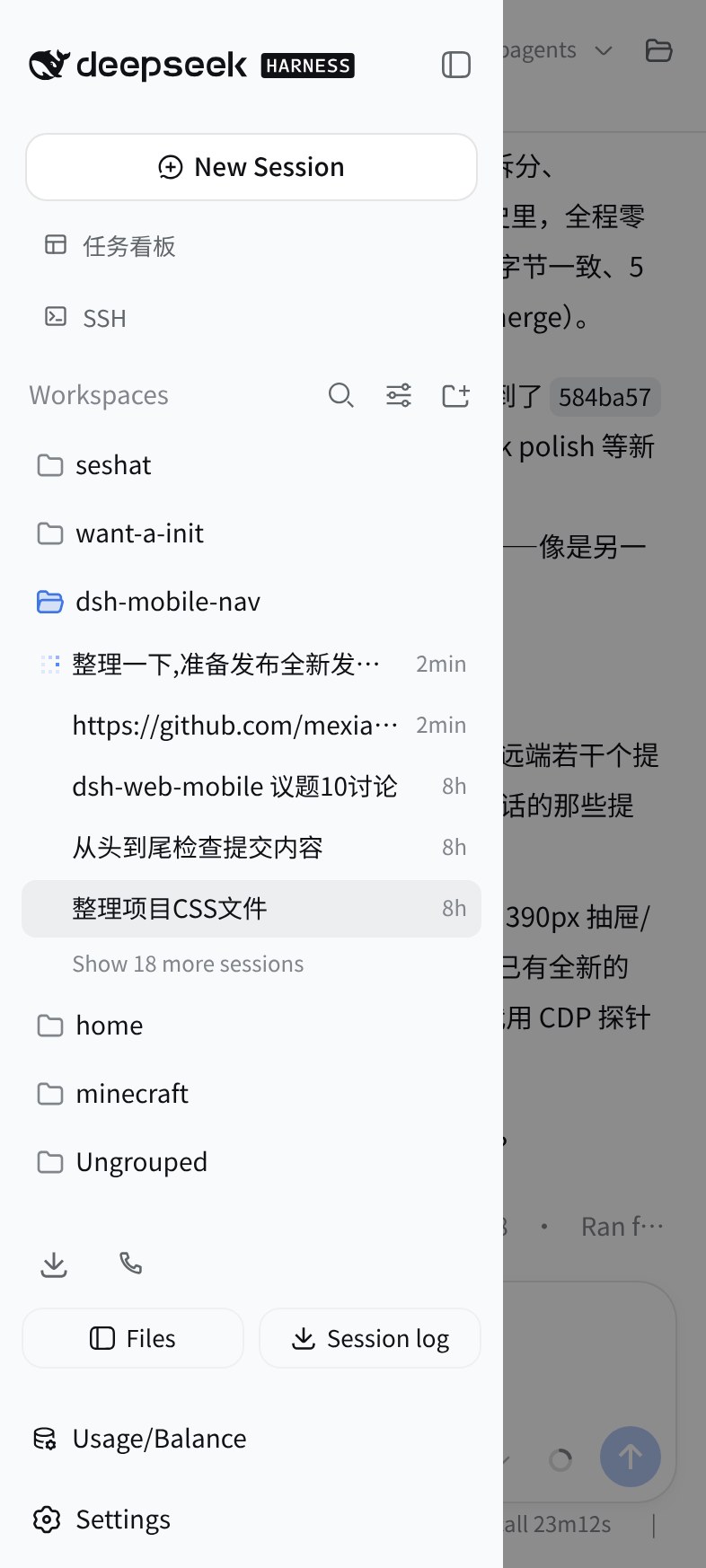
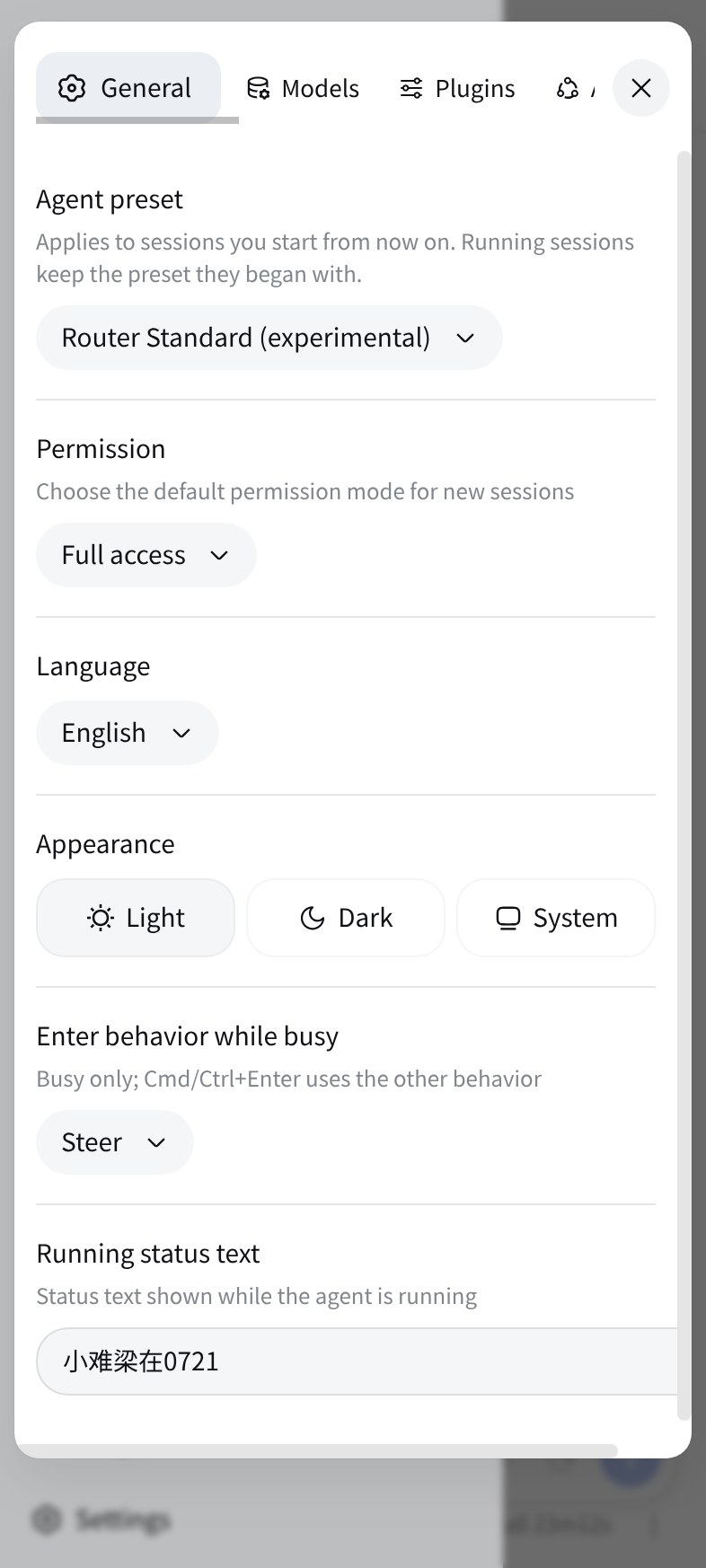
Use Cases
- Browsing and switching DSH sessions on a phone in portrait mode
- Managing DSH settings and files on a touchscreen tablet
- Quickly opening the sidebar, previews, and model switcher on mobile
Best For
- Users who check DSH sessions and tweak settings on the go with their phone
- Developers using the DSHA Android launcher who want a ready-to-use mobile experience
- Developers or researchers using DSH Web UI on tablet devices
Related Plugins
A service-oriented sidebar framework for DSH, offering a full workbench with file explorer, embedded browser, real terminal, Git panel, and extensible plugin services.

A beautiful, practical Claude Code-style TUI plugin with pixel whale top bar, flowing glow title, real-time status line, streaming thought expansion, time rewind, context progress bar and TPS gauge — zero core changes.

The plugin market for DeepSeek Harness: browse/search/one-click install community plugins and themes, with updates, backup/restore, hot disable, diagnostics, and AI fix.

A persistent whale widget on the DSH web UI that shows DeepSeek balance, today's usage, and per-turn cost, with drag-and-snap and sound effects.