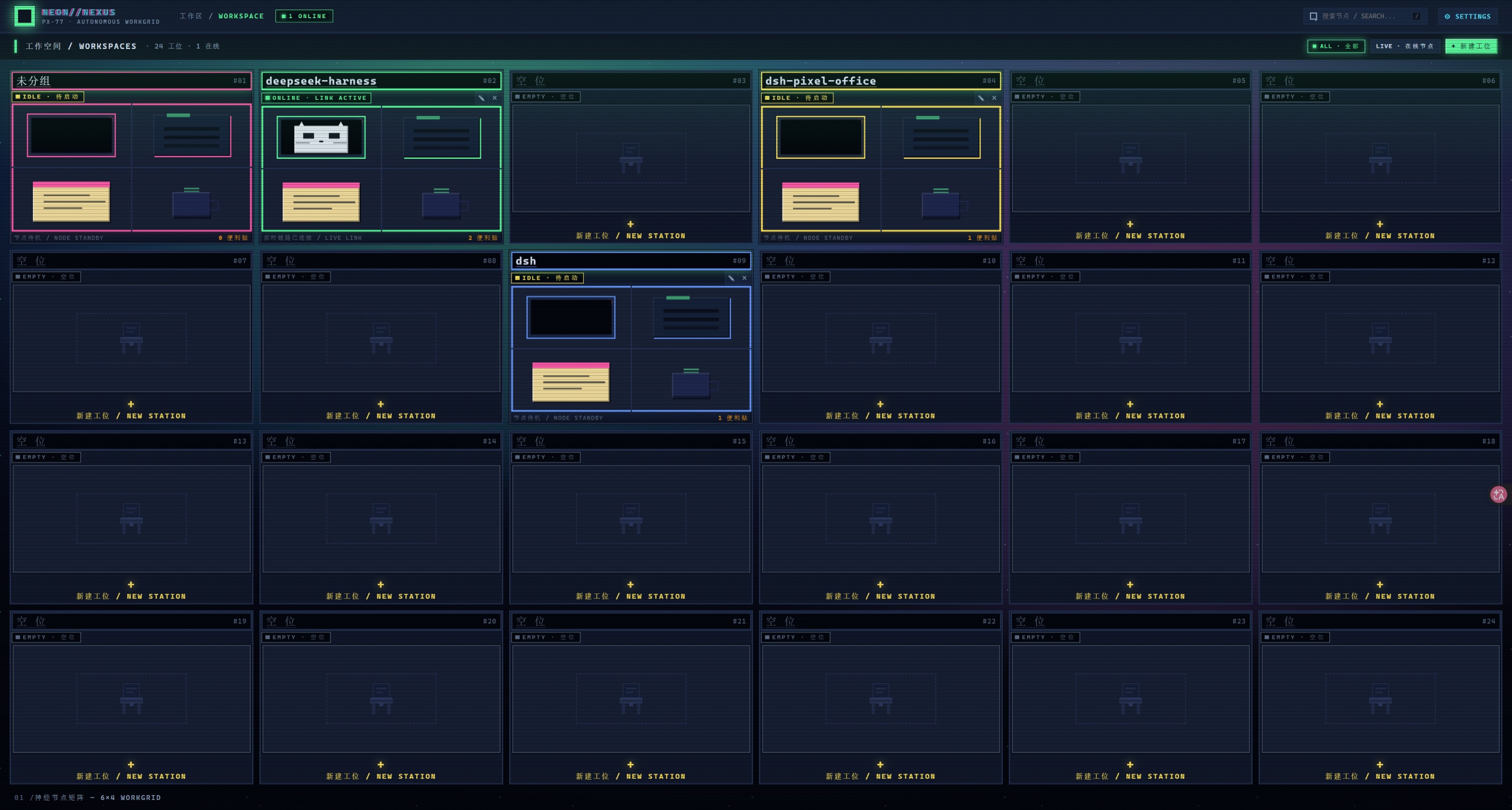
dsh-pixel-office
Run the following command in DeepSeek Harness:
dsh plugin install Doozqoo/dsh-pixel-office
Paste the following prompt into your AI chat to install this plugin:
Make sure DeepSeek Harness is at ≥ 0.1.2-alpha.1, then run dsh plugin install Doozqoo/dsh-pixel-office from your profile directory (source: https://github.com/Doozqoo/dsh-pixel-office); restart the dsh web process and hard-refresh the browser once the install finishes.
About this plugin
The DeepSeek Harness Web UI defaults to a sidebar list, so juggling a dozen or more AI sessions across several workspaces can feel like navigating a spreadsheet. Pixel Office replaces the entire GUI with a top-down pixel-art office: a 6 by 4 grid of 24 desks, each mapped to one workspace. Empty desks show just a chair; active ones light up a computer monitor that pulses with activity, giving you an instant at-a-glance view of what is running and what is idle.
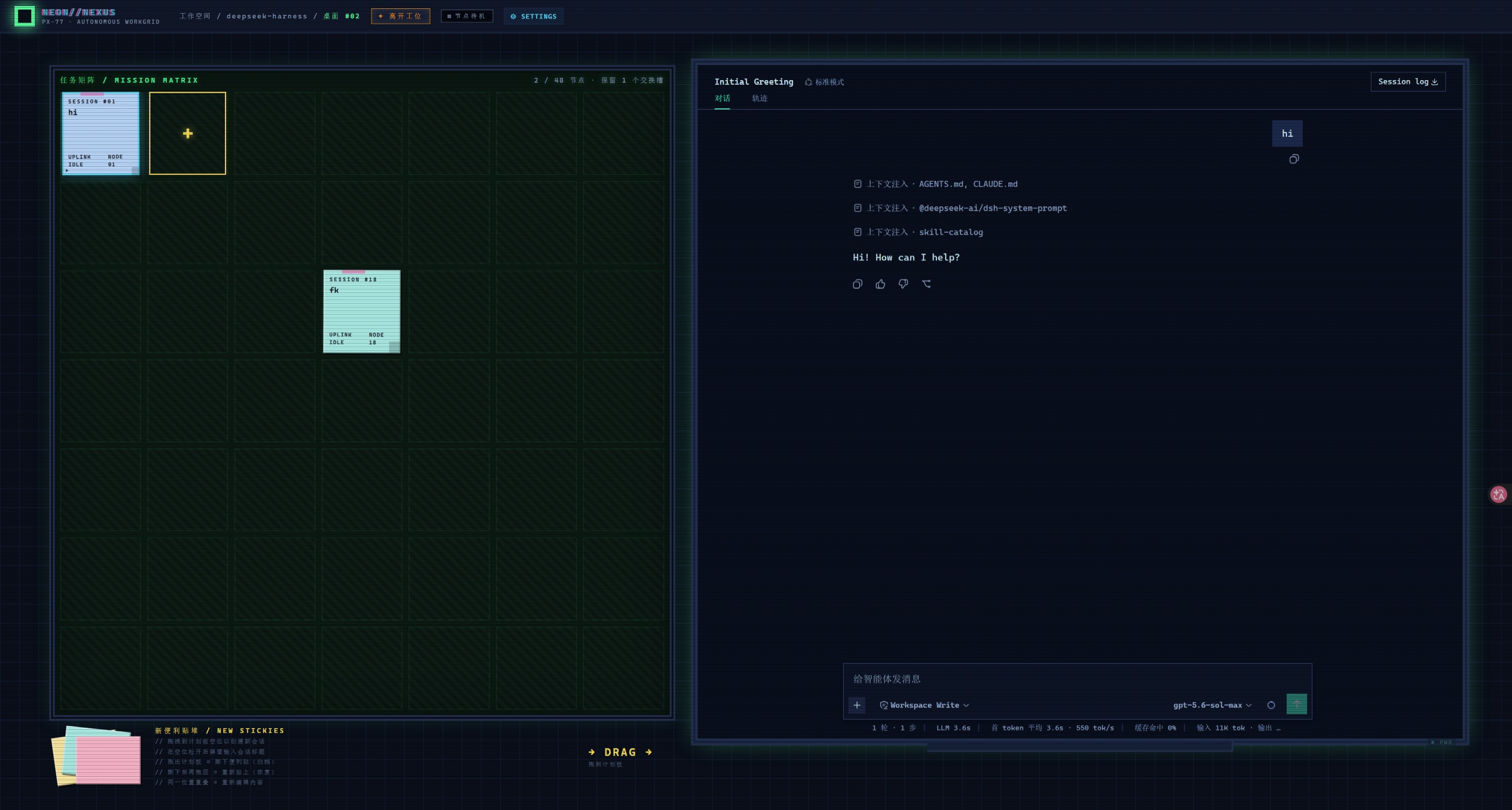
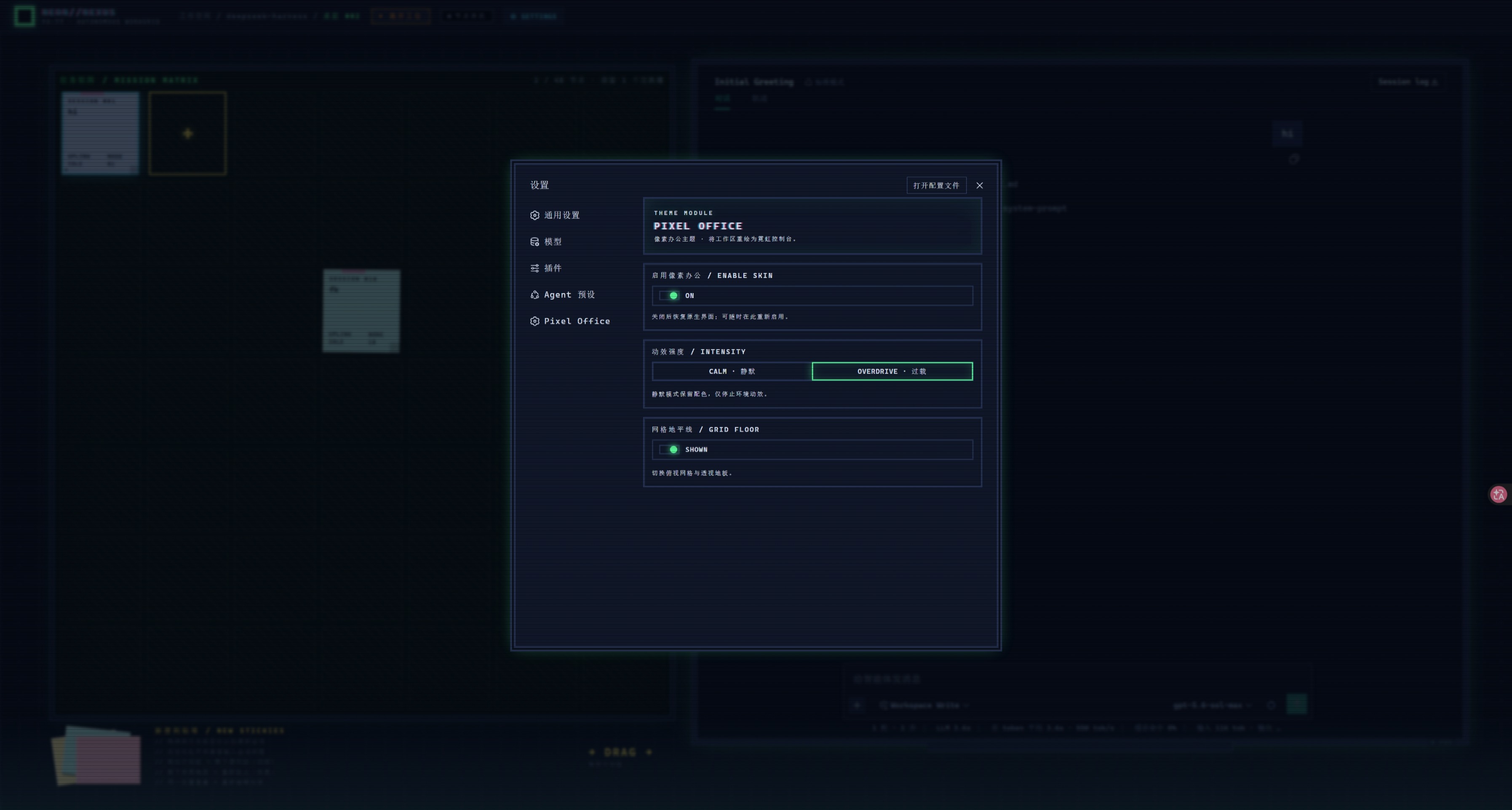
Clicking into a desk switches to a desktop front view. On the left, a mission-matrix board holds one sticky note per session, displaying the title, a YOU/AI/SYS badge, and the latest message. On the right, a CRT monitor opens the real chat interface, where typing, sending, and tool calls all work as usual. Drag sticky notes to rearrange, drag them off the board to archive, and grab a fresh note from the stack in the corner to start a new session. The whole experience is wrapped in CRT scanlines, a mosaic-tile reveal animation, a blinking pixel cat, and five layers of parallax aurora and floating dust. A settings panel lets you toggle between CALM and OVERDRIVE animation modes, and all desk layouts and note placements persist in localStorage across refreshes.
This plugin is for developers who manage multiple workspaces and run a heavy load of concurrent AI sessions in the DeepSeek Harness Web client. If the stock list-style interface feels sterile and you want every workspace to feel like stepping into your own little pixelated cubicle, Pixel Office is built exactly for that.
Screenshots
Use Cases
- Glance at a 24-desk grid to instantly spot which workspaces are active
- Drag sticky notes to reorganize sessions across workspaces without opening every list
- Switch to the pixel-office skin during demos to make the Harness UI visually memorable
Best For
- Developers juggling multiple workspaces and sessions in the DeepSeek Harness Web client
- Engineers who love retro pixel aesthetics and want their daily tools to feel personal
- Heavy users running long AI tasks who rely on visual spatial cues to stay oriented
Related Plugins
A service-oriented sidebar framework for DSH, offering a full workbench with file explorer, embedded browser, real terminal, Git panel, and extensible plugin services.

A beautiful, practical Claude Code-style TUI plugin with pixel whale top bar, flowing glow title, real-time status line, streaming thought expansion, time rewind, context progress bar and TPS gauge — zero core changes.

The plugin market for DeepSeek Harness: browse/search/one-click install community plugins and themes, with updates, backup/restore, hot disable, diagnostics, and AI fix.

A persistent whale widget on the DSH web UI that shows DeepSeek balance, today's usage, and per-turn cost, with drag-and-snap and sound effects.