dsh-notifier-plugin
Run the following command in DeepSeek Harness:
dsh plugin install hotpot-labs/dsh-notifier-plugin
Paste the following prompt into your AI chat to install this plugin:
Run dsh plugin install hotpot-labs/dsh-notifier-plugin in DeepSeek Harness to install; the source is hosted at https://github.com/hotpot-labs/dsh-notifier-plugin .
About this plugin
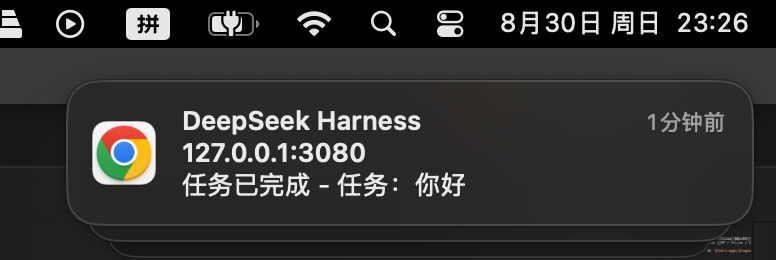
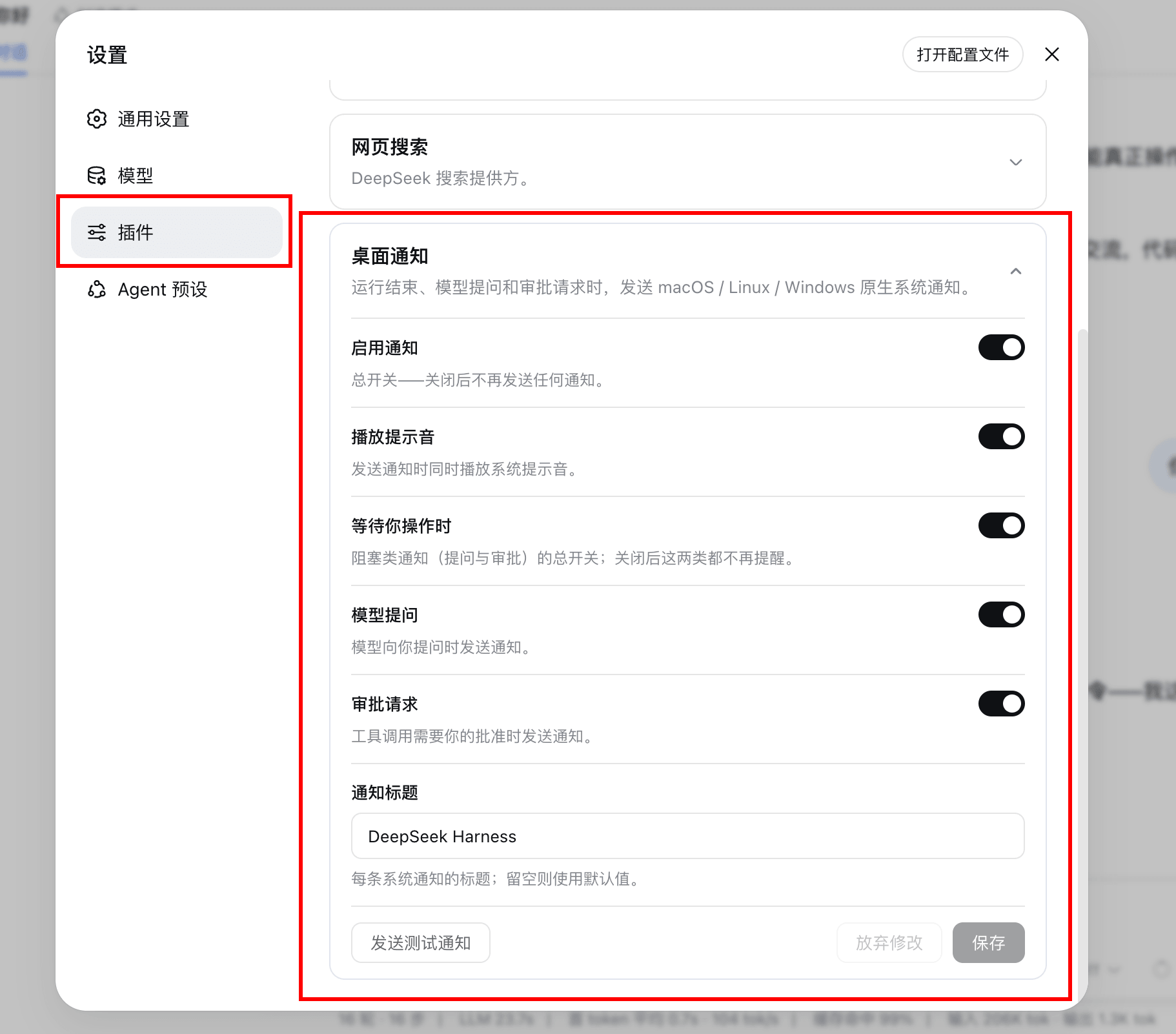
Running long, multi-turn DeepSeek Harness sessions means constantly switching back to check whether a task finished, whether the model is waiting on a question, or whether an approval prompt is sitting unattended. dsh-notifier-plugin turns those critical moments into a single system notification: task completed, failed, hit the token cap, blocked, or aborted all trigger an instant alert; a question from the model or a sandbox-escalation approval pings you the moment it appears. The body states the outcome so you never have to reopen the tab to guess what happened.
Exactly one notification per run. The plugin watches for the session to flip from running to idle, so a dozen intermediate turns collapse into a single alert. If you are already staring at the dsh page, delivery is suppressed to avoid noise. The transport is pluggable at build time: the default variant uses the browser-native Notification API, while the Tauri desktop variant switches to @tauri-apps/plugin-notification, with no runtime cost for the code path you do not use.
Built for developers who batch long dsh runs, teams that rely on a Tauri desktop shell, and anyone who has lost an hour because a single approval prompt went unnoticed. Every toggle in the settings card takes effect live, no restart required.
Screenshots
Use Cases
- Finish a long run while in another window and jump back from a system alert
- Model asks a question or an approval wait appears, and you get pinged immediately
- Track the final outcome of batched sessions through a unified desktop notification
Best For
- Developers running multi-turn DeepSeek Harness sessions
- Builders shipping local AI workflows on a Tauri desktop shell
- Teams that want notification-driven approval without refreshing the page
Related Plugins
A service-oriented sidebar framework for DSH, offering a full workbench with file explorer, embedded browser, real terminal, Git panel, and extensible plugin services.

A beautiful, practical Claude Code-style TUI plugin with pixel whale top bar, flowing glow title, real-time status line, streaming thought expansion, time rewind, context progress bar and TPS gauge — zero core changes.

The plugin market for DeepSeek Harness: browse/search/one-click install community plugins and themes, with updates, backup/restore, hot disable, diagnostics, and AI fix.

A persistent whale widget on the DSH web UI that shows DeepSeek balance, today's usage, and per-turn cost, with drag-and-snap and sound effects.