dsh-theme-win98
Run the following command in DeepSeek Harness:
dsh plugin install FourTow/dsh-theme-win98
Paste the following prompt into your AI chat to install this plugin:
Run dsh plugin install FourTow/dsh-theme-win98 in the DeepSeek Harness terminal to install; the source code lives at https://github.com/FourTow/dsh-theme-win98 . Restart the web profile after installation and the theme takes effect immediately.
About this plugin
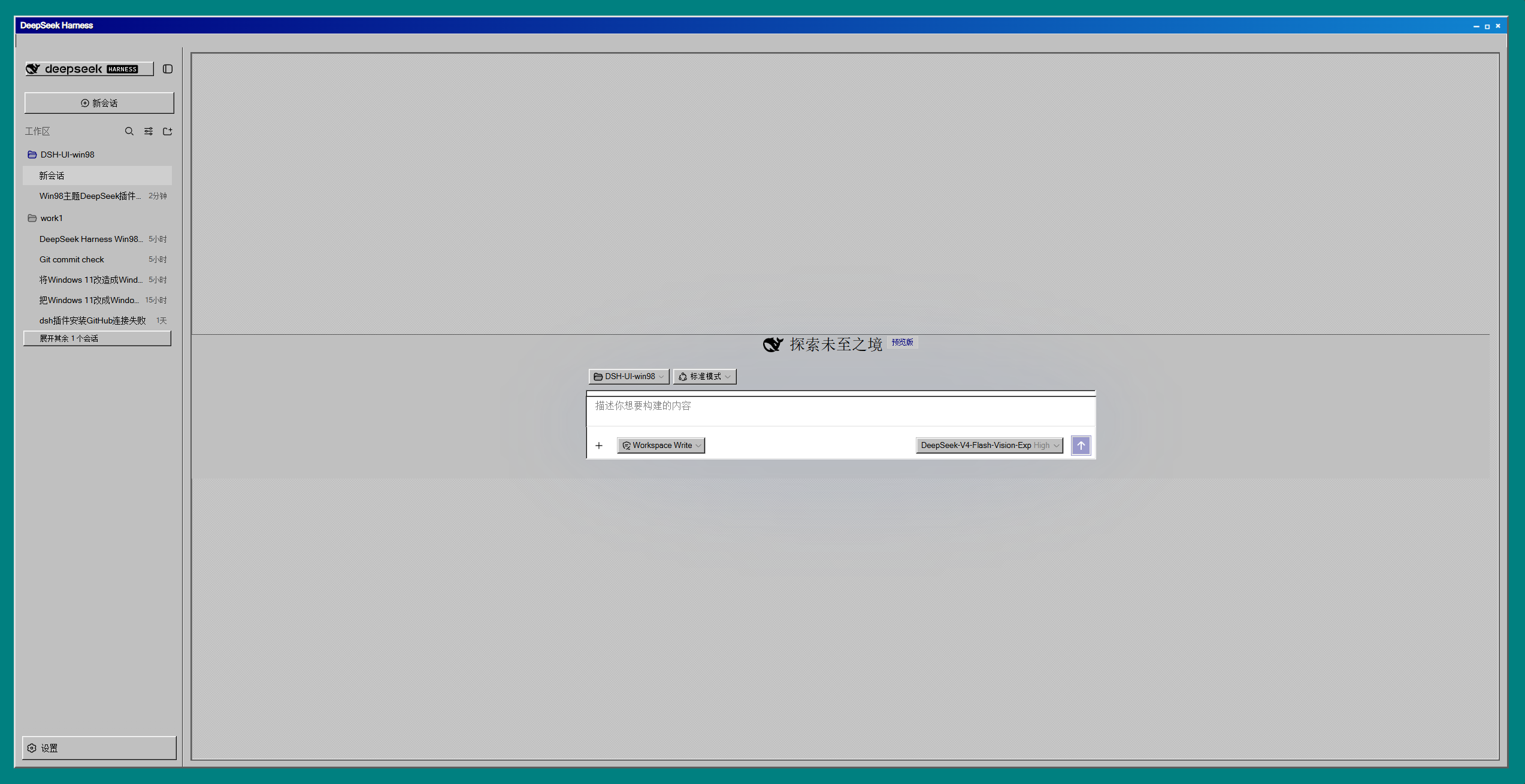
The default DSH Web UI is clean and modern, but if you miss the era of teal desktops, navy gradient title bars, and MS Sans Serif, dsh-theme-win98 pulls the entire web experience back to 1998 — without touching a single line of application code, purely through theme token overrides and a global stylesheet injection.
Desktop mode is on by default: a teal desktop with a navy gradient title bar and menu strip, a classic status bar at the bottom, a white content column floating over a dithered-grey document area, 18px sunken-track scrollbars with raised thumbs and arrow buttons, legible yellow-black tooltips, and a Win98-style settings dialog with raised navigation and navy accents. Buttons press down, inputs sit in grooves, every border radius is squared — the 3D logic of a bygone OS is all there.
Built for frontend developers who want a retro kick in their daily tools, longtime Windows users, and anyone who finds flat design a little too quiet. It is a pure client-side mount: uninstall and everything reverts cleanly, zero side effects.
Screenshots
Use Cases
- Adding a retro flavor to daily DSH Web usage
- Showcasing a Windows 98-style web UI to colleagues or friends
- Pairing a nostalgia theme for blog posts or screen recordings
Best For
- Frontend developers who want a zero-invasive retro twist on their tools
- Nostalgic users who remember the Windows 98 or XP era
- Anyone who finds flat design a little too sterile
Related Plugins

whale-girl is a desktop pet in the DSH Web GUI (bottom-right for instant companionship) — draggable, feedable, playable; completed tasks, sessions and companionship time accrue into seniority levels, titles, and memories.

Renders your local Wallpaper Engine wallpapers as the DSH web background, supporting video, web, and scene wallpapers with a liquid-glass effect and rich customization.

A WebGPU ocean skin for DeepSeek Harness with five-wave Gerstner waves, translucent theme, day/night cycle, and quick controls, installable as plugin or extension.

A Galgame-style conversation view and visual scene editor for DSH web sessions, with a real-time editing mode.