dsh-agy-ui
Run the following command in DeepSeek Harness:
dsh plugin install Erick0412-dev/dsh-agy-ui
Paste the following prompt into your AI chat to install this plugin:
Run dsh plugin install Erick0412-dev/dsh-agy-ui in your DeepSeek Harness terminal to install this plugin; the source repository is at https://github.com/Erick0412-dev/dsh-agy-ui
About this plugin
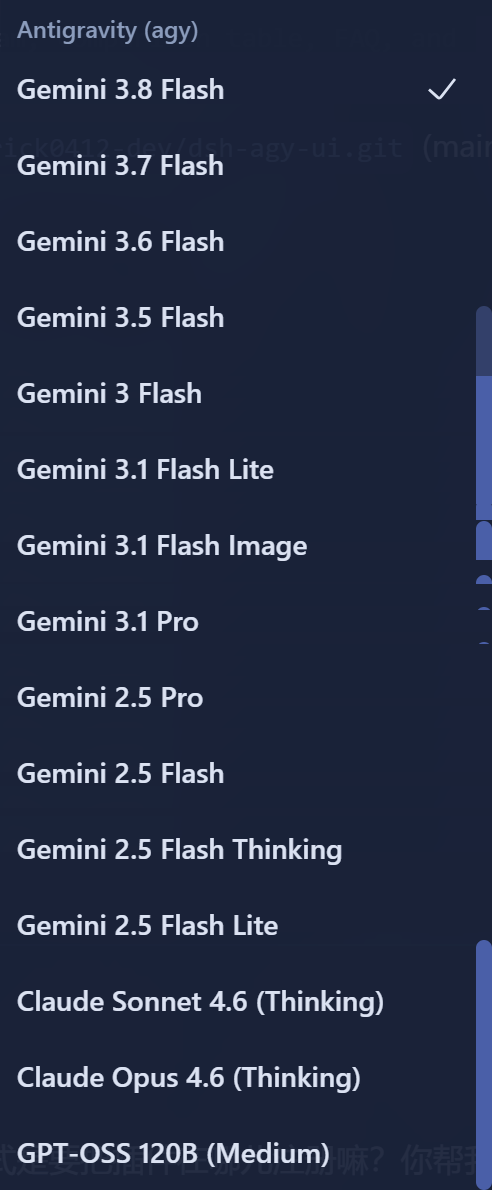
dsh-agy gives you a lean, fast direct-connection channel to the Google internal streaming API inside DSH, but the out-of-the-box experience has real friction: the model list is cluttered with internal debug variants, the reasoning-tier menu expands into a long redundant list, and quota information lives on a separate admin page you must leave the conversation to check. dsh-agy-ui is a non-invasive UI companion plugin built to eliminate exactly those daily annoyances.
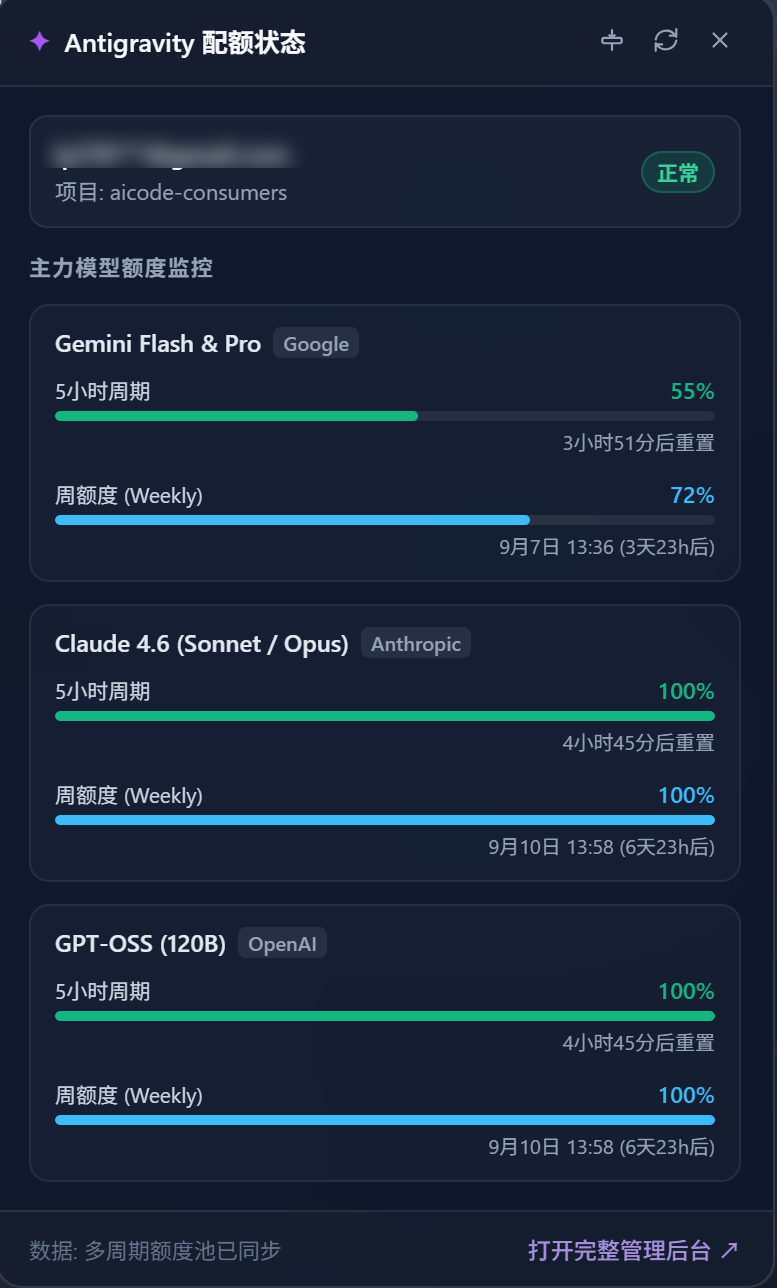
The plugin works purely at the presentation layer. It filters internal ghost models via regex, normalises tiered model names into clean brand display, and collapses scattered reasoning variants into the native DSH selector. A persistent quota badge mounts in the session header; hovering it reveals a frosted-glass popover showing the dual-bucket 5-hour sprint and 7-day weekly quota at a glance. On screens 640px or narrower the popover automatically becomes a bottom-sheet drawer. All networking, streaming, and Tool dispatch remain untouched in dsh-agy; the plugin injects components through DSH native slots with an isolated agy-ui CSS namespace and coexists seamlessly with dsh-agy-link.
If you already have dsh-agy configured in DSH and want a tidier model picker, instant quota awareness in the conversation, and a polished mobile experience, this surface-level companion is a drop-in upgrade that takes effect the moment you refresh the browser.
Screenshots
Use Cases
- Glimpse the Gemini 5h remaining quota from the header badge without leaving the conversation
- Auto-filter internal debug models and sort by priority to instantly spot the主力 model
- On a phone the quota popover becomes a bottom-sheet drawer with no clipping or overflow
Best For
- DSH users who already run dsh-agy and want a cleaner conversation UI
- DSH Web users who need a polished mobile experience
- Plugin-stack users pairing dsh-agy-ui with dsh-agy-link for dual-bucket quota display
Related Plugins

whale-girl is a desktop pet in the DSH Web GUI (bottom-right for instant companionship) — draggable, feedable, playable; completed tasks, sessions and companionship time accrue into seniority levels, titles, and memories.

Renders your local Wallpaper Engine wallpapers as the DSH web background, supporting video, web, and scene wallpapers with a liquid-glass effect and rich customization.

A WebGPU ocean skin for DeepSeek Harness with five-wave Gerstner waves, translucent theme, day/night cycle, and quick controls, installable as plugin or extension.

A Galgame-style conversation view and visual scene editor for DSH web sessions, with a real-time editing mode.