dsh-gitLens
Run the following command in DeepSeek Harness:
dsh plugin install nateEc/dsh-gitLens
Paste the following prompt into your AI chat to install this plugin:
Run dsh plugin install nateEc/dsh-gitLens inside your DeepSeek Harness terminal to install this plugin; the source repository is at https://github.com/nateEc/dsh-gitLens .
About this plugin
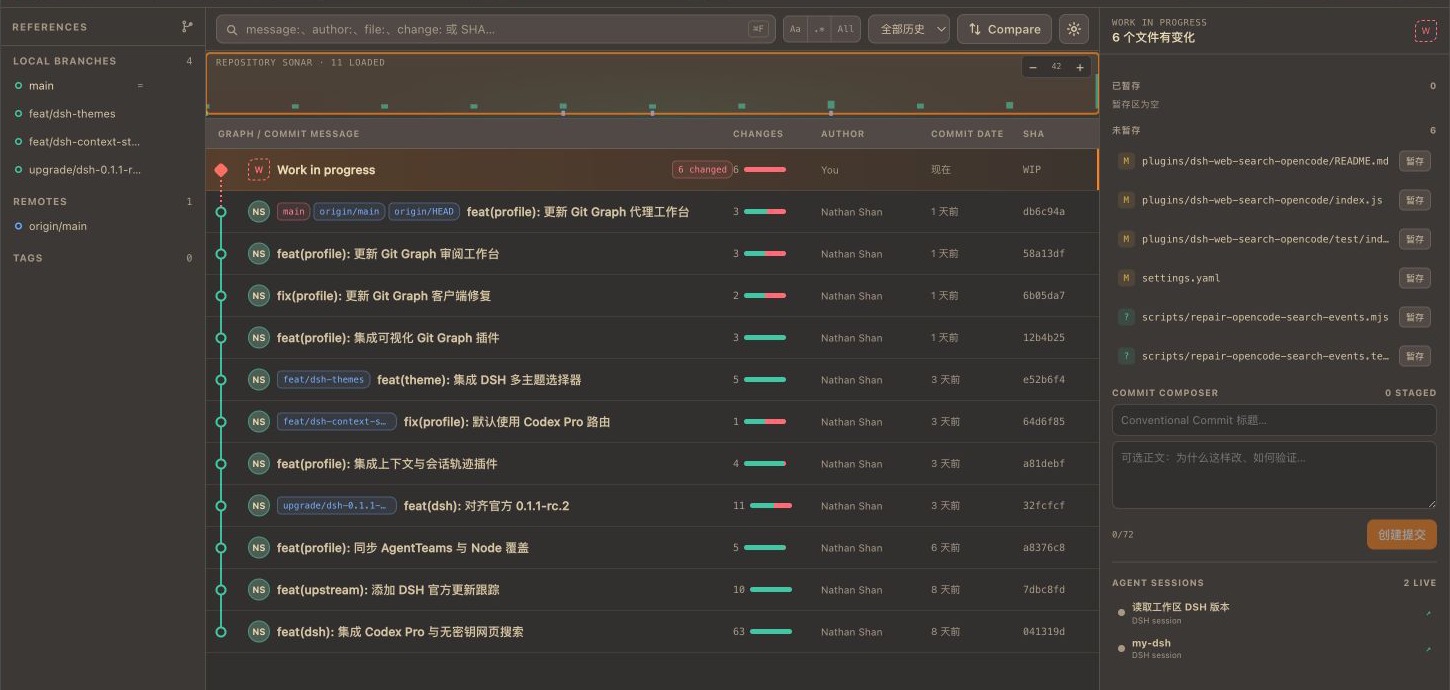
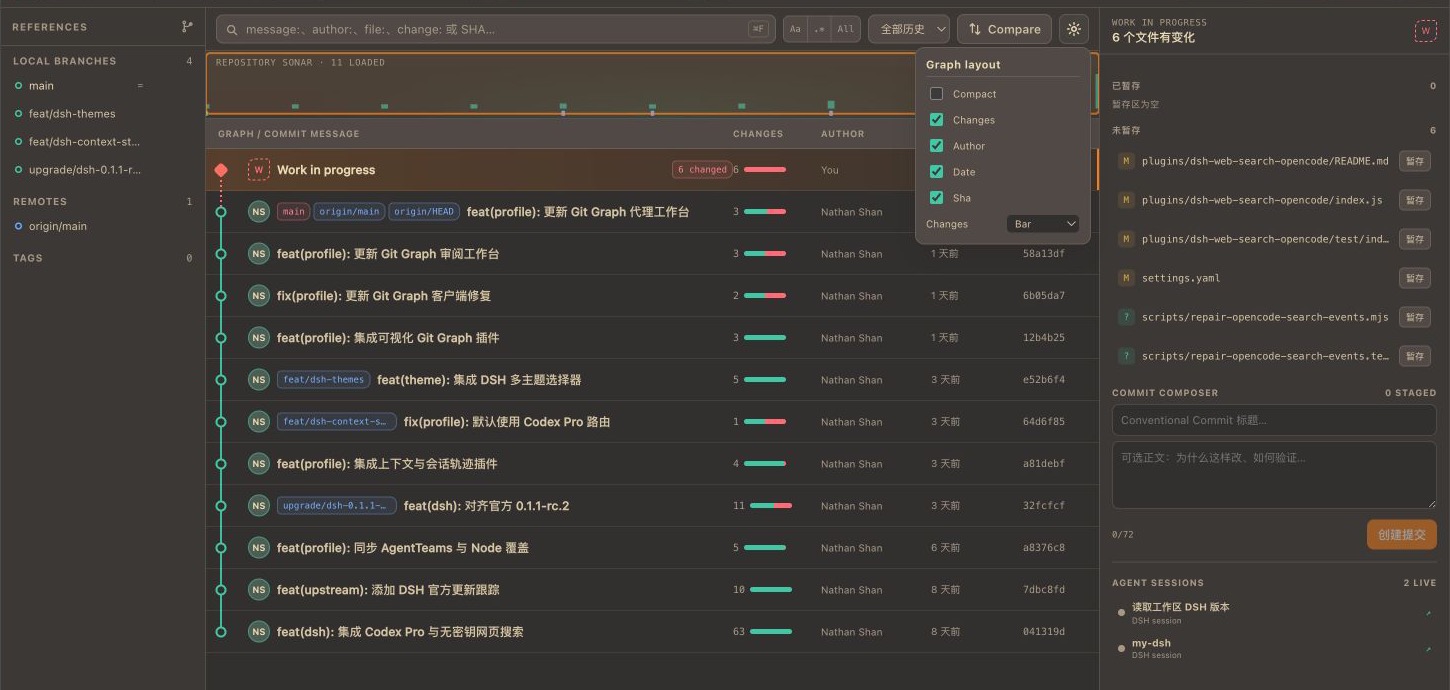
When DSH drives multiple agents working in parallel across different worktrees, a bare terminal git log struggles to answer a cascade of questions at once: where did the current branch fork, which commits are already merged, what exactly differs between this WIP and a historical commit, and which worktree still has uncommitted changes. dsh-gitLens unifies repository history, parallel workspaces, and safe Git operations into DSH's native Git Graph tab, so you can read context, review diffs, and perform guarded operations without ever leaving your session.
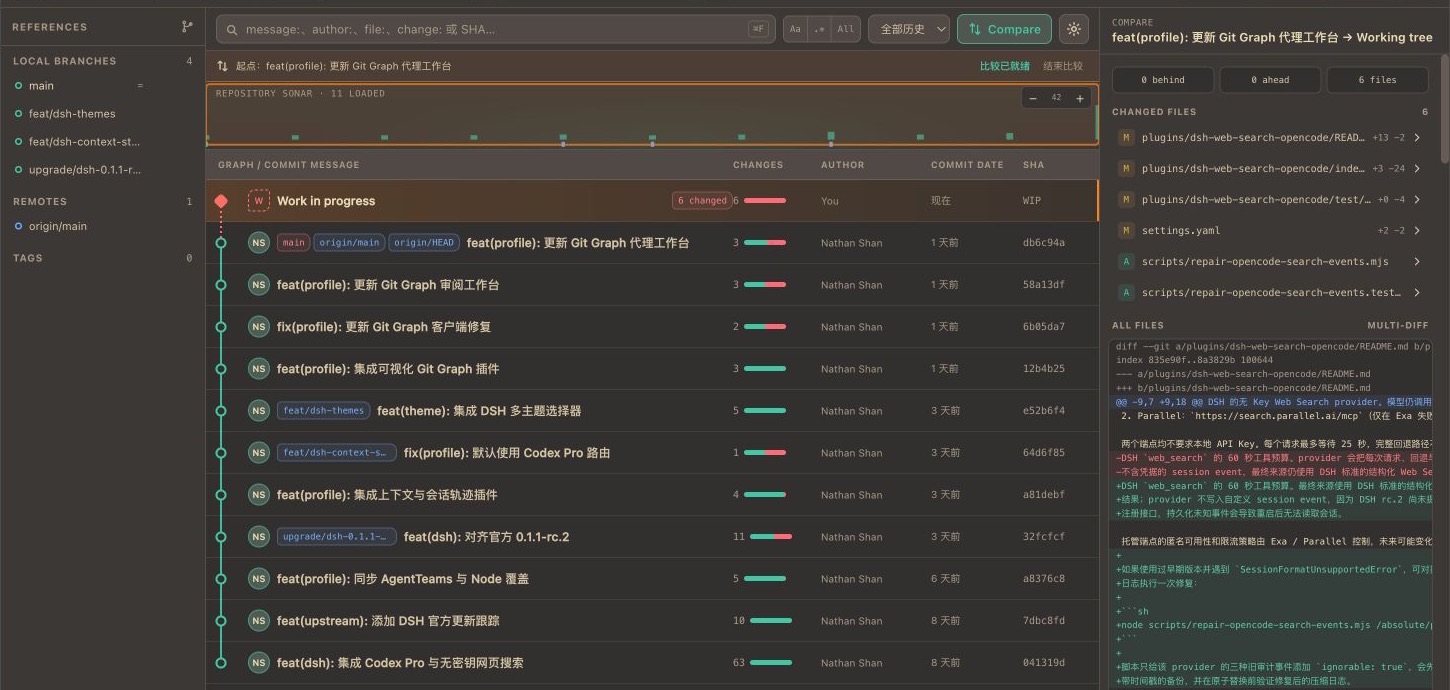
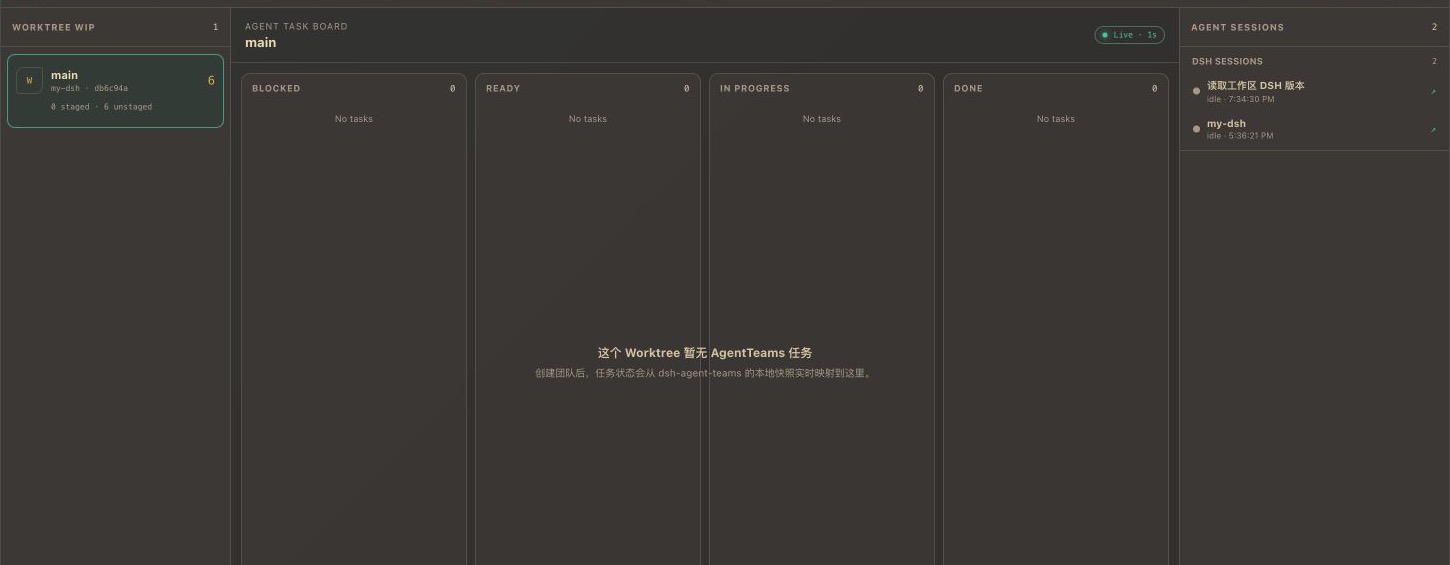
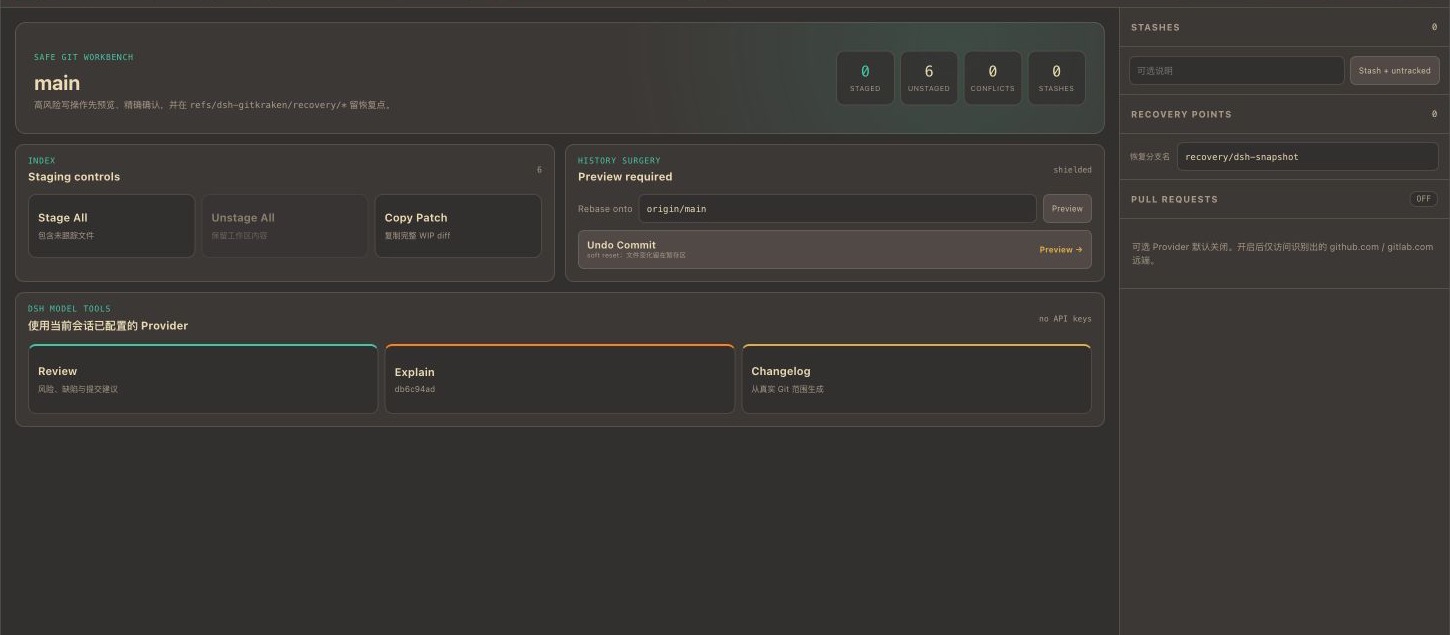
The plugin spans three dimensions of capability. The Graph panel offers a multi-branch DAG with server-side pagination, rich search (message, author, file, change, commit, @me), and a clickable minimap. The Compare panel lets you pick any two points—commit, branch, or WIP—and inspect ahead/behind counts, file diffs, and full multi-diffs. The Agents panel consolidates per-worktree WIP status, AgentTeams Kanban cards, and live DSH session states. The Workbench panel gates high-risk operations (stash, undo commit, rebase) behind preview-then-confirm flows, auto-creates recovery refs before any rewrite, and never performs a hard reset.
It is built for teams that use DSH to orchestrate multi-agent parallel development, and for individual developers who review Git history frequently and juggle multiple worktrees and branch states. If you are tired of hopping between git log, git diff, and git stash in the terminal while hoping nothing is irreversible, this plugin was designed with exactly that workflow in mind.
Screenshots
Use Cases
- Track WIP status and branch diffs across multiple worktrees while agents work in parallel
- Review commit history, run rich search, and inspect multi-diffs all within your DSH session
- Preview the impact of stash, undo commit, or rebase before confirming, with auto-created recovery refs
Best For
- Product and engineering teams orchestrating multi-agent parallel development with DSH
- Individual developers who review Git history, manage branches, and juggle multiple worktrees daily
- Engineering leads who require recoverable, preview-gated Git operations within a strict safety boundary
Related Plugins
A service-oriented sidebar framework for DSH, offering a full workbench with file explorer, embedded browser, real terminal, Git panel, and extensible plugin services.

A beautiful, practical Claude Code-style TUI plugin with pixel whale top bar, flowing glow title, real-time status line, streaming thought expansion, time rewind, context progress bar and TPS gauge — zero core changes.

The plugin market for DeepSeek Harness: browse/search/one-click install community plugins and themes, with updates, backup/restore, hot disable, diagnostics, and AI fix.

A persistent whale widget on the DSH web UI that shows DeepSeek balance, today's usage, and per-turn cost, with drag-and-snap and sound effects.