dsh-wooden-fish
Run the following command in DeepSeek Harness:
dsh plugin install hotpot-labs/dsh-wooden-fish
Paste the following prompt into your AI chat to install this plugin:
Run dsh plugin install hotpot-labs/dsh-wooden-fish in DeepSeek Harness to install this plugin; the source repository is https://github.com/hotpot-labs/dsh-wooden-fish
About this plugin
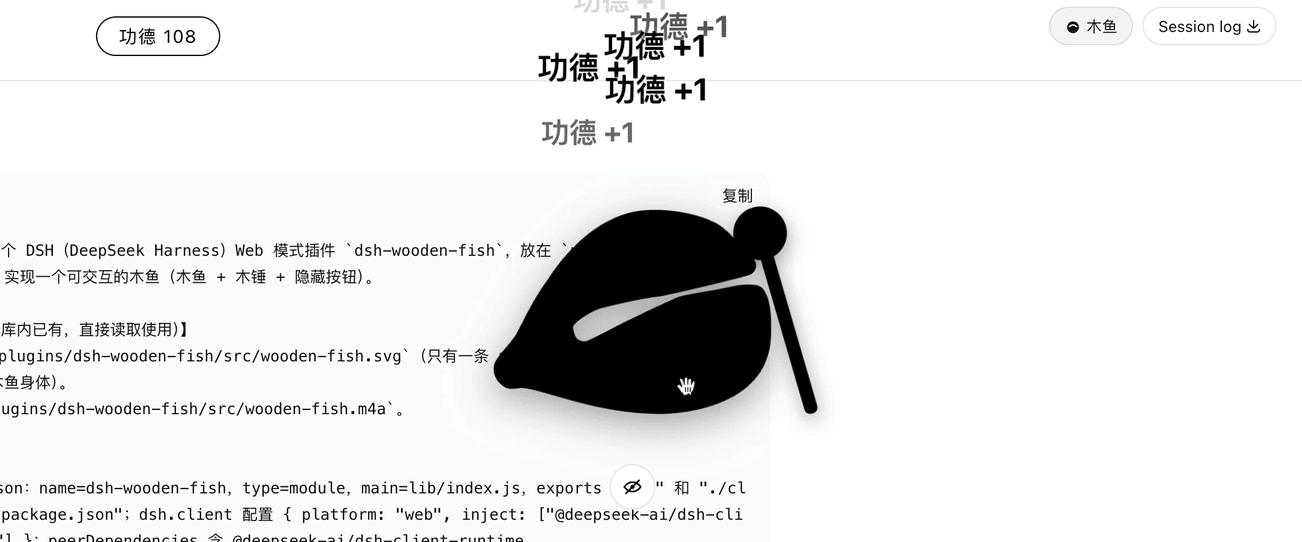
Staring at terminal panels and config pages in DSH web mode for long stretches can make your eyes glaze over. dsh-wooden-fish places a wooden fish and mallet right in the center of the screen, with the dsh web UI softly blurred behind it — a small anchor you can always reach for a breather.
Each click sweeps the mallet down to strike the fish, pops a merit +1 at the top of the page, and increments the counter. A wooden-fish knock plays at the same time, and the Web Speech API speaks a calm, measured tone. The fish, mallet, and counter all follow your system appearance — dark silhouettes in light mode, white in dark mode — blending naturally into the surrounding UI. The backdrop is softened with a backdrop-filter blur, yet everything underneath stays fully interactive.
If you run workflows, tail logs, or babysit builds in DSH web mode and want a tiny stress-relief tap between key presses, this is your plugin. It adds no extra tabs, changes no workflow, and is purely a fun overlay — a little wooden fish you can always reach for.
Screenshots
Use Cases
- Tap the wooden fish between long stretches of watching DSH web panels
- Use the knock and chanted line as a micro-break while builds run
- Show a fun overlay easter egg during a team demo
Best For
- Engineers who stare at DSH web logs and configs for hours
- Developers who want a zen micro-gesture inside their terminal workflow
- Casual users who install fun mini-plugins purely for joy
Related Plugins

whale-girl is a desktop pet in the DSH Web GUI (bottom-right for instant companionship) — draggable, feedable, playable; completed tasks, sessions and companionship time accrue into seniority levels, titles, and memories.

Renders your local Wallpaper Engine wallpapers as the DSH web background, supporting video, web, and scene wallpapers with a liquid-glass effect and rich customization.

A WebGPU ocean skin for DeepSeek Harness with five-wave Gerstner waves, translucent theme, day/night cycle, and quick controls, installable as plugin or extension.

A Galgame-style conversation view and visual scene editor for DSH web sessions, with a real-time editing mode.