dsh-markdown-preview
Run the following command in DeepSeek Harness:
dsh plugin install thomasly/dsh-markdown-preview
Paste the following prompt into your AI chat to install this plugin:
Run dsh plugin install thomasly/dsh-markdown-preview in your terminal to install the plugin, available at https://github.com/thomasly/dsh-markdown-preview, then restart dsh web to activate it.
About this plugin
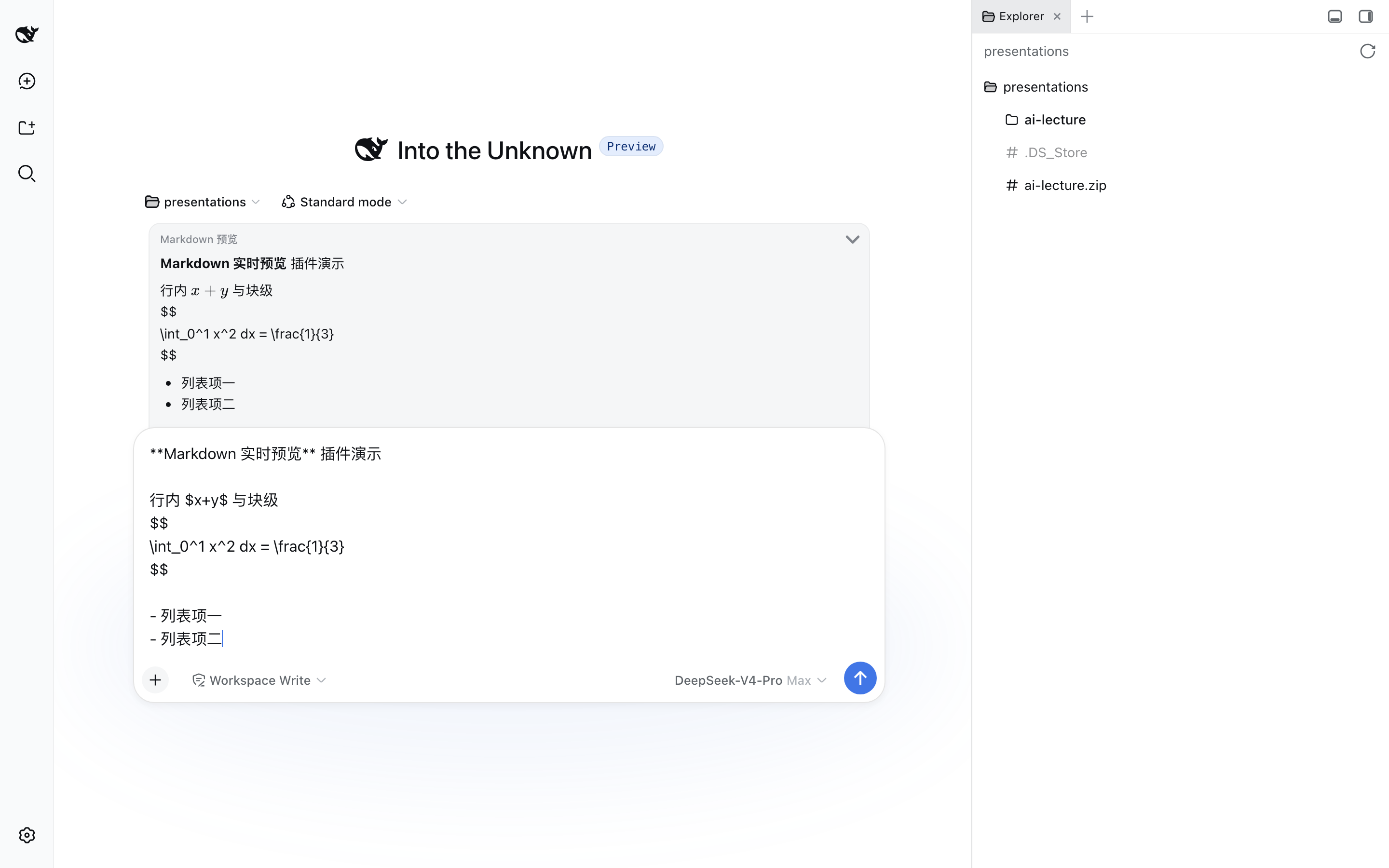
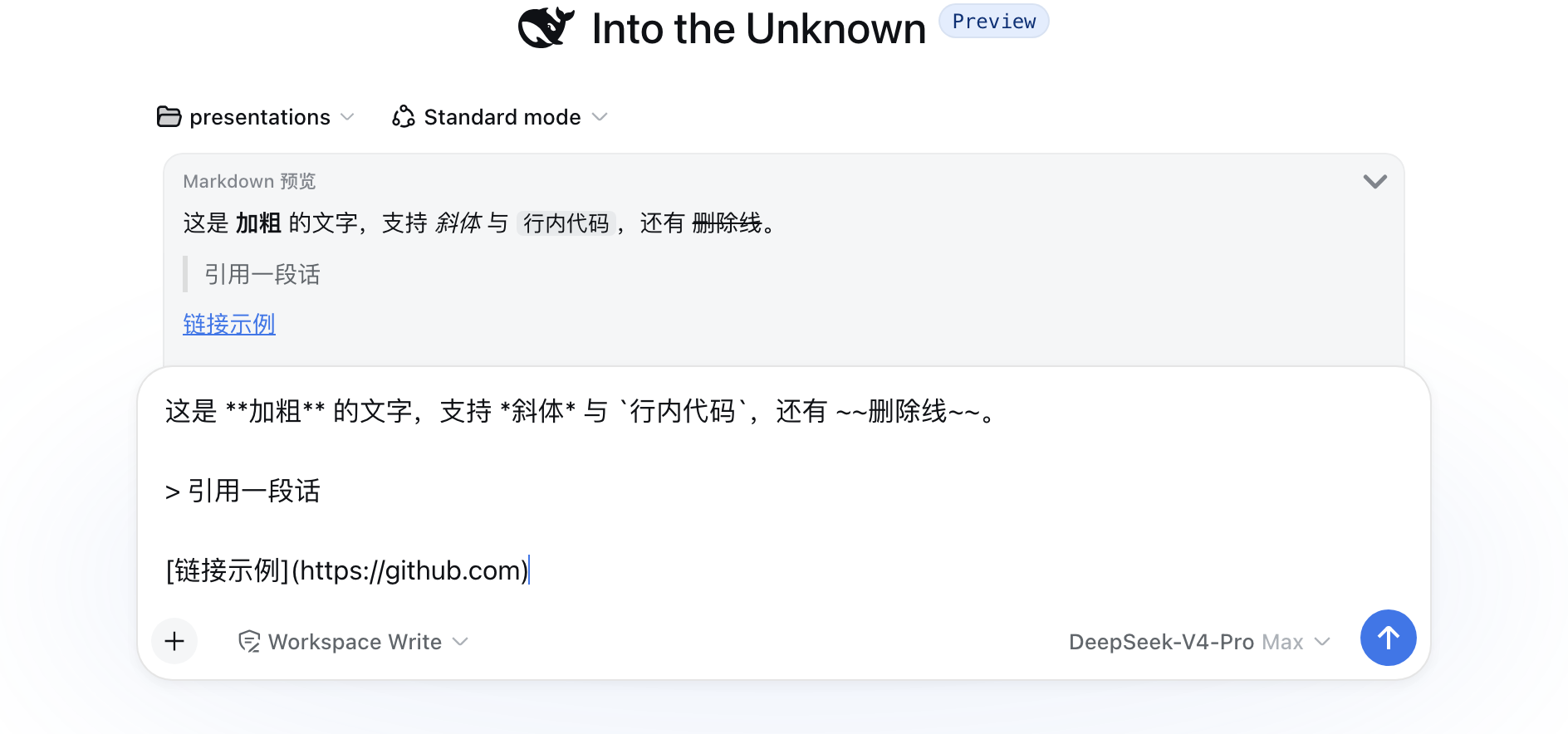
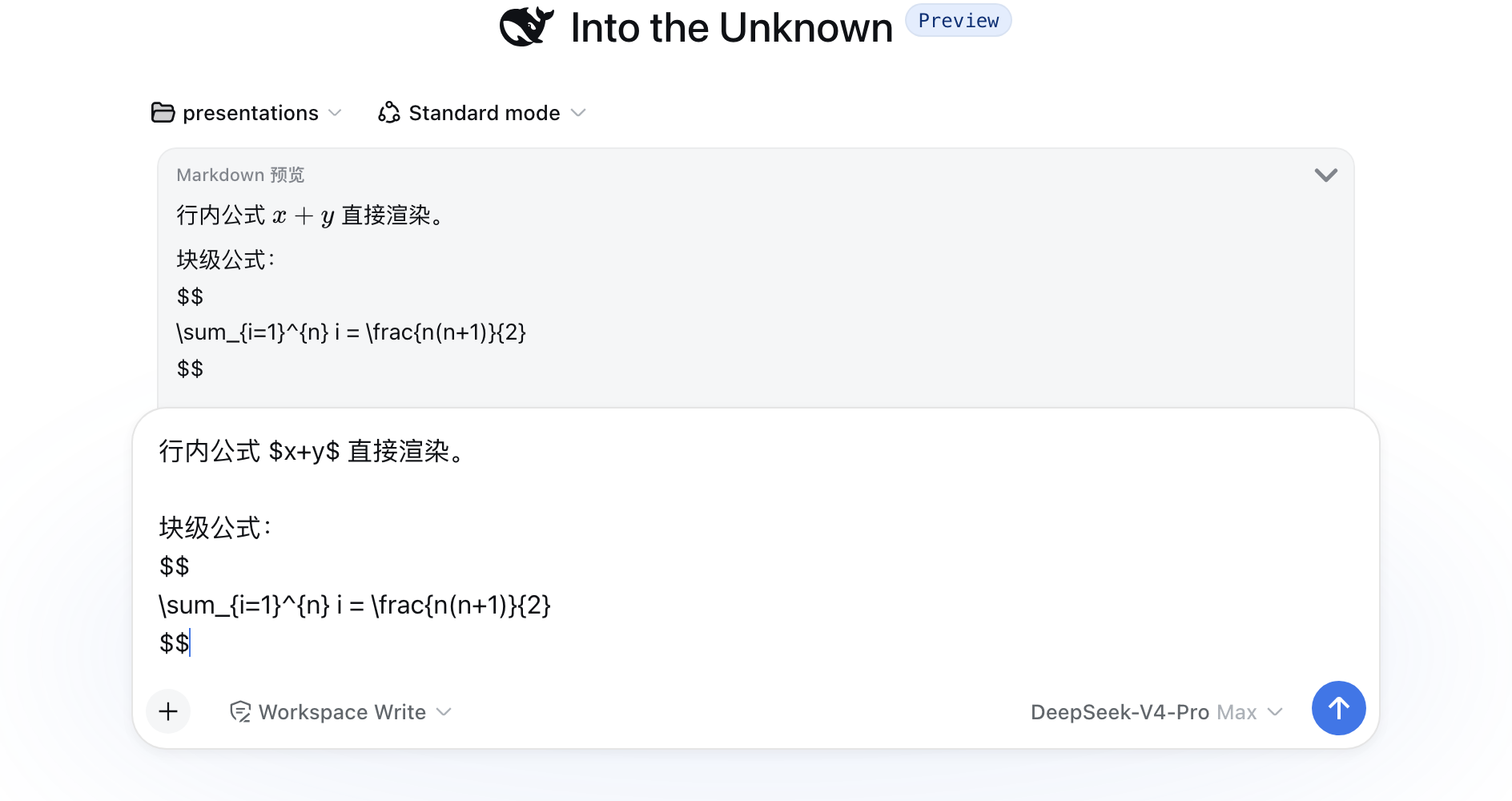
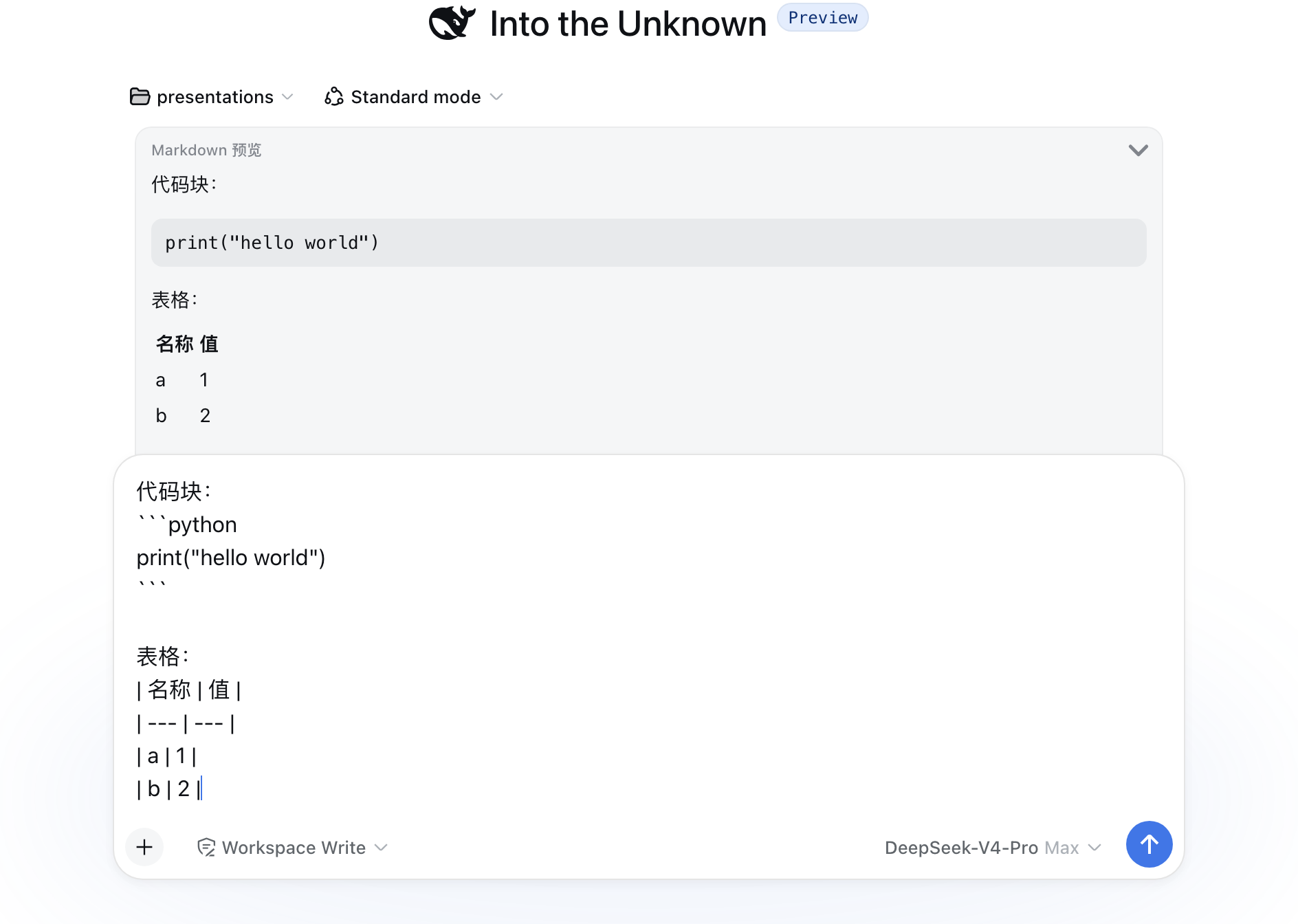
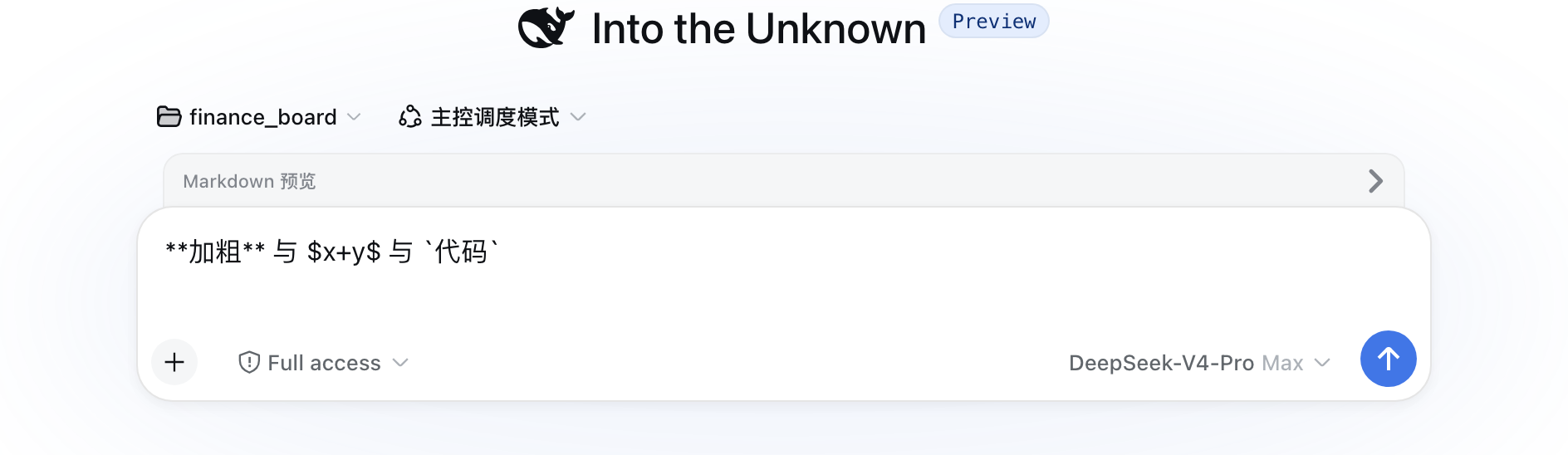
When you type Markdown or math in the DSH chat box, all you see is a wall of asterisks, dollar signs, and backticks until the message is sent and the built-in renderer does its work. dsh-markdown-preview docks a lightweight preview panel along the top edge of the input card so that bold, code blocks, and tables take shape as you type, inline formulas like $x+y$ render on the spot, and block-level derivations appear centered—while the input field itself stays perfectly still, never nudged by reflow.
Under the hood it is a pure plugin: it registers the official conversation.input.dock slot, reads the draft text from owner props, and refreshes on every React re-render. No DSH core files are modified and no DOM is touched. The KaTeX renderer is inlined at build time, so there is no external runtime dependency. Raw HTML in the draft is always escaped; only Markdown structure is rendered, so pasting malicious tags will never execute. The preview area is capped at 240 px with auto-scroll, disappears the moment the draft is cleared, and never squeezes the chat. A small arrow in the panel header toggles collapse and expand, remembered across sessions via localStorage. Because there is zero core patching, the plugin keeps working after DSH upgrades with no maintenance scripts.
If you regularly compose formatted technical prose or math-heavy prompts in the DSH chat and simply want a quiet WYSIWYG glance before hitting send, this is for you. It does not alter what gets transmitted: message bubbles are still rendered by DSH's own pipeline, and the two stay completely independent.
Screenshots
Use Cases
- Check bold, code blocks, and table formatting live while typing
- Confirm inline and block-level LaTeX renders correctly before sending
- Preview Markdown structure to catch formatting mistakes early
- Collapse the panel for pure text entry and expand with one click when needed
Best For
- DSH users who regularly write formatted technical prose
- Researchers or engineers who frequently use math in conversations
- Power users who want a formatting sanity check before sending
Related Plugins
A service-oriented sidebar framework for DSH, offering a full workbench with file explorer, embedded browser, real terminal, Git panel, and extensible plugin services.

A beautiful, practical Claude Code-style TUI plugin with pixel whale top bar, flowing glow title, real-time status line, streaming thought expansion, time rewind, context progress bar and TPS gauge — zero core changes.

The plugin market for DeepSeek Harness: browse/search/one-click install community plugins and themes, with updates, backup/restore, hot disable, diagnostics, and AI fix.

A persistent whale widget on the DSH web UI that shows DeepSeek balance, today's usage, and per-turn cost, with drag-and-snap and sound effects.