dsh-session-sweeper
Run the following command in DeepSeek Harness:
dsh plugin install HrxSpace/dsh-session-sweeper
Paste the following prompt into your AI chat to install this plugin:
Run dsh plugin install HrxSpace/dsh-session-sweeper in DeepSeek Harness to install; source at https://github.com/HrxSpace/dsh-session-sweeper
About this plugin
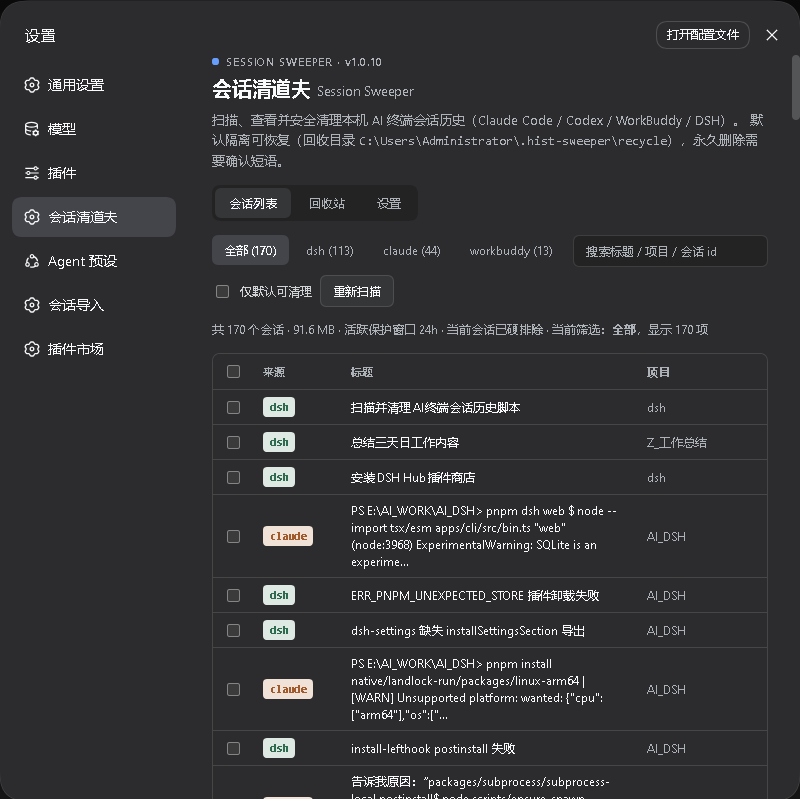
Switching between Claude Code, Codex CLI, WorkBuddy, and DSH means session logs scatter across several sub-directories under your home folder. After a few weeks they quietly gobble disk space, and cleaning them feels risky because some conversations still carry useful context.
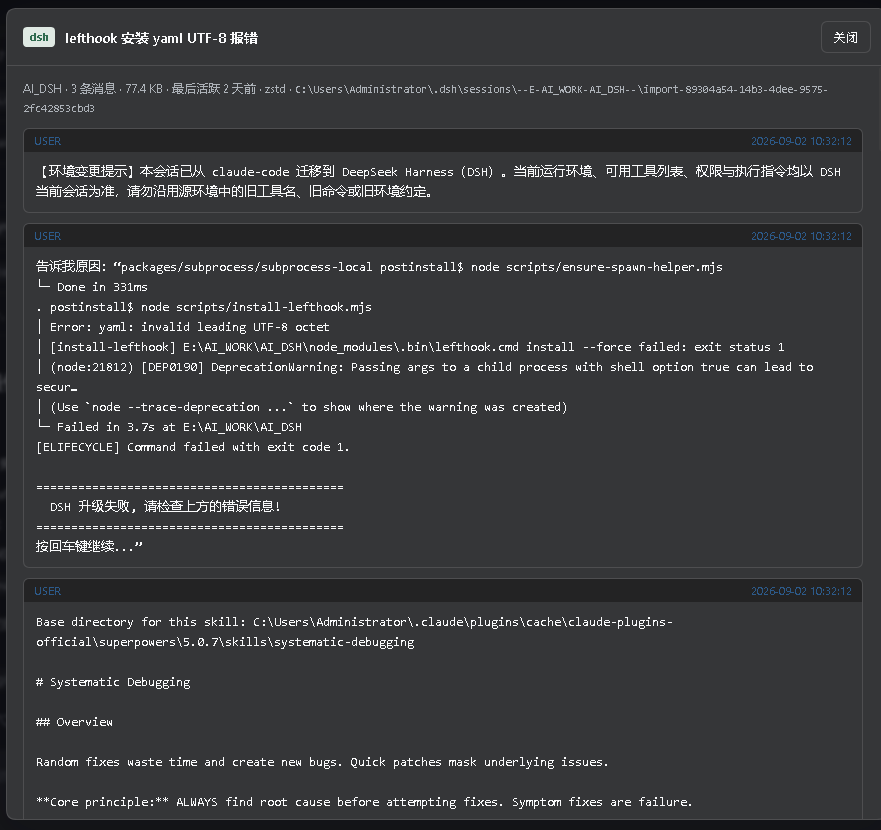
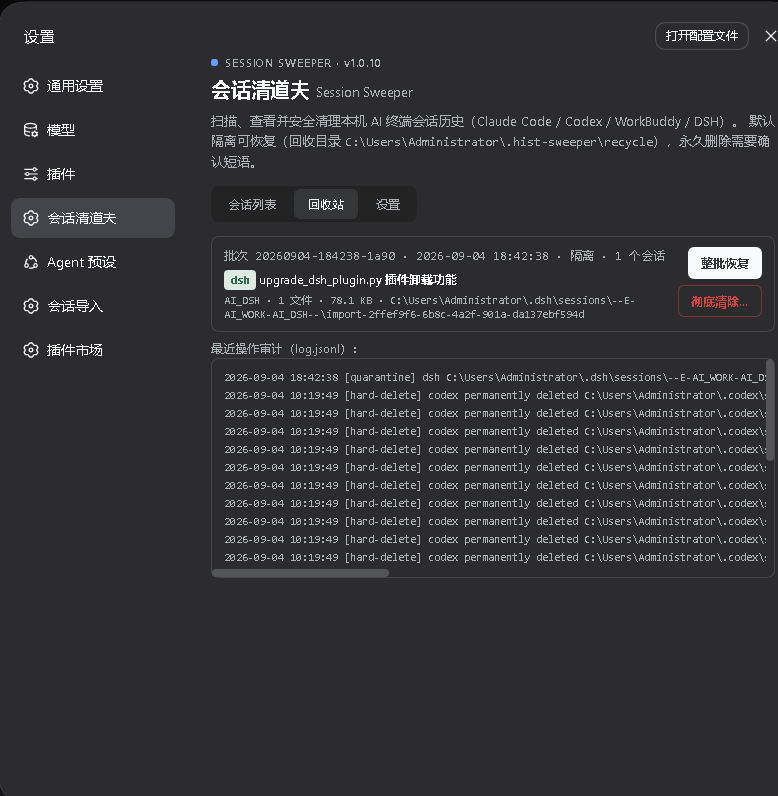
dsh-session-sweeper adds a dedicated card under Settings in the DSH Web UI. It scans every supported source in one pass, lists all sessions with project, message count, size, and last-active time, and lets you page through full user/assistant exchanges including tool calls and DSH zstd-frame logs. The default clean is quarantine: the entire artifact is moved into a recycle directory with a SHA-256 manifest, restorable byte-for-byte in one click. Hard delete is available but requires you to type the confirmation phrase DELETE, leaving only an audit tombstone.
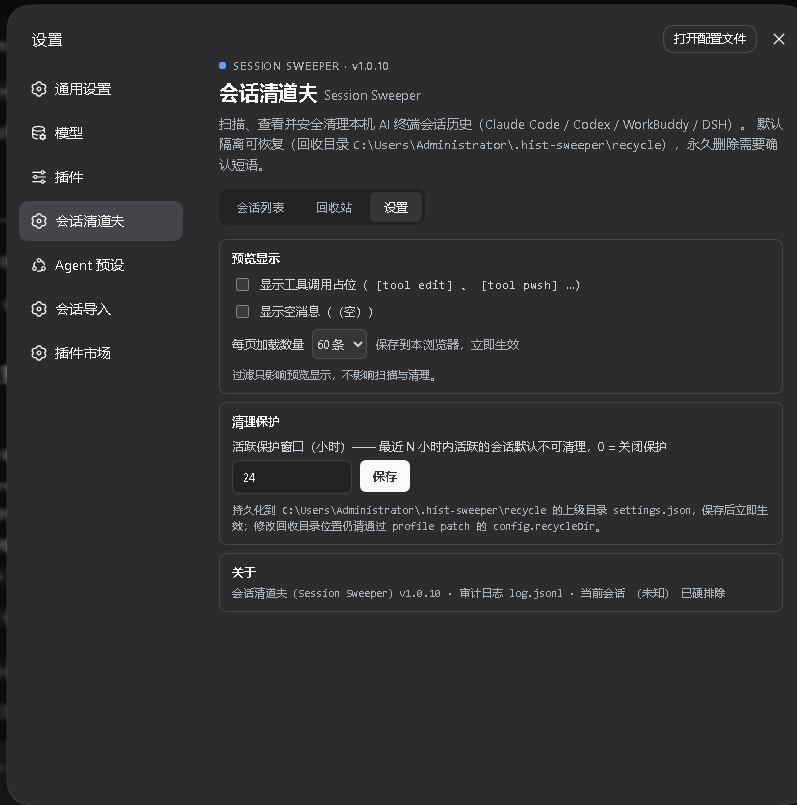
Multiple safety guards work in parallel: sessions active within the last 24 hours are skipped by default, the session served by the running DSH process is never cleanable, unreadable files are skipped without aborting the batch, every operation is appended to an audit log, and the plugin never touches configs, credentials, memory, or todos. Zero runtime dependencies, no network calls, no build scripts-install and restart DSH Web to go.
Built for developers who juggle multiple AI terminal tools and want a visual, safe way to reclaim disk space without manually crawling directories.
Screenshots
Use Cases
- Session histories pile up after switching between multiple AI CLI tools and need batch preview and safe cleanup
- Disk space is tight and you want to purge old sessions without losing useful context
- You need an audit trail to track which sessions were cleaned, when, and from where
Best For
- Developers juggling multiple AI terminal tools such as Claude Code, Codex CLI, WorkBuddy, and DSH
- Users who periodically purge session logs under home but want a one-click restore path
- Individuals or teams that require quarantine-first workflows with full audit logging
Related Plugins
A service-oriented sidebar framework for DSH, offering a full workbench with file explorer, embedded browser, real terminal, Git panel, and extensible plugin services.

A beautiful, practical Claude Code-style TUI plugin with pixel whale top bar, flowing glow title, real-time status line, streaming thought expansion, time rewind, context progress bar and TPS gauge — zero core changes.

The plugin market for DeepSeek Harness: browse/search/one-click install community plugins and themes, with updates, backup/restore, hot disable, diagnostics, and AI fix.

A persistent whale widget on the DSH web UI that shows DeepSeek balance, today's usage, and per-turn cost, with drag-and-snap and sound effects.