dsh-workspace-kit
Run the following command in DeepSeek Harness:
dsh plugin install ice5kysl/dsh-workspace-kit
Paste the following prompt into your AI chat to install this plugin:
Run dsh plugin install ice5kysl/dsh-workspace-kit in your terminal to install; the source repository is available at https://github.com/ice5kysl/dsh-workspace-kit
About this plugin
Once your workspace list grows past a dozen entries, the default sidebar turns into a scrolling wall you never re-read. To make matters worse, dsh currently offers only session-level irreversible archiving with no workspace-level soft-archive mechanism, so old projects either get deleted or sit forever in the list.
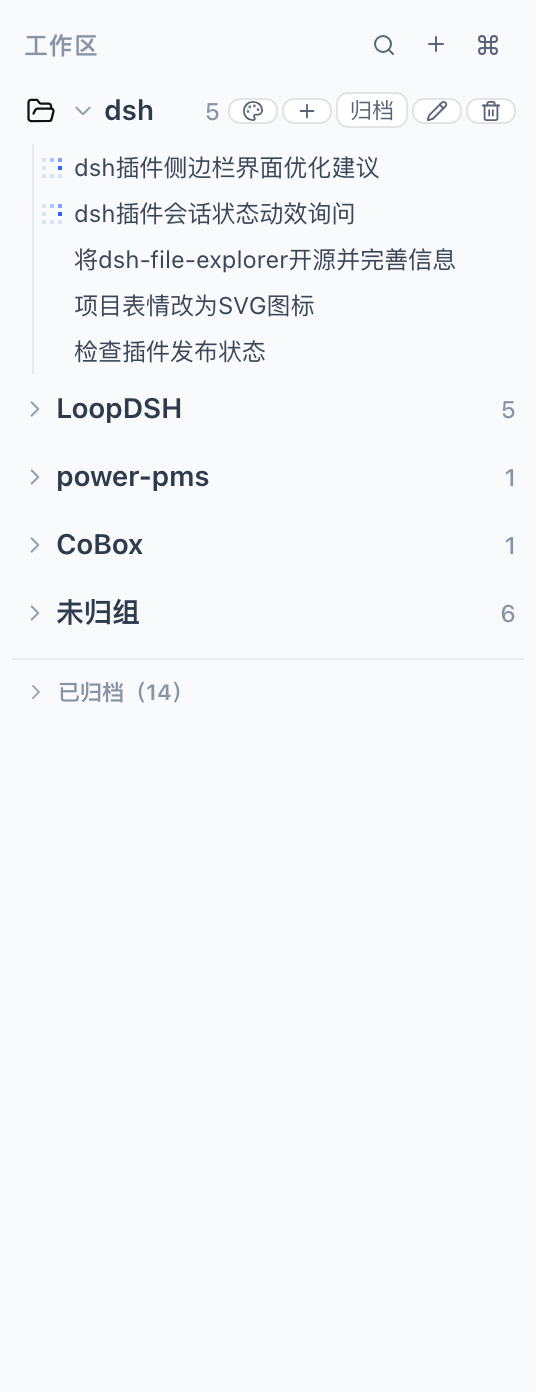
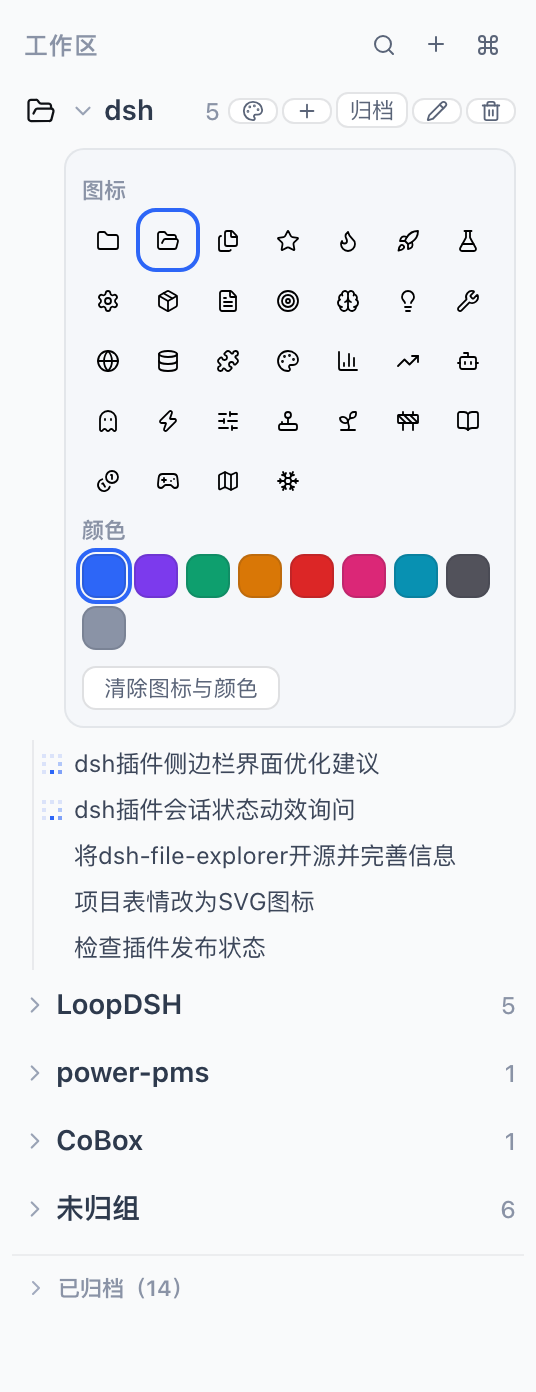
Press ⌘K or Ctrl+K and a full-window Spotlight palette drops in: fuzzy-search every workspace, session, and ungrouped item, navigate with arrow keys, and hit Enter to jump straight into the target session. For those who prefer a persistent view, the plugin replaces the stock sidebar — soft-archive old workspaces with one-click restore, create new workspaces via a system directory picker, assign 32 SVG icons and 9 accent colours per row, drag to reorder, and run full-text search through the official content index. All UI copy ships in both Simplified Chinese and English, following the system locale automatically.
If you maintain ten or more workspaces in parallel, hunt through old sessions regularly, and want a sidebar that stays tidy yet always within reach, this plugin is the missing piece. Released under the MIT license, it ships as a single bundle that drives both the host and browser faces with no extra dependencies.
Screenshots

Use Cases
- Juggling ten plus workspaces and needing to jump to one in seconds
- Tidying the sidebar without deleting any session history
- Running many projects in parallel and craving visual distinction at a glance
Best For
- dsh users maintaining ten or more workspaces
- Power users of DeepSeek Harness
- Users who want more out of the stock sidebar
Related Plugins
A service-oriented sidebar framework for DSH, offering a full workbench with file explorer, embedded browser, real terminal, Git panel, and extensible plugin services.

A beautiful, practical Claude Code-style TUI plugin with pixel whale top bar, flowing glow title, real-time status line, streaming thought expansion, time rewind, context progress bar and TPS gauge — zero core changes.

The plugin market for DeepSeek Harness: browse/search/one-click install community plugins and themes, with updates, backup/restore, hot disable, diagnostics, and AI fix.

A persistent whale widget on the DSH web UI that shows DeepSeek balance, today's usage, and per-turn cost, with drag-and-snap and sound effects.