dsh-community-plugins
Run the following command in DeepSeek Harness:
dsh plugin install funcodingdev/dsh-community-plugins
Paste the following prompt into your AI chat to install this plugin:
Run dsh plugin install funcodingdev/dsh-community-plugins in your terminal to install the community plugin manager into DeepSeek Harness (source: https://github.com/funcodingdev/dsh-community-plugins).
About this plugin
As the DeepSeek Harness ecosystem grows, community plugins are scattered across individual repositories, leaving users to face three common pain points at once: not knowing what is available, not knowing where to install from, and not knowing how to keep everything maintained. dsh-community-plugins consolidates those fragmented steps into a single settings panel, turning the full plugin lifecycle from discovery to day-to-day management into one closed loop.
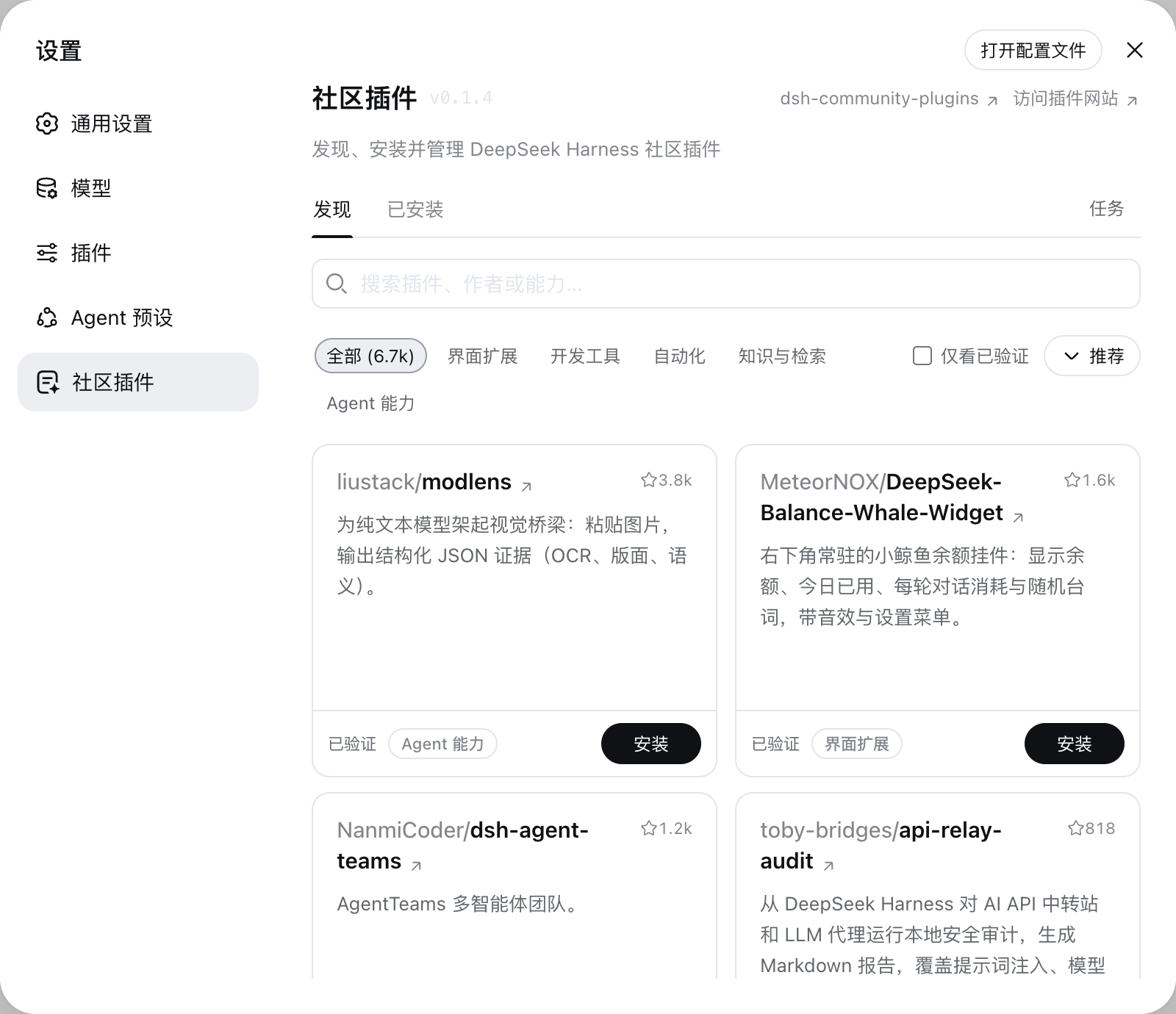
Inside the Community Plugins page you can search by name, author, or keyword, browse by category, filter to verified-only listings, and sort by recommendation, recency, or Stars. Installing, updating, uninstalling, enabling, and disabling all happen in the same interface, and the installed list supports the same search and category filters. Every install or update task shows live progress with options to cancel or retry. A compatibility check runs before each install, and if an operation fails you can roll back with one click so your environment never ends up half-updated. The UI automatically follows the language setting of DeepSeek Harness, switching between Chinese and English.
If you rely on multiple community extensions to extend your daily workflow, or if your team needs a single place to track plugin versions and on-off states, this client plugin removes the overhead of manually digging through repositories and memorising commands, letting you focus on the problems that actually matter.
Screenshots

Use Cases
- Search and install community plugins from a single settings panel
- Batch-update installed plugins while tracking live progress
- Roll back with one click after a failed installation
Best For
- Harness users relying on multiple community extensions
- Teams needing centralized plugin version and state management
- Developers wanting to reduce manual repo digging and command memorisation
Related Plugins
A service-oriented sidebar framework for DSH, offering a full workbench with file explorer, embedded browser, real terminal, Git panel, and extensible plugin services.

A beautiful, practical Claude Code-style TUI plugin with pixel whale top bar, flowing glow title, real-time status line, streaming thought expansion, time rewind, context progress bar and TPS gauge — zero core changes.

The plugin market for DeepSeek Harness: browse/search/one-click install community plugins and themes, with updates, backup/restore, hot disable, diagnostics, and AI fix.

A persistent whale widget on the DSH web UI that shows DeepSeek balance, today's usage, and per-turn cost, with drag-and-snap and sound effects.