dsh-flykit
Run the following command in DeepSeek Harness:
dsh plugin install flykit-cc/dsh-flykit
Paste the following prompt into your AI chat to install this plugin:
Run dsh plugin install flykit-cc/dsh-flykit in DeepSeek Harness to install this plugin, available at https://github.com/flykit-cc/dsh-flykit.
About this plugin
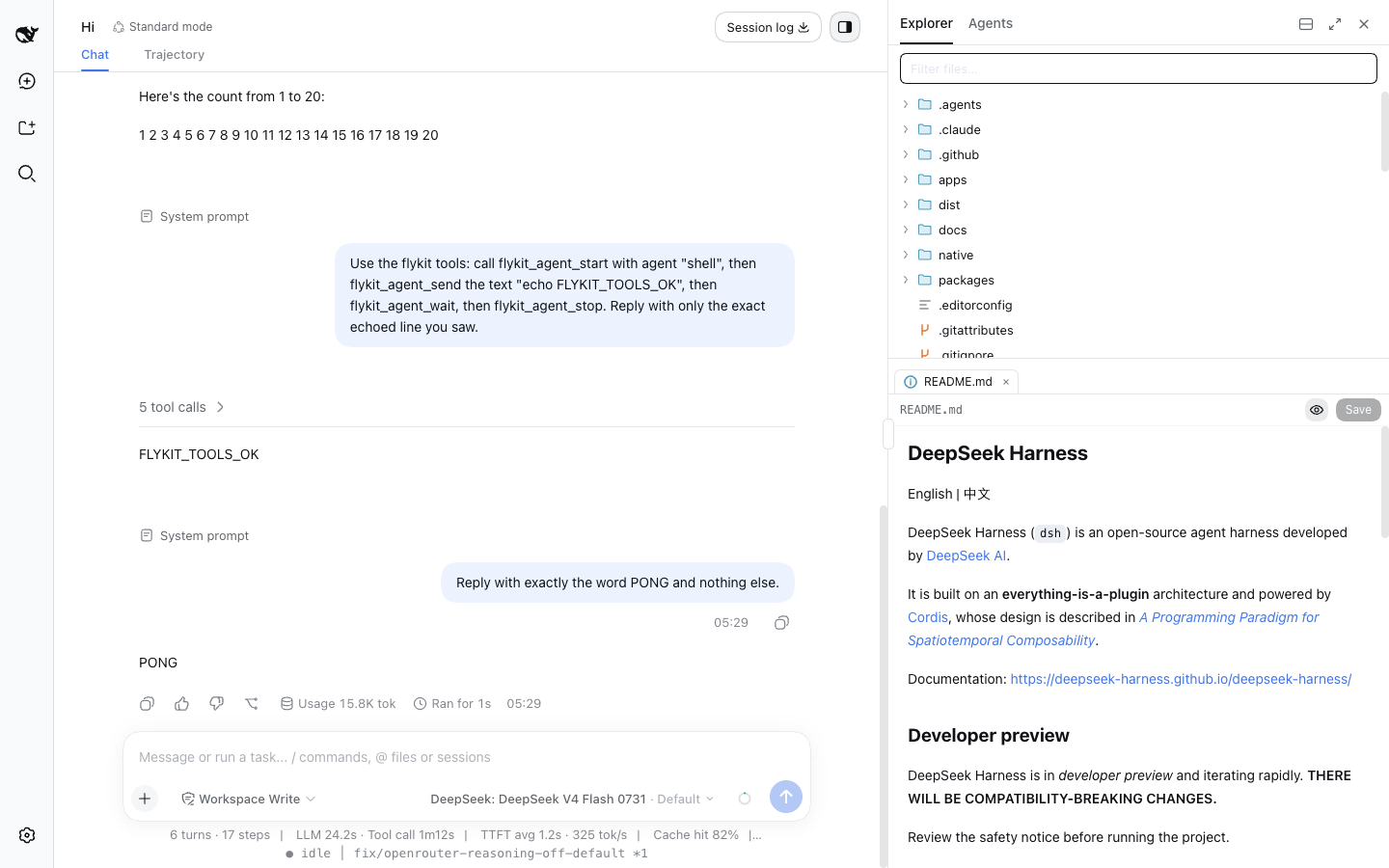
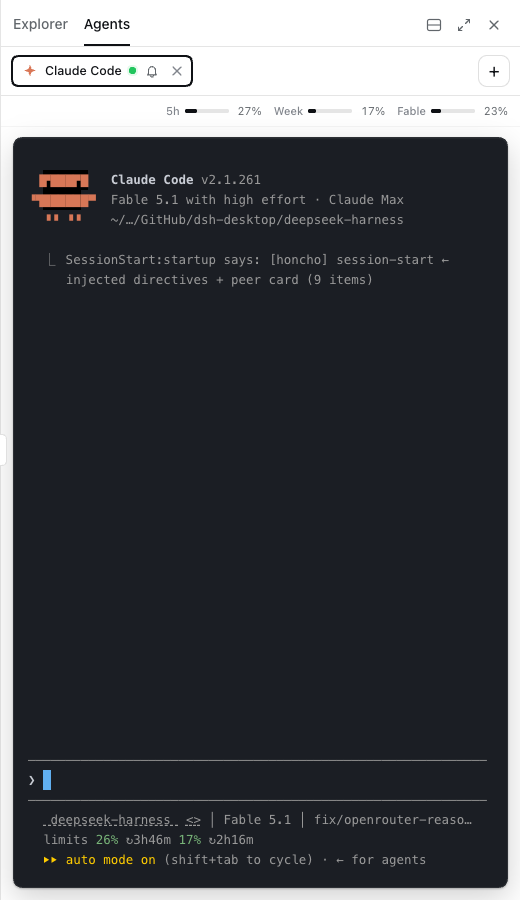
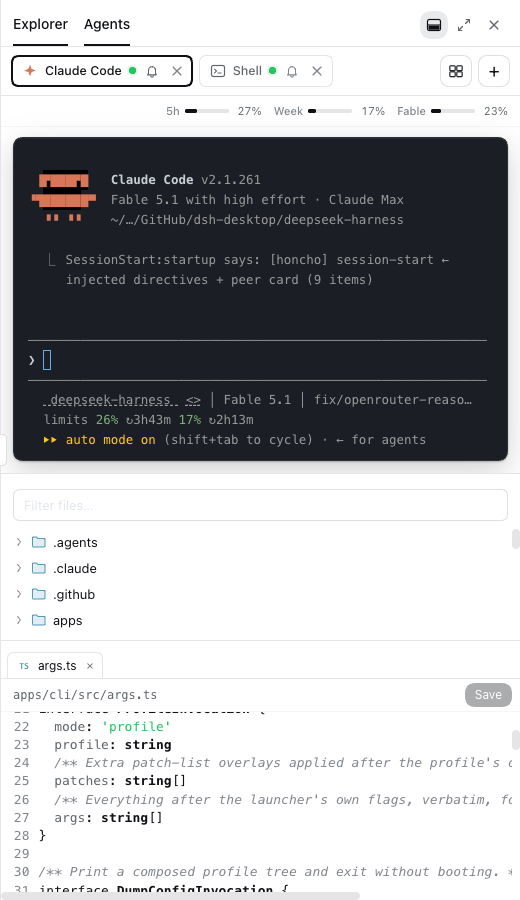
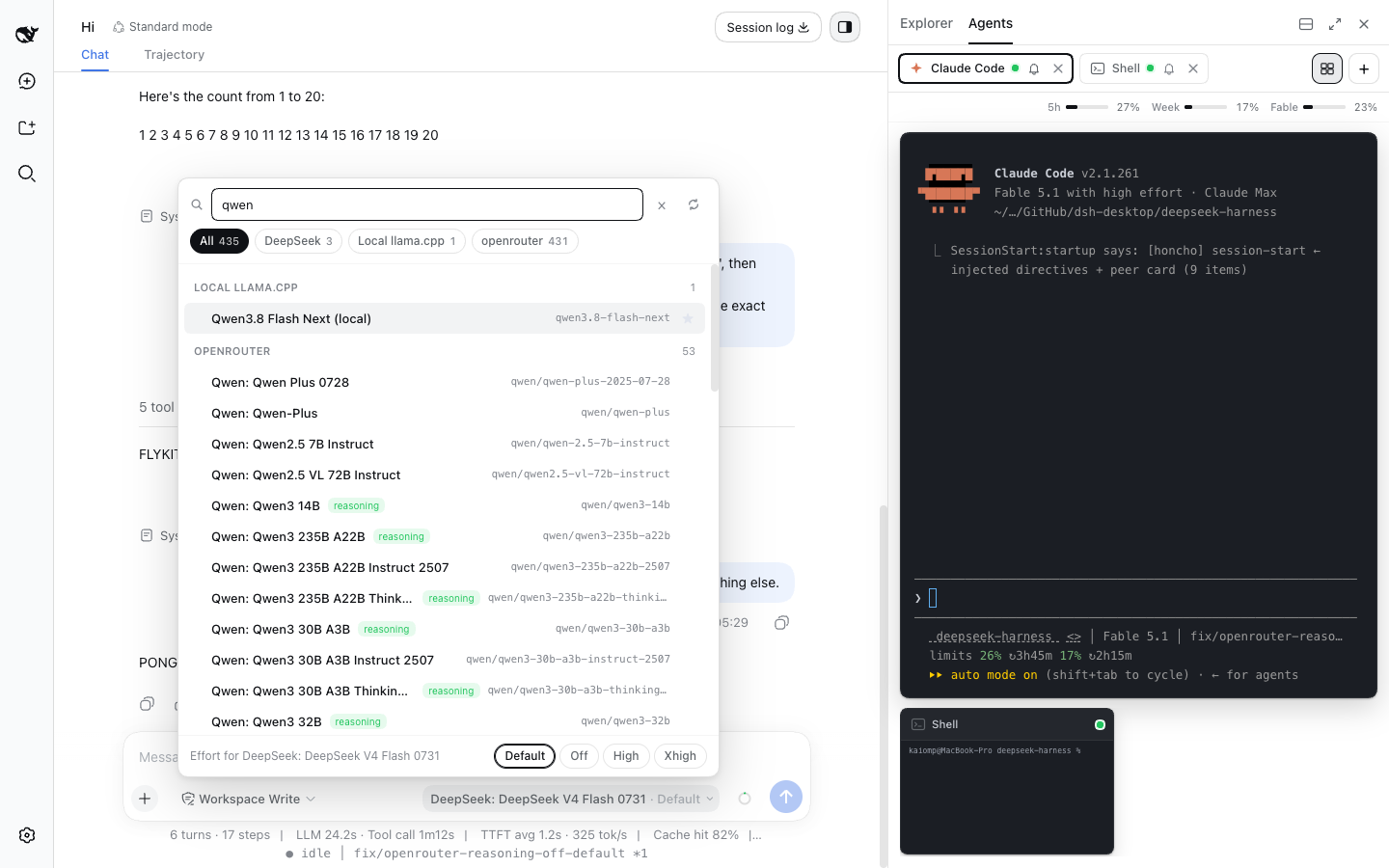
DeepSeek Harness's web interface has been deliberately lean, but when you are juggling file edits, multiple coding agents, and model switches all at once, a single pane quickly becomes a bottleneck. flykit restructures dsh web into an agent cockpit: a live-monitored code editor on one side, real PTY terminals running Claude Code, Pi, Codex, or a plain shell on the other, a searchable model picker up top, and a status line that tracks idle, thinking, tool-running, turn timer, and git branch at a glance.
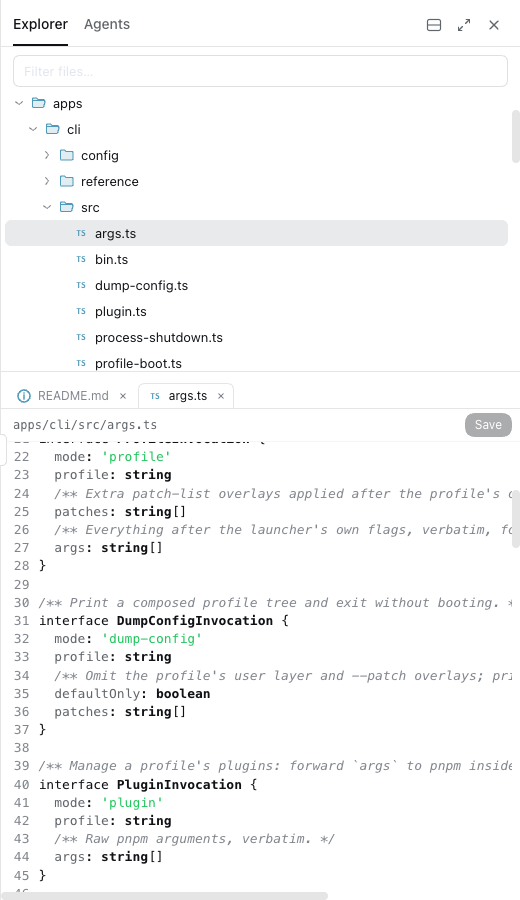
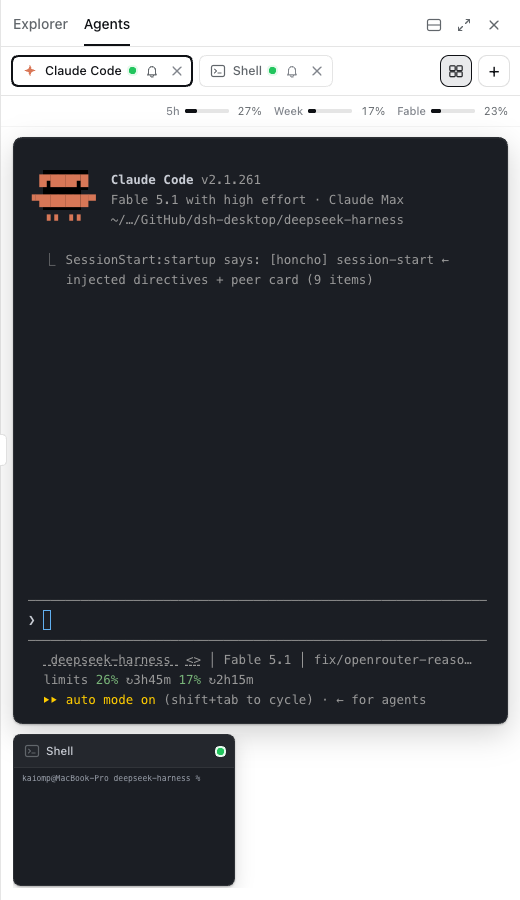
The explorer syncs with disk via fs.watch, refreshing the tree and reloading open files while preserving unsaved edits; the editor is CodeMirror with Markdown and HTML/SVG previews. Each agent terminal is a live xterm session with per-tab mute, a chime when output goes quiet, and optional Claude subscription usage bars. Stage view lets the focused agent fill the panel while others shrink to thumbnails; split mode stacks terminals above the editor so both stay visible simultaneously. The model picker shares the same directory-backed state as the shell's built-in seat, adding provider pills, favourites, recents, reasoning badges, and a live OpenRouter catalog refresh. Seven flykit_agent_* tools also let the DSH agent itself start, type into, read, and stop those terminals.
Built for DeepSeek Harness developers who drive several coding agents in parallel and want to keep files, terminals, and model selection in a single browser window. Requires Node 22 or later on macOS or Linux.
Screenshots

Use Cases
- Run several coding agents in parallel and watch each terminal live in the browser
- Edit project files and preview Markdown or HTML/SVG without switching to another app
- Search, switch, and refresh the OpenRouter model catalog without leaving the web GUI
Best For
- DeepSeek Harness developers who drive multiple coding agents in parallel
- Engineers who want file editing and terminal management in a single browser window
- AI workflow users who need fast model search and switching
Related Plugins
A service-oriented sidebar framework for DSH, offering a full workbench with file explorer, embedded browser, real terminal, Git panel, and extensible plugin services.

A beautiful, practical Claude Code-style TUI plugin with pixel whale top bar, flowing glow title, real-time status line, streaming thought expansion, time rewind, context progress bar and TPS gauge — zero core changes.

The plugin market for DeepSeek Harness: browse/search/one-click install community plugins and themes, with updates, backup/restore, hot disable, diagnostics, and AI fix.

A persistent whale widget on the DSH web UI that shows DeepSeek balance, today's usage, and per-turn cost, with drag-and-snap and sound effects.