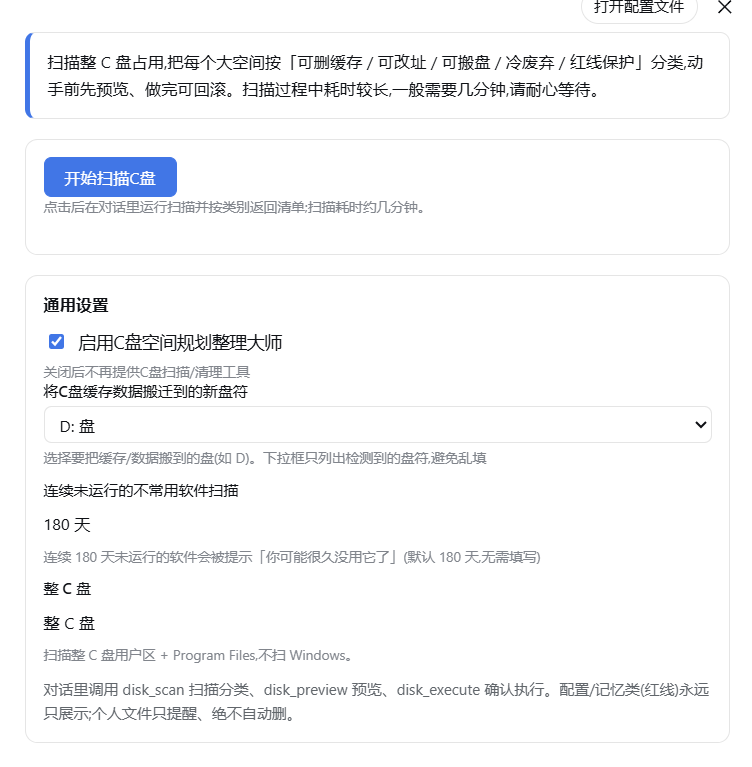
dsh-disk-manager
Run the following command in DeepSeek Harness:
dsh plugin install wangzhanchao883/dsh-disk-manager
Paste the following prompt into your AI chat to install this plugin:
Run dsh plugin install wangzhanchao883/dsh-disk-manager in DeepSeek Harness; source code is available at https://github.com/wangzhanchao883/dsh-disk-manager
About this plugin
Most disk-cleanup utilities do one thing: delete cache files. Yet the real culprits behind a shrinking C drive are usually more nuanced—installations you forgot to remove, Docker or npm caches that could live on D, and regenerable temp folders that regrow overnight. dsh-disk-manager scans the entire C drive and classifies every space-hog into six categories (regenerable cache, officially relocatable, junction-movable, stale software, config/memory red-line, and personal files), then prescribes the correct action for each instead of a blanket purge.
The classification engine works in three tiers: a static rule base covering dozens of well-known tools, a local confirmation cache that learns from your choices, and an LLM fallback for unknown directories. Anything matching config, storage, indexeddb, memory patterns or dot-directories is forcibly downgraded to display-only regardless of the LLM verdict. Every execution is preceded by a dry-run preview, an undo log is kept, and junction migr
Screenshots
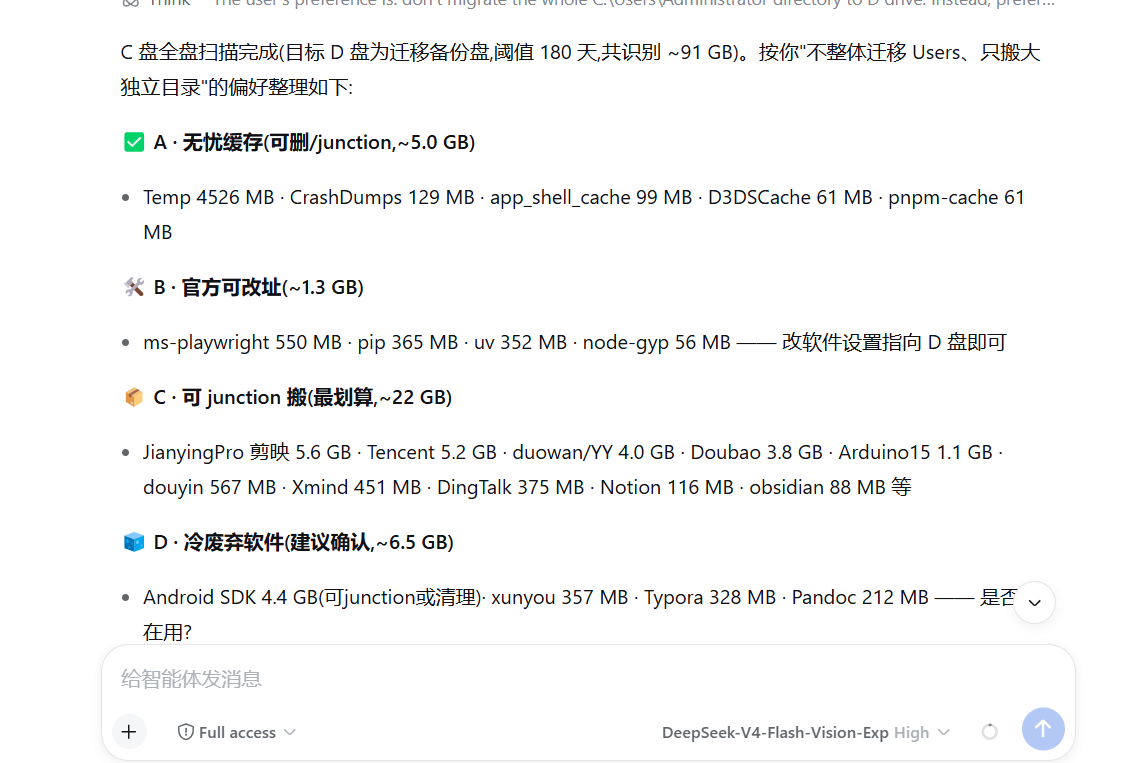
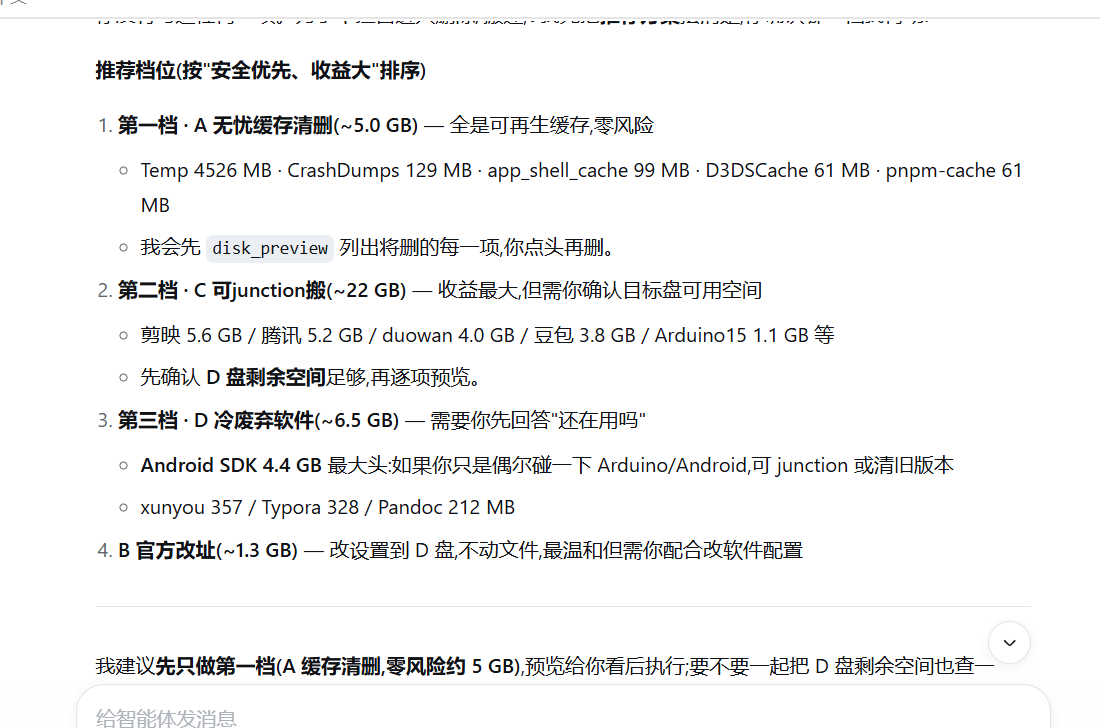
Use Cases
- C drive is nearly full and you need to know instantly what is safe to delete, what must stay, and what can be relocated
- Docker, npm, or video-editing caches have ballooned to tens of GB and you want to migrate them without breaking your setup
- Half-forgotten software has accumulated—identify stale apps while guaranteeing active tools are never misclassified
Best For
- Windows developers juggling Docker, Node.js, and video-editing stacks at the same time
- Users whose C drive is perpetually low and generic cleaners have not delivered results
- Cautious users who insist on a dry-run preview and an undo log before anything executes
Related Plugins
A service-oriented sidebar framework for DSH, offering a full workbench with file explorer, embedded browser, real terminal, Git panel, and extensible plugin services.

A beautiful, practical Claude Code-style TUI plugin with pixel whale top bar, flowing glow title, real-time status line, streaming thought expansion, time rewind, context progress bar and TPS gauge — zero core changes.

The plugin market for DeepSeek Harness: browse/search/one-click install community plugins and themes, with updates, backup/restore, hot disable, diagnostics, and AI fix.

A persistent whale widget on the DSH web UI that shows DeepSeek balance, today's usage, and per-turn cost, with drag-and-snap and sound effects.