dsh-sidebar-cdp-browser
Run the following command in DeepSeek Harness:
dsh plugin install chendefine/dsh-sidebar-cdp-browser
Paste the following prompt into your AI chat to install this plugin:
Run dsh plugin install chendefine/dsh-sidebar-cdp-browser in DeepSeek Harness to install this plugin; source: https://github.com/chendefine/dsh-sidebar-cdp-browser
About this plugin
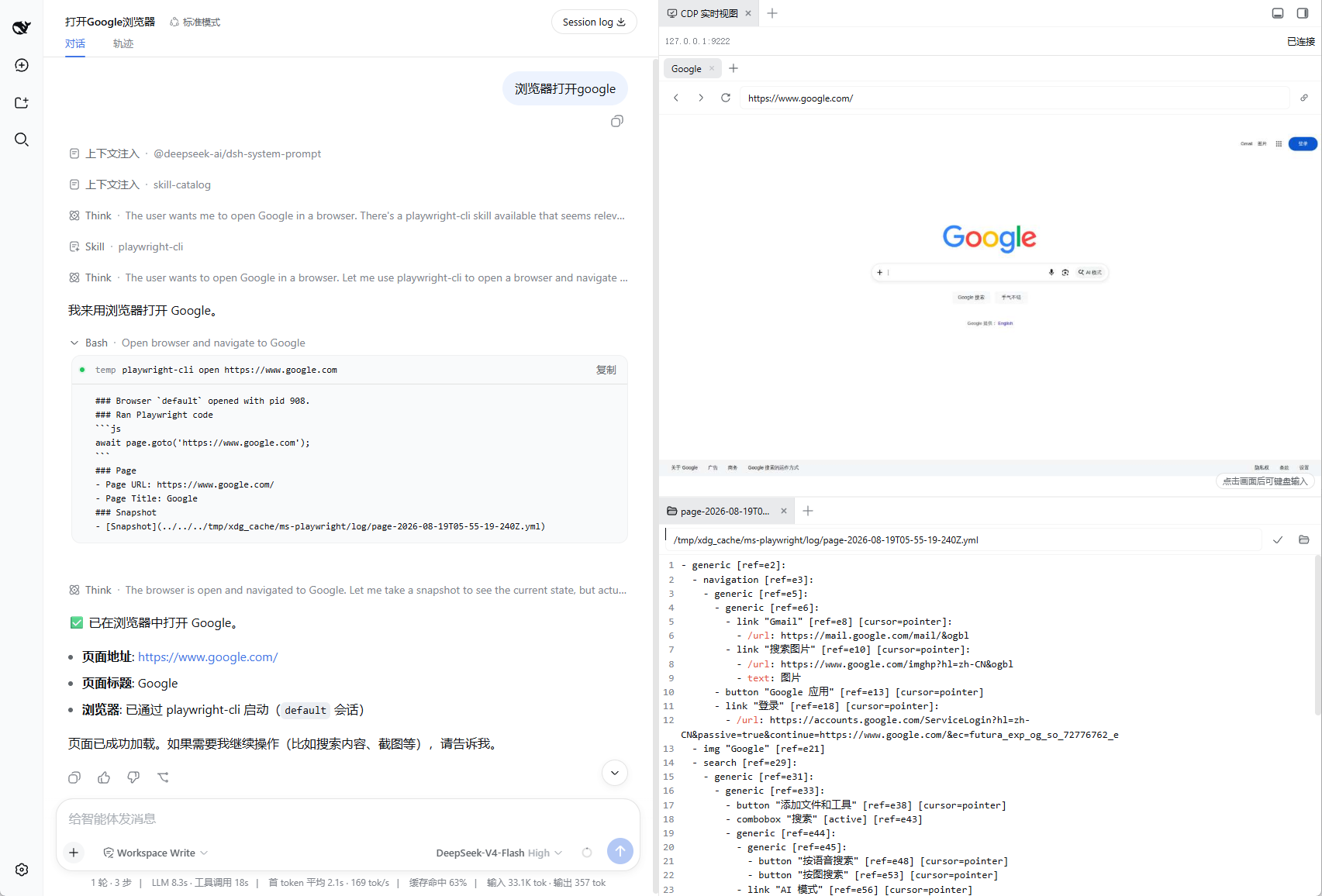
Want to watch and drive a Chromium running on a server or in a container straight from the DSH sidebar—without installing VNC clients on every workstation? This plugin projects the external browser into the DSH sidebar as a live JPEG pixel stream on a canvas. Open the tab and the remote page appears; click the canvas and you can issue clicks, drags, wheel events, keyboard input, and navigations, all with zero CDP passthrough.
Security is the core design: the client never learns the CDP address, every command must pass a zod strict discriminated-union allow-list, and no {method, params}-shaped CDP passthrough exists of any kind. Interaction sits behind a two-level gate—a global master switch plus a per-view checkbox—defaulting to observe-only. Only with both engaged can the view accept control input, and the host enforces the ticket mode so even a forged client cannot emit a single control command.
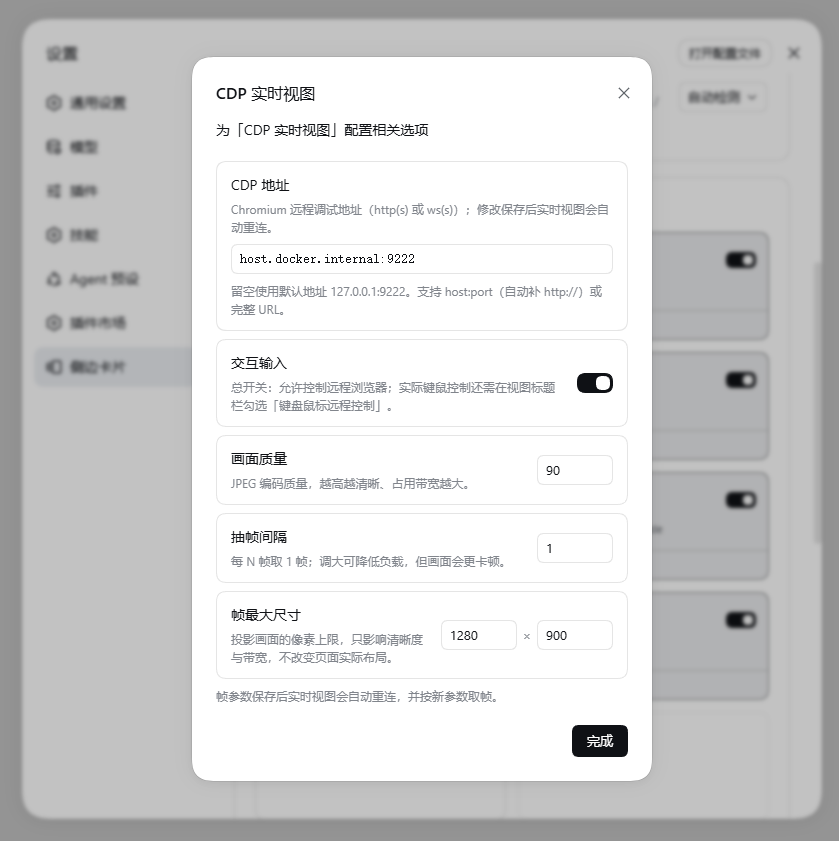
Typical use cases include remote or headless Chromium visualization, real-time supervision of an AI-driven browser session with the ability to take over at any moment, projecting a permission-scoped demo browser to colleagues with zero client installs, and multi-observer monitoring of a single browser session. Frame rate, JPEG quality, and maximum resolution are all adjustable in the web settings panel; on save the host disconnects existing views with code 1012 and they reconnect automatically with the new parameters in effect.
Screenshots
Use Cases
- Watch and control a headless Chromium on a remote server from the DSH sidebar
- Monitor an AI-driven browser session in real time and take over whenever needed
- Project a permission-scoped demo browser to colleagues with zero client installs
Best For
- DSH users who need remote visualization of headless browser sessions
- Developers and testers who supervise or demo AI browser operations
- Users seeking a lightweight remote-browser alternative without installing VNC clients
Related Plugins
A service-oriented sidebar framework for DSH, offering a full workbench with file explorer, embedded browser, real terminal, Git panel, and extensible plugin services.

A beautiful, practical Claude Code-style TUI plugin with pixel whale top bar, flowing glow title, real-time status line, streaming thought expansion, time rewind, context progress bar and TPS gauge — zero core changes.

The plugin market for DeepSeek Harness: browse/search/one-click install community plugins and themes, with updates, backup/restore, hot disable, diagnostics, and AI fix.

A persistent whale widget on the DSH web UI that shows DeepSeek balance, today's usage, and per-turn cost, with drag-and-snap and sound effects.