talon-ui
Run the following command in DeepSeek Harness:
dsh plugin install awnlight/talon-ui
Paste the following prompt into your AI chat to install this plugin:
Run dsh plugin install awnlight/talon-ui in your terminal to install the plugin; the source repository is at https://github.com/awnlight/talon-ui .
About this plugin
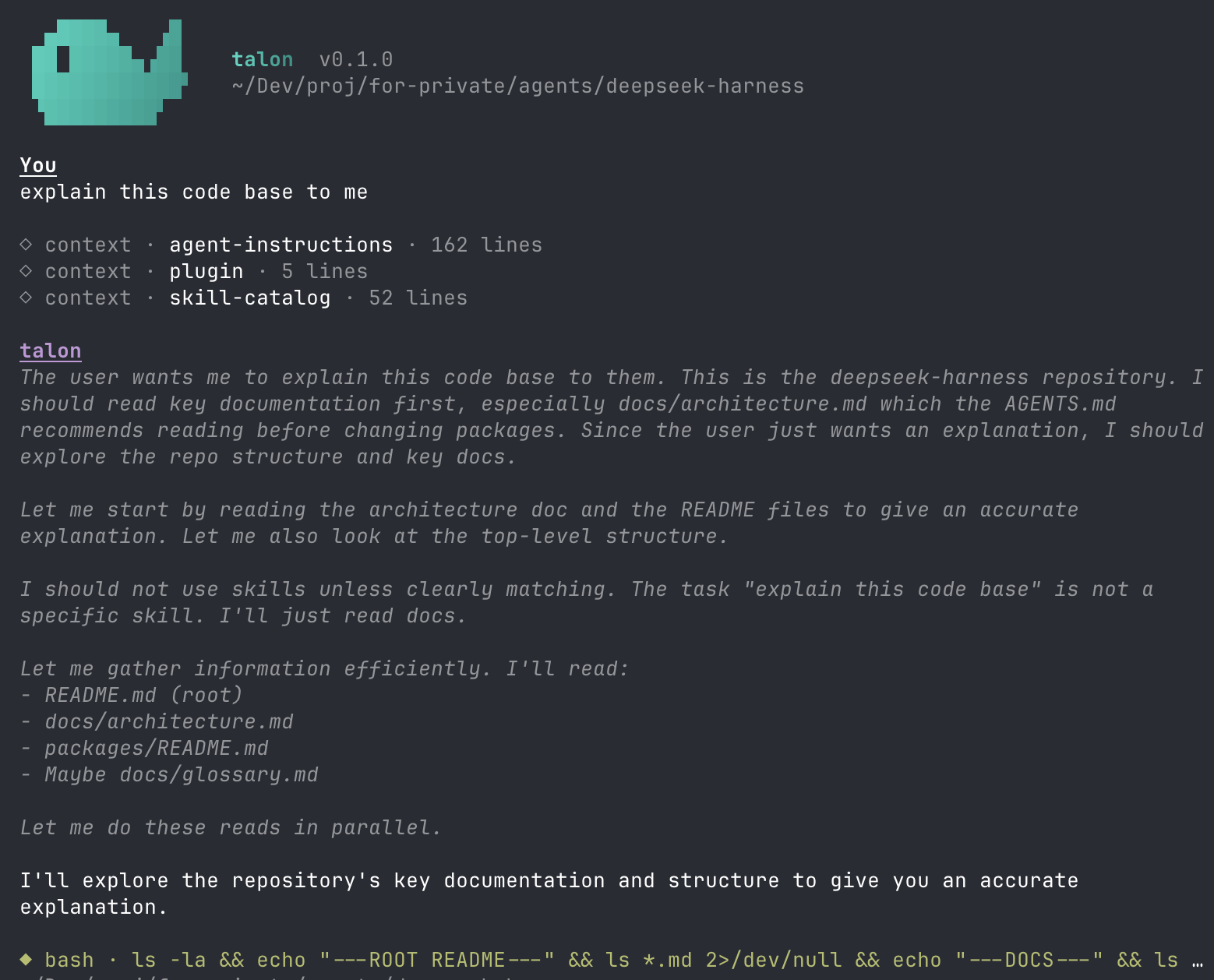
DeepSeek Harness agents are powerful, but driving multi-turn conversations, approving tool escalations, and resuming old sessions from a bare terminal still feels like wrestling with raw prompts. talon-ui fills that gap: it mounts as a dsh plugin bundle on an unmodified harness checkout and delivers a full interactive terminal UI covering streaming transcripts, an inline approval panel, model-initiated questions, slash commands with fuzzy autocomplete, and cross-workspace session resume – all controlled from the keyboard.
Every visual element follows an event-driven, replay-identical discipline: each transcript line is sourced from durable session events, so an /exit followed by /resume reproduces the exact same bytes, even from a different working directory. The approval panel appears automatically when a sandboxed tool retries with elevated permissions, showing the command preview, cwd, and justification with 1-to-allow / 2-to-reject shortcuts. When the model calls ask_user_question, a panel presents single-select, multi-select, and free-form options, with plan-review intents highlighted for one-key approval. The tone hierarchy uses ANSI-16 foregrounds only – brand teal for the model, dim for reference values, a warning at 75% and error at 90% context occupancy – so everything remaps cleanly to your terminal theme with no background clutter.
If you run multiple dsh agents daily, need to approve sensitive tool calls in place, or want to close your terminal and pick up a session later from any workspace, talon-ui is the client layer that upgrades your workflow from typing commands to working through an interface.
Screenshots
Use Cases
- Stream agent conversations, approve tool calls, and resume past sessions entirely from the terminal
- Answer model questions via single-select, multi-select, or free-form panels with plan-review highlighting
- Approve sandbox permission escalations inline with one-key allow or reject and a one-line audit entry
Best For
- Developers who drive multiple dsh agents daily
- Users who need to approve sensitive tool calls in a security-aware workflow
- Remote developers who want to resume sessions from any workspace after closing the terminal
Related Plugins
A service-oriented sidebar framework for DSH, offering a full workbench with file explorer, embedded browser, real terminal, Git panel, and extensible plugin services.

A beautiful, practical Claude Code-style TUI plugin with pixel whale top bar, flowing glow title, real-time status line, streaming thought expansion, time rewind, context progress bar and TPS gauge — zero core changes.

The plugin market for DeepSeek Harness: browse/search/one-click install community plugins and themes, with updates, backup/restore, hot disable, diagnostics, and AI fix.

A persistent whale widget on the DSH web UI that shows DeepSeek balance, today's usage, and per-turn cost, with drag-and-snap and sound effects.