dsh-git-chain
Run the following command in DeepSeek Harness:
dsh plugin install ShinonomeAya/dsh-git-chain
Paste the following prompt into your AI chat to install this plugin:
Run dsh plugin install ShinonomeAya/dsh-git-chain in your terminal to install this plugin into DeepSeek Harness; the full source repository is at https://github.com/ShinonomeAya/dsh-git-chain .
About this plugin
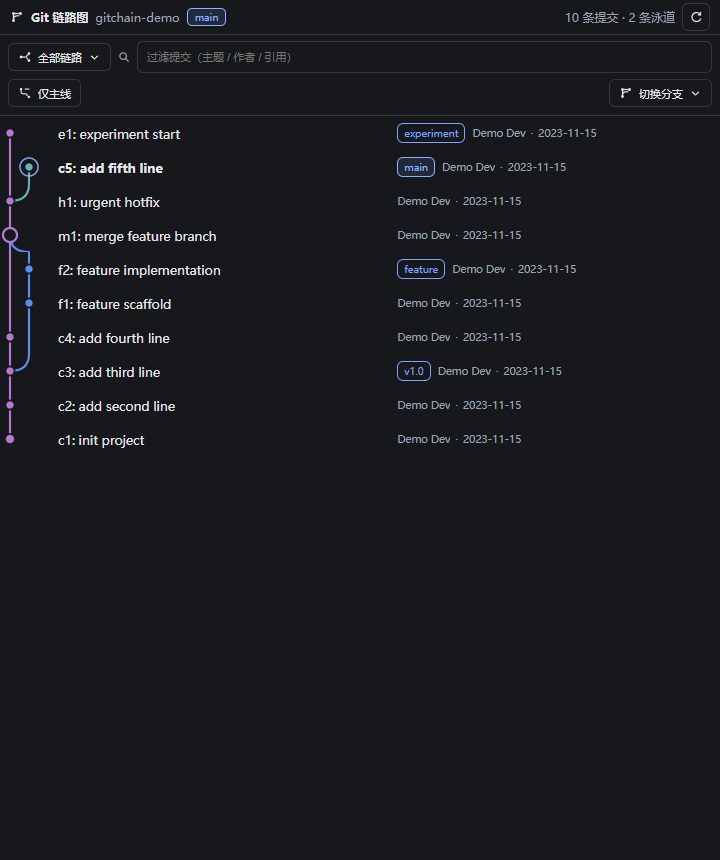
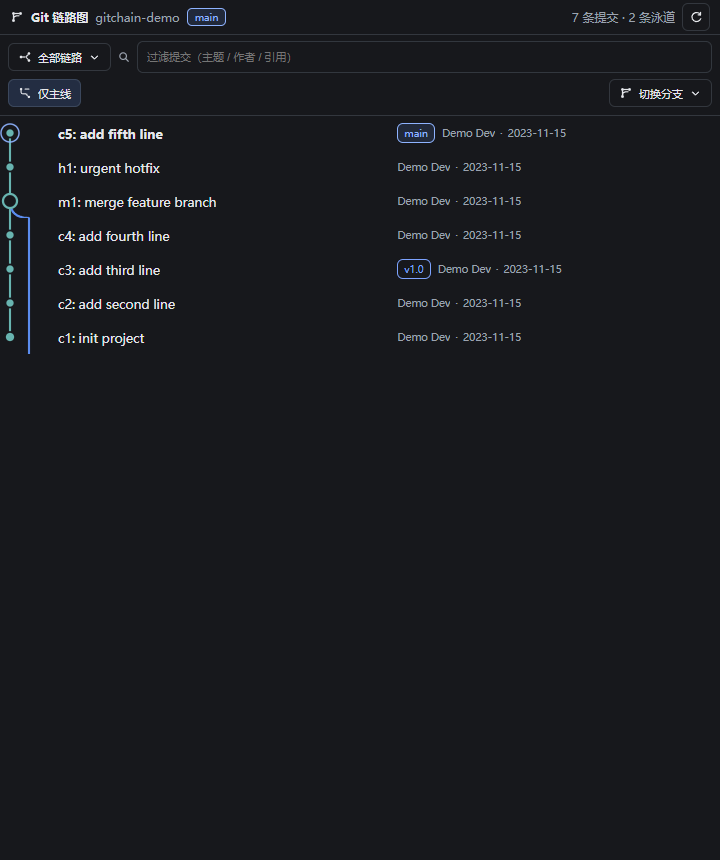
A long, linear list of commits rarely makes branch divergence, merge convergence, or the first-parent chain obvious at a glance. dsh-git-chain renders repository history as a continuous SVG lane graph where each branch gets its own visual channel, merge nodes and branch forks are instantly recognizable, and a first-parent mode focuses on the current HEAD mainline while preserving merge metadata.
While browsing history you can click any commit to see author, parent links, and a file-level change summary, then load a unified diff with added and removed line counts on demand. A one-click local branch switch is built into the same sidebar, guarded by automatic checks for conflicts, in-progress Git operations, other worktrees, and potential file overwrites so your working tree stays safe. Instant filtering by subject, author, ref, or commit OID combined with virtual scrolling keeps even thousands of commits fluid to navigate.
If you code daily inside DeepSeek Harness Desktop and find yourself constantly reviewing commit topology, comparing changes, or switching branches safely, dsh-git-chain is the sidebar companion designed for exactly that workflow.
Screenshots
Use Cases
- Reviewing complex branch topology, merge convergence, and first-parent mainlines
- Locating changed files for a commit and loading a unified diff on demand
- Switching local branches safely with automatic conflict and overwrite guards
Best For
- Developers coding daily in DSH Desktop who browse commit history often
- Contributors reviewing commits and managing branches from the sidebar
- Users who prefer visual Git DAG understanding over plain-text CLI output
Related Plugins
A service-oriented sidebar framework for DSH, offering a full workbench with file explorer, embedded browser, real terminal, Git panel, and extensible plugin services.

A beautiful, practical Claude Code-style TUI plugin with pixel whale top bar, flowing glow title, real-time status line, streaming thought expansion, time rewind, context progress bar and TPS gauge — zero core changes.

The plugin market for DeepSeek Harness: browse/search/one-click install community plugins and themes, with updates, backup/restore, hot disable, diagnostics, and AI fix.

A persistent whale widget on the DSH web UI that shows DeepSeek balance, today's usage, and per-turn cost, with drag-and-snap and sound effects.